By the nanobanana21.app teamUpdated
ChatGPT Images 2.5 Sunburst is the editing-focused half of OpenAI’s GPT Image 2.5 pair, and you can use it right here: the generator at the top of this page is already set to it, so write a prompt, pick a ratio and press Generate. Attach a picture with the Reference button and the same model edits it instead.
Sunburst and ChatGPT Images 2.5 Flare cost the same and take the same parameters. The vendor documentation separates them by intent: Flare is the faster default, while Sunburst prioritises editing precision for production product images, advertising creatives and detailed multi-turn editing. On this site a Sunburst image costs 30 credits at 1K, 40 at 2K and 75 at 4K, and new accounts get 20 free credits to try it.
What ChatGPT Images 2.5 Sunburst is good at
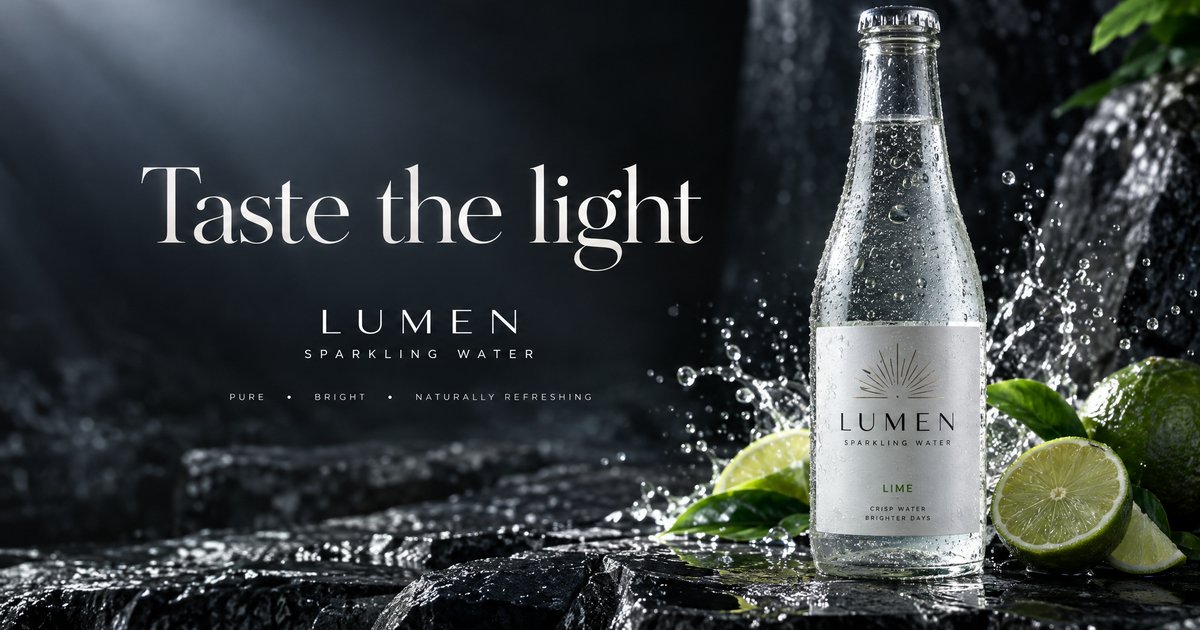
- Words inside the picture. The advertising banner below came back with the headline, the brand name and the small label line all spelled correctly, in a consistent serif.
- Product and campaign frames. Dramatic studio light, condensation, splashes and glass all hold together at 2K without the plasticky look that cheaper models give.
- Instruction edits on an attached image. In our test it took "change only the denim jacket on the figurine to bright red, keep everything else" and changed the jacket, keeping the input aspect ratio.
- Diagram-style layouts. The five-stage coffee poster below kept one icon and one label per stage, in order, with every word spelled as written.
- Wide and tall formats. Fifteen ratios are offered here, including the panoramic 3:1 and 1:3 that the Nano Banana models do not take.
If you mostly want speed and volume rather than edit precision, Flare is the same price and finished in half the time in our tests. If you want the lowest price per image from OpenAI here, see GPT Image 2.
ChatGPT Images 2.5 Sunburst specs on this site
Everything in this table is what the generator above actually offers. Credit prices are fixed per resolution, so an image costs the same whether it succeeds on the first try or the third.
| Spec | Value here |
|---|---|
| Vendor | OpenAI |
| Resolutions | 1K, 2K, 4K |
| Credits per image | 30 at 1K, 40 at 2K, 75 at 4K |
| Aspect ratios | 15: 1:1, 4:5, 3:4, 2:3, 9:16, 5:4, 4:3, 3:2, 16:9, 21:9, 2:1, 1:2, 3:1, 1:3, 9:21 |
| Reference images | Up to 16 |
| Image editing | Yes, attach one or more references |
| Speed in our tests | 31 to 36 seconds |
| Best for | Product images, ad creatives, detailed multi-turn edits |
Sample images made with Sunburst
All three were generated on this site with the model set to Sunburst, unedited. Press Try it on a card to load the prompt into the generator above.
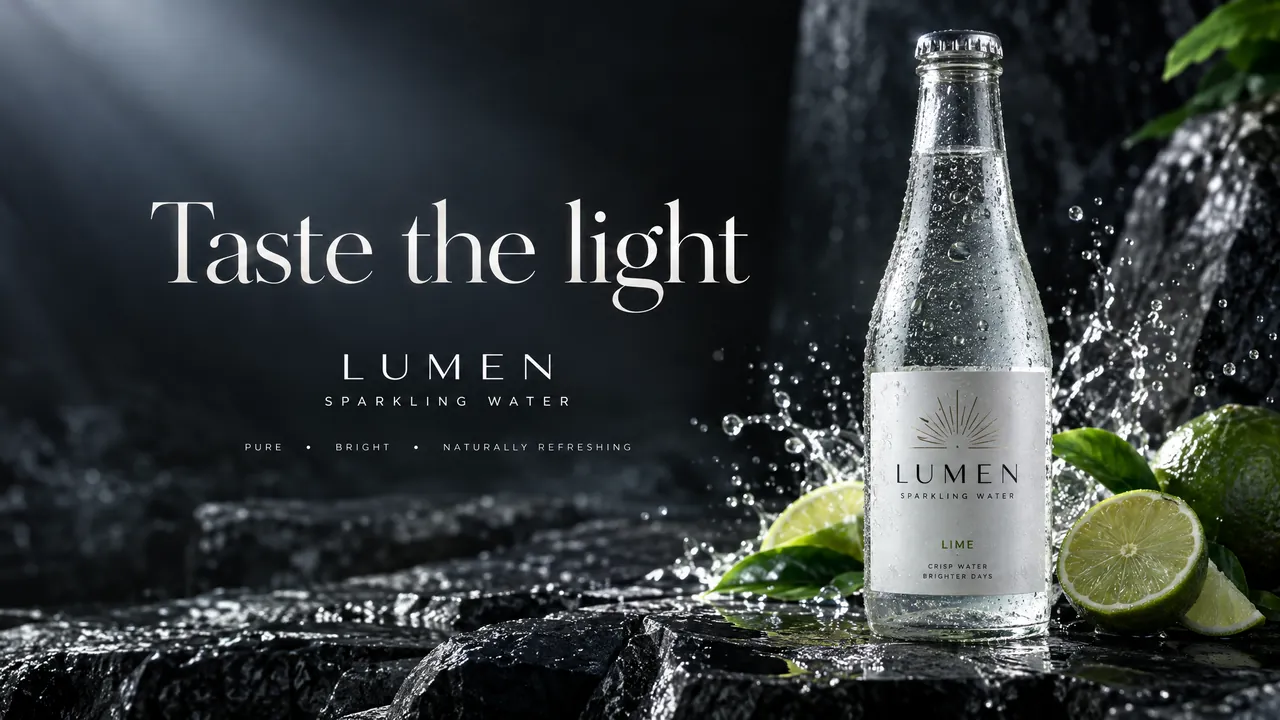
A premium advertising banner for a fictional sparkling water brand called LUMEN: a chilled glass bottle with condensation on wet black stone, a splash of lime, the headline 'Taste the light' in an elegant serif on the left, dramatic studio lighting, every word spelled exactly as written.
ChatGPT Images 2.5 Sunburst · 16:9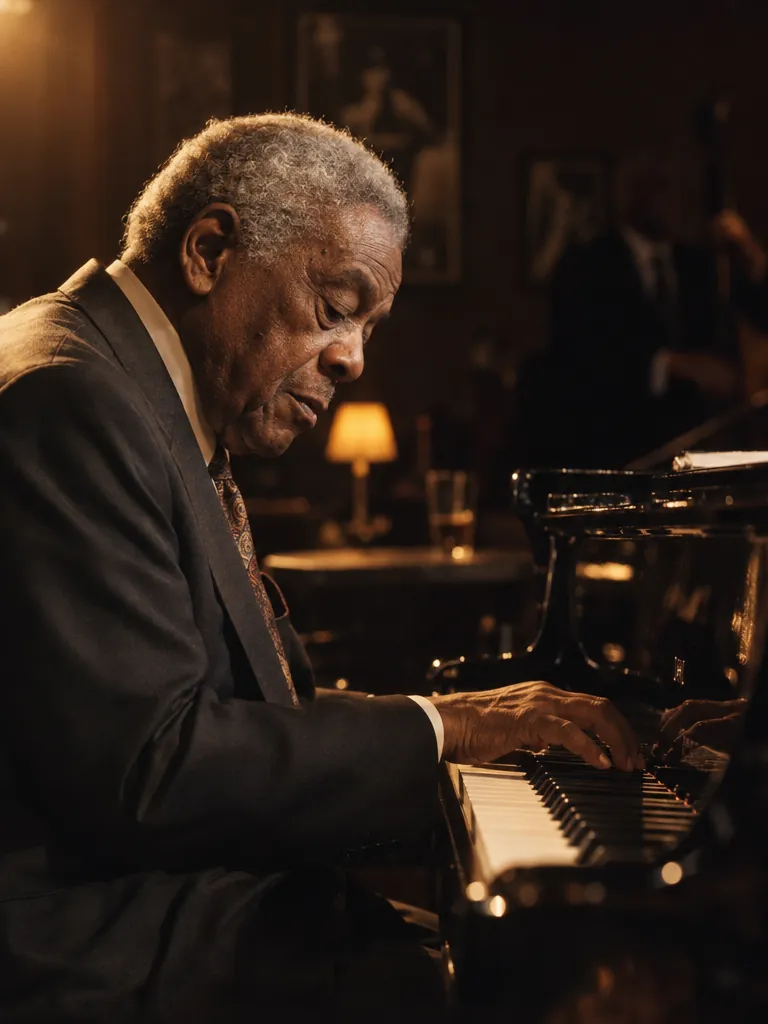
A magazine-style portrait of an elderly jazz pianist at a grand piano in a dim club, warm tungsten light from the left, cigarette-free, shallow depth of field, fine film grain.
ChatGPT Images 2.5 Sunburst · 3:4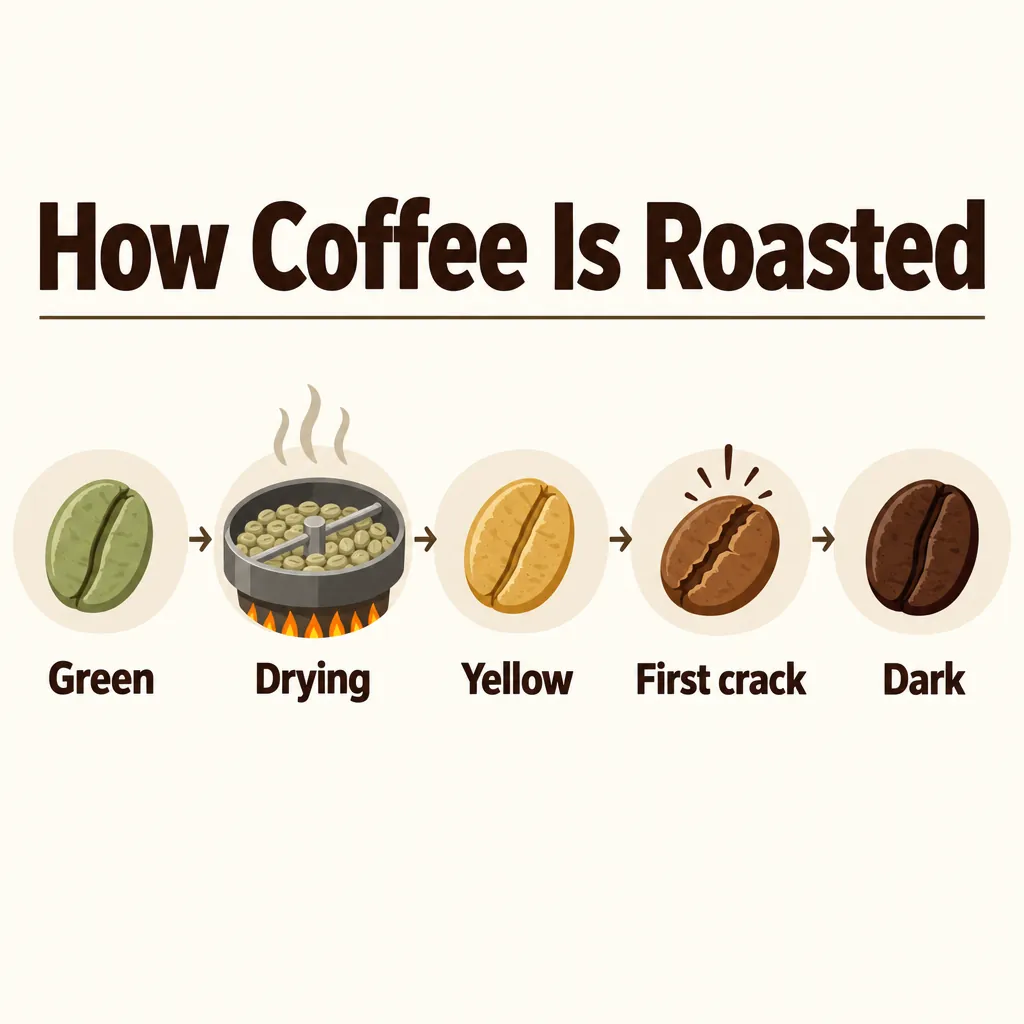
A clean infographic poster titled 'How Coffee Is Roasted' showing five labeled stages from green bean to dark roast, each with a small icon and a one-word label (Green, Drying, Yellow, First crack, Dark), flat vector style on a cream background, every word spelled exactly as written.
ChatGPT Images 2.5 Sunburst · 1:1
How to use ChatGPT Images 2.5 Sunburst on this page
- Write the prompt. Sunburst follows long, specific instructions, so name the subject, the light, the camera and anything that must be spelled exactly.
- Pick a ratio and a resolution. Start at 1K for 30 credits while you iterate, then rerun the keeper at 2K for 40.
- To edit instead of generate, press Reference and upload your image. Leave the ratio on auto to keep the input shape, or choose one to force a crop.
- Press Generate. Credits are taken once per image; if the job fails or is refused, they go back to your balance automatically.
- Results land in your private library, where you can download them or send one back in as a reference for the next edit.
New accounts get 20 free credits valid for 7 days. A 1K Sunburst image is 30 credits, so try your prompt on GPT Image 2 first, which is 10. Plans and credit packs are on the pricing page, and every model in the picker is listed under models.
ChatGPT Images 2.5 Sunburst vs Nano Banana 2.1
Both models rendered the same prompt at 4:3 on this site, one call each.
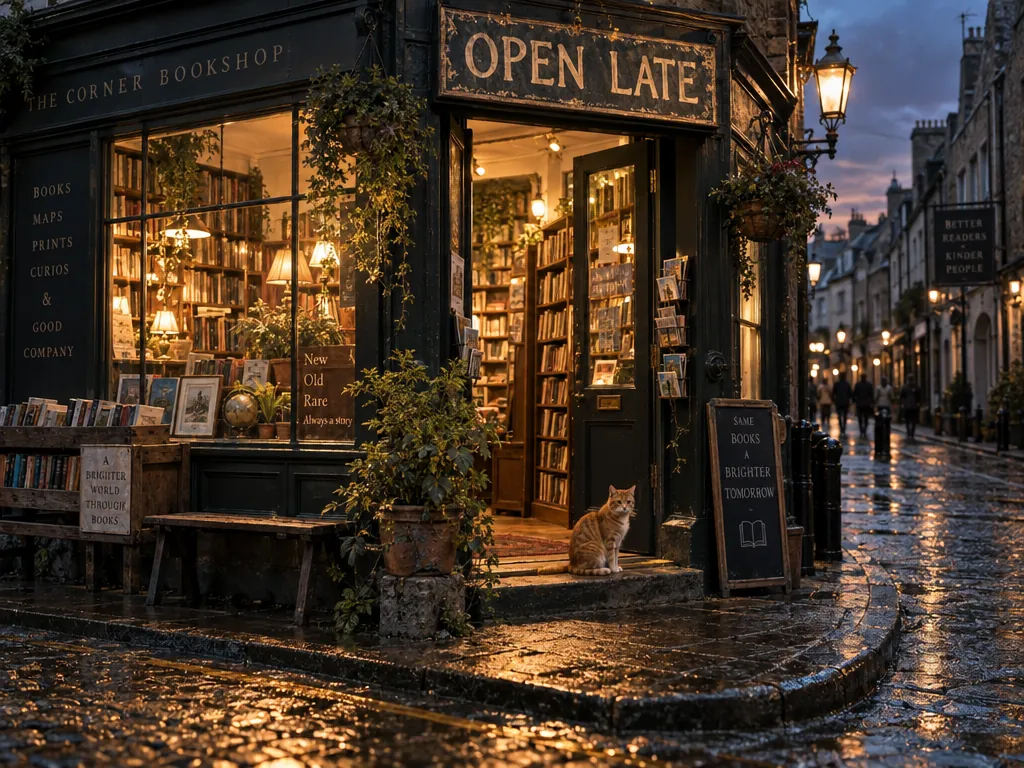
ChatGPT Images 2.5 Sunburst
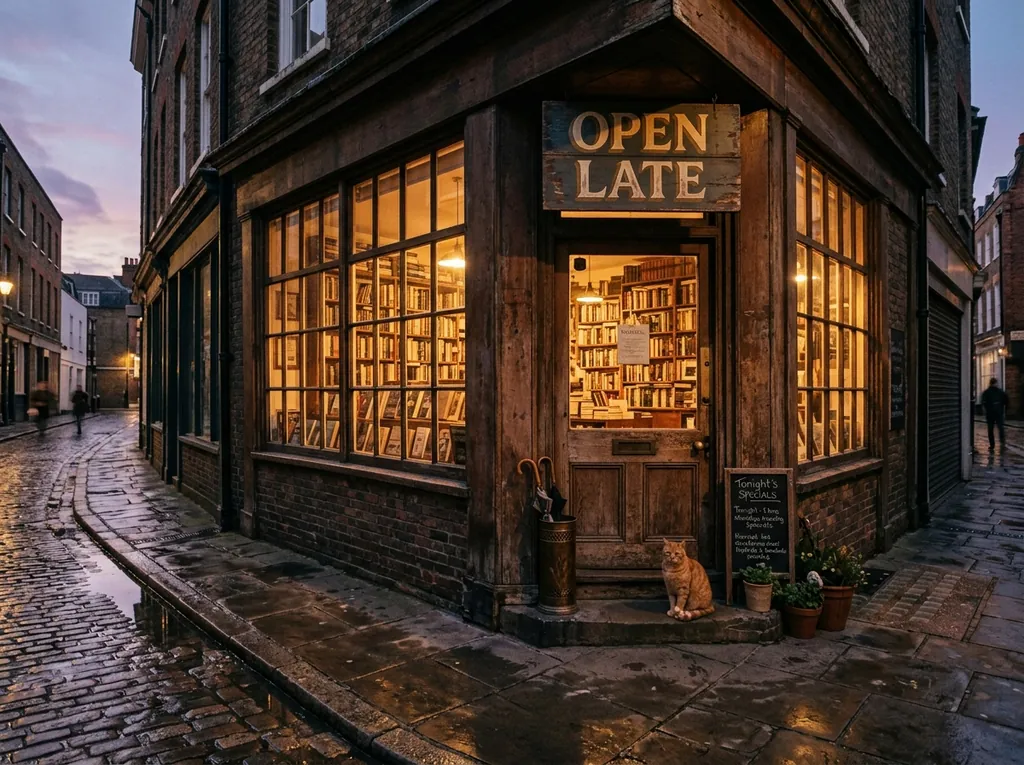
Nano Banana 2.1
When to pick Sunburst and when to pick something else
- Pick Sunburst when the image is going to be used: a product frame, an ad, a cover, or an edit that has to land exactly. 30 credits at 1K is roughly 1.5 times a Nano Banana 2.1 image here, and the typography is worth it when there are words in the picture.
- Pick Flare when you need volume. Same price, same ratios, same 16 references, and 16 to 21 seconds against 31 to 36 in our tests.
- Pick Nano Banana 2.1 (20 credits at 1K, the site default) when you want the wider, cooler, more photographic reading of a scene, or when you want 4K at 30 credits instead of 75.
- Pick FLUX Kontext Pro when the job is purely "change this one thing in my photo" and the picture has no text in it.
In our edit test Sunburst, Flare, GPT Image 2, Seedream 5 Pro, Seedream 4 and Kontext Pro all made the requested jacket change and kept the input aspect ratio, so the choice is about price, speed and how much of the rest of the frame you want left alone.
Prompt tips for ChatGPT Images 2.5 Sunburst
- Quote the text you want. Put headlines in quotation marks and add "every word spelled exactly as written", as in the LUMEN banner above.
- Say what must not change. On an edit, "keep everything else exactly the same" does real work; without it the model is free to repaint the whole frame.
- Edit in steps. Sunburst is tuned for multi-turn work, so make one change, download the result, send it back in as the reference, and make the next one.
- Describe the light like a photographer. "Dramatic studio lighting", "warm tungsten from the left", "shallow depth of field" change the result more than style adjectives do.
- Keep labels short. Five one-word labels came out clean in the coffee poster; paragraphs of body text in an image still come back garbled on every model here.
- Re-roll before rewriting. The same prompt gives a different composition each time. More prompt patterns are in the Nano Banana 2.1 prompts guide.
The vendor API also offers mask-based inpainting, transparent backgrounds, several quality levels and multiple images per request. Those are available in the vendor API, not in this generator, which sends one image per job at the high quality setting.
Independence, trademarks and your images
nanobanana21.app is an independent image studio. We are not affiliated with, endorsed by or connected to OpenAI. ChatGPT, GPT Image and all other model and product names on this page are trademarks of their respective owners and are used only to say which model a job runs on.
Your prompts, uploads and results stay in your private library on this site and are not shown publicly. Images you generate here are yours to use under our terms, including commercial work. The model itself is run by its vendor, so check that vendor’s own usage policy for your particular case, especially for brand assets, likenesses and anything you plan to resell.
FAQ
What is ChatGPT Images 2.5 Sunburst?
It is one of the two GPT Image 2.5 models from OpenAI. Flare is the faster everyday option; Sunburst is the one tuned for editing precision, which the vendor recommends for production product images, advertising creatives and detailed multi-turn editing. Both cost the same.
How much does a Sunburst image cost here?
Fixed credits per resolution: 30 at 1K, 40 at 2K and 75 at 4K. The same price applies whether you generate from text or edit an attached image.
Can I try it free?
New accounts get 20 free credits valid for 7 days. That is not quite a 1K Sunburst image on its own, so pair it with a cheaper model such as Z-Image Turbo or GPT Image 2 first, or top up on the pricing page.
How many reference images can I attach?
Up to 16 on this site, which matches the vendor limit. Attaching any reference switches the job to editing mode.
Which aspect ratios are available?
Fifteen: 1:1, 4:5, 3:4, 2:3, 9:16, 5:4, 4:3, 3:2, 16:9, 21:9, 2:1, 1:2, 3:1, 1:3 and 9:21. Leave the ratio on auto during an edit and the output follows the shape of your input image.
How fast is it?
In our tests on this site, 31 to 36 seconds per image. That is a measurement from a handful of calls on one day, not a guarantee; queue time varies.
What is the difference between Sunburst and Flare?
Price, ratios, resolutions and the reference limit are identical. The vendor positions Sunburst for editing precision and Flare for speed, and in our tests Flare finished in 16 to 21 seconds against 31 to 36 for Sunburst at the same sizes.
Can I use the images commercially?
Images you generate here are yours to use under our terms, including commercial work. The model itself is run by its vendor, so check that vendor’s own usage policy for your particular case, especially for brand assets, likenesses and anything you plan to resell.
Does it do inpainting with a mask?
Not here. Masks, transparent backgrounds and the lower and higher quality levels are available in the vendor API, not in this generator. Here you describe the change in words and attach the image as a reference.