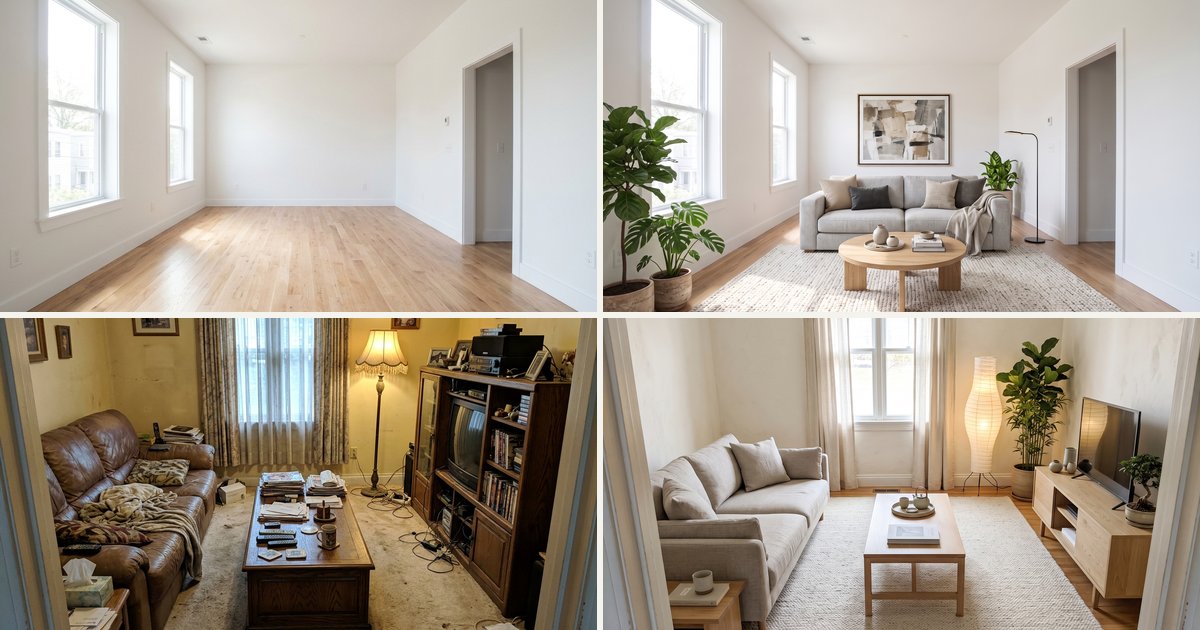
By the nanobanana21.app teamUpdated
Short answer: this AI interior design tool takes one photo of a room and shows it redesigned in a new style (Japandi, Scandinavian, industrial, coastal, mid-century, boho) or, if the room is empty, virtually staged with furniture, while the walls, windows, doors, floor plan and camera angle stay exactly the same. You can also upload an inspiration photo and have the room follow its look. It runs on Google's Nano Banana 2.1, returns a 2K image in usually under a minute, and each design costs 20 credits. New accounts get 20 free credits, so the first design is free. Downloading full-size images needs any plan or credit pack.
Every example on this page was made from one photo with the same model and the same prompts the presets use, one attempt each, unedited. The rooms are AI-generated, so no one's real home is shown.
How do I redesign a room with AI?
Three steps:
- Upload a photo of the room. Stand in a corner or the doorway so most of the room is in frame, and shoot in daylight with the lights on. Empty or furnished both work.
- Pick a style. Staging presets furnish an empty room; style presets replace the furniture and finishes in a furnished one; kitchen presets remodel cabinets, counters and backsplash. Or add an inspiration photo and pick "Match my inspiration photo".
- Press Generate. Sign in with Google if needed; your photo and choice are kept and the design starts right after. The result appears here and in My images.
Every preset ends with a keep-sentence: walls, windows, doors, ceiling, floor, room shape and camera angle stay the same, so the result is your room, not a stock photo.
Virtual staging: furnish an empty room
Empty rooms photograph badly: buyers and guests cannot judge the size or picture how they would live there. Virtual staging adds furniture to the photo. It is the most common use of AI interior design in real estate and short-term rentals, and it costs a fraction of physical staging.
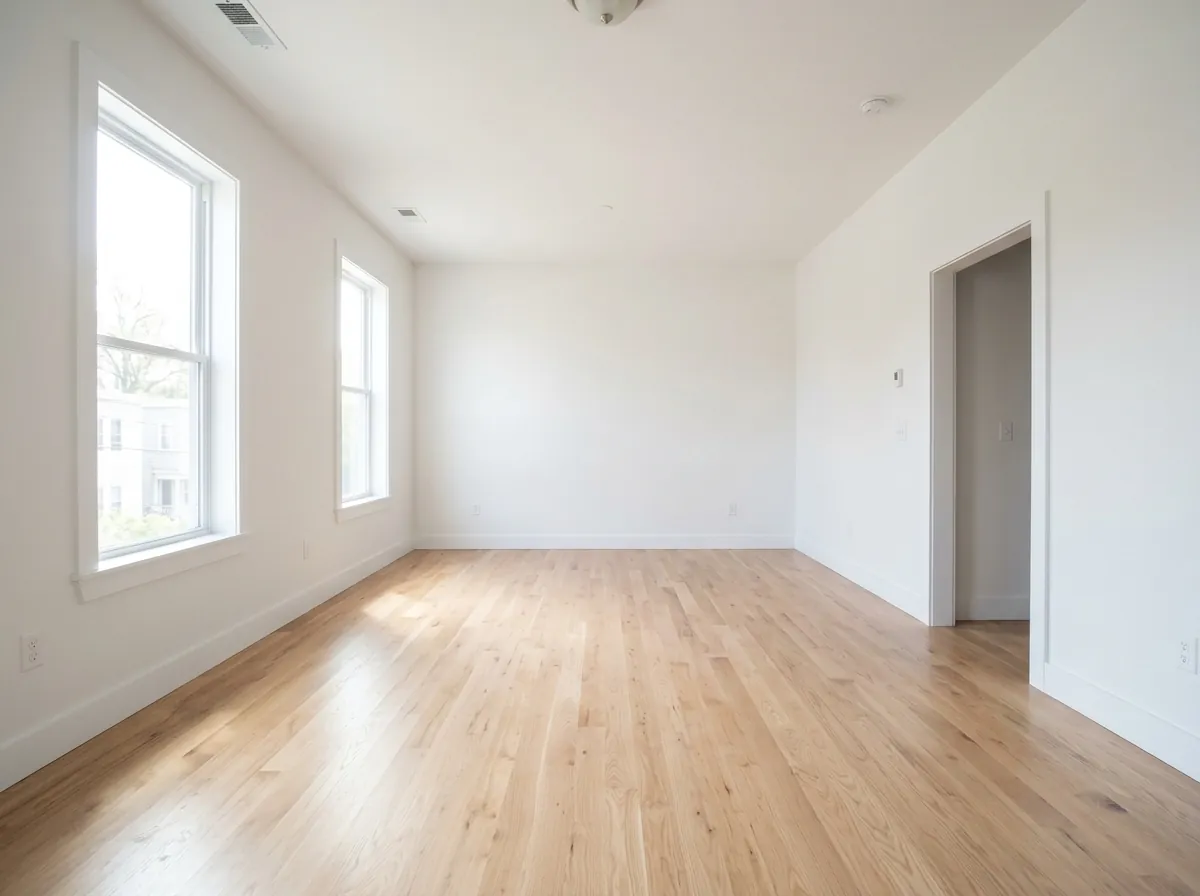
Empty room
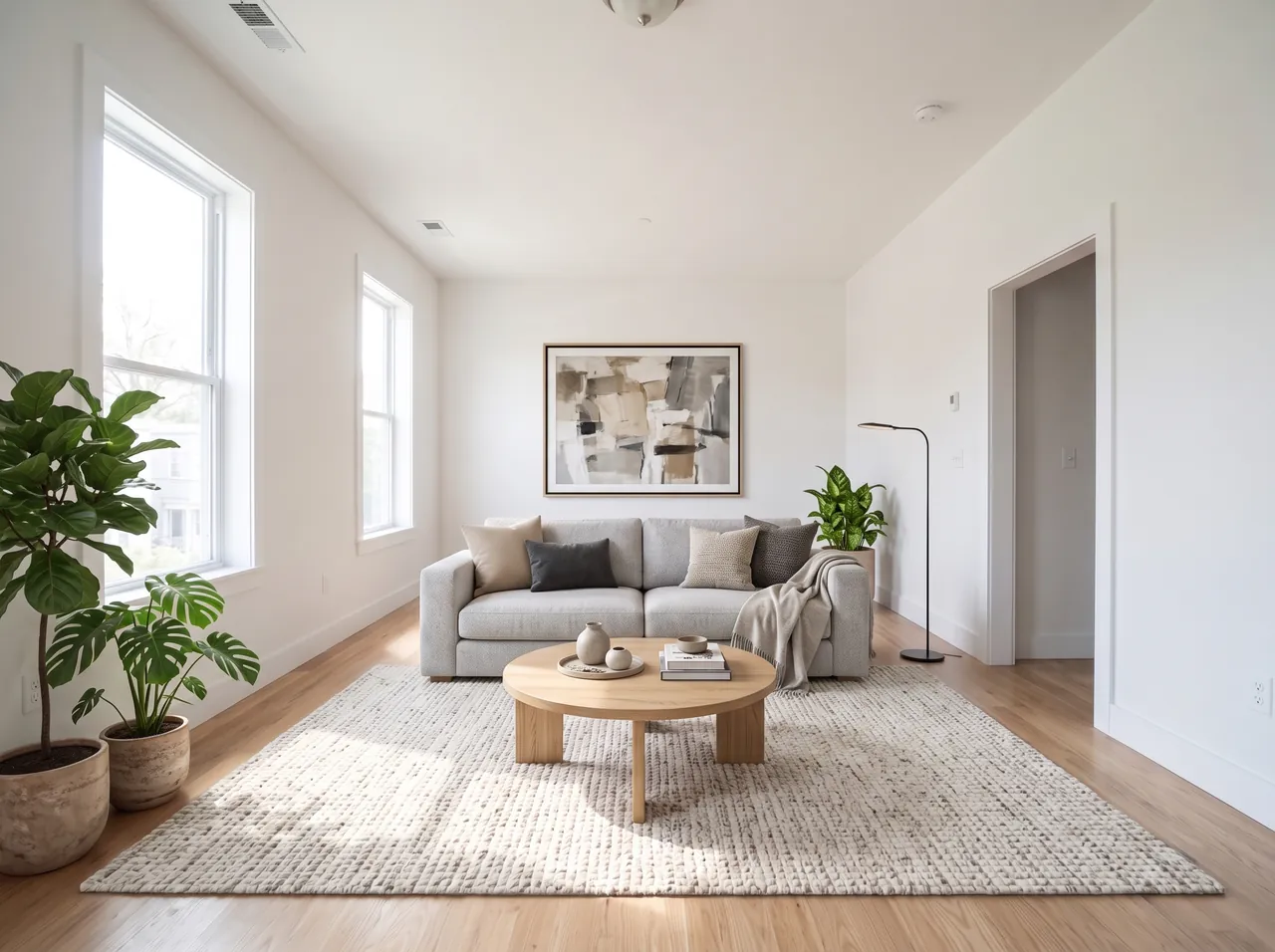
Staging: modern
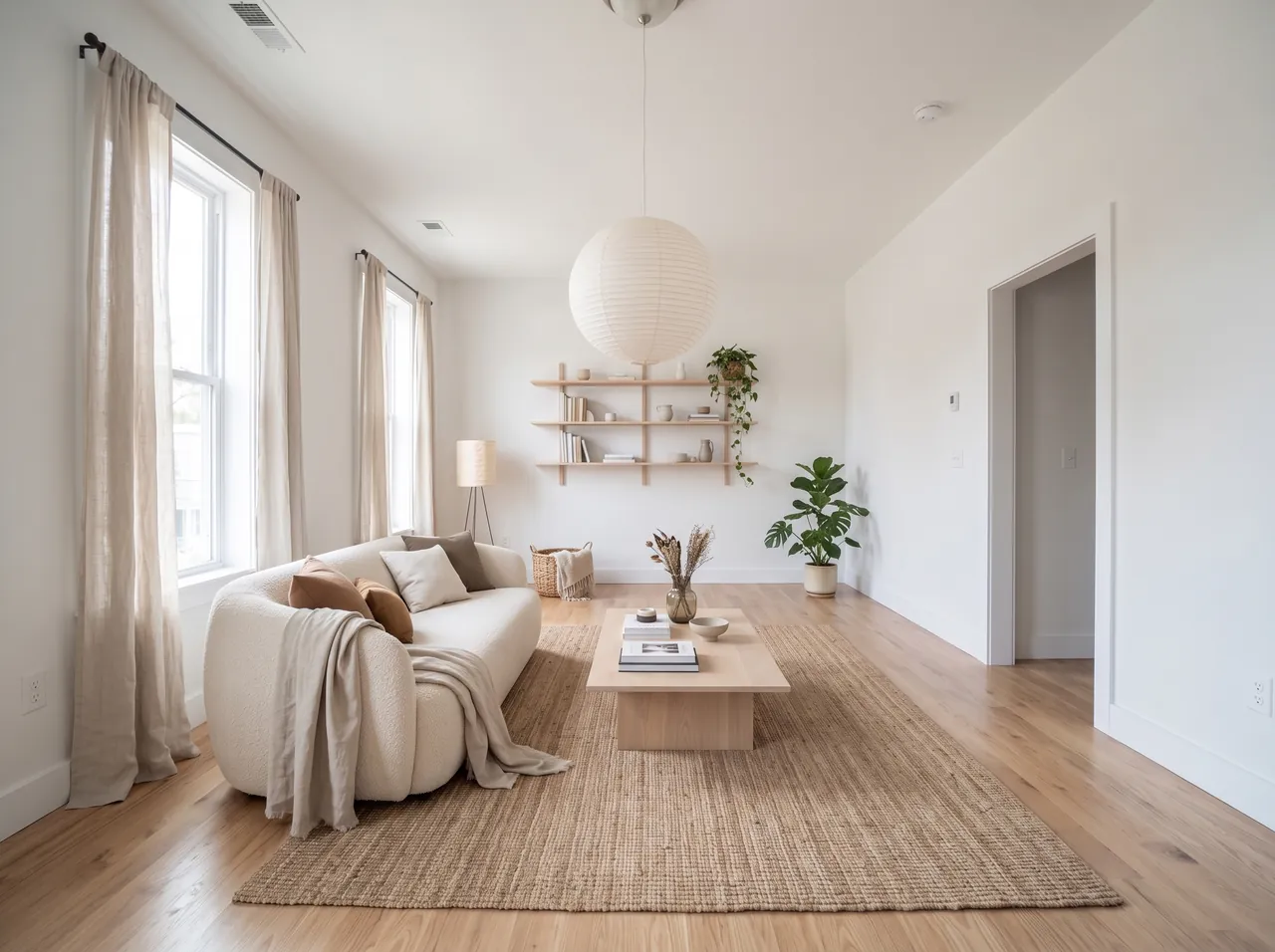
Staging: Scandinavian
Restyle a furnished room: Japandi, industrial, coastal
For a room that already has furniture, the style presets replace the furniture, decor and finishes, and clear the clutter, while the room itself stays. It is the quickest way to compare directions before you buy anything or paint a wall.
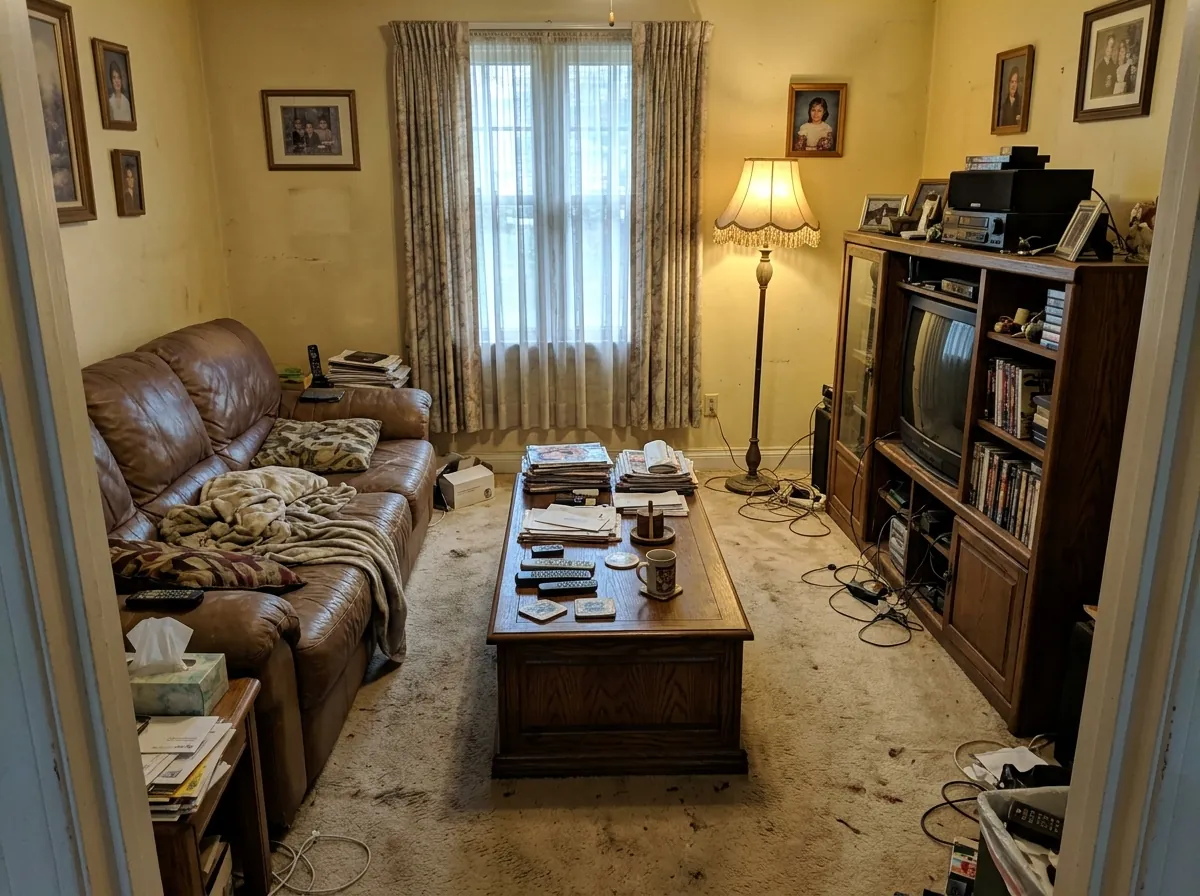
Before
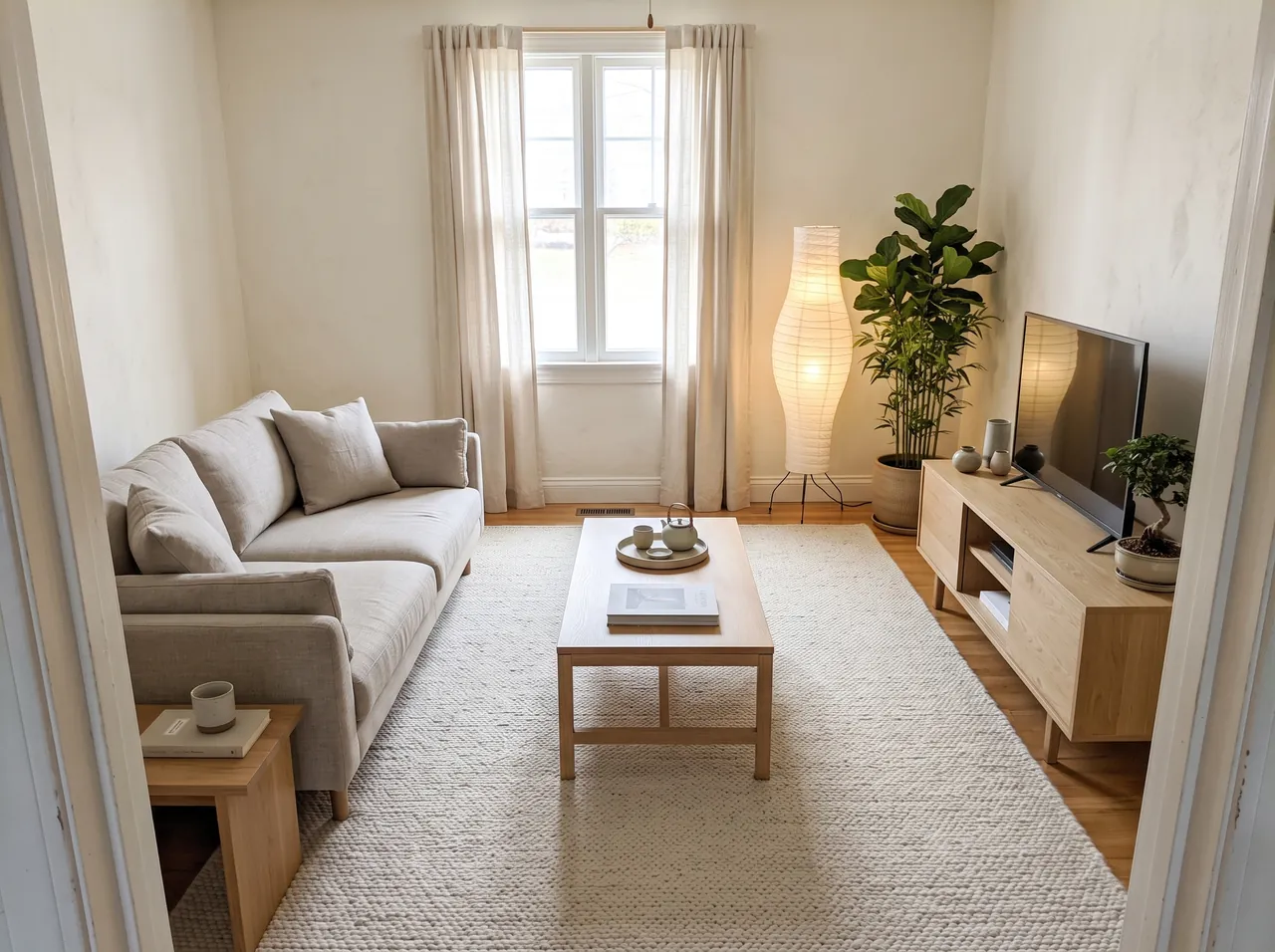
Japandi
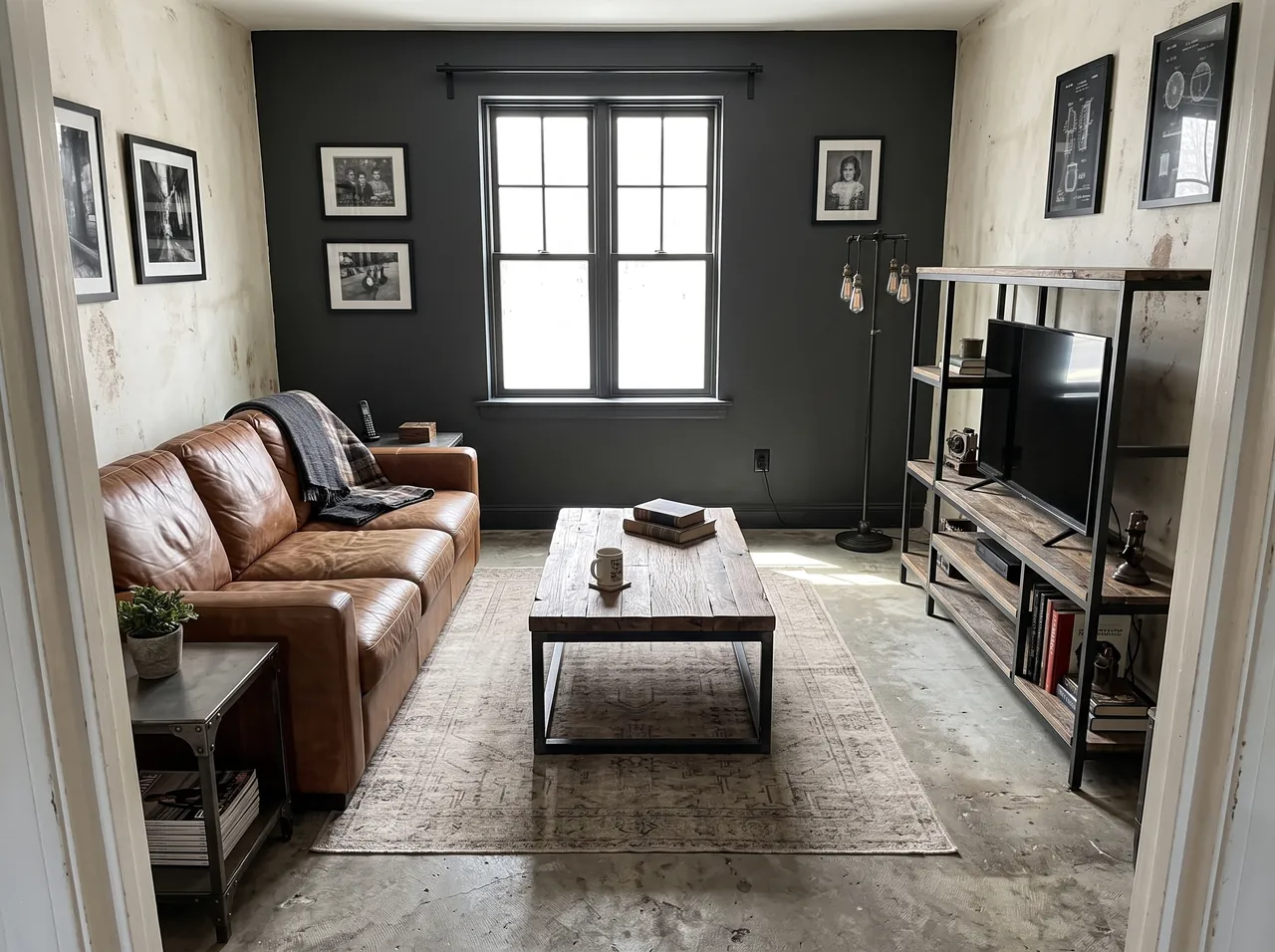
Industrial
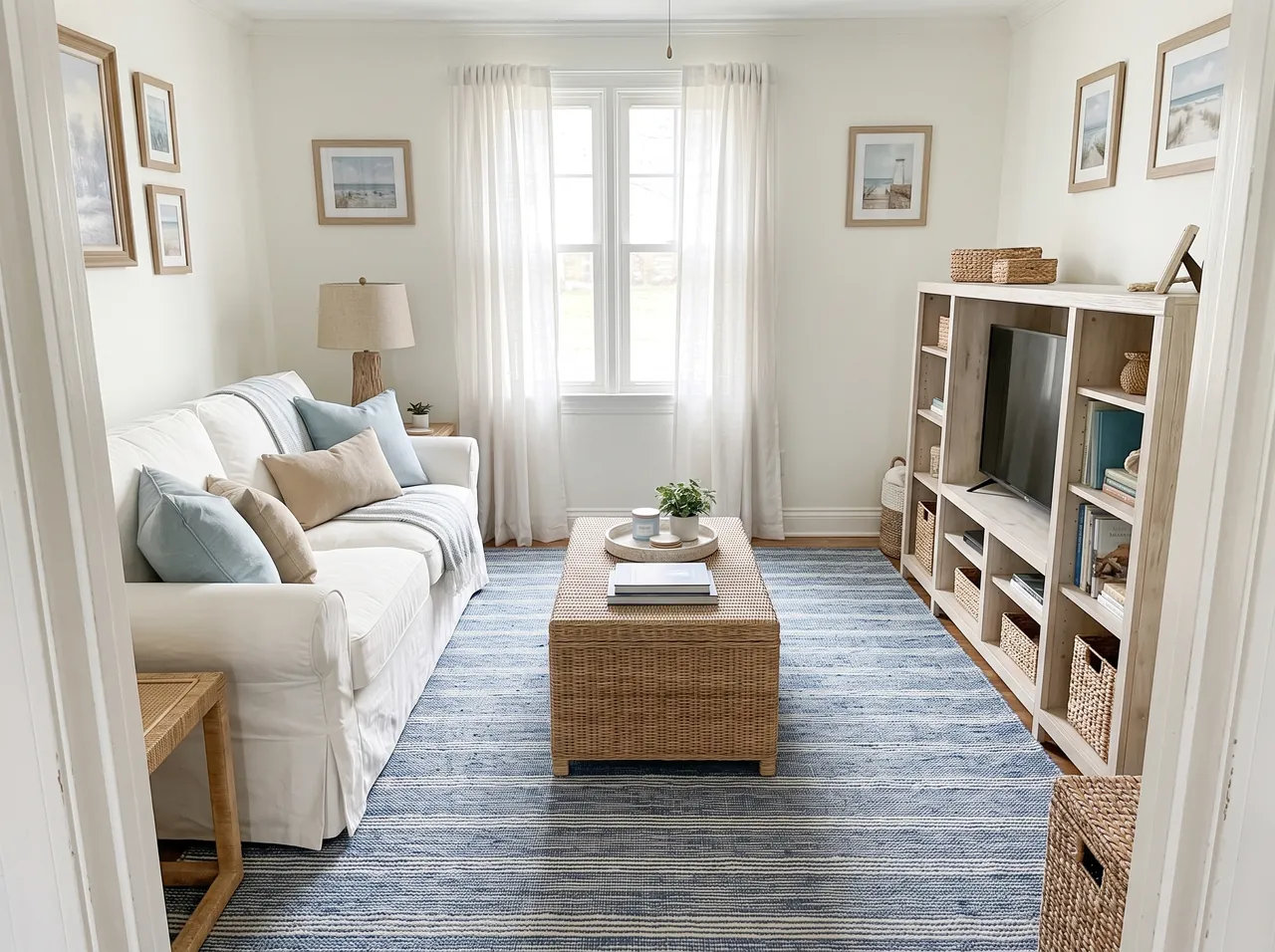
Coastal
Kitchen remodel ideas from a photo
Kitchens are where a preview matters most, because changes are expensive and hard to undo. The kitchen presets swap cabinets, countertops, backsplash, lighting and flooring and keep the layout, the window and the appliance positions.
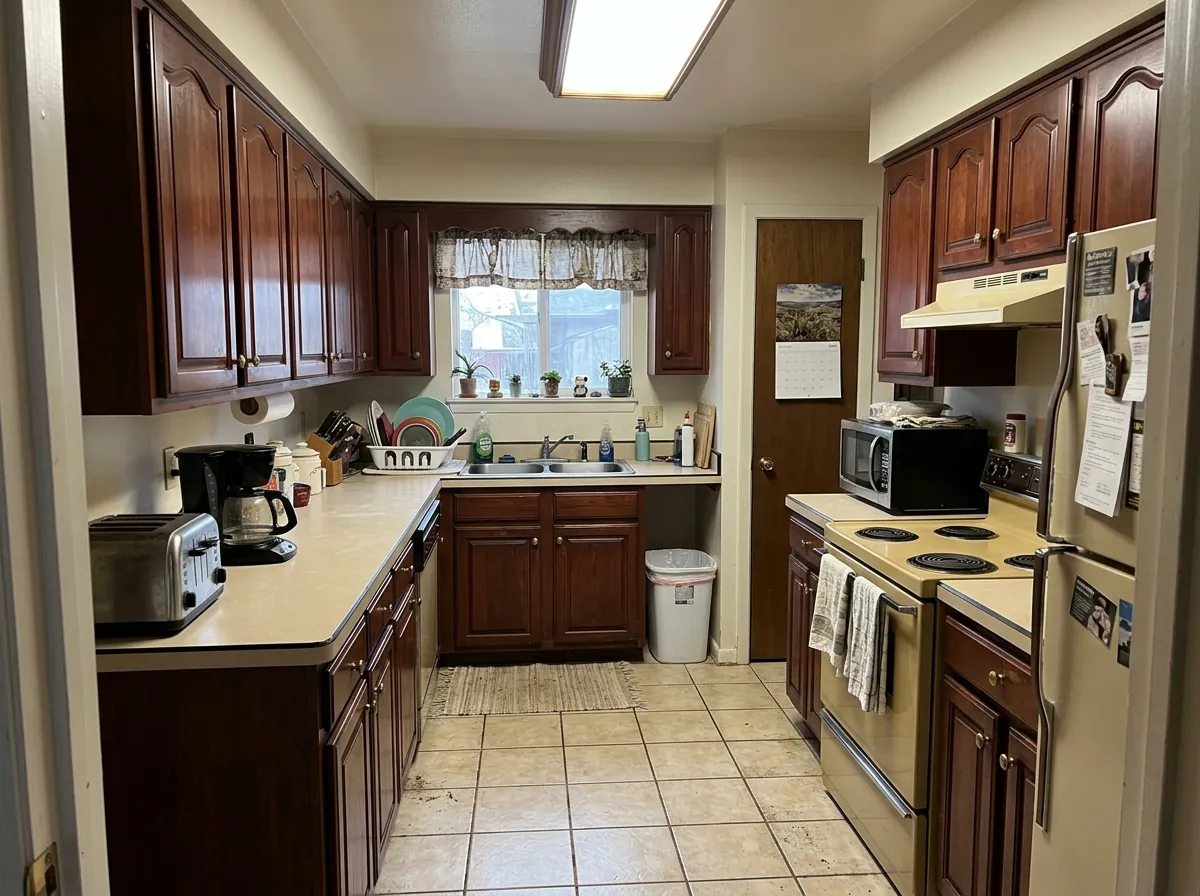
Before
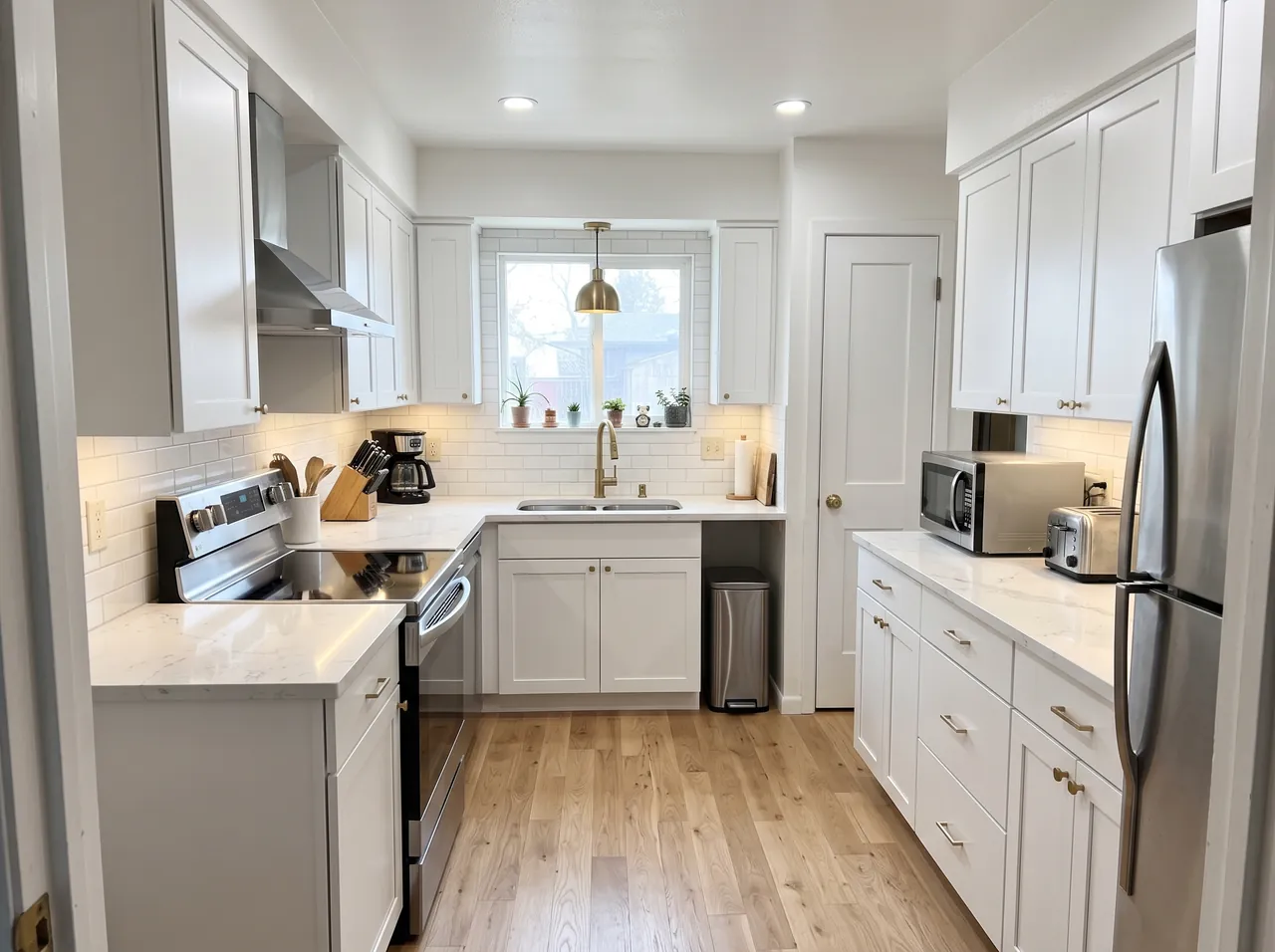
Modern white
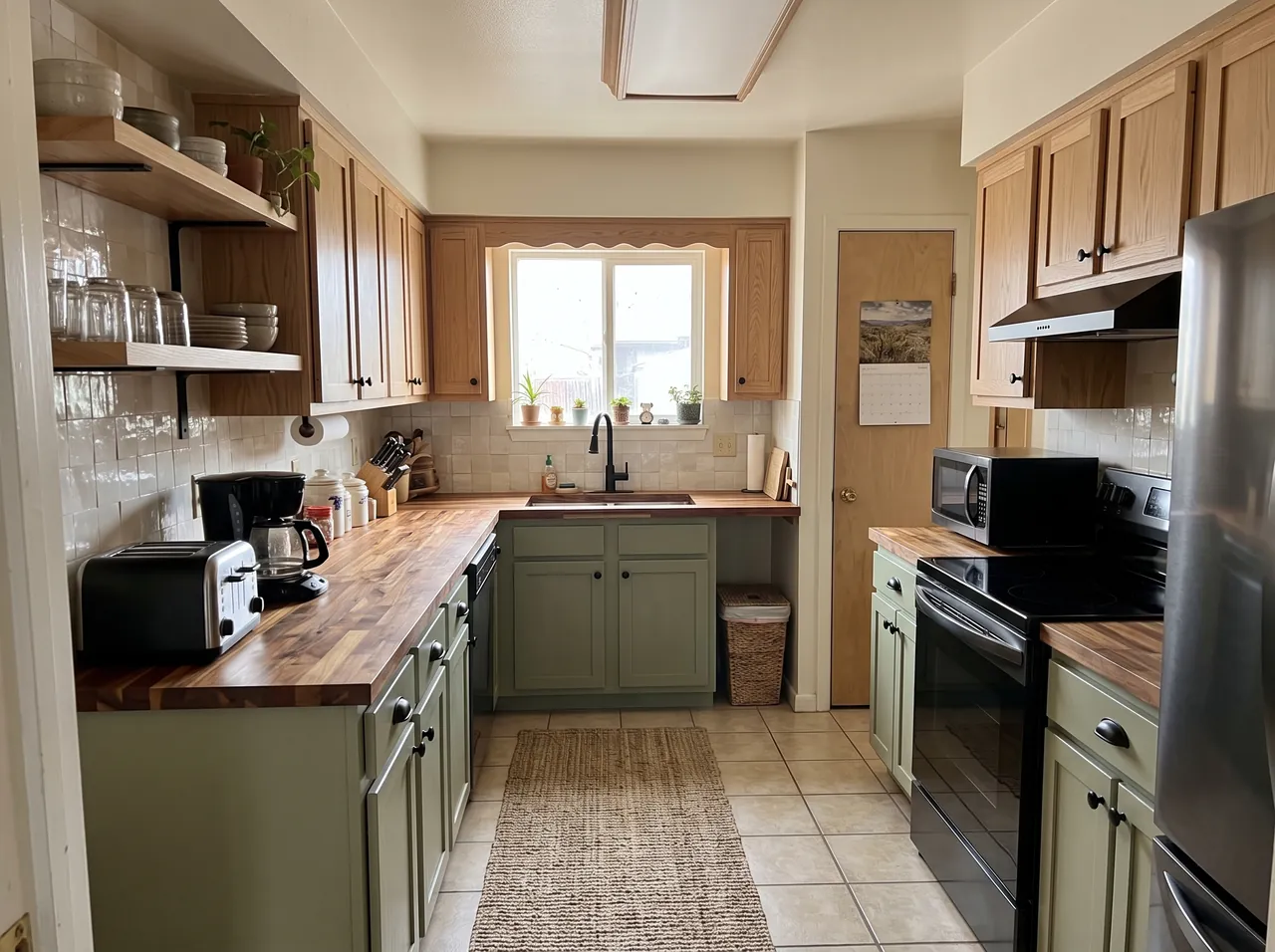
Warm wood
Match a room you saw on Pinterest
Have a picture of a room you love? Upload it as the second photo; the "Match my inspiration photo" preset is selected for you. The model takes the colors, materials, furniture style and mood of the inspiration and applies them to your room, keeping your walls, windows and layout.
For real estate agents and rental hosts
Virtual staging is now standard in listings: an empty or dated room becomes a furnished, bright one in the photo, which helps buyers and guests imagine the space. Two rules keep it honest and useful:
- Disclose it. Label staged or restyled photos as virtually staged in the listing, and keep the original photos in the gallery too. Many listing platforms and local rules expect this.
- Change the furniture, not the property. The presets keep walls, windows, floors and layout for this reason; do not add features the property does not have.
For a whole listing, use the same preset for every room so the style is consistent. The Business plan has 15,000 credits a month, about 750 designs, for agencies and property managers (pricing).
What makes a good room photo?
- Shoot from a corner or the doorway with the widest lens on your phone, holding it level. Tilted verticals make the model guess the room shape.
- Use daylight and turn the lights on. Dark photos come back dark.
- Include the floor and at least part of the ceiling, so the scale is clear.
- One room per photo. If the result moves a window or changes the layout, generate again; each image is a new attempt.
Is the AI interior design tool free?
Your first design is free: new accounts get 20 free credits (valid 7 days), which is one design at 2K. After that each design is 20 credits. There is no unlimited free tier, because every image is a real render on Google's model and costs money each time.
Free options exist elsewhere with limits, such as apps with a few daily designs, watermarks or low resolution, and general AI chat apps where you write the prompt yourself. Here you get tested presets that keep the architecture, 2K output, inspiration-photo matching and a private library.
How much does it cost?
One design is 20 credits, whatever the style. On a monthly plan that works out at about $0.13 to $0.20 per design: Starter is $9.90 for 1,000 credits (about 50 designs), and yearly plans go lower. One-time credit packs never expire, and the first pack is half price. Failed or refused images are refunded automatically. See pricing.
FAQ
Can AI redesign my room from a photo?
Yes. Upload one photo of the room on this page, pick a style such as Japandi, Scandinavian, industrial or coastal, and press Generate. In under a minute you see the same room with new furniture and finishes; the walls, windows, layout and camera angle stay the same.
What is virtual staging?
Adding furniture and decor to a photo of an empty room, so buyers or guests can picture the space. Upload the empty room and pick a Staging preset; the room itself is not changed.
Is there a free AI interior design app?
Your first design here is free: new accounts get 20 free credits, enough for one 2K design. After that each design costs 20 credits. Other free options usually limit the number of designs, add watermarks or lower the resolution.
Can I make my room look like a photo I found online?
Yes. Upload your room as the first photo and the inspiration as the second; the "Match my inspiration photo" preset copies its colors, materials, furniture style and mood onto your room.
Will it change my walls or windows?
It should not. Every preset tells the model to keep the walls, windows, doors, ceiling, floor, room shape and camera angle exactly the same. If something moves, generate again or use a straighter, brighter photo.
Can I use virtually staged photos in a real estate listing?
Yes, with disclosure: label them as virtually staged and keep the original photos too. Downloads and commercial use come with any plan or credit pack; the Business plan suits agencies.
Does it work for kitchens and bathrooms?
Yes. The kitchen presets remodel cabinets, countertops, backsplash and lighting, and you can describe a bathroom in the prompt, for example "a spa bathroom with green zellige tile and a walk-in shower".