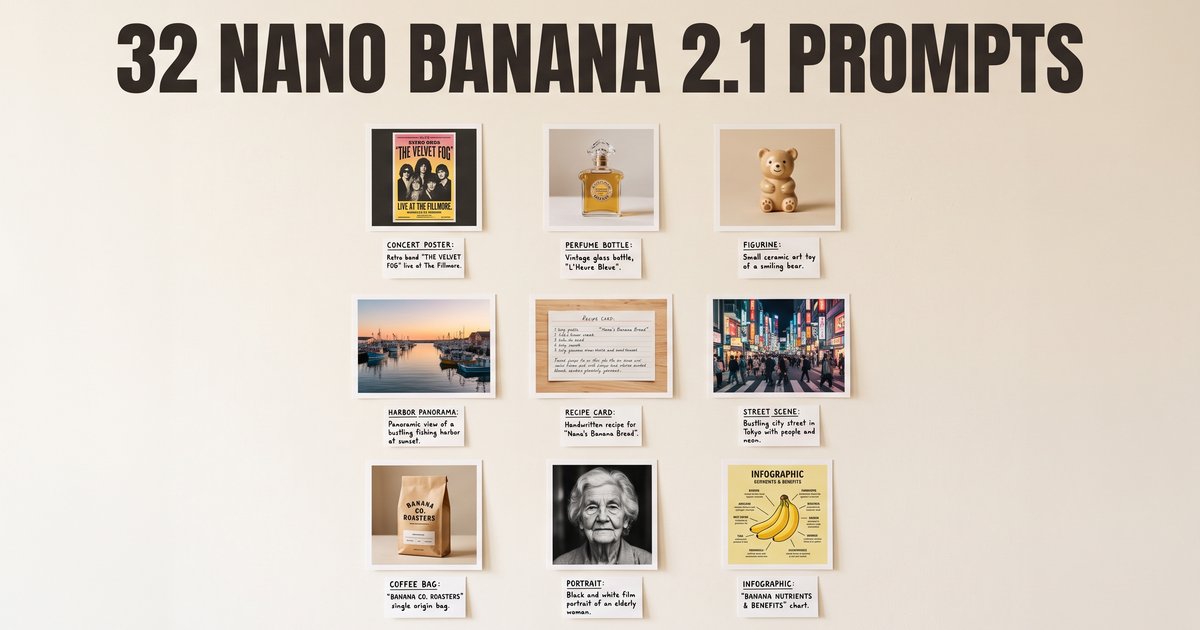
Prompting the nano banana family is less about magic words and more about saying what a photographer or an art director would say: subject, surface, light direction, lens behavior, camera height, and the exact words you want rendered as type. Every prompt on this page is written that way.
Nano Banana 2.1 shipped on 2026-10-06, and three of its gains change what is worth asking for: mask-based editing, so you can change one region and leave the rest alone; subject consistency, so the same person or product survives a whole series; and extreme ratios 1:4, 4:1, 1:8 and 8:1 at 2K and 4K, so a panorama or a tall banner comes out of one request instead of several tiled together. The sections below are built around those, with the older prompt sets kept because they still work.
Every prompt below comes with the image it produced, so you can judge it before spending a credit. They were rendered on this site with Nano Banana 2, or Nano Banana Pro for the text-heavy ones, and each image is labeled with the model that made it. Edits show the source photo next to the result, and the consistency prompts show the reference sheet they were given. Copy a prompt, or press Try it to open it in the generator.
On availability: Nano Banana 2.1 on this site uses Nano Banana Pro. Nano Banana Pro, Nano Banana 2, Nano Banana 2 Lite and the original Nano Banana are in the picker today, and every prompt here works on them. Paste a prompt, change the nouns to your own subject, and keep the structural parts: the light, the lens, the camera position, the quoted type and the keep-list.
How to write nano banana 2.1 prompts
Seven habits that improve results far more than any keyword list:
- Name the light and its direction. "Soft window light from the left" beats "good lighting" every time, because it tells the model where shadows go.
- Name the camera position. Slightly above eye level, straight on, low three-quarter. Without it you get a default head-on framing.
- Describe lens behavior rather than gear. "Shallow depth of field, background falls away" is more reliable than naming a focal length.
- Write the exact text you want, in capitals, as its own clause. The model renders what you quote, not what you describe.
- Name the region when you are editing. 2.1 is built for changing one selected area, so "only the sky above the roofline" or "only the label on the bottle" is the most useful sentence in an edit prompt.
- Say what to keep. An edit instruction without a keep-list invites the model to redraw the whole frame.
- One change per request. Four changes in one sentence is impossible to debug when the result is wrong.
Two settings to remember before you spend credits. Pick the aspect ratio first, because recomposing afterwards is a new generation: 1:1 through 21:9 on every model here, plus 4:1, 8:1, 1:4 and 1:8 on Nano Banana 2, the same panoramic set 2.1 offers. And draft at 1K, then re-render the keeper at 2K or 4K.
If a complex instruction keeps getting partly ignored on 2.1, the thinking level is the dial for it: minimal is for simple high-volume work, medium is the default, high is for prompts with many conditions. Surfaces differ in whether they expose it.
Regional edits: change one area, keep the rest
Mask-based editing is the headline change in 2.1, and you can get most of the benefit by naming the region in words. The pattern: name the area, name the change, then name what must not move.
A regional edit that comes back wrong is usually a region problem, not a style problem. Make the area smaller and more specific, say what borders it, and run it again.
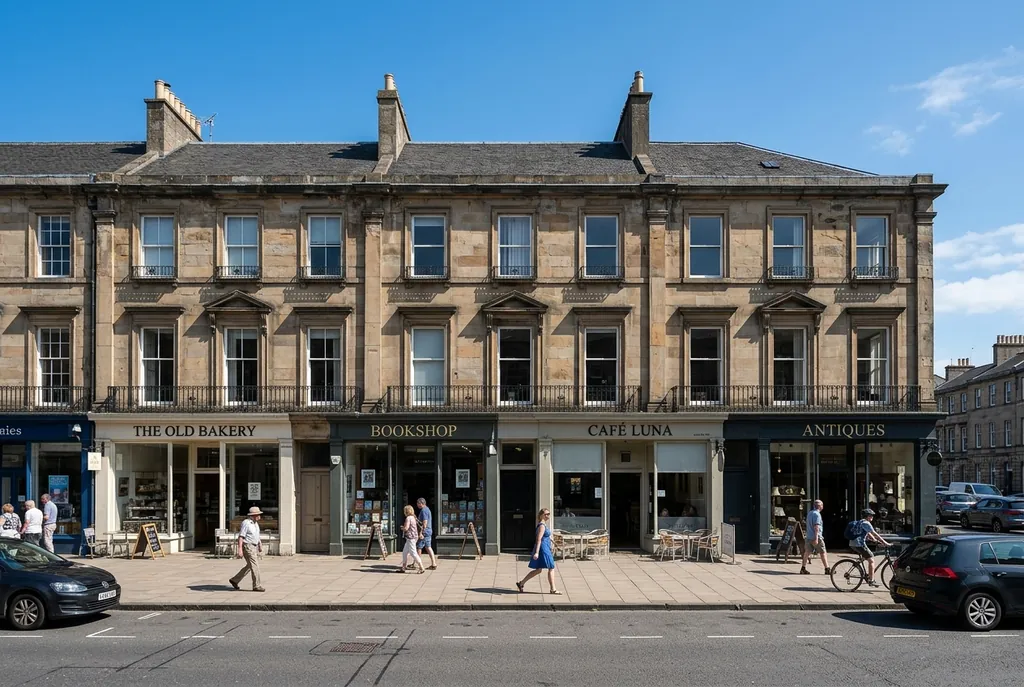
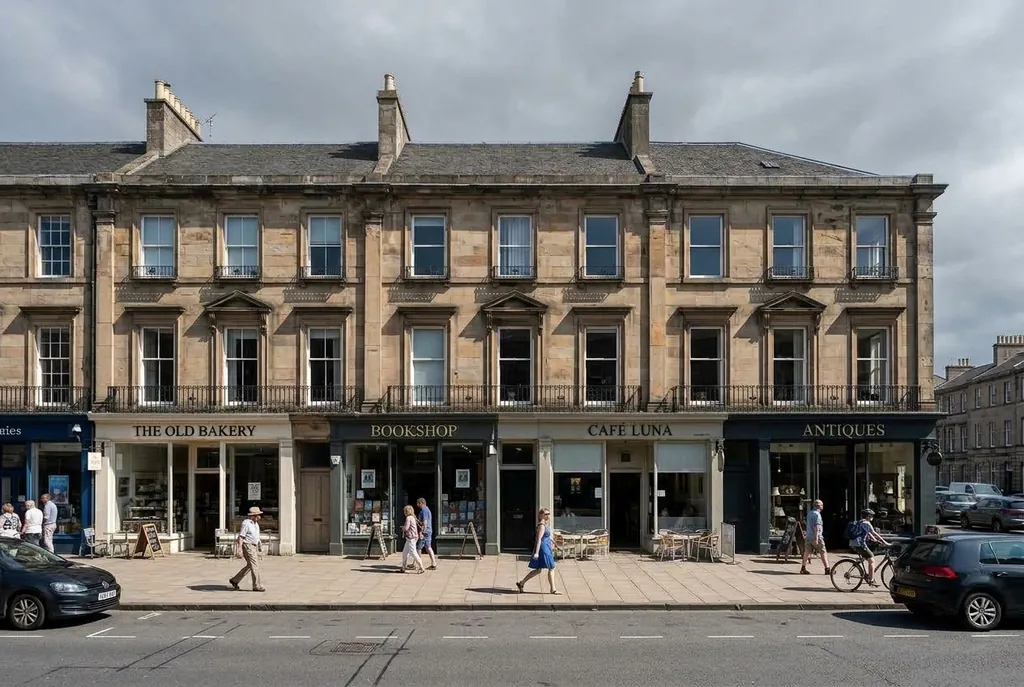
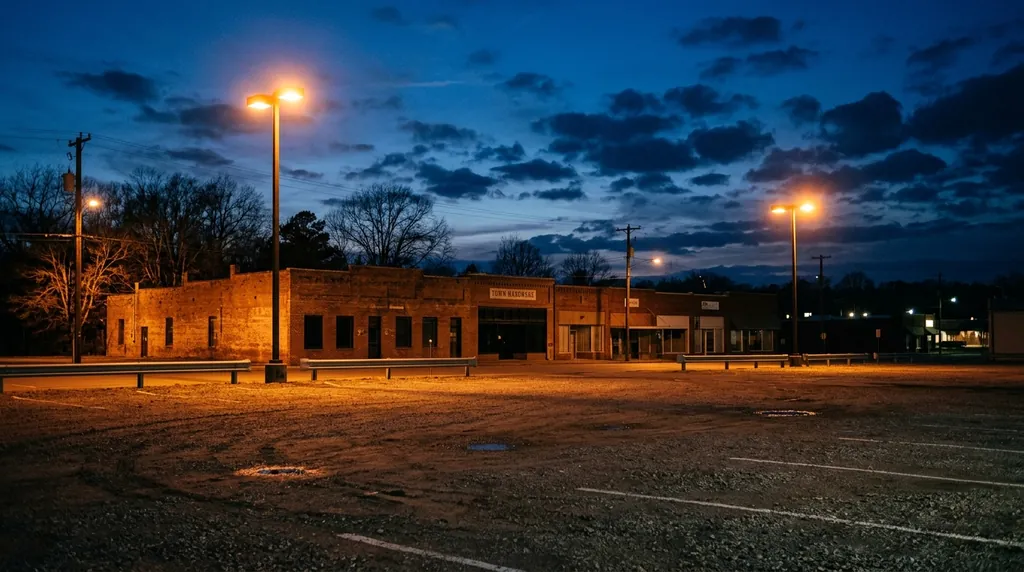
Change only the sky above the roofline to an overcast gray with soft diffused light. Keep the building, the street, the people and their shadows exactly as they are, and match the new light temperature on the rooftop edges only.
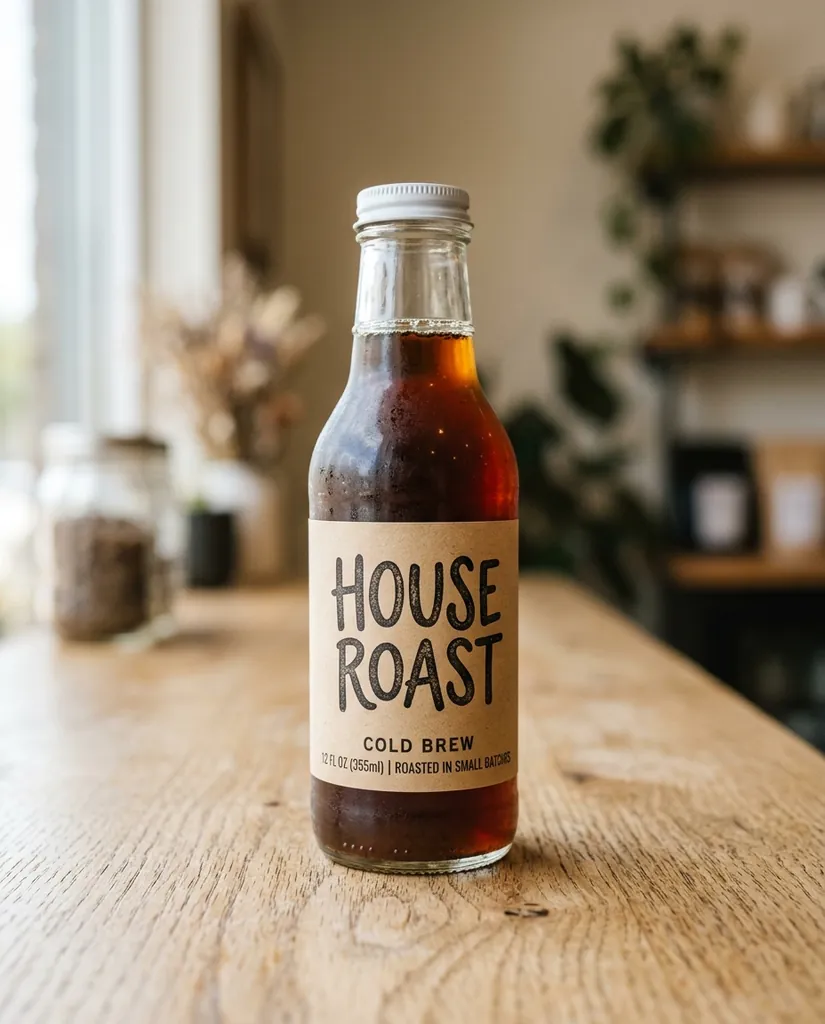
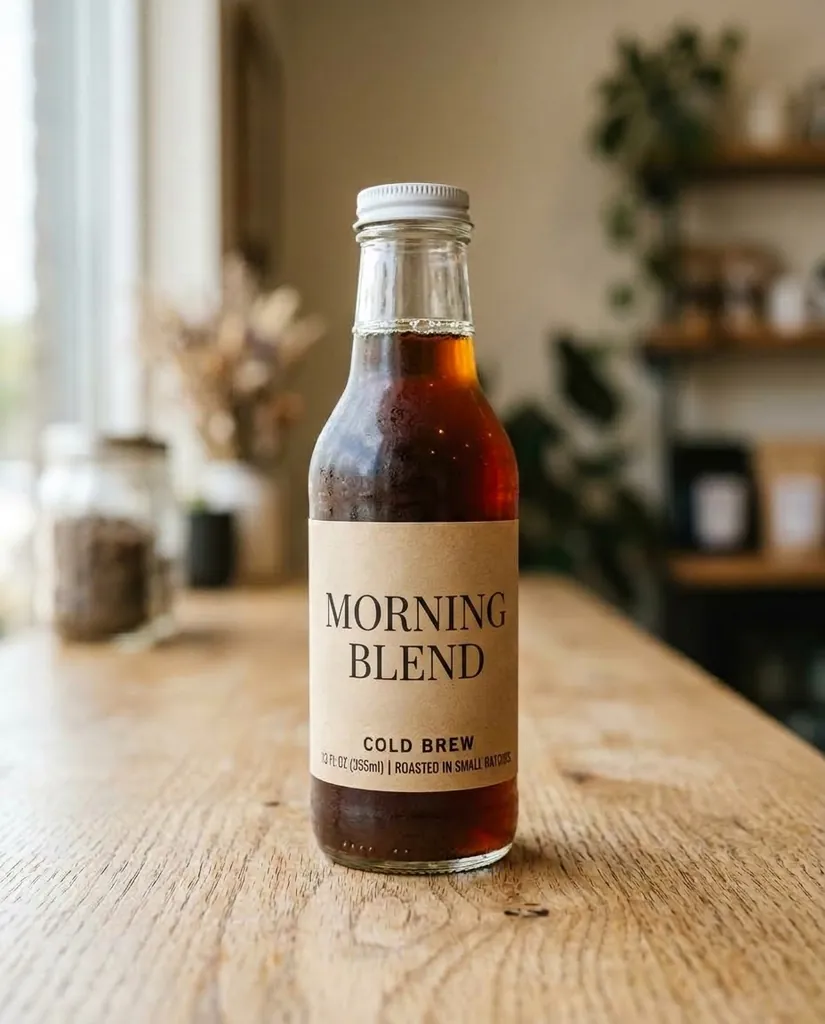
Nano Banana 2 · 3:2Edit only the label on the front of the bottle: replace the text with MORNING BLEND in a clean uppercase serif, keep the label shape, the paper texture, the bottle, the lighting and the background unchanged.
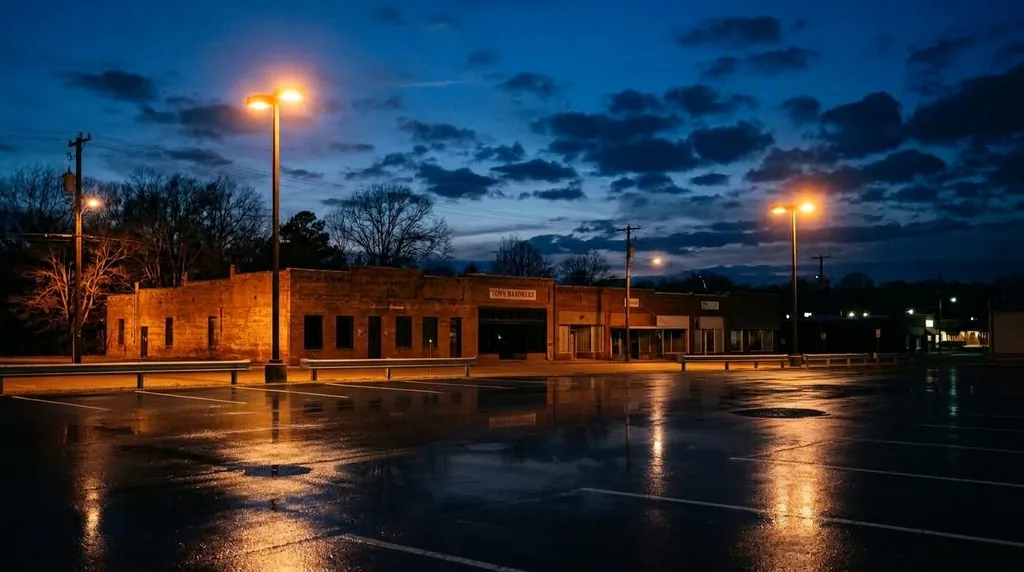
Nano Banana 2 · 4:5In the lower third of the frame only, replace the gravel with wet dark asphalt and add a shallow reflection of the existing streetlights. Leave the horizon, the sky, the buildings and the subject untouched.
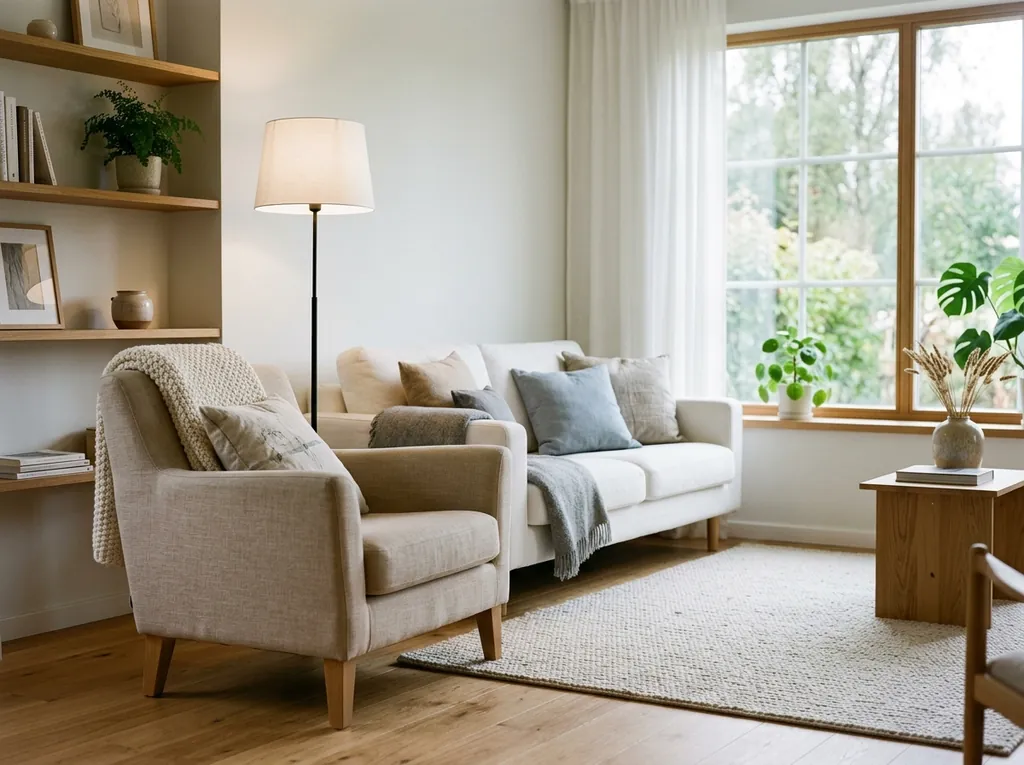
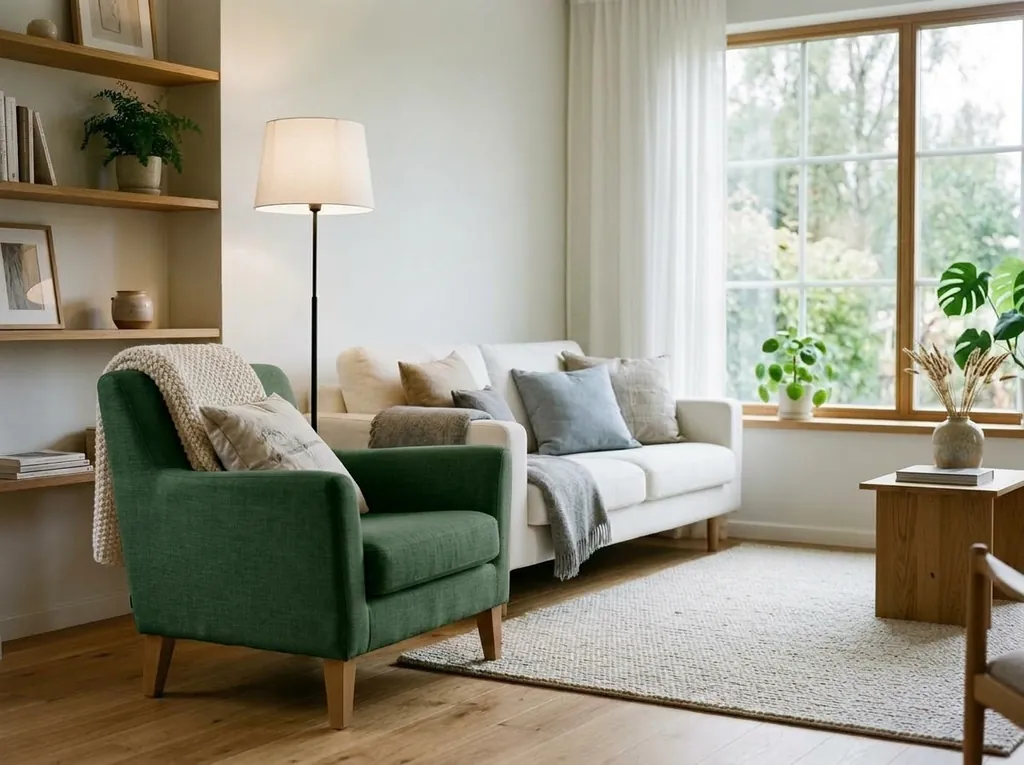
Nano Banana 2 · 16:9Change only the color of the chair in the foreground from beige to deep forest green, keeping its fabric texture, folds and contact shadow. Everything else in the room stays identical.
Nano Banana 2 · 4:3
Subject consistency across a series
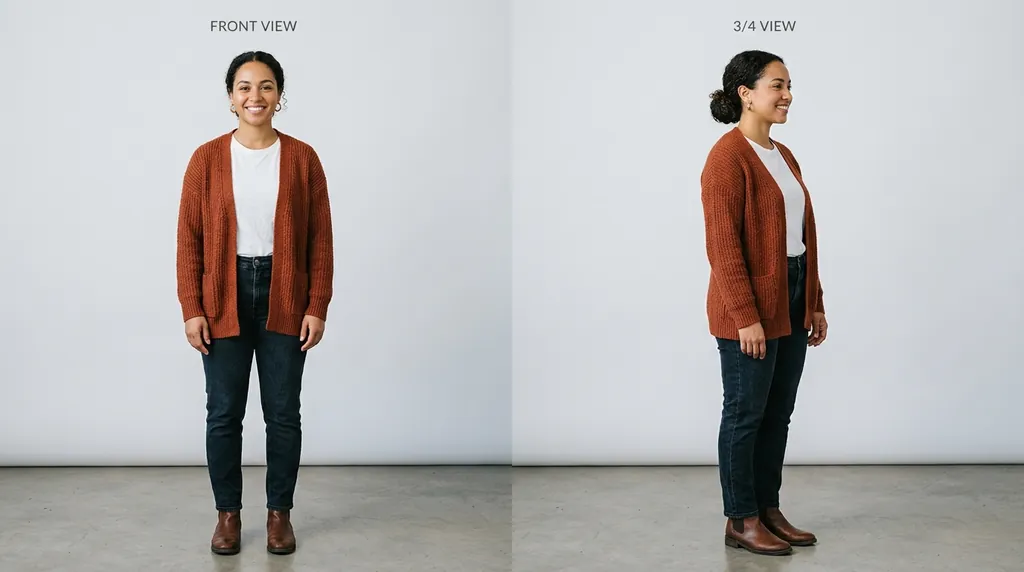
This is the other big gain in 2.1, and it is what reference images are for. You can attach up to 14 in one request on 2.1, up to 10 of them objects and up to 4 characters; on this site the picker shows the limit for the model you are on. Upload several angles of the same face or product, then describe the new scene and say what to hold constant.
When consistency slips, add a reference rather than more adjectives. Two more angles of the same face will do more than three more sentences describing it. Say which attachment is the character and which are objects if your surface lets you.
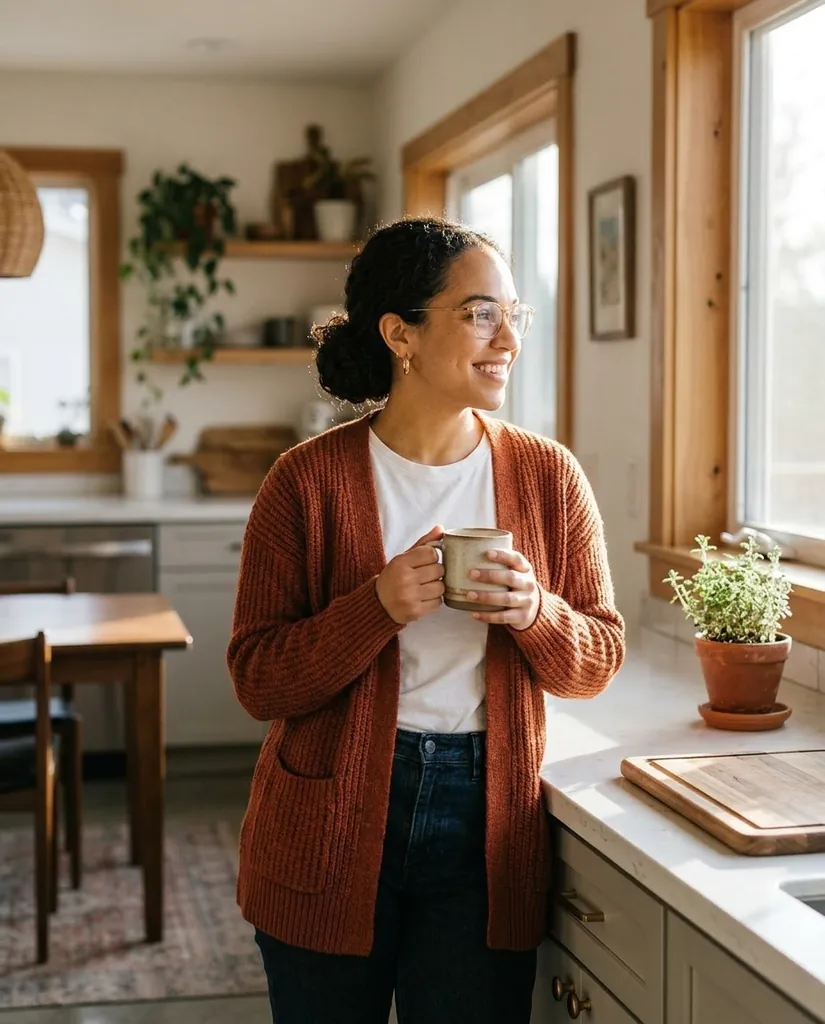
Using the attached reference images of the same woman, place her in a sunlit kitchen leaning against the counter with a mug, soft window light from the right, shallow depth of field, shot at eye level. Keep her face, hair length and the shape of her glasses consistent with the references.
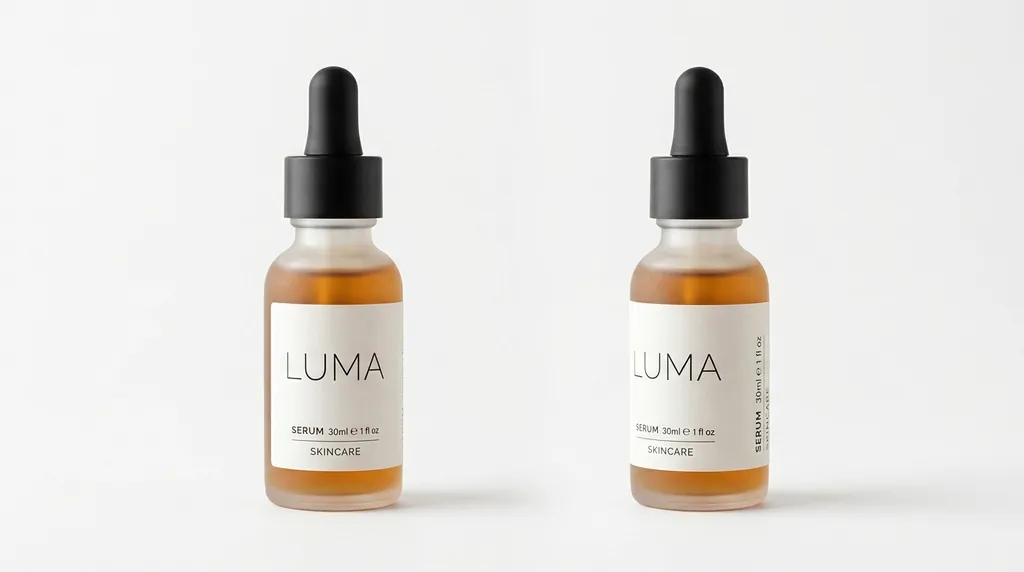
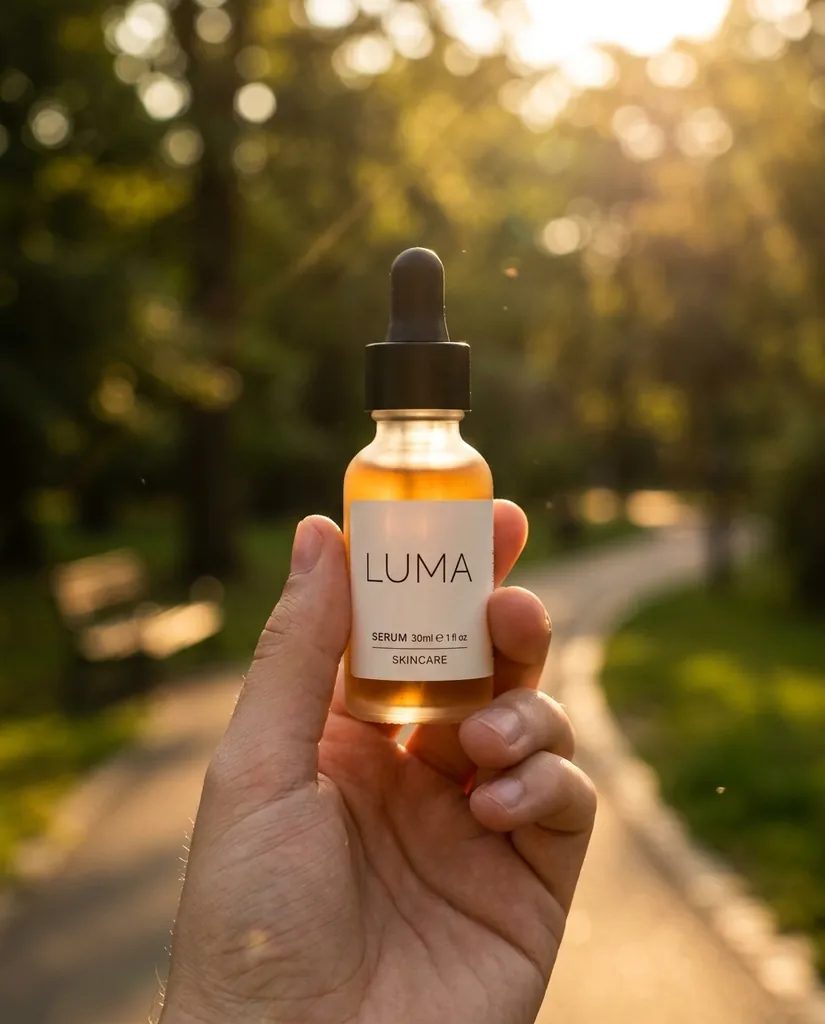
Nano Banana 2 · 4:5Using the attached product references, generate a lifestyle shot of the same bottle held in a hand against a blurred park background, warm late afternoon backlight, shallow depth of field. Keep the bottle shape, cap color and the exact label text identical to the references.
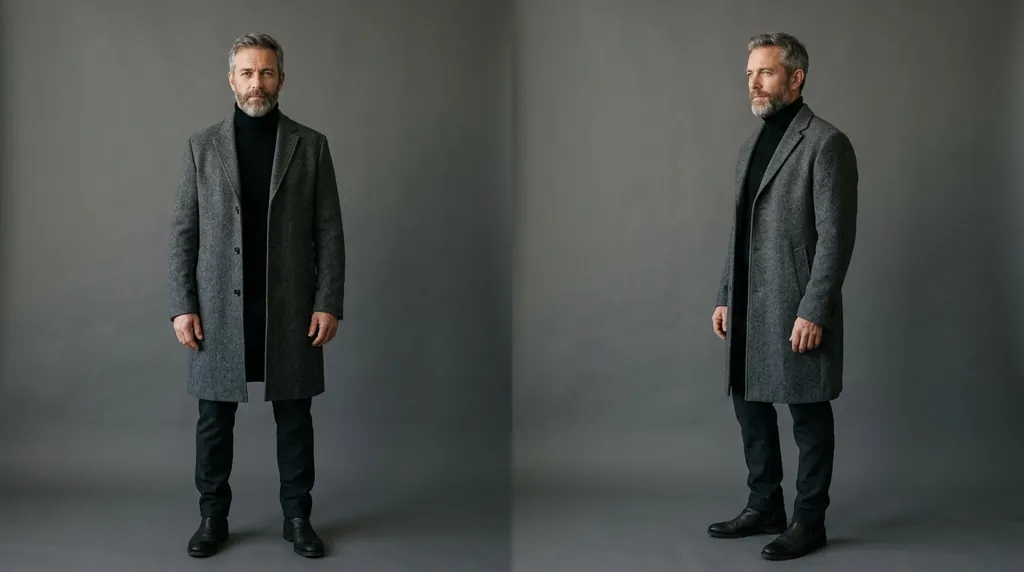
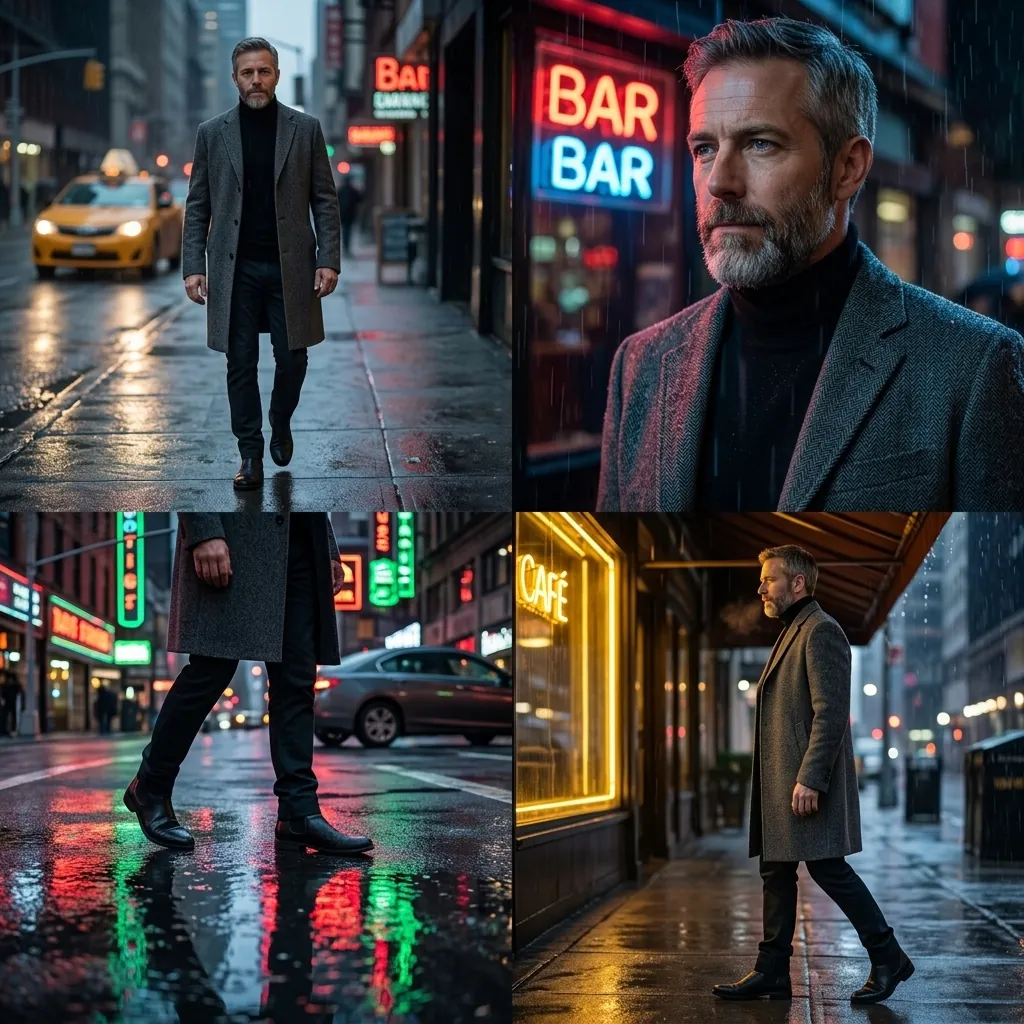
Nano Banana 2 · 4:5Using the attached character references, produce a four-panel sequence of the same man in a gray overcoat walking through a rainy city street at night, neon reflections on wet asphalt, consistent face and coat across all four panels, cinematic wide framing.
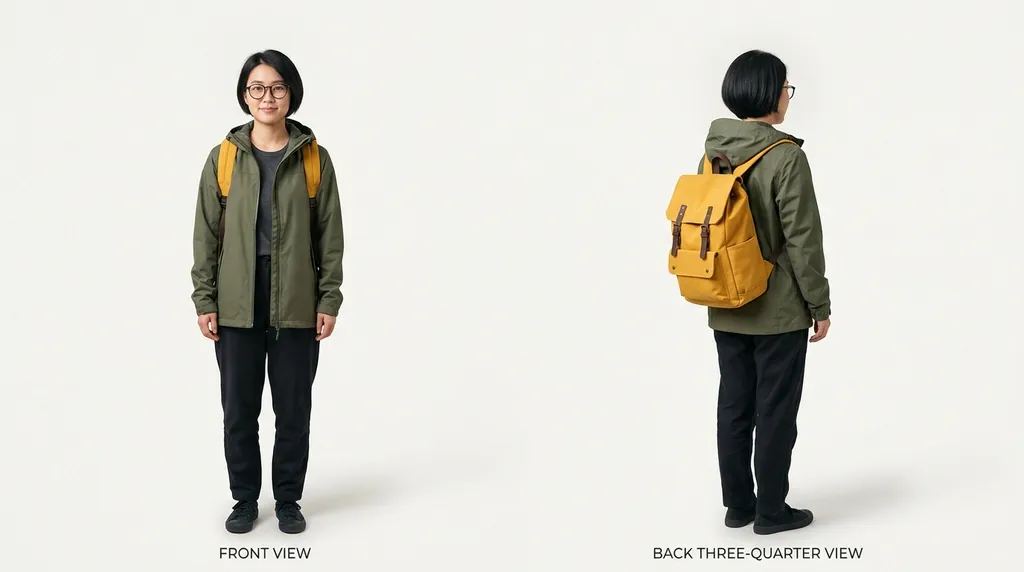
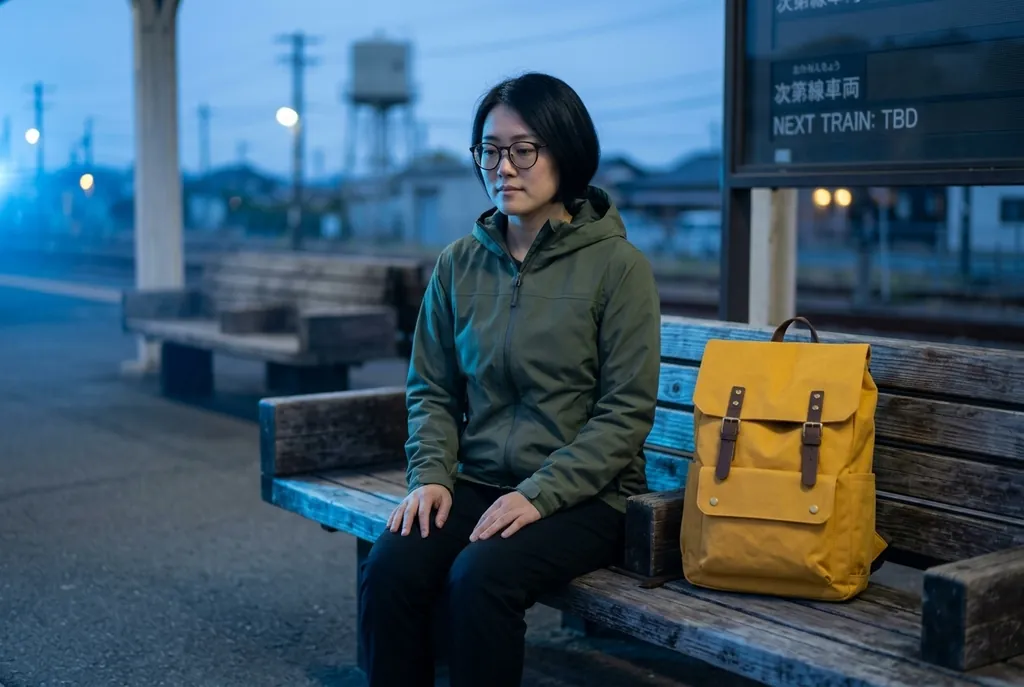
Nano Banana 2 · 1:1Using the attached references of the same character and the same backpack, generate the third image in a series: she is sitting on a station bench at dawn, cool blue light from the left, same face, same jacket, same backpack straps and buckles, same color grade as the earlier two images, shot at eye level in 3:2.
Nano Banana 2 · 3:2
Panoramic and extreme aspect ratios
2.1 renders 1:4, 4:1, 1:8 and 8:1 at 2K and 4K in one pass, which is what fixes the seams and repeats you used to get from stitching a wide image out of several generations. Set the ratio before you prompt, and compose for the shape instead of describing a square and hoping.
For long formats, keep detail even across the frame. A prompt that implies a single focal point gives you an interesting middle and two dull ends, which is the usual way a panorama fails.

An 8:1 ultrawide website header: an empty desert highway running left to right across the whole frame at sunrise, low warm sun from the right, long shadows across the asphalt, a single distant truck near the left edge, the middle two thirds deliberately empty for text, crisp horizon, no vignette.
Nano Banana 2 · 8:1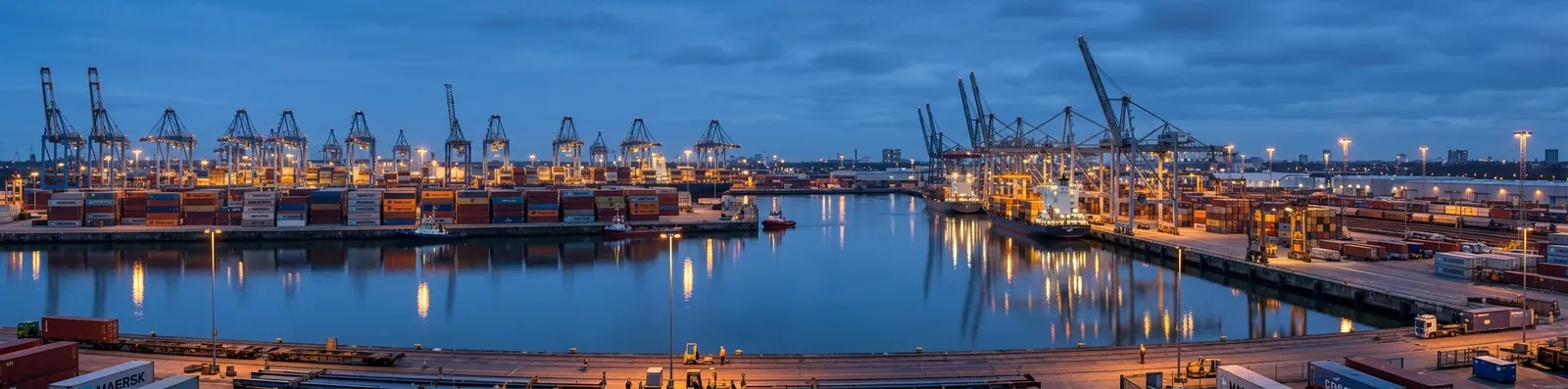
A 4:1 panoramic banner of a working harbor at blue hour, cranes and stacked containers spread evenly from edge to edge, cool ambient light with warm sodium lamps, reflections in flat water, straight-on view at pier height, even detail across the full width with no center-weighted composition.
Nano Banana 2 · 4:1
A 1:8 tall vertical banner for a stairwell poster: a single sunflower stem growing from the bottom edge to the top of the frame against a flat cream background, soft even frontal light, consistent stem thickness, generous empty space on both sides, no cropping of the bloom at the top.
Nano Banana 2 · 1:8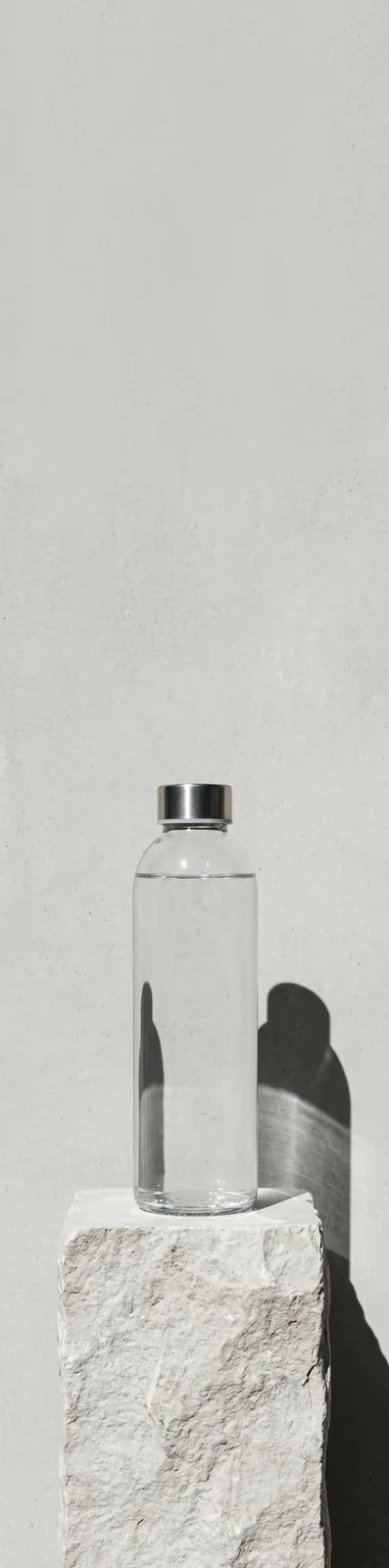
A 1:4 portrait skyscraper ad: a glass water bottle standing dead center on a pale stone plinth, hard light from the upper left, deep clean shadow falling to the lower right, empty neutral wall filling the upper half, nothing else in frame.
Nano Banana 2 · 1:4
Infographics and exact text
Google names infographics and marketing assets as targets for 2.1's improved text rendering, so it is worth asking for structured layouts and not only decorative type. Quote every word, and say where each one sits.
If a word comes out misspelled, do not add adjectives. Shorten the text, raise its size in the layout, or move it to its own clause, then regenerate. For jobs that are mostly typography, Nano Banana Pro is still the stronger model here.
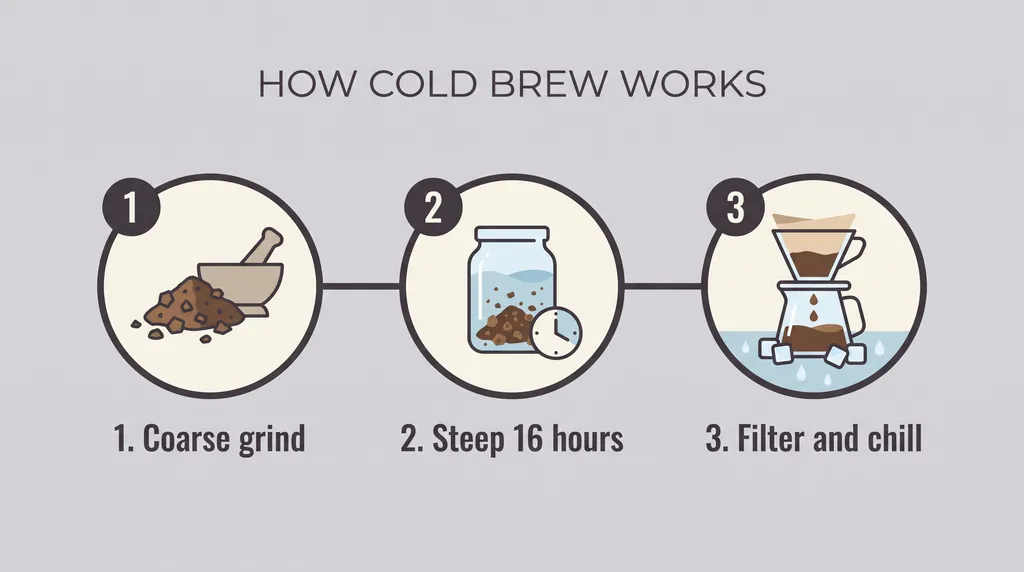
A clean three-step infographic on a pale gray background, three numbered circles connected by a thin horizontal line, with the heading HOW COLD BREW WORKS across the top, and the steps labeled exactly "1. Coarse grind", "2. Steep 16 hours", "3. Filter and chill" beneath each circle, flat vector style, generous margins, no other text.
Nano Banana Pro · 16:9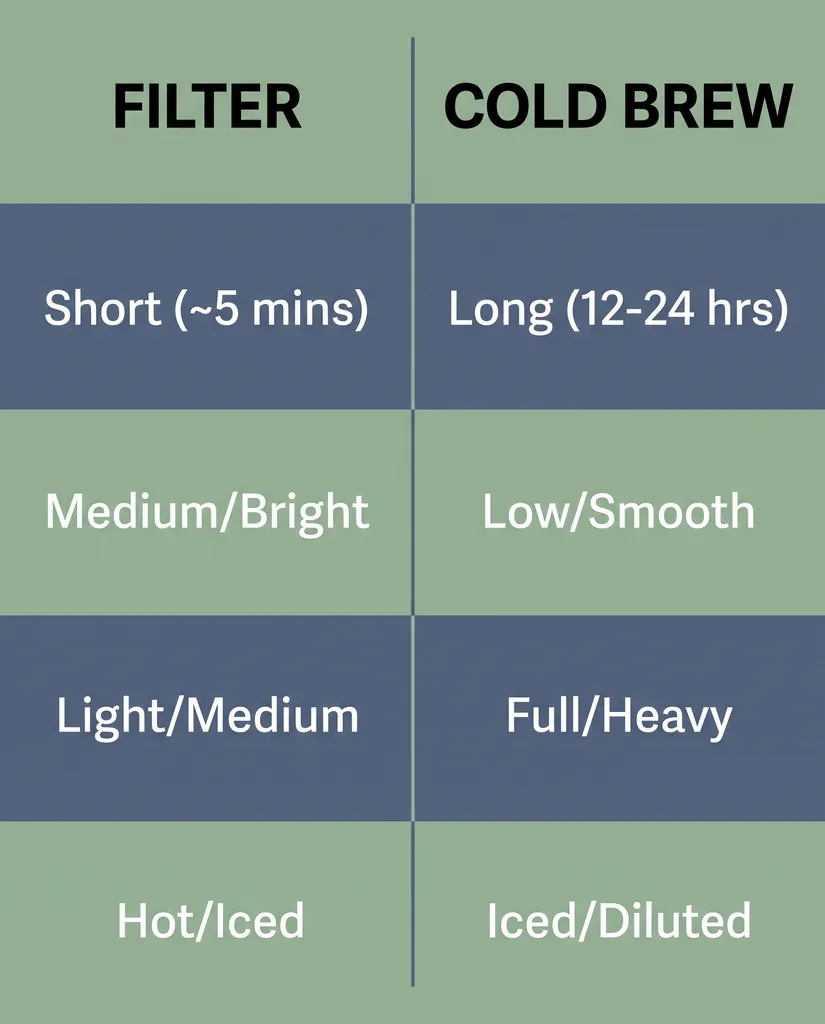
A single-panel comparison chart for a product page, two columns headed exactly "FILTER" and "COLD BREW", four short rows beneath each with the labels "Time", "Acidity", "Body" and "Serve", a thin divider between the columns, muted two-color palette, flat even lighting, legible at small size.
Nano Banana Pro · 4:5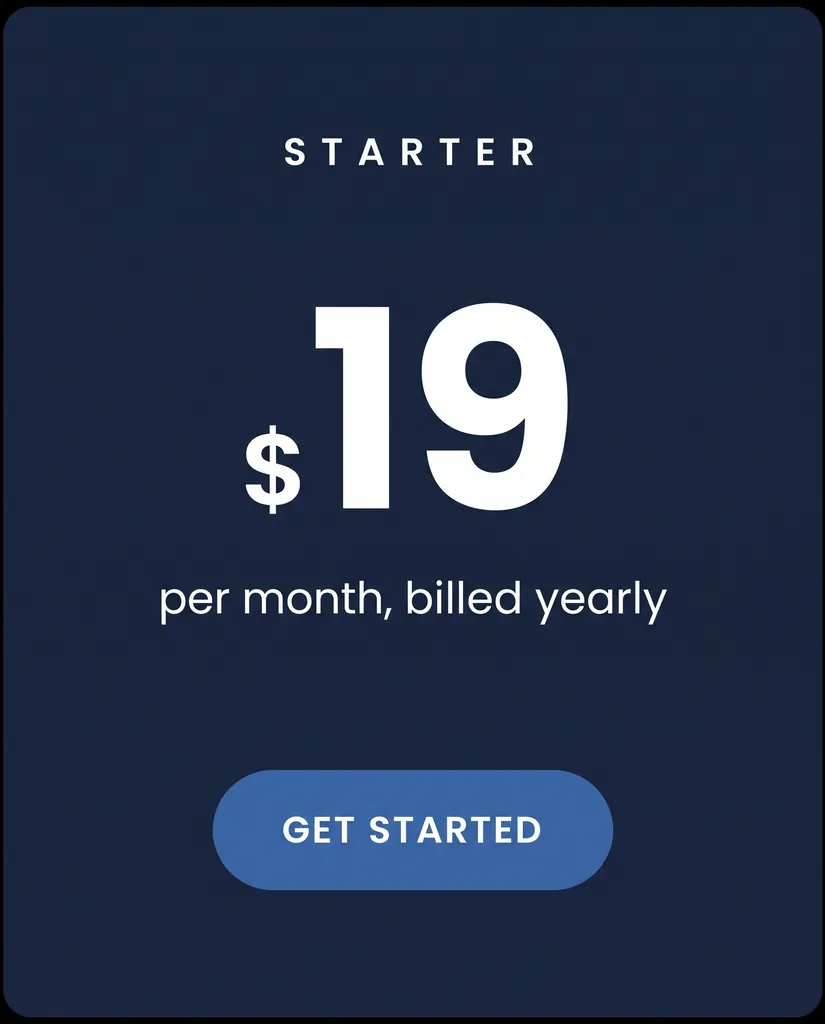
A minimal pricing card rendered as an image, dark navy background, the word STARTER in small uppercase tracking at the top, a large numeral 19 with a small currency mark, the line "per month, billed yearly" beneath it in a clean sans, and a single rounded button that reads GET STARTED, nothing else in frame.
Nano Banana Pro · 4:5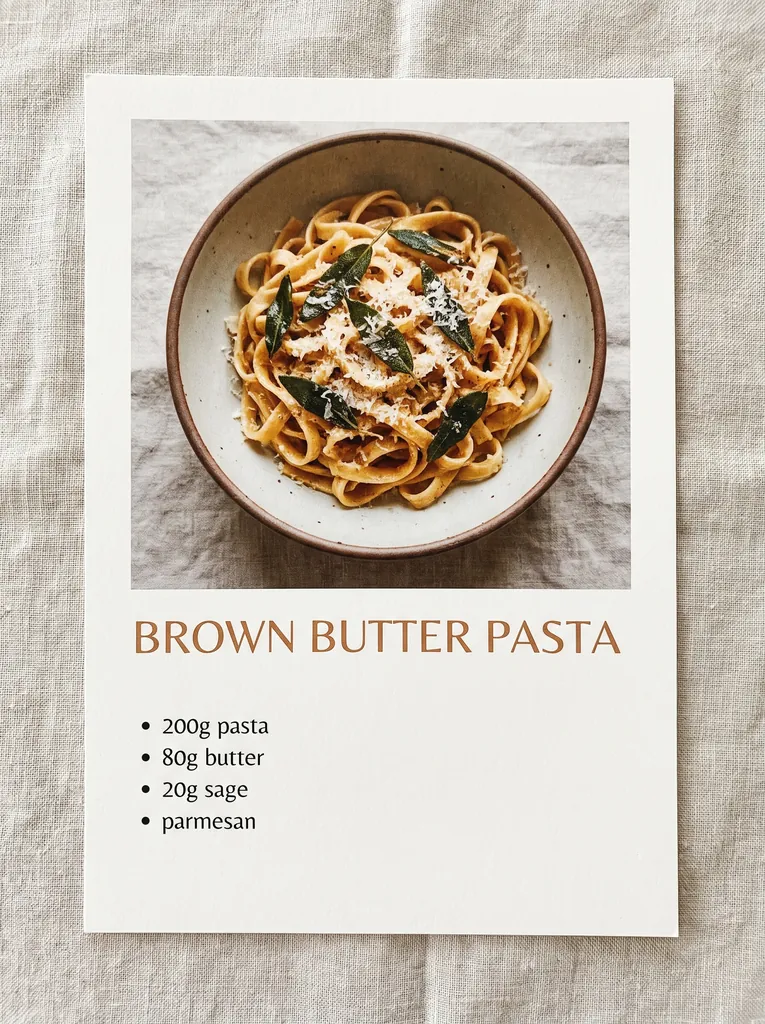
A warm recipe card layout on a linen background, overhead shot of the finished dish in the upper half, the title BROWN BUTTER PASTA in a wide serif beneath it, and a short ingredient list down the left side reading exactly "200g pasta", "80g butter", "20g sage", "parmesan", clean legible type, soft diffuse daylight.
Nano Banana Pro · 3:4
Text-in-image prompts: posters, packaging, signage
Decorative type is the classic nano banana use case. Write the words in capitals and say where on the canvas they sit.
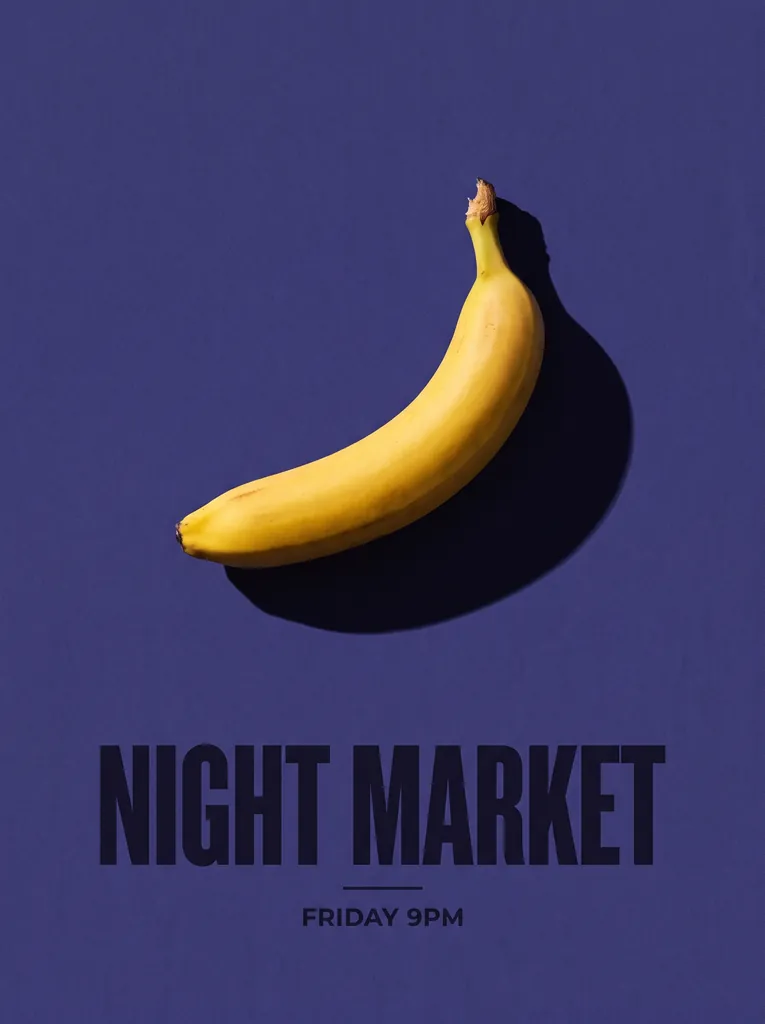
A minimalist concert poster on a deep indigo background, one ripe banana lit from the right casting a long hard shadow, the words NIGHT MARKET in heavy condensed sans across the lower third, small centered line below reading FRIDAY 9PM, fine paper grain, flat even lighting, straight-on view.
Nano Banana Pro · 3:4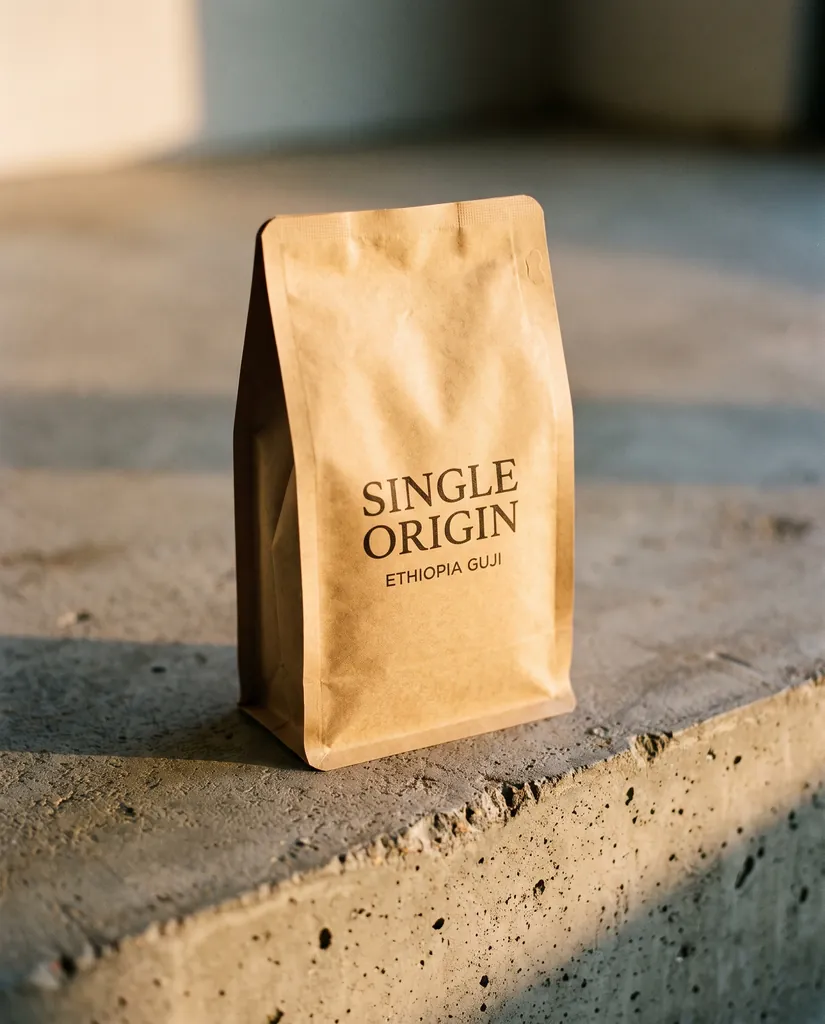
A matte cardboard coffee bag standing on a raw concrete surface, warm side light from the left, the words SINGLE ORIGIN in clean uppercase serif centered on the front panel and a smaller line beneath reading ETHIOPIA GUJI, shallow depth of field, shot slightly above eye level.
Nano Banana Pro · 4:5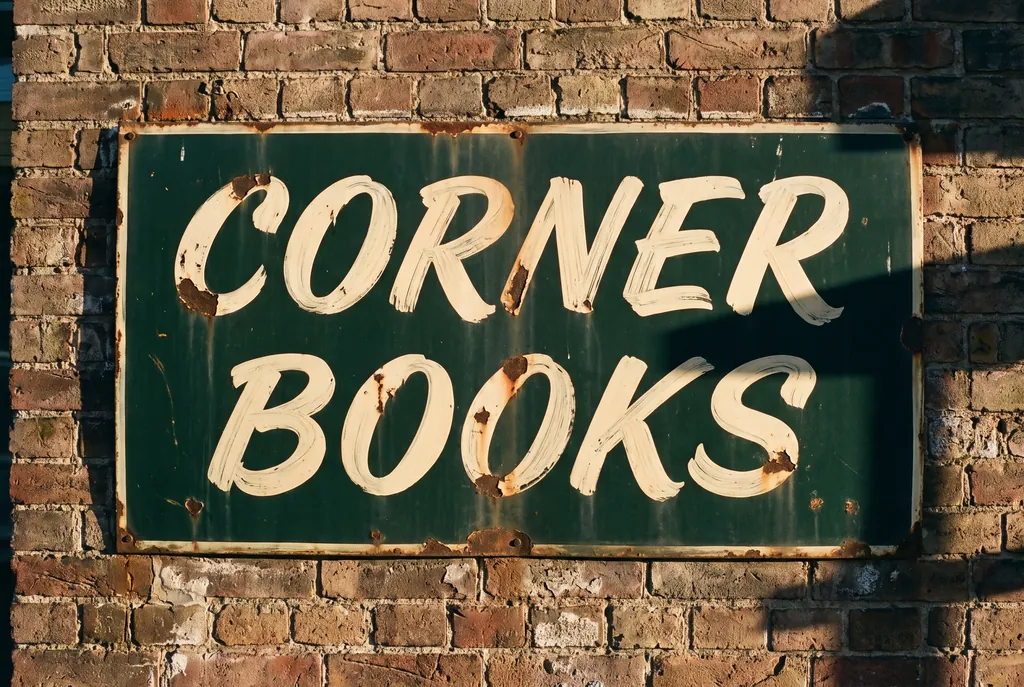
A hand-painted enamel shop sign mounted on weathered brick, late afternoon sun raking across it from the right, the words CORNER BOOKS in cream brush script on a dark green field, small chips in the paint, straight-on view, natural color.
Nano Banana Pro · 3:2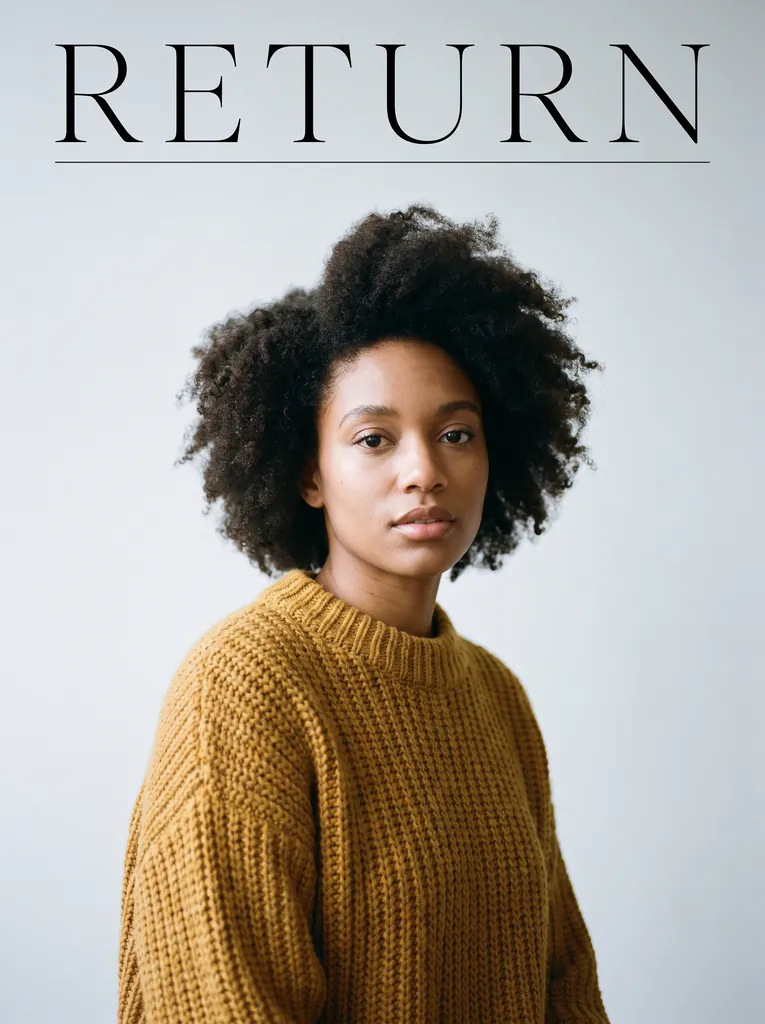
An editorial magazine cover layout, full-bleed portrait of a woman in a mustard knit sweater against a pale gray backdrop, soft frontal light with a gentle falloff, the single word RETURN in thin wide-tracked uppercase serif across the top, a thin horizontal rule beneath it, no other text.
Nano Banana Pro · 3:4
Product and commercial prompts
Product work rewards boring precision. Name the surface, the light direction, the camera height and the color mood, and leave the model nothing to invent.
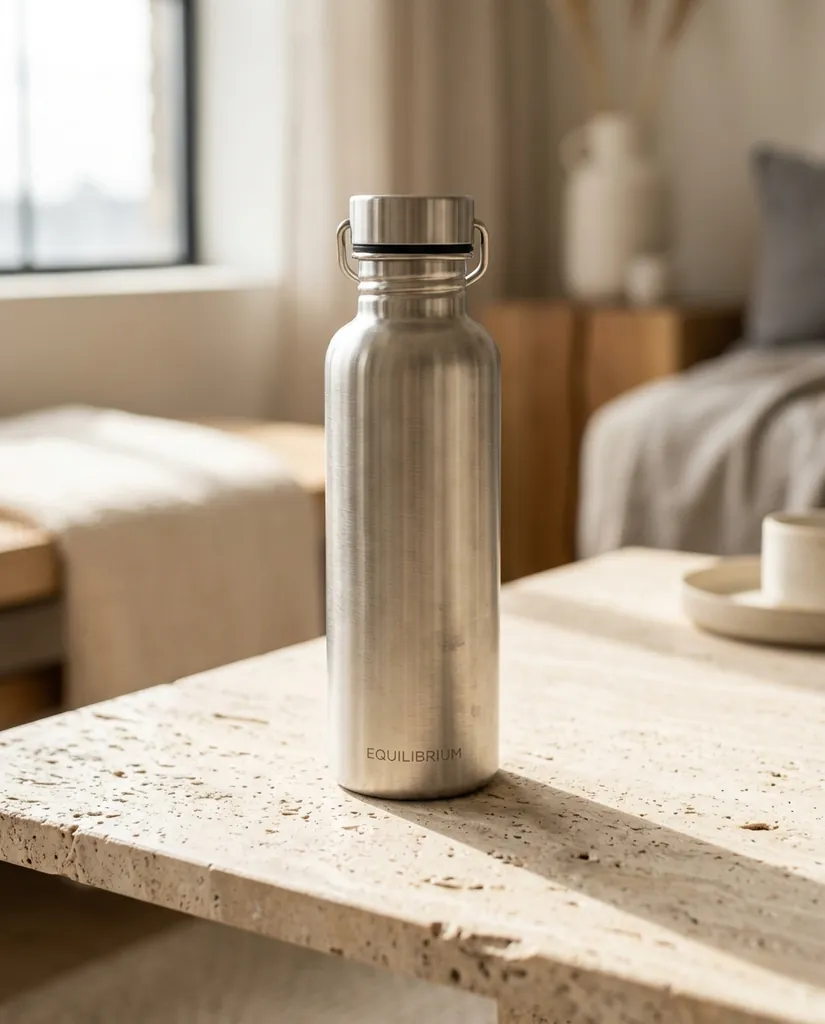
A brushed stainless water bottle standing on a pale travertine slab, single soft light source from the upper left, long soft shadow to the right, muted neutral palette, shallow depth of field, shot at eye level, clean commercial catalog look.
Nano Banana 2 · 4:5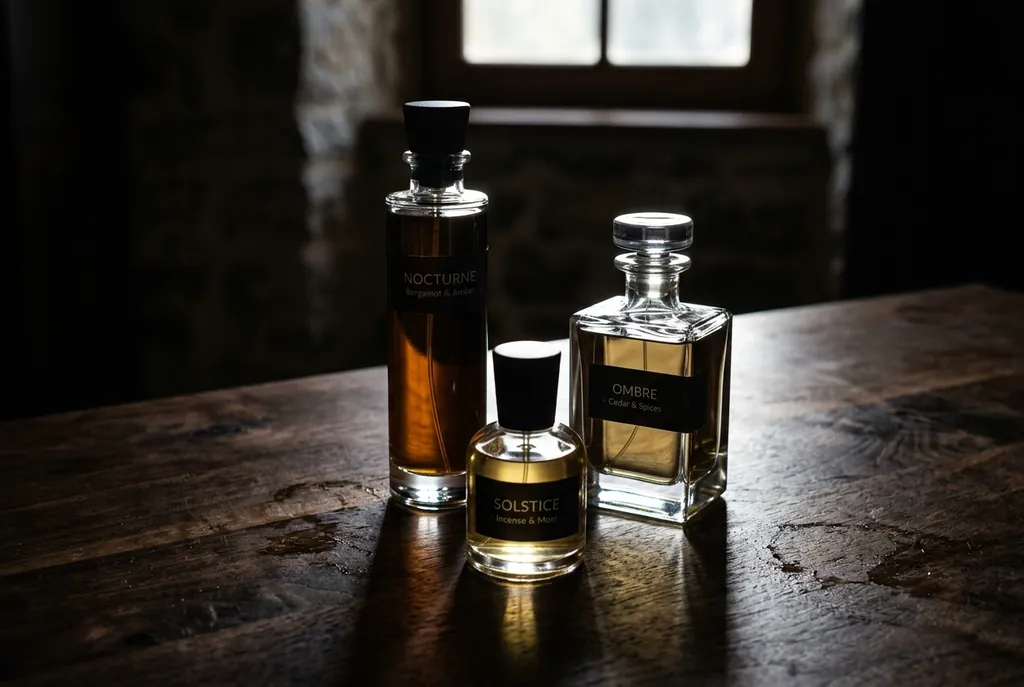
Three glass perfume bottles of different heights arranged in a loose triangle on a dark walnut surface, hard directional light from behind creating bright rim highlights and visible caustics on the wood, deep shadows, moody low-key color, shot slightly below eye level.
Nano Banana 2 · 3:2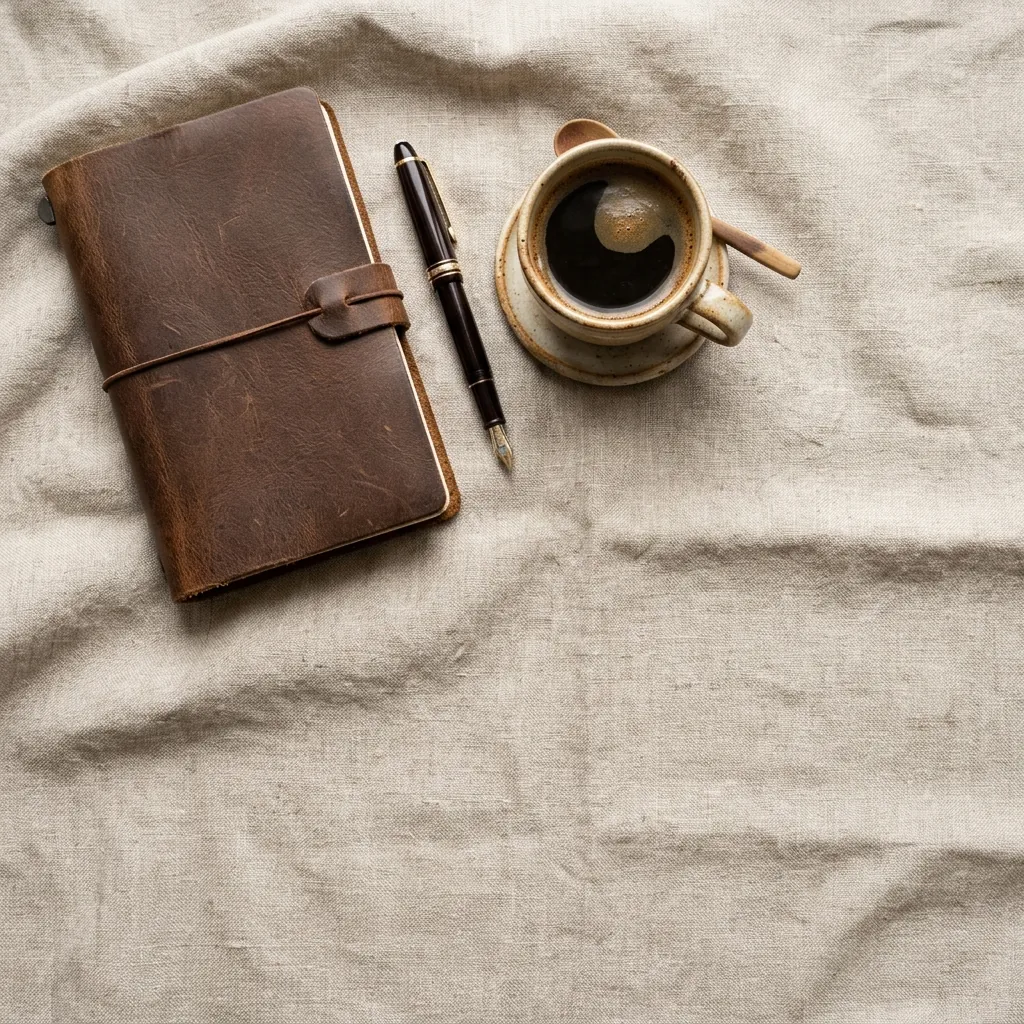
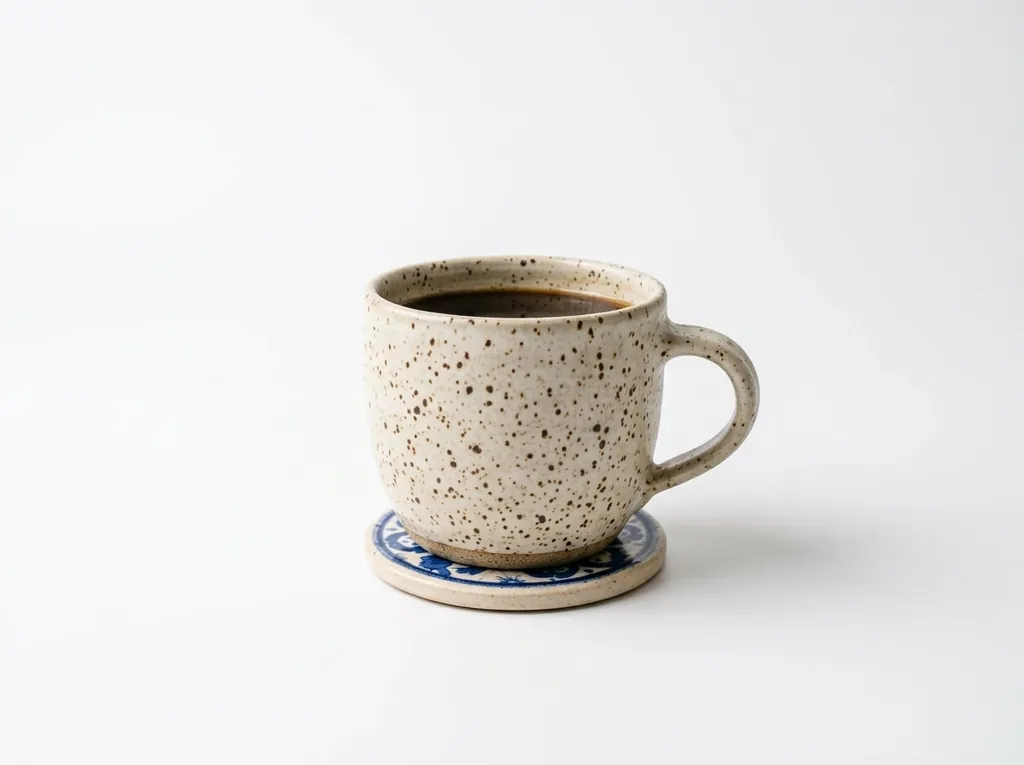
An overhead flat lay of a leather notebook, a fountain pen and a small ceramic cup of black coffee on folded oatmeal linen, diffuse overcast daylight from above, soft edgeless shadows, warm neutral palette, generous empty space in the lower right.
Nano Banana 2 · 1:1
Photo editing prompts: bring your own image
Upload your image first, then use an edit prompt. The pattern that works: state the single change, then state explicitly what must not change. Without the keep-list the model treats the whole frame as fair game.
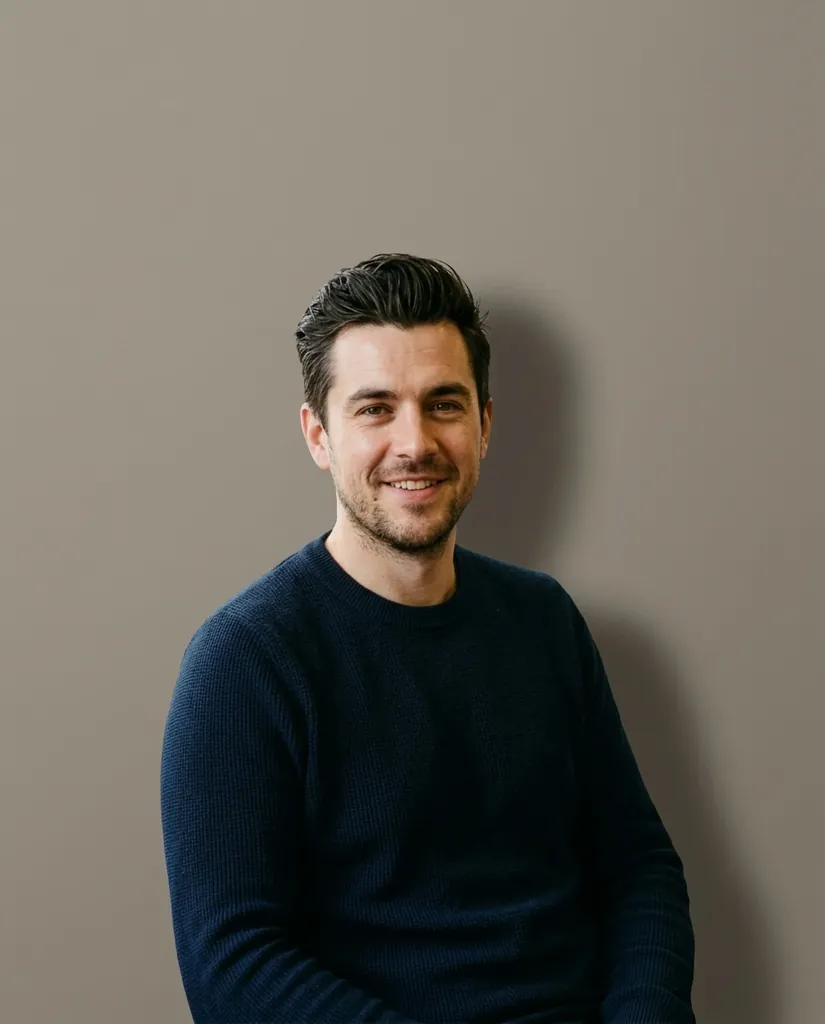
Replace the background with a plain warm gray studio wall, keep the subject, their pose, their clothing and the lighting on their face exactly as they are, match the new background shadow to the existing light direction.
Nano Banana 2 · 4:5Change the time of day to late golden hour: warm low sun coming from the left, longer shadows, slightly warmer highlights. Keep the composition, the subject position and all architecture unchanged.
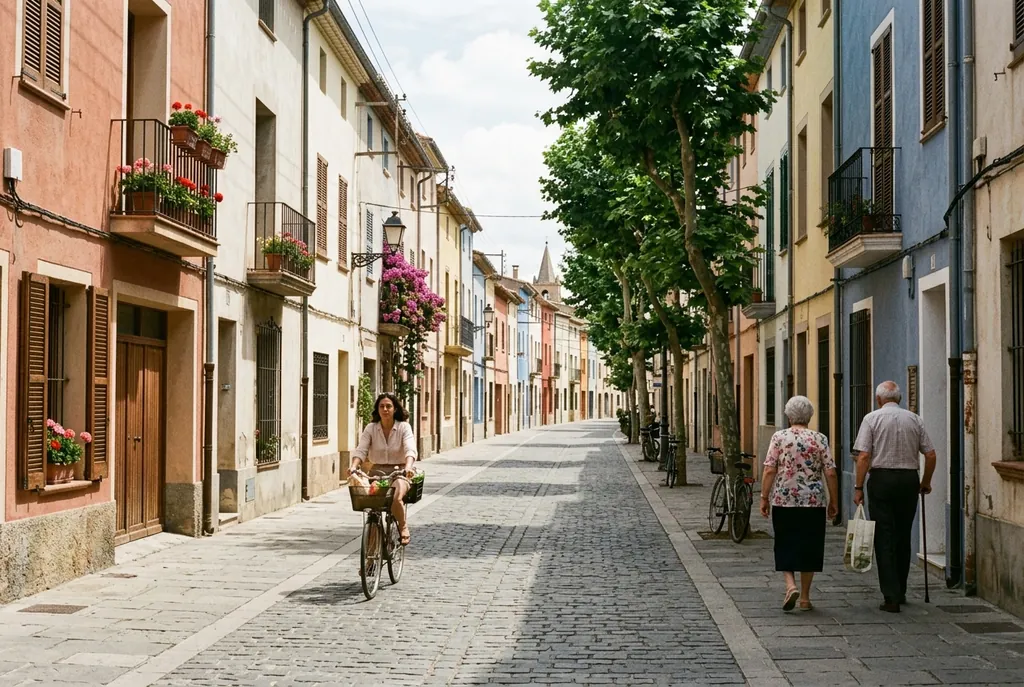
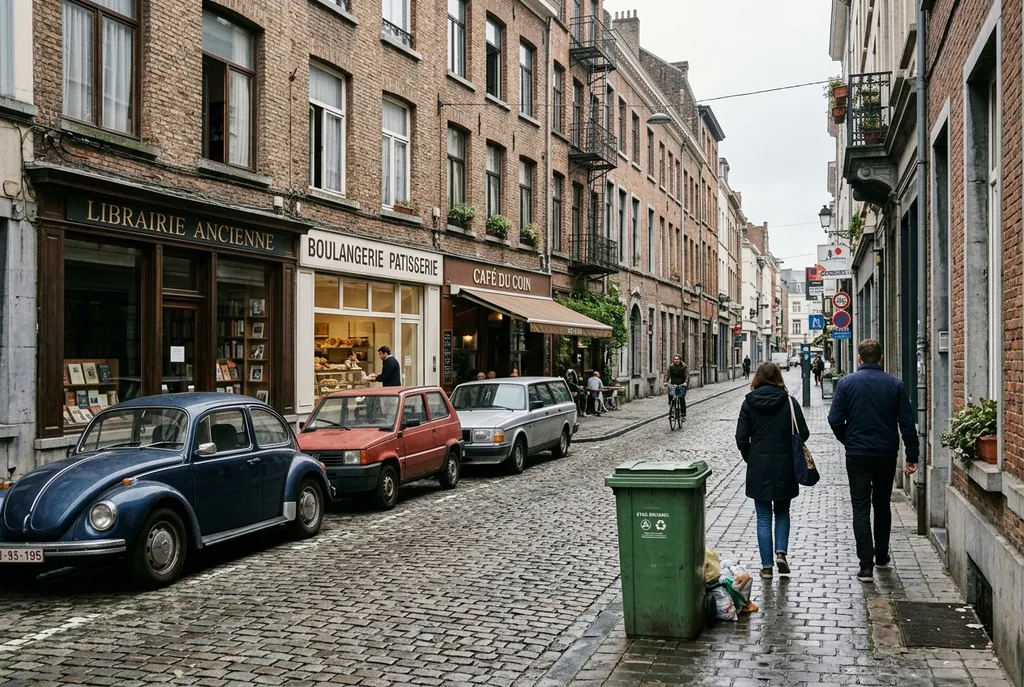
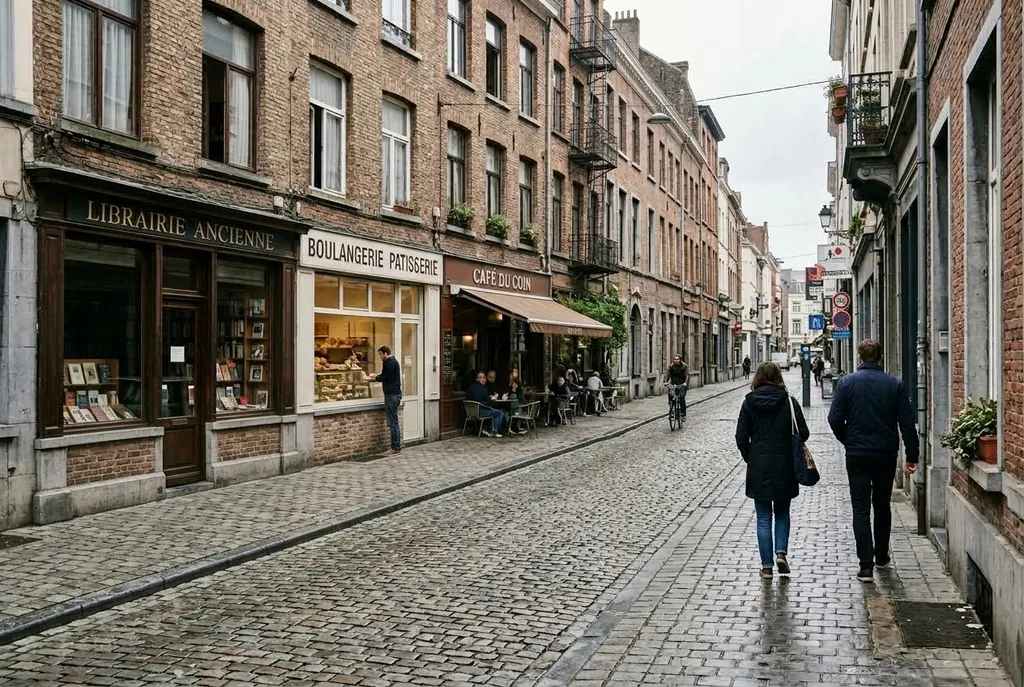
Nano Banana 2 · 3:2Remove the parked cars and the trash bin from the street, extend the sidewalk and the building facade naturally behind them, keep the people, the signage text and the sky exactly as they are.
Nano Banana 2 · 3:2Turn this daytime product photo into a clean white seamless studio shot: pure white background, soft light from the upper left, small contact shadow under the object. Keep the object, its label text, its color and its angle unchanged.
Nano Banana 2 · 4:3

Figurine and collectible prompts
The figurine look is one of the most requested nano banana outputs. The trick is to describe the object as a manufactured product sitting in a real room, not as a character.
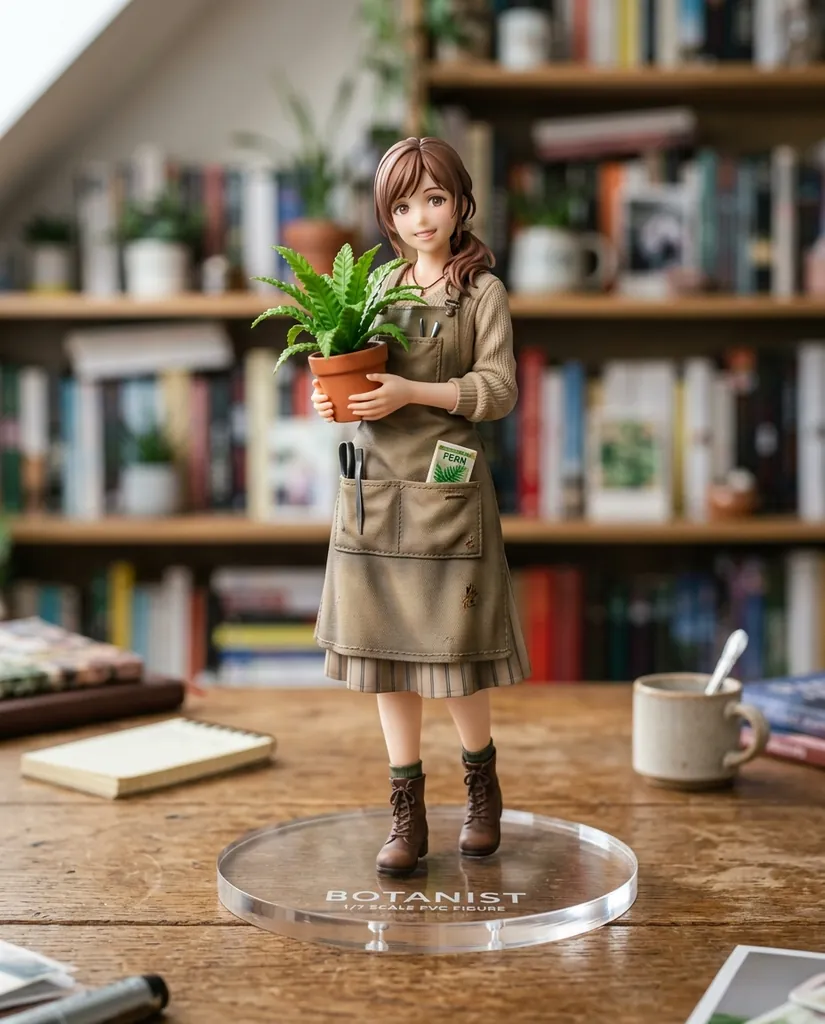
A 1/7 scale collectible PVC figurine of a young botanist in a canvas apron holding a potted fern, standing on a round clear acrylic base on a wooden desk, visible paint detail and seam lines, soft diffuse studio light from above left, shallow depth of field with a blurred bookshelf behind.
Nano Banana 2 · 4:5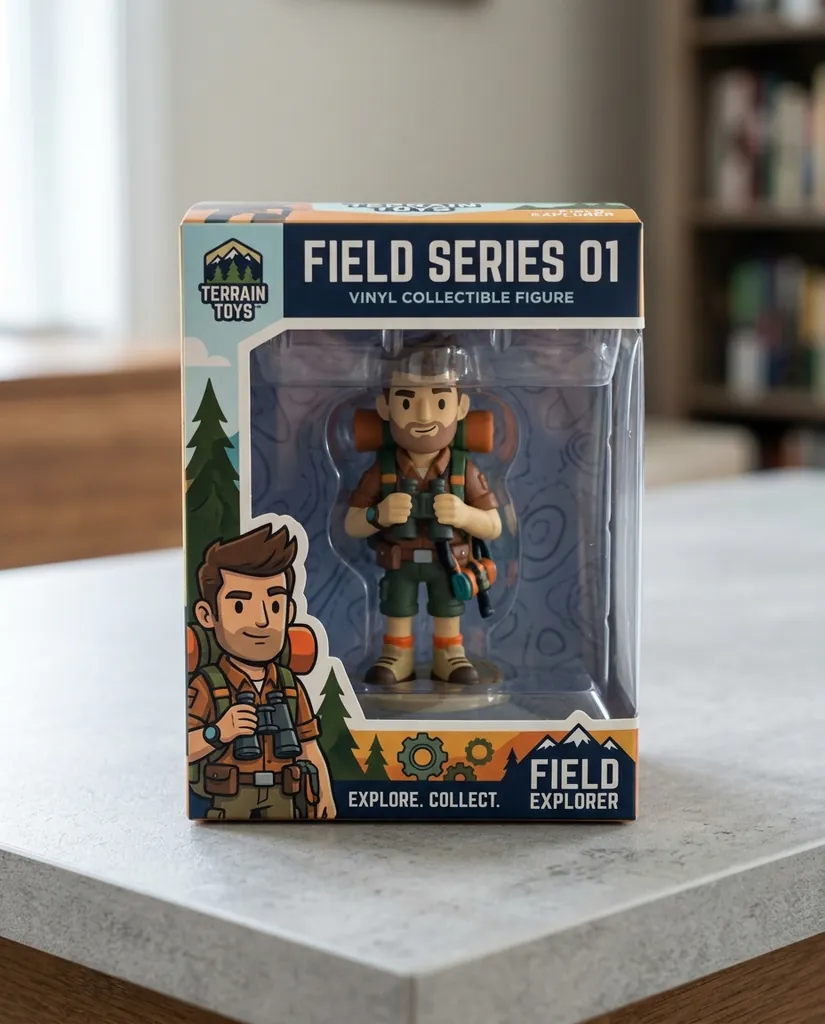
A boxed vinyl collectible figurine photographed on a light gray tabletop, the toy visible through a clear window in a printed retail box, the words FIELD SERIES 01 in bold uppercase sans on the box front, even frontal light, straight-on view, slight reflection on the plastic window.
Nano Banana 2 · 4:5
Real places, grounded in image search
Nano Banana 2.1 can ground a generation in Google Search, and that grounding now includes Google Image Search, so prompts about real places, real landmarks and real product categories have pictures to draw on rather than only text. Name the place plainly, then add the photographic direction as usual. Grounding is a surface feature, so whether you get it depends on where you are running the model.
Grounding helps with what a place looks like, not with what you want to happen in it. Keep the lighting, the camera position and the mood in the prompt; they are still yours to specify.
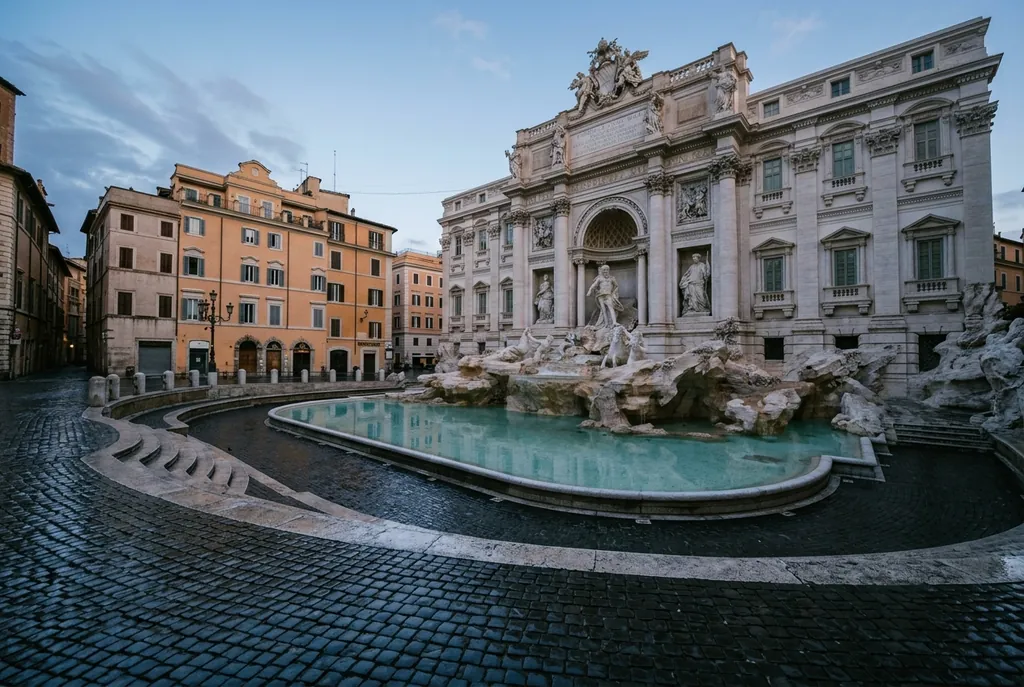
A travel editorial photograph of the Trevi Fountain in Rome at 6am with no crowds, soft cool pre-sunrise light, wet stone, wide-angle view from the lower left corner of the piazza, accurate architecture and sculpture placement, natural color, no text.
Nano Banana 2 · 3:2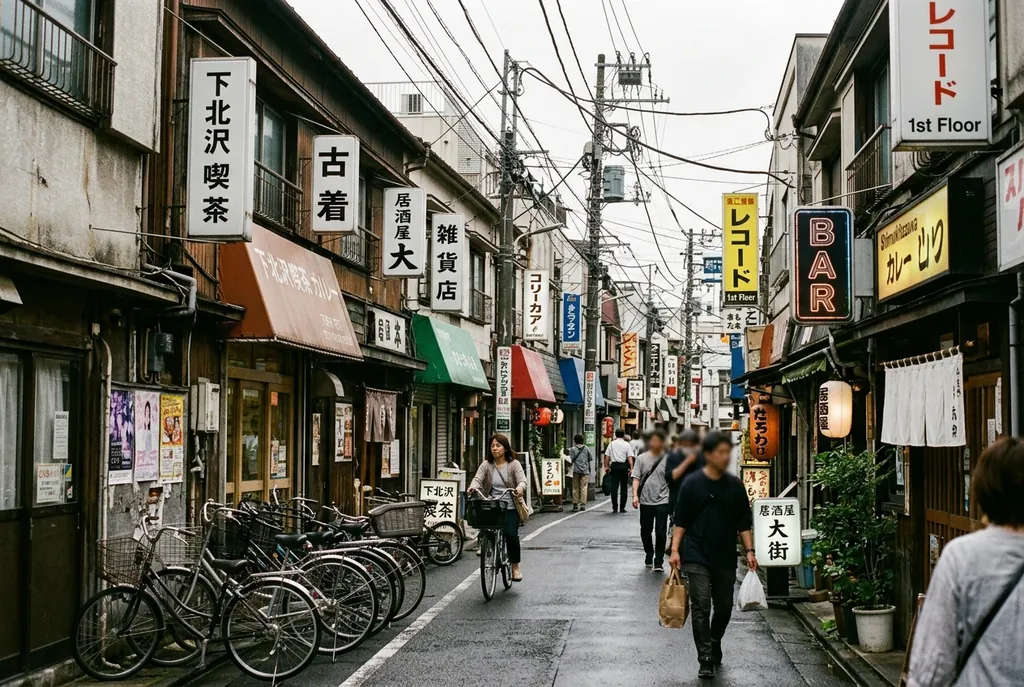
A street-level photograph of a Tokyo Shimokitazawa side street on a weekday afternoon, low two-story shopfronts, bicycles parked along the wall, overhead cables, overcast diffuse light, accurate signage shapes with no invented lettering, shot at eye level.
Nano Banana 2 · 3:2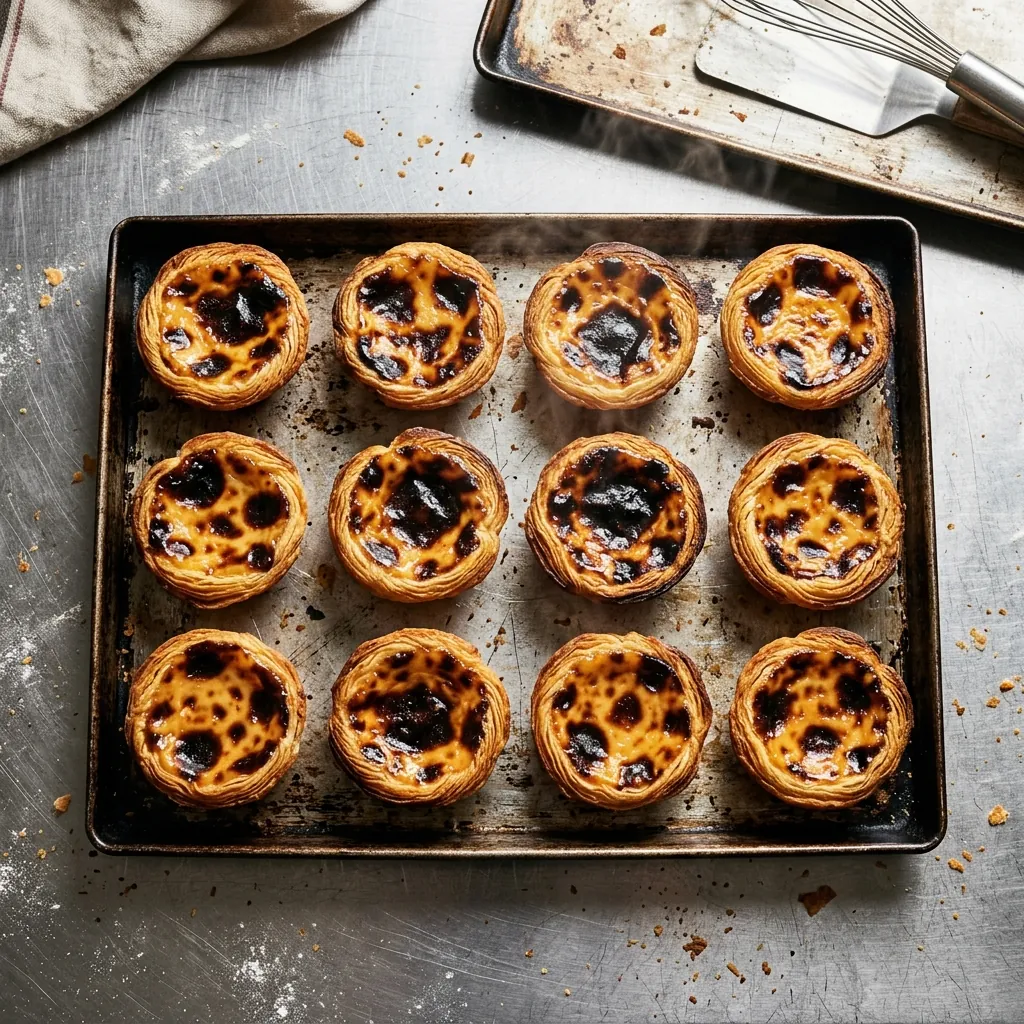
An overhead editorial shot of a traditional Portuguese pastel de nata tray fresh from the oven on a steel bakery counter, accurate pastry structure and scorched custard tops, hard overhead light, slight steam, tight crop.
Nano Banana 2 · 1:1
Nano banana 2.1 prompts: what to avoid
Five reliable ways to waste credits:
- Keyword soup. Stacking "8k, ultra detailed, masterpiece, award winning, hyperrealistic" adds no information and crowds out the parts of the prompt that do.
- Describing text instead of quoting it. "A sign with the shop name on it" gives you invented letters. Write the words out in capitals.
- Bundling edits. "Change the background, make it evening, remove the car, and add text" produces one result you cannot diagnose. Do them one at a time, feeding each good result into the next request.
- Editing without naming the region. 2.1 is built to change a selected area, so an edit prompt that does not say which area gives up its biggest advantage.
- Rendering drafts at 4K. Find the composition at 1K, then spend the credits once on the final.
A practical note on models: these prompts are written for the published nano banana models and they keep working on all of them. The regional-edit, consistency and panoramic sections lean on what Nano Banana 2.1 added, while the Nano Banana 2.1 option on this site uses Nano Banana Pro. For heavy typography, the comparison guide shows our Nano Banana Pro and Nano Banana 2 results.
FAQ
Do these prompts need Nano Banana 2.1?
No. They work on Nano Banana Pro, Nano Banana 2, Nano Banana 2 Lite and the original Nano Banana, which you can run here now. The regional-edit, consistency and panoramic sections lean on what 2.1 added, while the Nano Banana 2.1 option on this site uses Nano Banana Pro.
What is Nano Banana 2.1 actually better at?
Per Google, visual design, mask-based editing of a selected region, and subject consistency across edits and across related images, plus better prompt adherence and text rendering for infographics and marketing assets.
How do I write a prompt that edits only one part of an image?
Name the region, name the change, then name what must not move: "change only the sky above the roofline to overcast gray, keep the building, the street, the people and their shadows exactly as they are". If the result spills, make the region smaller and more specific.
How do I keep the same character across several images?
Attach references and say what to hold constant. Nano Banana 2.1 takes up to 14 reference images in one request, up to 10 objects and up to 4 characters. When consistency slips, add another angle rather than more adjectives.
Which model should I use for text inside an image?
Nano Banana Pro, which is Gemini 3 Pro Image, is still the strongest at readable in-image text. Nano Banana 2.1 improved here and Google aims it at infographics and marketing assets, so it is a reasonable first try for simpler type.
How do I get the exact words I want in the image?
Write them out in capitals as their own clause, and say where on the canvas they sit. The model renders text you quote, not text you describe, so "a sign with the shop name" will give you invented letters.
Can I really generate a wide panorama in one go?
On Nano Banana 2.1, yes: it supports 1:4, 4:1, 1:8 and 8:1 at 2K and 4K, which removes the tiling artifacts you got from stitching wide images together. Compose for the shape and keep detail even across the frame.
What resolution and aspect ratios can I use?
Output at 1K, 2K or 4K, and aspect ratios from 1:1 through 21:9 on this site, plus 4:1, 8:1, 1:4 and 1:8 on Nano Banana 2. Nano Banana 2.1 itself offers 1:4, 4:1, 1:8 and 8:1 at 2K and 4K, and drops the 512 pixel tier that Nano Banana 2 had.
What happens if a generation fails?
You are refunded in credits automatically. Credits are pay as you go, with credit packs for occasional use and monthly plans for steady use, and your generated images stay private to your account.
Is this an official Google prompt guide?
No. nanobanana21.app is an independent site and is not affiliated with, endorsed by or sponsored by Google. Nano Banana is a Google trademark, used here only to name the models this tool calls.