When Nano Banana 2.1 is not working, the cause is almost always one of ten things: the model has not reached your account or country, a safety filter refused the prompt, you hit an unpublished daily limit, text came out garbled, an edit redrew the whole frame, a character drifted between images, the ratio was set in the prompt instead of the setting, the output is 1K when you wanted 4K, an API call still points at the retired Nano Banana 2 id, or a generation is slow rather than broken. Each gets a block below.
Nano Banana 2.1 (model id gemini-nano-banana-2.1) has been generally available since 2026-10-06, so there is no waitlist and no preview flag to request. That matters for diagnosis: a missing model is a rollout, account, country or plan question, never an access request you forgot to file. The older Nano Banana 2 (gemini-3.1-flash-image) shuts down on 2026-10-29, which is its own source of errors.
nanobanana21.app is an independent generator and editor, not affiliated with Google. For Google's surfaces we can say what the model does and what Google has published, but only Google can change your account. For generations here, failed and refused jobs are refunded in credits automatically, and support@nanobanana21.app is a real address.
Nano Banana 2.1 is not showing in the Gemini app or Google Flow
Nano Banana 2.1 missing from a model picker is a rollout, account, country or plan question, and nothing on your side turns it on. Google released it on 2026-10-06 and enables it per surface and account group over days, so a colleague can have it on a day you do not.
- Staged rollout. 2.1 became selectable in Google Flow on 2026-10-05, a day before the general release, and consumer surfaces followed at their own pace. Fix: update the app, then wait.
- The wrong account. Work, school and managed Workspace accounts often have generative features restricted by an administrator. Fix: sign in with a personal Google account as a test.
- Country. Google has not published a country list for 2.1 as of October 7, 2026, and consumer surfaces do vary by region. There is nothing to toggle.
- Plan. Which models appear can depend on whether your account has a paid Google AI subscription. Google has not published per-plan availability or image limits for 2.1, so we cannot say which tier unlocks what.
- Looking in the wrong place. In the Google app, image generation in AI Mode sits behind a banana icon under the search box. An absent icon is the rollout answer, not a setting you missed.
- Fix that works today: Google AI Studio in a browser, where gemini-nano-banana-2.1 is selectable directly. If it works there and not in the app, the model is fine and the app has not reached you.
Not fixes: a VPN, a reinstall, a different device, or any site selling "early access". The model is publicly released, so nobody has access to sell. 2.1 is also the default in the generator here, and the Google Flow guide covers picking it in Flow.
"I can't generate that": refusals and safety filters
A refusal is not a bug. Nano Banana 2.1 runs behind safety filters that block whole categories of request, and the message is vague about which one you hit. The filter fires on the prompt, on any reference image, and on the result, so a prompt that worked yesterday with a different photo can be refused today.
The categories behind most refusals: real identifiable people (including a named public figure, or a recognizable private person placed in a new scene); minors, especially edits to photos of them; sexual content and nudity, including suggestive descriptions of clothing or poses; violence, gore and realistic weapon use; trademarks, logos and brand names on packaging; and copyrighted cartoon, film or game characters.
How to rephrase a legitimate request:
- Describe a person by role and appearance, not identity: "a woman in her thirties with short dark hair in a navy blazer" rather than a celebrity's name or "someone who looks like" one.
- Use your own photos of people who have given permission, and keep the edit ordinary: background, lighting, clothing color.
- For brands, describe the object generically and add your own text: "a matte white skincare bottle with the words PURE FORM in thin uppercase sans".
- For characters, describe an original one in the style you want: "a round-faced cartoon fox with a red scarf, flat vector style, thick outlines".
- Split the request: generate the scene first, then edit the borderline element in a second pass, so you learn which part was refused.
Disguised prompts usually produce a worse image rather than an unblocked one. Every output also carries an invisible SynthID watermark that no setting removes, so a site promising unfiltered or unwatermarked 2.1 is misrepresenting the model. On this site a refused job is refunded automatically, exactly once, so a refusal costs no credits.
You hit a daily limit
If generations stop after several successes in one session, you have most likely hit a quota, and on Google's consumer surfaces that quota is not published. Google has published no per-plan Nano Banana 2.1 image limits for the Gemini app, AI Mode or Flow as of October 7, 2026, so a specific daily number from any site is invented.
- A free-tier daily cap. These have historically been small and have changed often: for Nano Banana Pro, Google cut free use to 2 images a day in late 2025. That is the scale to expect, not a number to rely on. Fix: wait, since daily caps reset on a clock you cannot see. Retrying in a loop does nothing.
- A paid-tier cap. Paid Google AI plans generally allow more, but the allowance for 2.1 is not published. Fix: switch surface, because the Gemini app, AI Studio and Flow meter separately.
- An API quota. Rate limits for gemini-nano-banana-2.1 are not published either. Fix: build backoff around the errors you observe, not a number from a blog post.
- A cap you cannot plan around. Fix: stop relying on free quotas. The Gemini API bills per image at $0.0336 at 1K with no daily cap, and here a 1K image is 20 credits from a balance you can see; the pricing guide works both out.
On this site there is no daily limit, only your credit balance and a maximum of 3 jobs at once. If a fourth will not start, let one finish.
Text in the image is garbled or misspelled
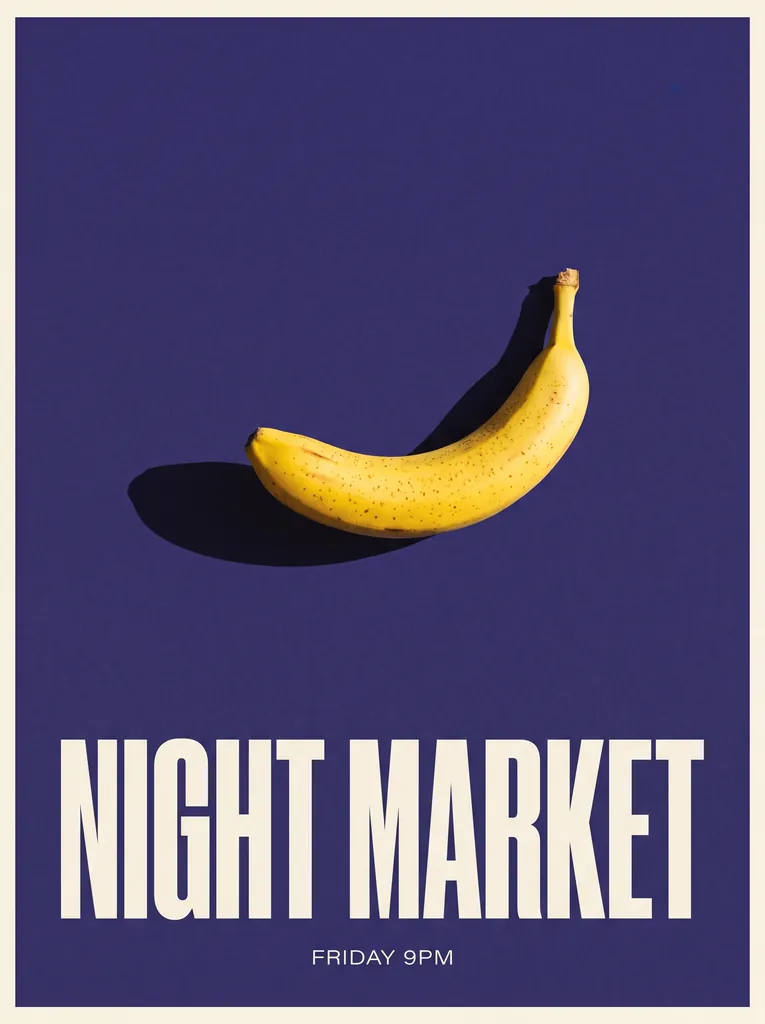
Garbled text is the most common quality complaint and it is usually fixable from the prompt. Nano Banana 2.1 renders text better than the model it replaces (Google puts text rendering among its improvements), but it still gets letters wrong when the text is long, small, or described rather than quoted.
- The text was described, not quoted. Fix: quote the exact string in the capitalization you want, as in the words MORNING BLEND in bold uppercase sans, so the model treats it as a literal.
- Too much text. Every extra word is another chance to misspell. Fix: one headline of two to five words. If you need body copy, generate the layout with a short headline and set the small text yourself.
- The type is too small in the frame. Fix: ask for big type with room around it: "across the lower third", "filling the right half", "generous margins". A headline that fills a quarter of the image is far more reliable than a caption.
- 1K output. Fine type needs pixels. Fix: render at 2K or 4K. On this site 2K costs the same 20 credits as 1K for Nano Banana 2.1, so there is no reason to draft text-heavy work at 1K.
If text is still wrong, re-roll rather than re-prompt: text rendering has a random component, and the same prompt twice often gives one clean result.
Nano Banana 2.1
An edit changed the whole image instead of one area
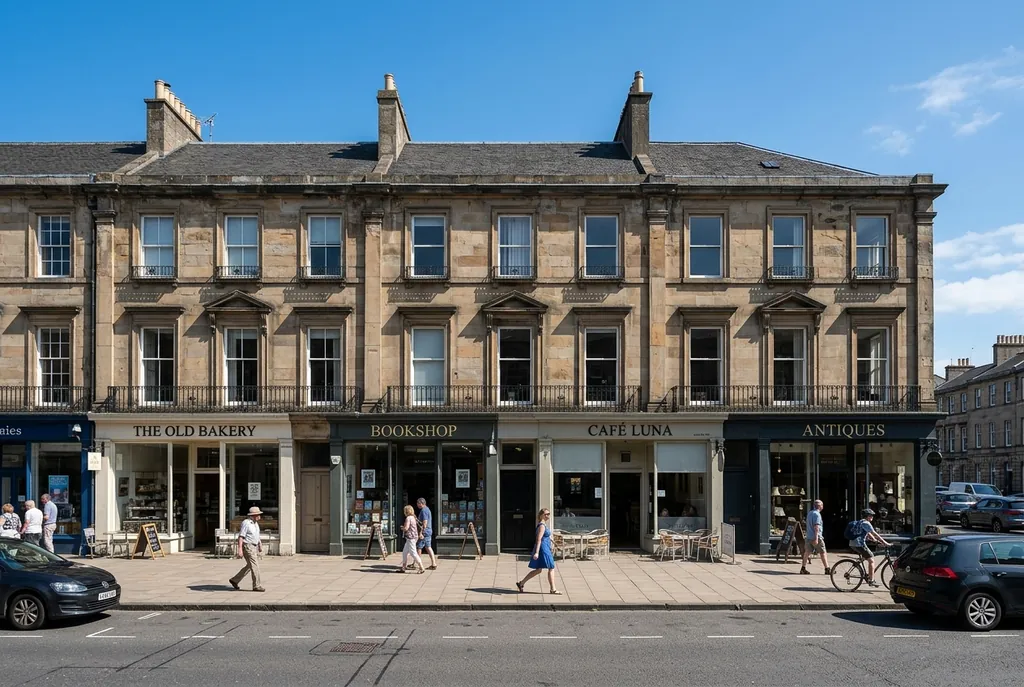
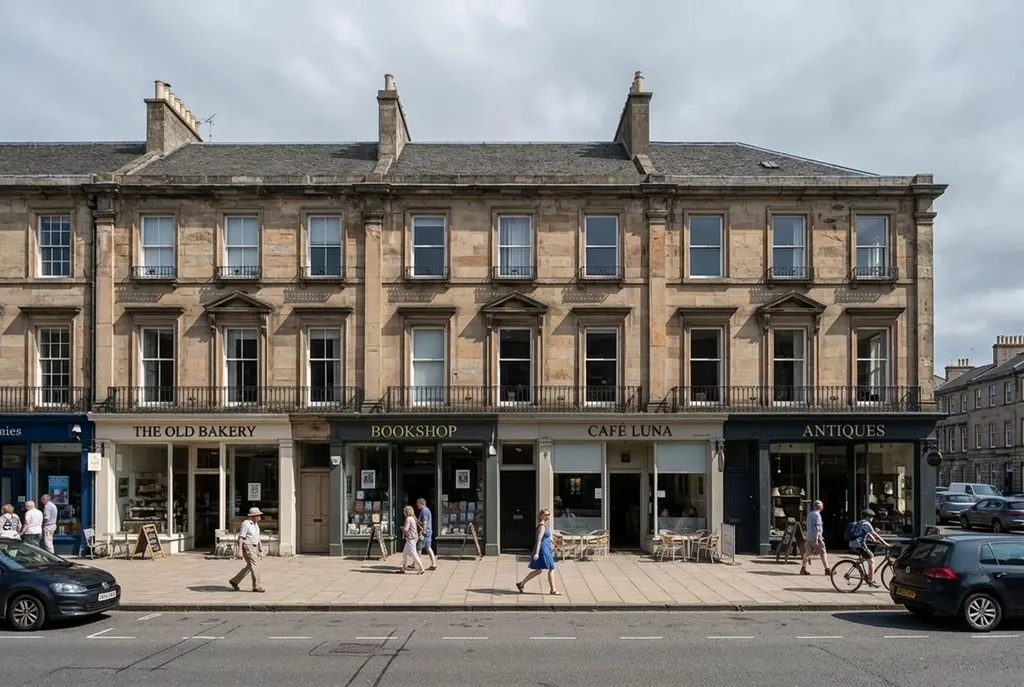
If an edit redrew the entire frame, the instruction did not name a region and did not say what to keep. Nano Banana 2.1 does mask-based (regional) editing, which Google lists among its biggest improvements, but it is driven by your description, not by a mask file. There is no alpha channel to upload: the words are the mask.
- A global instruction. "Make it look like evening" is a whole-image request, so the model redraws faces, text and reflections along the way. Fix: name the region. "Only the sky above the roofline", "the label on the bottle", "the wall behind the chair". Spatial words work: above, below, left third, background, foreground.
- No keep-list. Without one the model assumes everything is negotiable. Fix: say what must not move, item by item: "keep the building, the street, the people and their shadows exactly as they are". This is the single highest-value sentence in an edit prompt.
- Several changes in one instruction. Fix: one change per pass, then edit again on the result. Four edits in one sentence give you a result you cannot diagnose.
- An unscoped knock-on effect. Changing a sky while the ground light stays untouched looks wrong, so the model often changes both. Fix: scope it: "match the new light temperature on the rooftop edges only".
On this site every generation stays in your library, so a bad edit costs one attempt, not the source image. The prompts guide has full regional-edit prompts with their before and after images.
Before
After
A character looks different in every image
Character drift is a reference problem, not a model defect. Nano Banana 2.1 accepts up to 14 reference images per request, up to 10 objects and up to 4 characters, and Google lists multi-turn character consistency among its improvements. If a face changes between generations, the model is being asked to invent it again each time.
- No reference image. A text description of a face, however detailed, is re-interpreted every time. Fix: attach one clear, well-lit, front-on image.
- A single casual snapshot. One angle leaves the rest of the head to guesswork. Fix: build a reference sheet, the same character from a few angles in a neutral style, and attach it to every generation. This is the most effective fix for drift.
- Too many characters. The limit is 4 per request and consistency degrades as you approach it. Fix: keep scenes to one or two, and bring characters together in a final edit pass.
- The prompt does not say which attachment is the character. Order alone does not convey intent. Fix: label them: "using the attached reference images of the same woman, place her in ...".
- The style keeps changing. A character rendered as a photo in one image and an illustration in the next will never read as one person. Fix: keep the style and lighting words identical across the set.
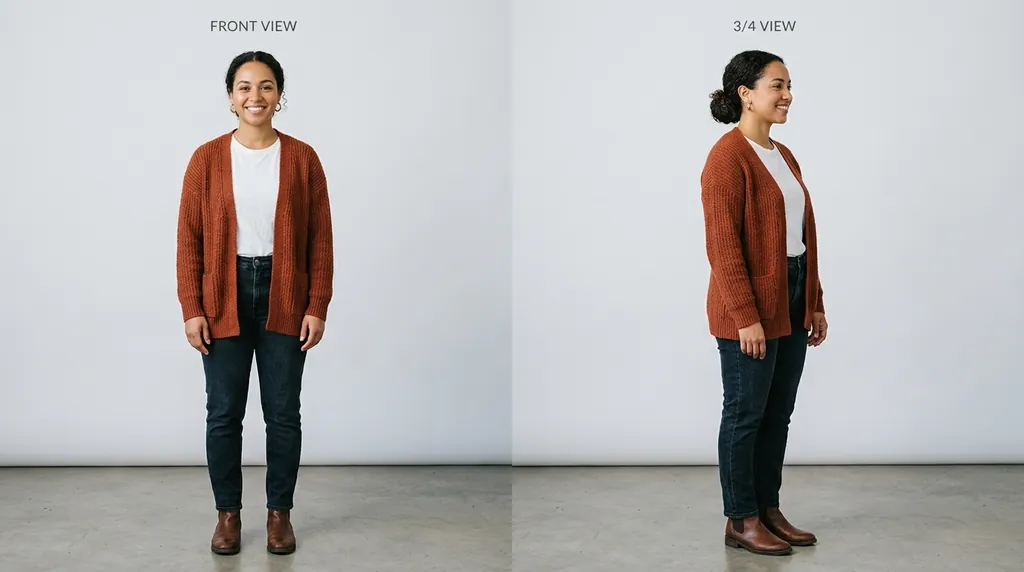
Reference sheet
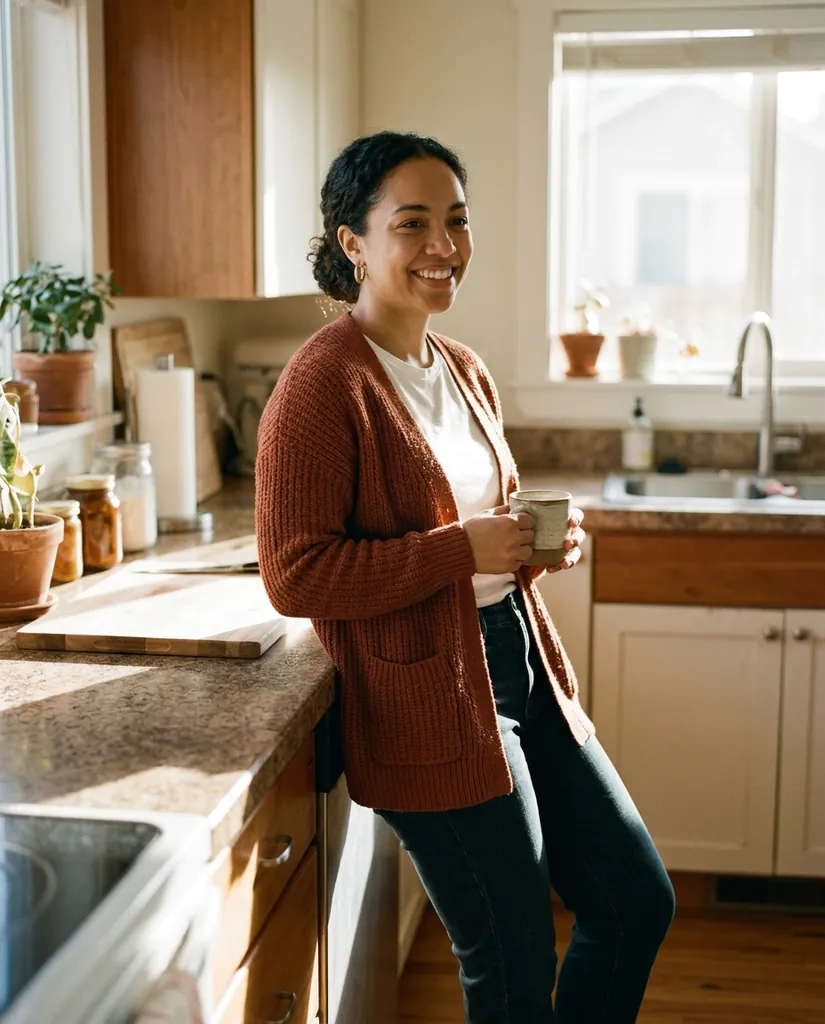
Result
The aspect ratio is wrong, or a panorama comes back cropped
If the shape is wrong, the ratio was probably requested in the prompt text instead of in the aspect ratio setting. Nano Banana 2.1 takes the ratio as a parameter, and words like "ultrawide" in the prompt are a weak hint next to it.
- The ratio was only in the prompt. Fix: set it in the control. In the generator here it is a setting next to the prompt box and all 15 of Nano Banana 2.1's ratios are offered: 1:1, 3:2, 2:3, 3:4, 4:3, 4:5, 5:4, 9:16, 16:9, 21:9, plus 1:4, 4:1, 1:8 and 8:1. In AI Studio it is a field; through the API it is aspectRatio, a string like "16:9".
- The surface does not expose a ratio. Chat-style surfaces (the Gemini app, AI Mode in Search) often choose for you. Fix: use AI Studio, Flow, this site or the API when the shape matters.
- An extreme ratio at 1K. On Google's surfaces the panoramic ratios 1:4, 4:1, 1:8 and 8:1 are available at 2K and 4K. Fix: request 2K or 4K along with the ratio, since an 8:1 image at 1K has very little height to work with.
Not a fix: stitching. Nano Banana 2.1 renders the panoramic ratios in one pass, so tiling by hand reintroduces the seams that pass removes.

8:1 panorama
The output looks blurry or low resolution
If an image looks soft at full size, check the resolution you asked for before blaming the model. Nano Banana 2.1 defaults to 1K, which is fine for a feed and not fine for a poster or a product-page zoom.
- The 1K default. Nothing asked for more. Fix: choose 2K or 4K. In the generator here a 2.1 image is 20 credits at 1K, 20 at 2K and 30 at 4K, so 2K costs no more than 1K; through the API it is imageSize set to 1K, 2K or 4K.
- A pipeline written for 512 pixels. Nano Banana 2 had a 512 tier and 2.1 does not. Fix: move those requests to 1K or higher, because there is no 512 option to fall back to.
- The prompt asked for softness. "Shallow depth of field", "dreamy", "bokeh", "soft focus" and "film grain" all reduce sharpness on purpose. Fix: remove them, or confine them: "sharp on the label, background softly out of focus".
- Upscaling after the fact. Enlarging a 1K render adds pixels, not detail. Fix: draft at 1K to find the composition, then re-render the keeper at 2K or 4K.
API errors after the Nano Banana 2 shutdown
If API calls that worked for months start failing, check the model id first. Nano Banana 2 (gemini-3.1-flash-image) is deprecated and shuts down on 2026-10-29, and Google tells developers to migrate to gemini-nano-banana-2.1. After that date requests on the old id fail; they do not quietly fall back.
- The old model id. Fix: replace gemini-3.1-flash-image with gemini-nano-banana-2.1 everywhere, including tests, fixtures, config rows and cron jobs. Grep for the string rather than trusting your memory of where it lives.
- A 512 pixel image size. That tier existed on Nano Banana 2 and is gone on 2.1, so a request carrying it is invalid. Fix: move to 1K, 2K or 4K.
- A parameter that moved. Names change between Gemini API versions. Fix: check them against Google's current Gemini API documentation, not a tutorial. The request shape is the same for both models.
- Text came back instead of an image. Fix: include IMAGE in responseModalities, and read the image from candidates[0].content.parts[] by selecting the part that has inlineData rather than indexing blindly, because a text part can be present too.
- A blind retry after a timeout. The call is synchronous and returns the image, so a retry can pay twice. Fix: check whether the first request returned, and keep the model id in configuration so the next deprecation is a value change.
The full migration list is in the API guide, and the spec differences are laid out in the 2.1 vs Nano Banana 2 guide.
Generations are slow, or seem stuck
A slow generation is usually working, not broken. Nano Banana 2.1 is in the Flash tier, the fast low-cost line, but how long one image takes depends on the thinking level, the output size and load.
- A high thinking level. 2.1 has three (minimal, medium and high) with medium the default. Fix: drop to medium or minimal for simple, high-volume work and save high for prompts with several constraints that must all hold.
- 4K output. The larger the image, the longer the render, and 4K takes longest by a clear margin. Fix: draft at 1K or 2K and render only the keeper at 4K.
- Peak load. These are shared services and the same prompt can take longer at busy times. Fix: wait rather than cancelling and resubmitting, which puts you at the back of the queue and, on a metered API, can bill twice.
- On the API, a client timeout shorter than the render. The call is synchronous with no job id to poll, so your timeout matters more than your polling logic. Fix: set a generous one, especially at 4K.
- On this site, three jobs already running. That is the per-account limit, so a fourth waits. Fix: let one finish. Failed and refused jobs are refunded automatically and exactly once.
Still not working: what to check before asking for help
A short list that resolves most of what is left, and tells you who can actually help.
- Re-run the same prompt once. Generation has a random component, and one re-roll separates a bad draw from a bad prompt.
- Change one thing at a time. Changing the prompt, the size and the ratio together leaves you unable to say which change helped.
- Test with a known-good prompt. The prompts guide has prompts with the images they produced, so a failure on one is about your account or the service, not your wording.
- Know what is not published. As of October 7, 2026 Google has not published per-plan image limits for 2.1, the country list, or API rate limits, so some questions have no public answer yet.
- For anything on a Google surface, Google support is the only route. We cannot change your Google account, plan or region.
- For anything here, email support@nanobanana21.app with the prompt and roughly when it happened. Refunds for failed and refused jobs are automatic, so you do not need to ask for those.
If you are new to the model rather than stuck on it, the how to use Nano Banana 2.1 guide is the step-by-step version.
FAQ
Why is Nano Banana 2.1 not showing up in my Gemini app?
Staged rollout, a managed work or school account, your country, or your Google plan. Google released 2.1 on 2026-10-06 and enables it per surface and per account group over days, and it has published neither a country list nor per-plan availability. There is no access request to file and no VPN or reinstall that helps. Try Google AI Studio, where the model id is selectable directly.
Why does Nano Banana 2.1 say it can't generate my image?
A safety filter, which can fire on your prompt, your reference image or the result. The common categories are real identifiable people, minors, sexual content, violence and gore, trademarks and brands, and copyrighted characters. Rephrase by describing people by role and appearance rather than identity, describing products generically with your own text, and inventing original characters instead of naming existing ones. On this site a refused job is refunded in credits automatically.
How many Nano Banana 2.1 images can I make per day?
Google has not published per-plan image limits for 2.1 in the Gemini app, AI Mode or Flow as of October 7, 2026, so any specific daily number you see elsewhere is invented. Expect a cap, expect it to depend on your account, and expect to find it by hitting it. On this site there is no daily limit, only your credit balance and a maximum of 3 jobs running at once.
Why is the text in my image misspelled?
Usually because the text was described rather than quoted, there is too much of it, or it is small in a 1K frame. Quote the exact string in the capitalization you want, keep it to a short headline, ask for large type with room around it, and render at 2K or 4K. If it is still wrong, re-roll: text rendering has a random component.
Why did my edit change the whole image?
The instruction did not name a region and did not say what to keep. Nano Banana 2.1 does regional editing from your description, not from an uploaded mask, so write "only the sky above the roofline" plus a list of what must stay exactly as it is, and make one change per pass.
Why are my images blurry?
Nano Banana 2.1 defaults to 1K. Choose 2K or 4K for anything beyond a feed; on this site 2K costs the same 20 credits as 1K. Also check the prompt for softness words such as shallow depth of field or bokeh, and remember the 512 pixel tier from Nano Banana 2 no longer exists.
My API calls stopped working. What changed?
Most likely the model id. Nano Banana 2 (gemini-3.1-flash-image) is deprecated and shuts down on 2026-10-29, and requests on it fail rather than falling back to gemini-nano-banana-2.1. Swap the id everywhere, move any 512 pixel requests to 1K, and check parameter names against Google's current Gemini API documentation.