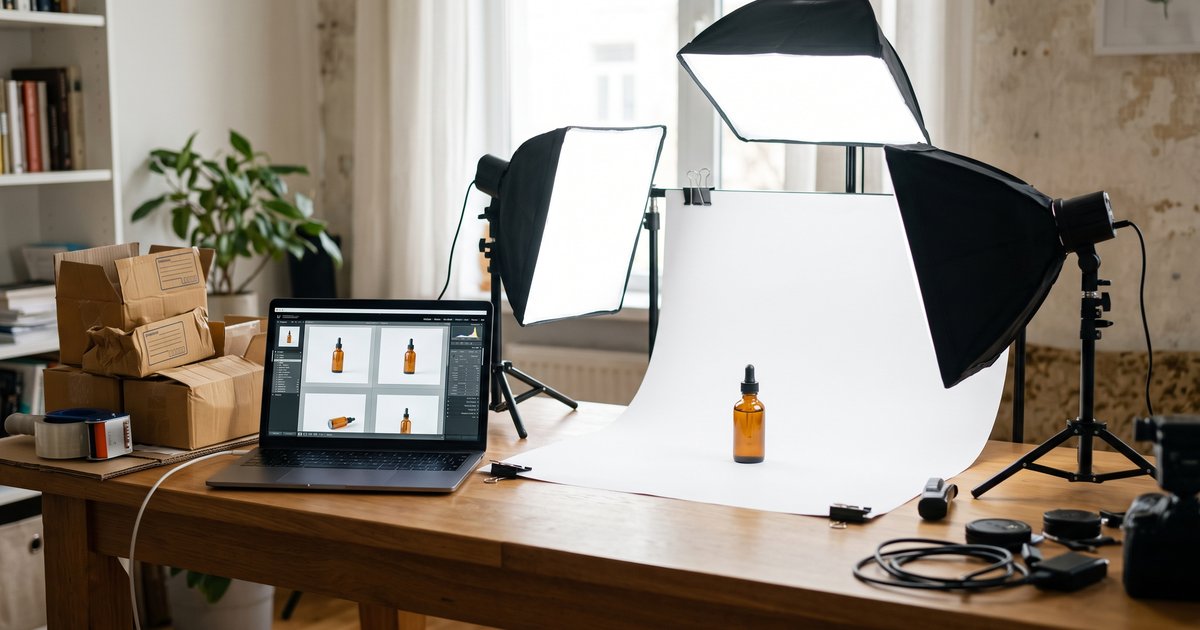
Nano Banana 2.1 can build a full listing gallery from one phone photo of your product: a pure white main image, extra angles, a lifestyle scene, a scale shot, an infographic with callouts, a seasonal version and an ad banner. At 20 credits an image here, a seven-image set costs about $1 per product on a monthly plan, with no lightbox, tripod or studio booking.
What Nano Banana 2.1 cannot do is make a listing image honest. Marketplaces judge what the picture shows, not which software made it: the main image has to be the product you actually ship, on a white background, with no text or badges pasted on top. This guide covers both halves, the rules and the workflow.
Nano Banana 2.1 is Google's gemini-nano-banana-2.1, released and generally available on 2026-10-06, and the default model in the generator here. Everything on this page is current as of 2026-10-07, and every example image was made here with Nano Banana 2.1 from the phone photo beside it, one attempt each, unedited. For just the tool and the prompt box, go to the AI product photo generator.
Can you use AI product photos on Amazon, Shopify and Etsy?
Yes, with one condition that decides everything else: the image has to represent the product truthfully. The published image requirements on the large marketplaces describe what the picture must show (the real item, a white main-image background, a minimum pixel size, no added text) rather than which editor or model produced it. Policy on AI imagery moves and each marketplace writes its own, so read your current seller guidelines before a bulk upload, and keep the original phone photos.
The division of labor that keeps you safe: Nano Banana 2.1 for the background, the light, the scene, the layout and the text around the product, a real photo for anything a buyer judges at pixel level, such as fabric weave, gemstone detail or a printed ingredient panel.
The marketplace image rules that matter
Four rules cover most of what gets a listing image rejected. These are the published recommendations as sellers encounter them, and every marketplace changes its own, so check your current seller guidelines.
- Amazon main image: a pure white background (RGB 255,255,255), the product filling about 85 percent of the frame, at least 1,000 pixels on the longest side so the zoom function turns on, and no added text, logos, watermarks, borders or props. The main image is the product alone.
- Amazon secondary images: lifestyle scenes, infographics with callouts, scale and in-use shots belong here, not in the main slot. That is why the seven-image set below puts all the storytelling after image one.
- Shopify: recommends 2048 x 2048 pixels for square product images, which is also a comfortable size for zoom on a theme that supports it.
- Etsy: recommends at least 2,000 pixels on the shortest side, so a square 2K render clears it and a narrow crop may not.
A note on watermarks. Every image from Google's Nano Banana models carries a SynthID watermark, which is invisible and machine-readable. The marketplace rule is about visible overlays: your logo, a price badge, a "best seller" flash.
One rule that is yours, not the marketplace's: generate at 2K. Nano Banana 2.1 costs the same 20 credits at 1K and 2K here, so a 2K square leaves room to crop and still clears the 1,000 pixel zoom threshold.
Your images have to show the product you actually ship
Accuracy is the part of AI product photography that costs real money when you get it wrong, through returns, bad reviews and suppressed listings, and nothing in the model stops it from improving your item into something you do not sell. The fix is a keep-list at the end of every prompt, naming the attributes buyers measure a delivery against:
- Color. Name it in words ("sage green", "tan leather") and compare the result with the real item before it goes live. A shade shifted by one step is a return.
- Size and proportion. The model has no idea how big your product is. If the shape looks slimmer or taller than the real item, re-roll rather than publish.
- Parts and count. Lids, straps, cables, included accessories. Models add plausible parts. If your box holds one dropper, the image shows one dropper.
- Label and printed text. Say "keep the label text exactly as it is", then read the result at full size. Short labels usually survive; long ingredient lists and small print do not.
- Materials and finish. Matte should not become glossy, and brushed metal should not become chrome.
Three things never to ask for: a feature the product does not have, a certification or safety mark the model would have to draw (CE, UL, FSC and the like are legal marks, not decoration), and a claim rendered as type. Nor other brands' products, logos or packaging in your scenes. And if a result is only nearly right, re-roll it: 20 credits is cheaper than explaining the difference to a customer.
The 7-image listing set, and images 1 to 4
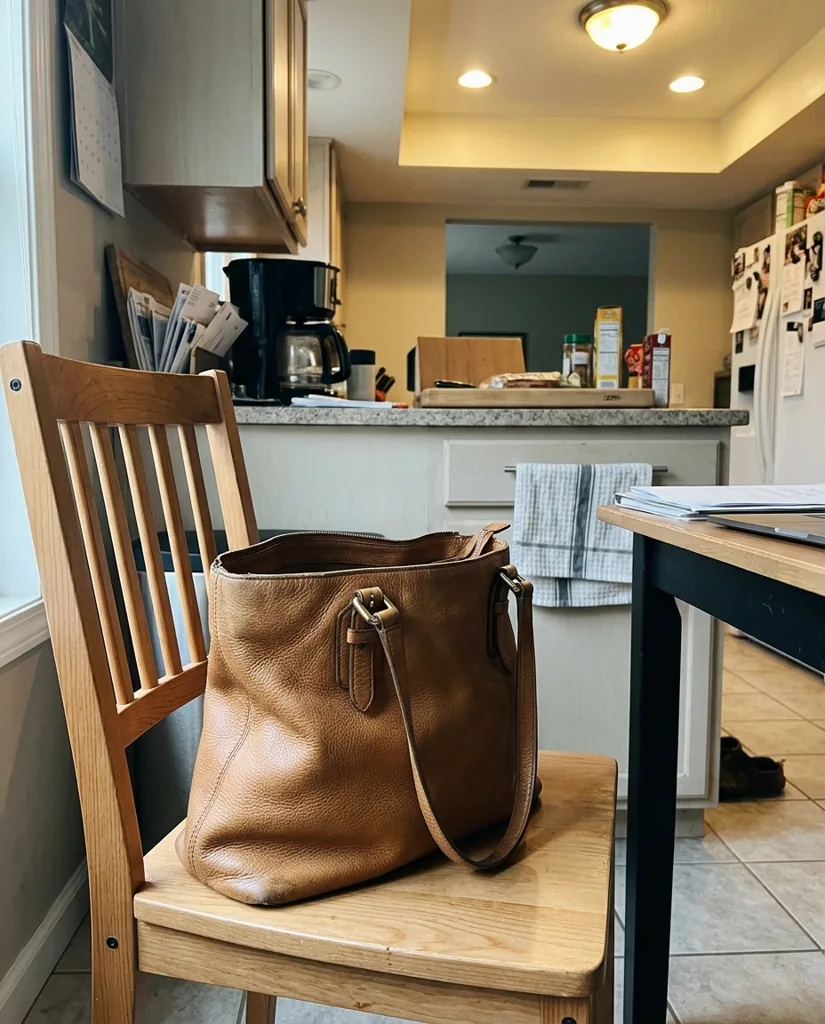
One phone photo, taken in even light with the whole item in frame and the label facing the camera, is the input for all seven images. Attach it with the Reference button, then run these seven requests, changing only the scene and keeping the keep-list identical:
- 1. Main image. Pure white background, product alone, 1:1.
- 2. Extra angles. Two or three more views of the same product on the same white background.
- 3. Lifestyle scene. The product on a real surface, in the light it would be used in.
- 4. Scale or in-hand. One image that answers how big it is.
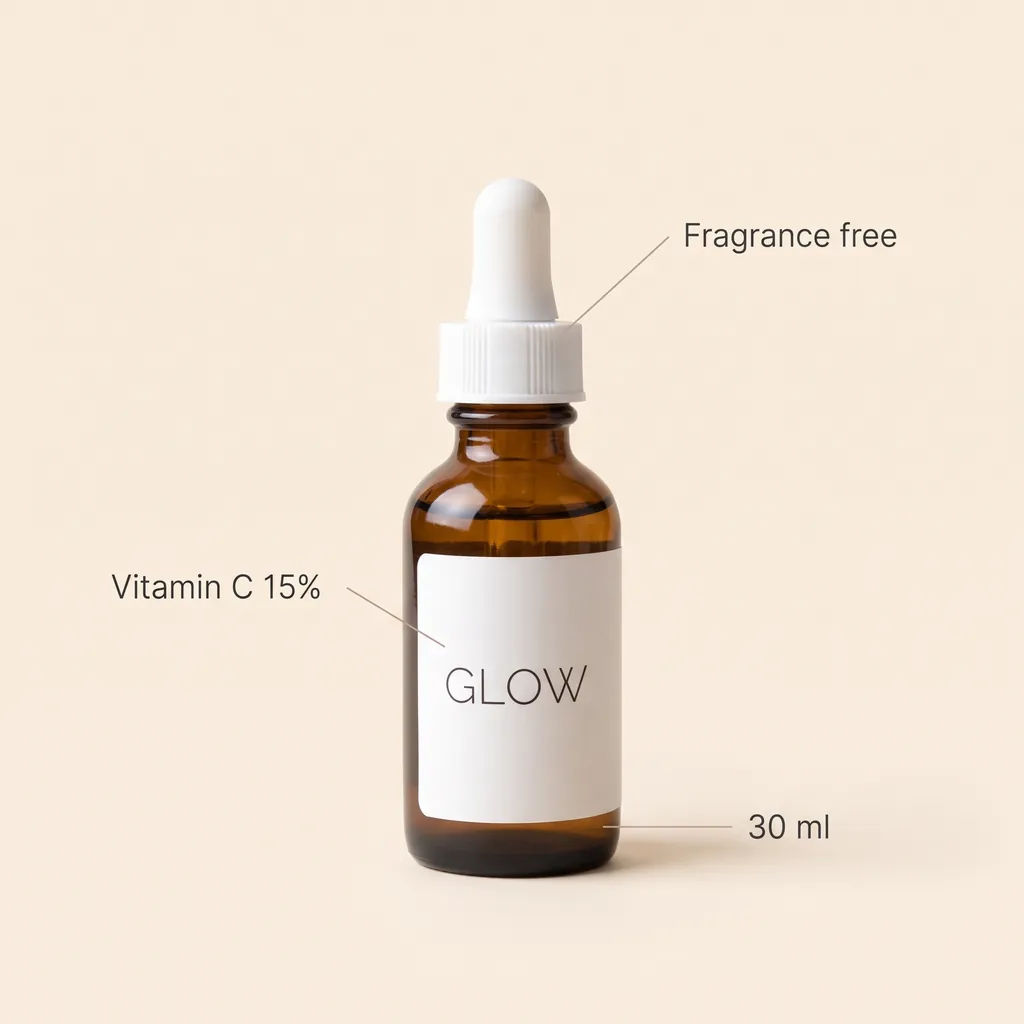
- 5. Infographic. Three short callouts naming the facts buyers ask about.
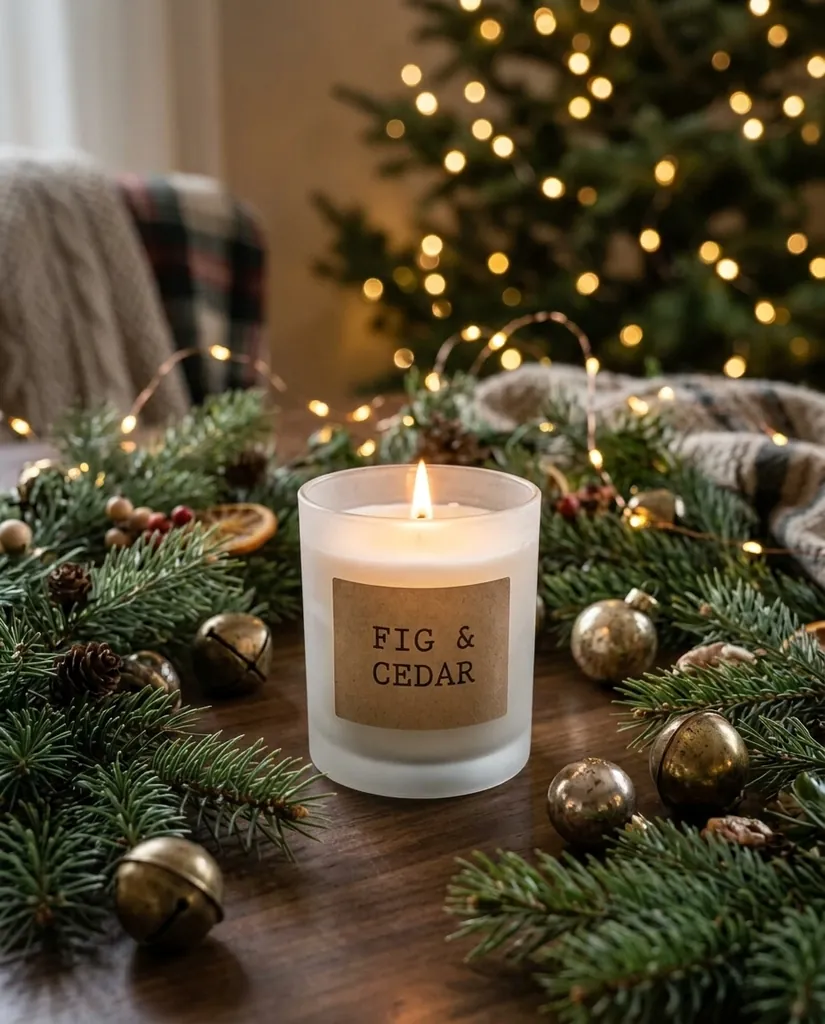
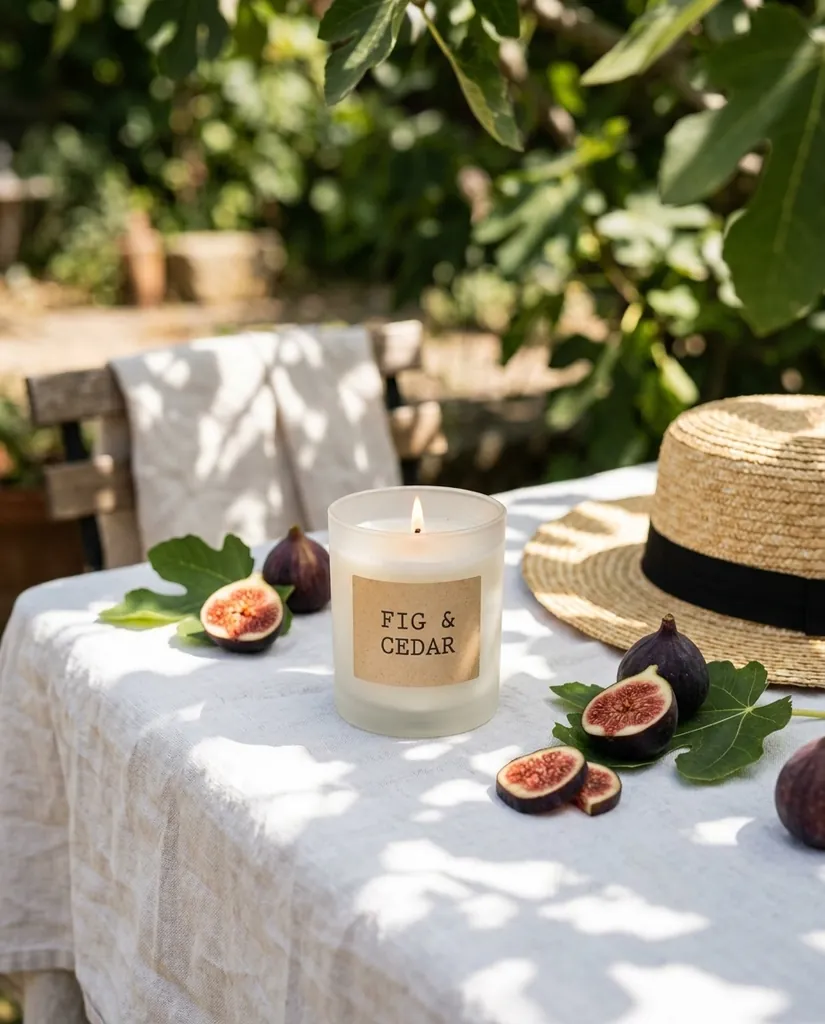
- 6. Seasonal version. The same product dressed for the campaign that is running.
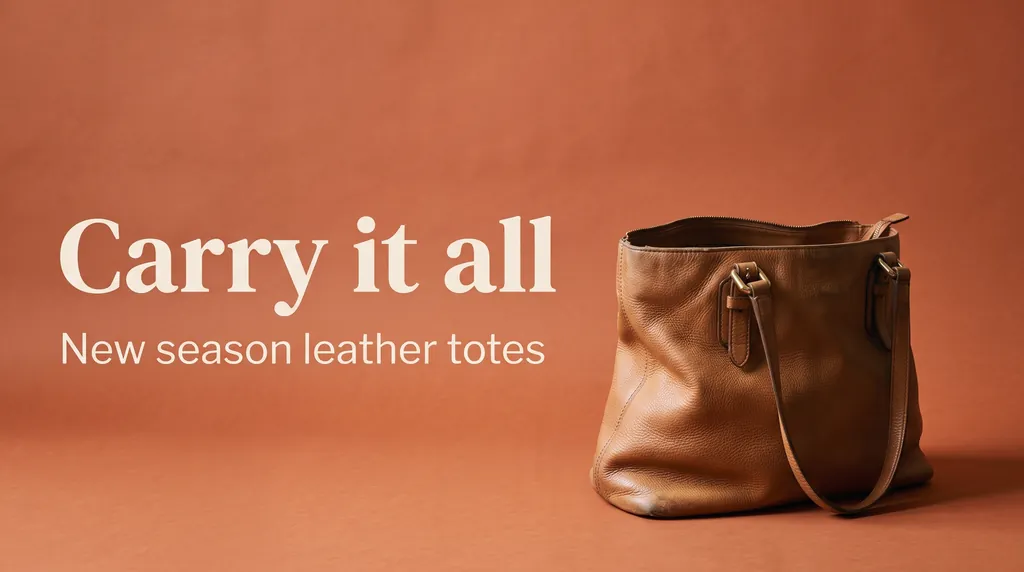
- 7. Ad banner. A wide crop with your headline, for ads, email and the collection page.
Images 1 and 3 are below with the real prompts that produced them. For a main image, add the marketplace clauses: "pure white seamless background (RGB 255,255,255)", "filling about 85 percent of the frame" and "no text, no logos, no props". The sneaker was rendered at 4:5 for a feed, so ask for 1:1 when the same shot goes in a main slot.
Image 2, extra angles, is the same request with the view swapped: "Show this exact product from a straight-on front view on the same pure white seamless background, same soft even studio light, same framing and the same faint contact shadow. Keep the shape, colors, materials, hardware and label text exactly as they are." Repeat with "from directly above", "from a low three-quarter angle" and "the back".
Image 4, scale, names what the product sits next to instead of asking for a measurement: "Show this exact product held in an adult hand against a plain pale gray background, natural soft light, the product filling the center of the frame. Keep its size relative to the hand realistic, and keep its shape, colors and label text exactly as they are." A hand, a desk or a shelf reads as scale; a drawn ruler does not, because the model invents the numbers on it.
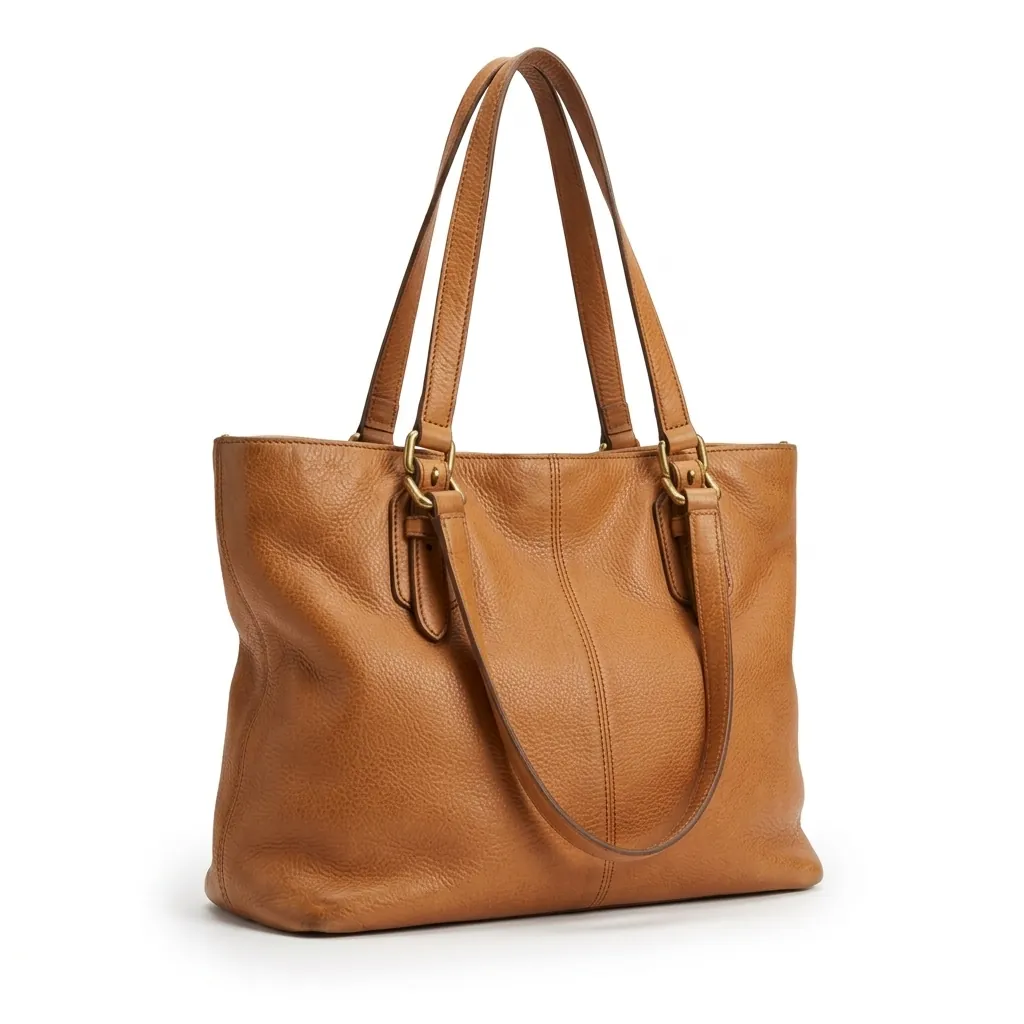
Turn this into a clean e-commerce main image: the same tote bag on a pure white seamless background, front three-quarter view, centered, soft even studio light, a faint contact shadow. Keep the leather color, texture, stitching and gold hardware exactly as they are.
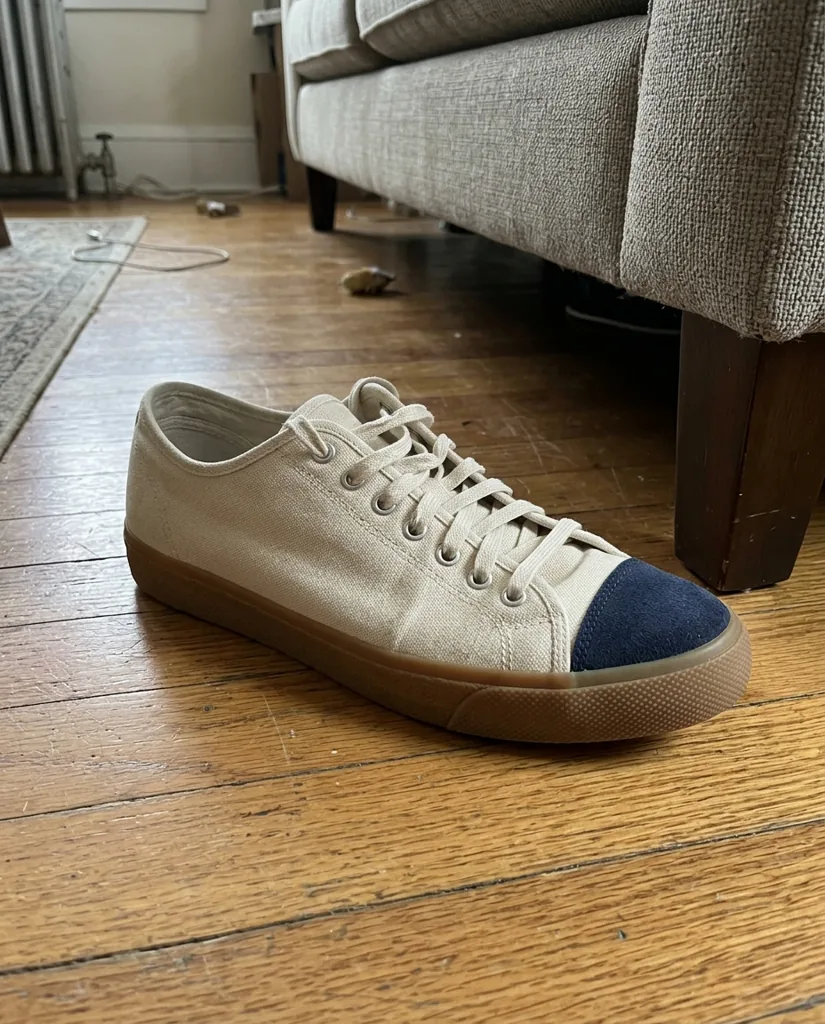
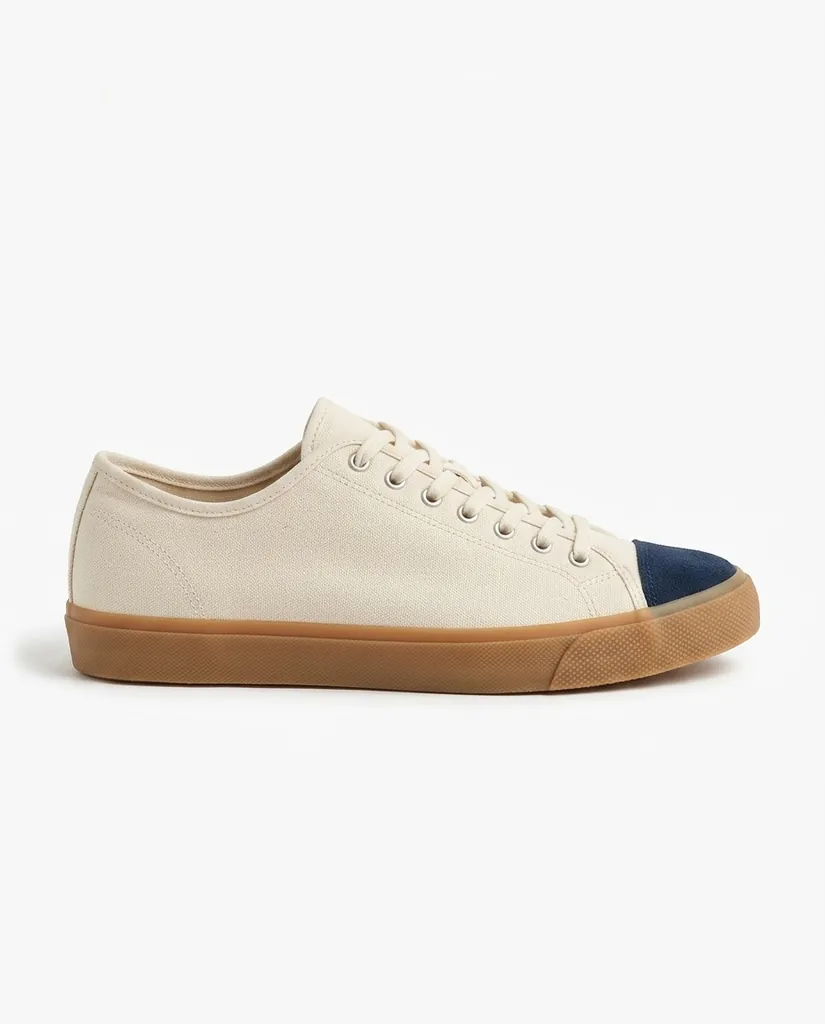
Nano Banana 2.1 · 1:1Turn this into a clean e-commerce main image: the same sneaker on a pure white seamless background, side profile, centered, filling most of the frame, soft even studio light, a subtle natural shadow under the sole. Keep the canvas upper, the navy suede toe cap, the laces and the gum sole exactly as they are.
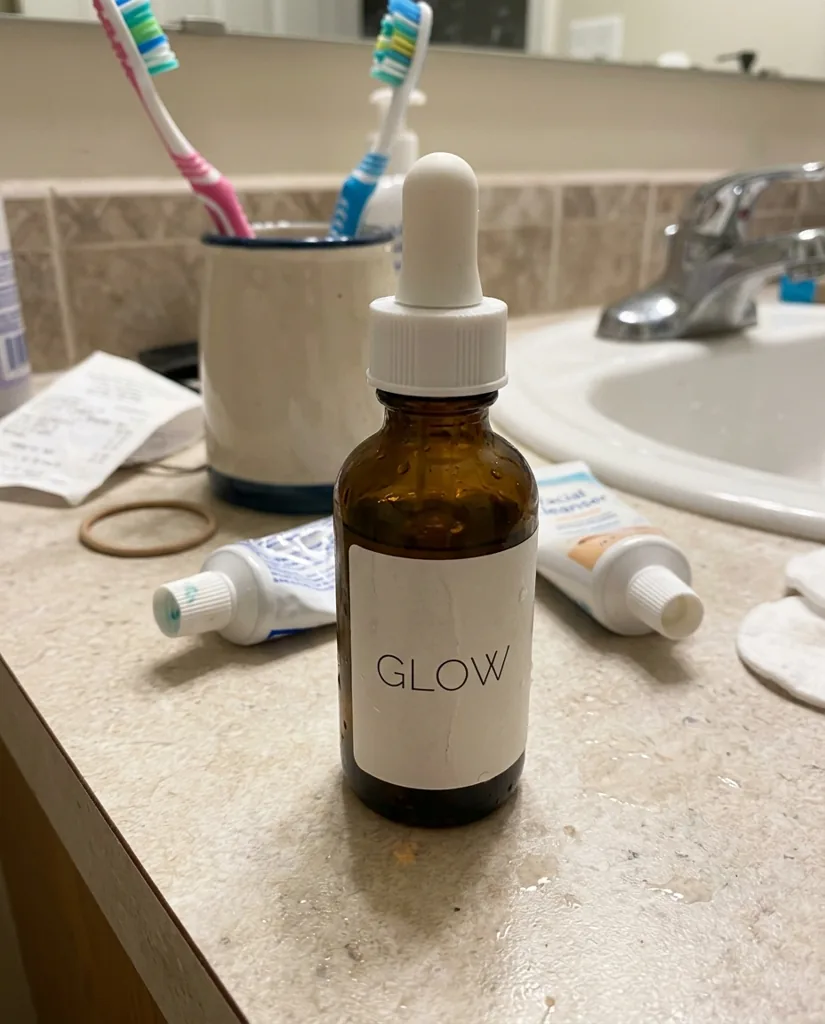
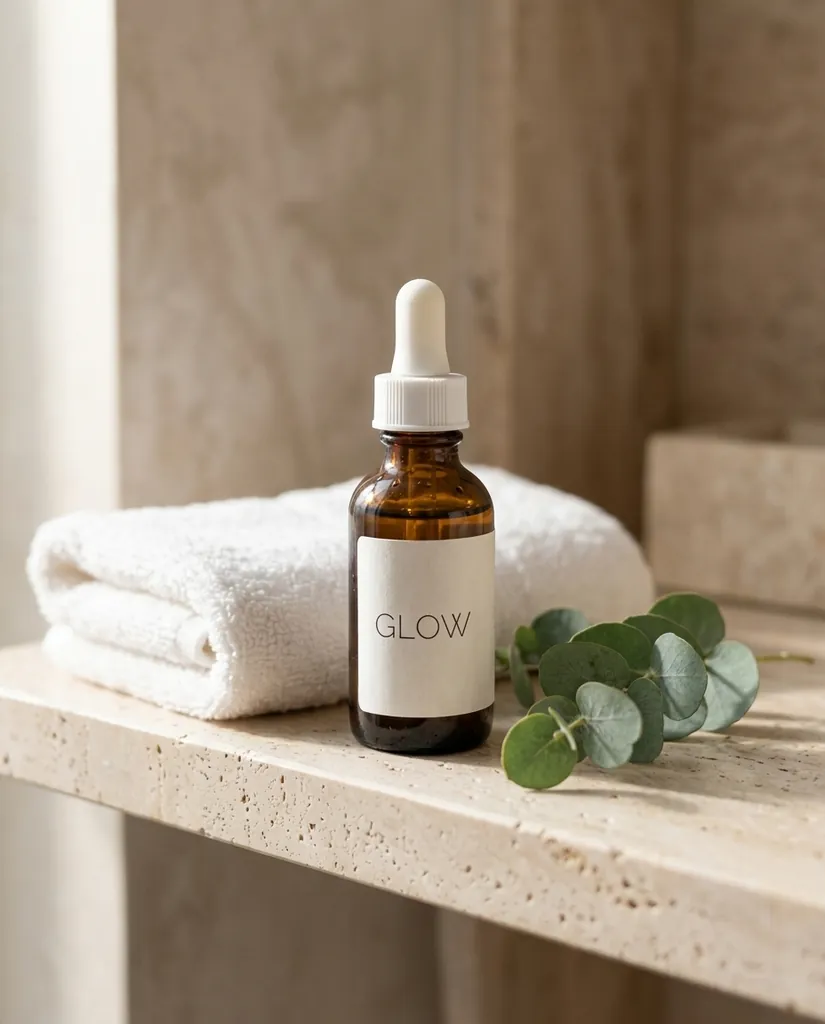
Nano Banana 2.1 · 4:5Place this exact serum bottle in a premium lifestyle scene: on a pale travertine bathroom shelf with a folded white towel and a small eucalyptus sprig, soft morning window light from the left, shallow depth of field. Keep the bottle, the dropper and the GLOW label exactly as they are.
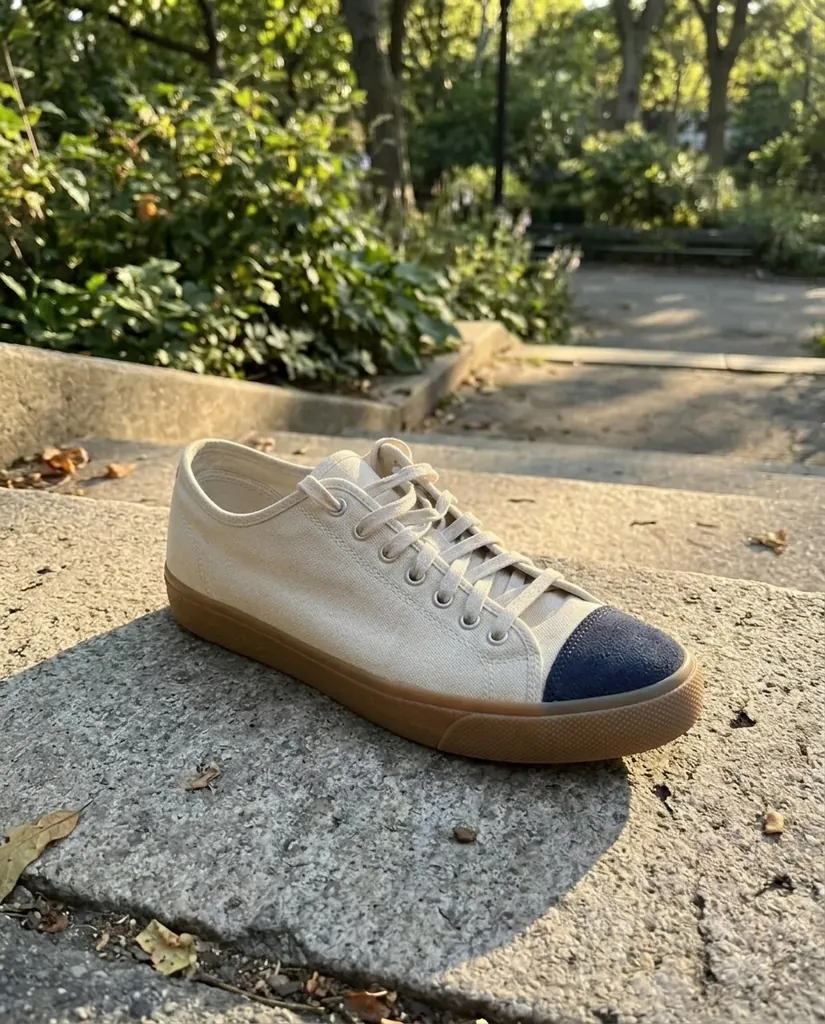
Nano Banana 2.1 · 4:5Place this exact sneaker in an outdoor lifestyle scene: resting on a sunlit concrete step in a city park, late afternoon light, long soft shadows, blurred greenery behind. Keep the canvas upper, the navy suede toe cap and the gum sole exactly as they are.
Nano Banana 2.1 · 4:5
Images 5 to 7: infographic, seasonal version and ad banner
The last three images are the ones that used to need a designer, and they are where Nano Banana 2.1 earns its place in an e-commerce workflow: Google aims its improved text rendering specifically at infographics and marketing assets, so short quoted type comes out as written often enough to be usable.
Three habits make in-image text work: quote every word exactly as you want it rendered, keep each line short (a label, not a sentence), and say where on the canvas it sits. If a word comes back misspelled, shorten it and re-roll rather than adding adjectives. For work that is mostly typography, run the same prompt on Nano Banana Pro or GPT Image 2 from the same picker and keep whichever spells it cleanly.
Callouts are claims, so keep the infographic honest: "30 ml" has to be 30 ml, and a claim that needs a disclaimer on your listing needs it in the image too.
Create an Amazon-style product infographic: the same GLOW serum bottle centered on a soft cream background, with three thin callout lines pointing to short labels that read exactly "Vitamin C 15%", "Fragrance free" and "30 ml", clean sans-serif type, plenty of white space. Keep the bottle and its label exactly as they are; every word spelled exactly as written.
Nano Banana 2.1 · 1:1Create a holiday version of this product photo: the same FIG & CEDAR candle, lit, on a wooden table surrounded by pine branches, small brass ornaments and soft fairy lights in the background, warm cozy evening light. Keep the jar and the label text exactly as they are.
Nano Banana 2.1 · 4:5Create a summer version of this product photo: the same FIG & CEDAR candle on a white linen tablecloth outdoors, with sliced figs, a straw hat and bright dappled sunlight through leaves. Keep the jar and the label text exactly as they are.
Nano Banana 2.1 · 4:5Create a web banner ad for this exact tote bag: the bag on the right on a warm terracotta backdrop with soft studio light, and on the left the headline "Carry it all" in a bold modern serif with the line "New season leather totes" underneath. Keep the bag exactly as it is; every word spelled exactly as written.
Nano Banana 2.1 · 16:9
Apparel: a flat lay on a model, and where it stops
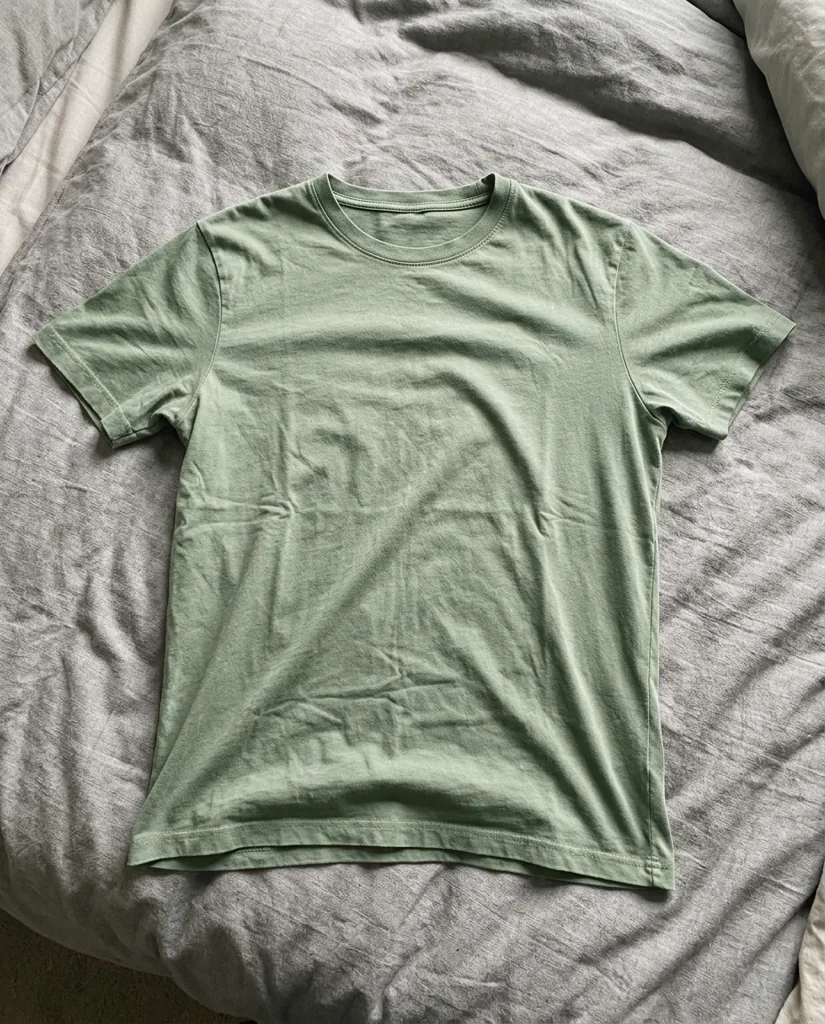
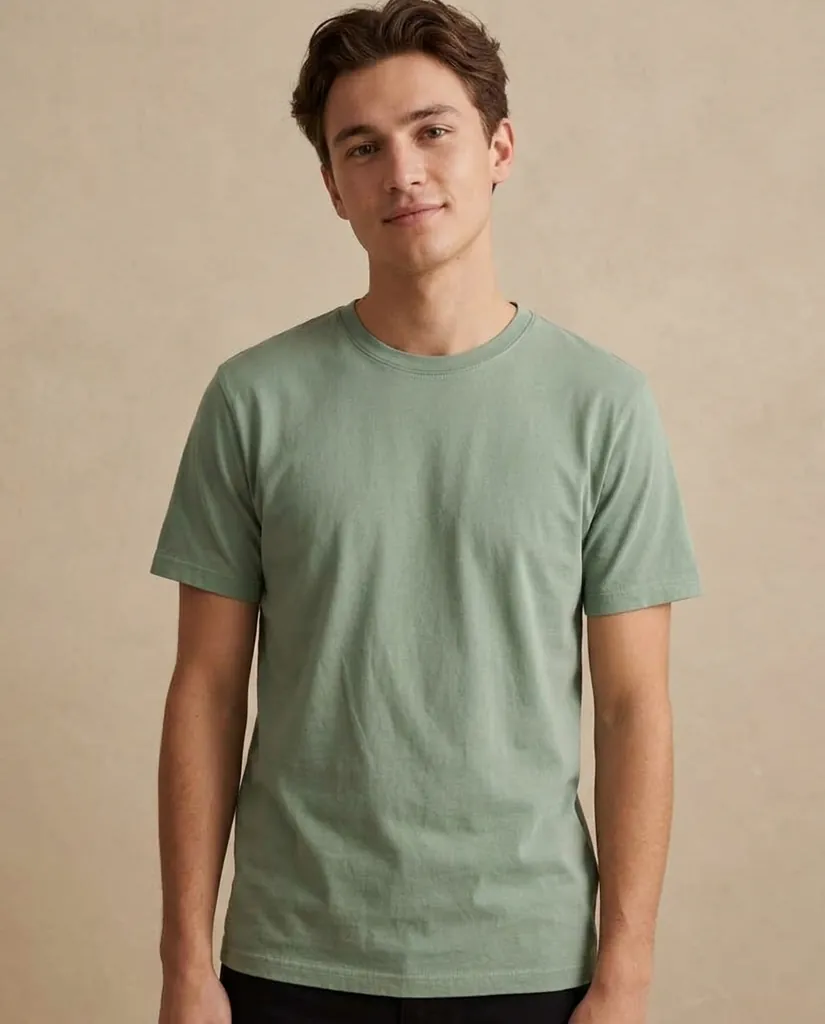
For clothing, the seven-image set swaps the lifestyle slot for an on-model shot, and the input is a flat lay or a hanger photo. Name the color, the fabric, the neckline and the fit as things to keep.
Apparel is also where AI images do the most damage if you lean on them too far: a generated on-model shot shows drape and styling well and fabric weave, stretch, opacity and exact shade poorly. Keep one real close-range photograph of the fabric in the gallery, and keep the size chart a real document.
Show this exact t-shirt worn by a young adult model standing against a warm beige studio wall, waist-up framing, natural relaxed pose, soft diffused light. Keep the sage green color, the fabric, the crew neckline and the fit of the shirt exactly the same.
Nano Banana 2.1 · 4:5
Which ratio and resolution for each channel
Pick the aspect ratio before you generate, because recomposing afterwards is a new image and another 20 credits. Nano Banana 2.1 offers 1:1, 3:2, 2:3, 3:4, 4:3, 4:5, 5:4, 9:16, 16:9 and 21:9, plus the panoramic 1:4, 4:1, 1:8 and 8:1 at 2K and 4K, which is what makes a site-wide hero strip possible in one pass instead of a stitched crop.
Resolution here is 1K, 2K or 4K, at 20 credits for 1K and 2K and 30 for 4K. Since 2K costs the same as 1K, it is the default for a listing set; 4K is worth the extra 10 credits for a panoramic banner or a product buyers zoom hard, such as jewelry or fine engraving.
| Channel | Ratio | Resolution | Notes |
|---|---|---|---|
| Amazon main image | 1:1 | 2K | Pure white RGB 255,255,255, product about 85 percent of the frame, at least 1,000 px on the longest side for zoom, no added text |
| Amazon secondary images | 1:1 | 2K | Lifestyle, infographic, scale and in-use shots belong here |
| Shopify product image | 1:1 | 2K | Shopify recommends 2048 x 2048 for square product images |
| Etsy listing photo | 1:1 or 4:5 | 2K | Etsy recommends at least 2,000 px on the shortest side |
| Instagram and Facebook feed | 4:5 | 2K | The standard tall feed format; it fills more of the screen than a square |
| TikTok, Reels and Stories | 9:16 | 2K | Keep the product out of the lower fifth, where captions and buttons sit |
| Email and collection banner | 16:9 or 21:9 | 2K | Leave one third of the frame empty for the headline, or ask for the headline as quoted text |
| Site-wide hero strip | 4:1 or 8:1 | 2K or 4K | Panoramic ratios render in one pass at 2K and 4K, so no stitching seams |
| Google Shopping and ads | 1:1 | 2K | Same white main image usually works; check the current ad format requirements |
How to keep one product consistent across a whole set
Consistency across a set is what Nano Banana 2.1 improved most for e-commerce work: Google names subject consistency among its biggest gains, which in listing terms means the same bottle in seven images instead of seven slightly different bottles. Getting it depends on four habits, not on the model alone.
- Attach the same reference photo every time: the original phone photo, never a result from the previous step, which compounds drift. Nano Banana 2.1 takes up to 14 reference images in one request, up to 10 objects and up to 4 characters, as PNG, JPEG or WebP up to 24 MB per job.
- Write one keep-list and reuse it word for word. "Keep the shape, colors, materials, hardware and label text exactly as they are" should be identical in all seven prompts; rewording it is a quiet way to change the product.
- Keep the light words constant for images that belong together. The main image and the angle shots all say "soft even studio light" and "faint contact shadow"; only the lifestyle and seasonal images get their own light.
- Judge the set as a grid before you upload any of it. Drift is invisible one image at a time and obvious in a row.
When consistency slips, add a reference rather than more adjectives: a photo of the back or the underside does more than three more sentences describing it. More patterns, with reference-sheet examples, are in the Nano Banana 2.1 prompts guide.
What a 50-product catalog costs
A 50-product catalog at seven images each is 350 images. On Nano Banana 2.1 at 1K or 2K that is 20 credits apiece, so 7,000 credits, which is exactly the Premium monthly plan at $49.90: about $0.14 per image, or $1 per product for a full gallery.
Budget for re-rolls, because a real catalog is not a one-attempt job. A factor of 1.4 puts it near 490 images and 9,800 credits: Premium plus a 3,000-credit pack, or the Business plan at $99 for 15,000 credits a month, which is where agencies and multi-seller teams usually land, at about 750 images a month. Plan credits expire at the end of the period and one-time packs never expire, so a pack is the better place for overflow. Full prices are on the pricing page.
Two honest notes. Downloading full-resolution files requires a purchase, a plan or a pack, so free credits cannot finish a catalog. And if you write code and only need Nano Banana 2.1, the Gemini API is cheaper: 350 images at 2K is 350 x $0.0504, about $17.64 at list price and about $8.82 in batch mode. The reason to work here instead is no code, twelve models on one balance, a private library and reference-image edits in a browser.
| Plan | Price | Credits | 2.1 images | Per image |
|---|---|---|---|---|
| Starter monthly | $9.90 | 1,000 | about 50 | about $0.20 |
| Pro monthly | $29.90 | 3,500 | about 175 | about $0.17 |
| Premium monthly | $49.90 | 7,000 | about 350 | about $0.14 |
| Business monthly | $99 | 15,000 | about 750 | about $0.13 |
| Premium yearly | $360 | 84,000 | about 4,200 | about $0.086 |
When not to use AI for product photos
There are listings where a generated image is the wrong tool, and knowing them is cheaper than learning them from a return rate. We would shoot these for real:
- Regulated products and anything with a claim on the pack. Supplements, cosmetics with active ingredients, medical devices, electrical goods, children's products, food. Ingredient panels, dosage text, nutrition tables, warnings and certification marks have to be photographed, and a rendered claim is a claim you cannot support.
- Apparel where the fabric is the product. Weave, pile, knit structure, opacity and exact shade are what buyers measure a delivery against, and a model reconstructs them rather than recording them.
- Jewelry, watches and anything with fine detail. Stone cut, hallmarks, engraving, exact metal tone. A generated engraving is a different engraving.
- Used, vintage and one-of-a-kind items. The condition is the description, so a tidied-up photo misrepresents it even if nothing was added.
- Technical and compatibility images. Port layouts, pin counts, thread sizes, which parts are included. Wrong in a picture is wrong in a thousand orders.
- Anything you would have to explain to a customer. That is the test: if a result needs a caveat, shoot it.
What stays a good fit: backgrounds, lighting, surfaces and props, seasonal re-dressing, scale context, layout and short callouts, social crops and banners. That is most of the gallery and almost all of the advertising.
nanobanana21.app is an independent site, not affiliated with Google or with any marketplace, and the product names in the examples are invented for this page. Nothing here is legal advice: the rules quoted are the published recommendations as sellers encounter them, they change, and your current seller guidelines are the authority.
FAQ
Can you use AI-generated product photos on Amazon?
The published image requirements describe what the picture must show rather than which software made it: the real product, a pure white main-image background, at least 1,000 pixels on the longest side, no added text or watermarks. Policy on AI imagery changes, so check your current seller guidelines.
What does Amazon require for a main product image?
A pure white background (RGB 255,255,255), the product filling about 85 percent of the frame, at least 1,000 pixels on the longest side so zoom turns on, and no added text, logos, watermarks, borders or props. Lifestyle shots and infographics belong in the secondary slots.
What size should product images be for Shopify and Etsy?
Shopify recommends 2048 x 2048 pixels for square product images. Etsy recommends at least 2,000 pixels on the shortest side. Generating at 2K in a 1:1 ratio covers both, and on this site 2K costs the same 20 credits as 1K.
How do I keep the same product looking identical across all seven images?
Attach the original phone photo to every request rather than feeding results forward, reuse the keep-list word for word, keep the lighting words constant for images that belong together, and review the set as a grid. Nano Banana 2.1 accepts up to 14 reference images per request.
How much does a 50-product catalog of product photos cost?
Seven images for 50 products is 350 images at 20 credits each, so 7,000 credits: the Premium monthly plan at $49.90, about $0.14 an image. A 1.4 factor for re-rolls puts it near 9,800 credits, so Premium plus a credit pack, or the Business plan at $99 for 15,000 credits.
Do AI product photos need a disclosure or carry a watermark?
Every image from Google's Nano Banana models carries a SynthID watermark, which is invisible and machine-readable, and no setting removes it. Whether a marketplace wants an AI disclosure is its own rule and changes, so check your current seller guidelines. The ban on watermarks on a main image refers to visible overlays such as logos and price badges.
When should I shoot real photos instead?
Regulated products and anything with ingredient, dosage or certification text on the pack; apparel where the fabric is the product; jewelry and fine detail; used and one-of-a-kind items; technical or compatibility images. If a result would need a caveat to a customer, photograph it.