By the nanobanana21.app teamUpdated
This AI product photo generator turns an ordinary phone photo of your product into images you can put on a store: a clean white background main image, lifestyle scenes, holiday and summer versions, the product on a model, and banners with your own headline. Press Reference in the generator, upload the product photo, keep the ready-made prompt or pick one below, and press Generate.
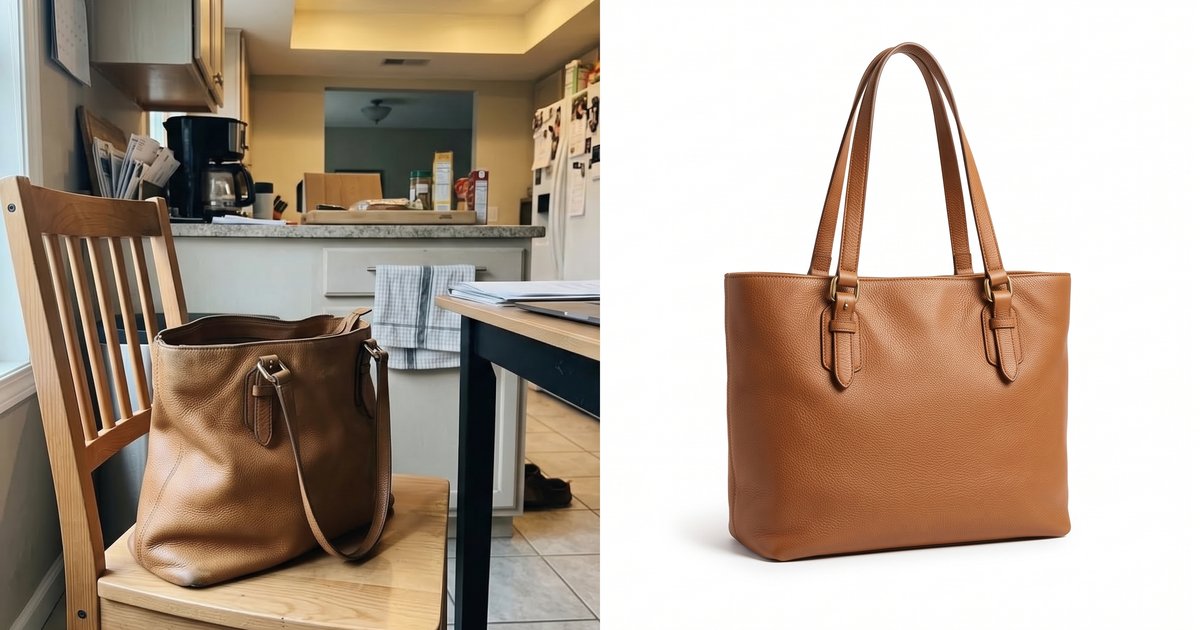
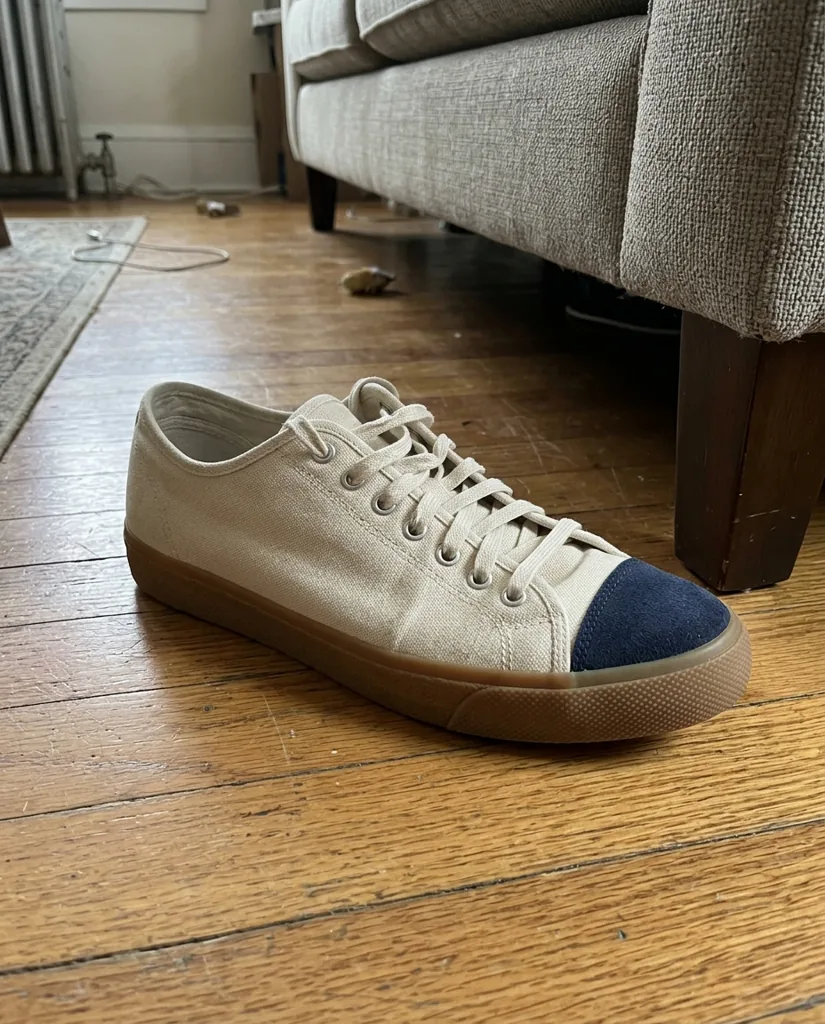
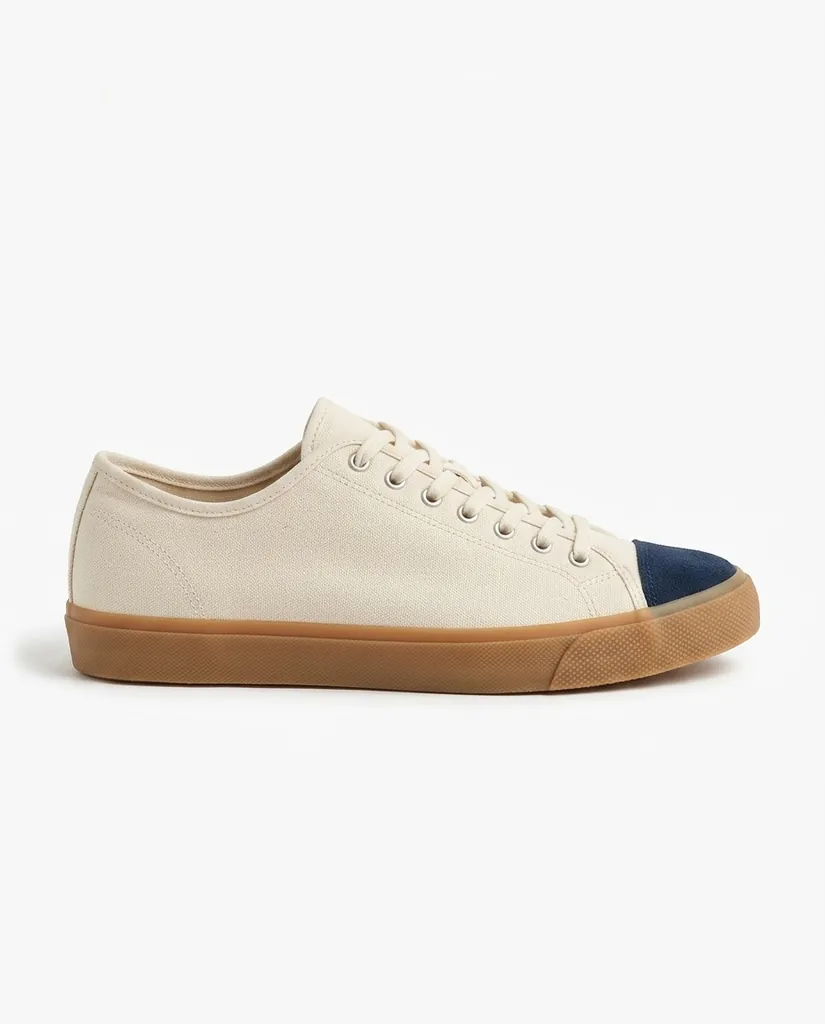
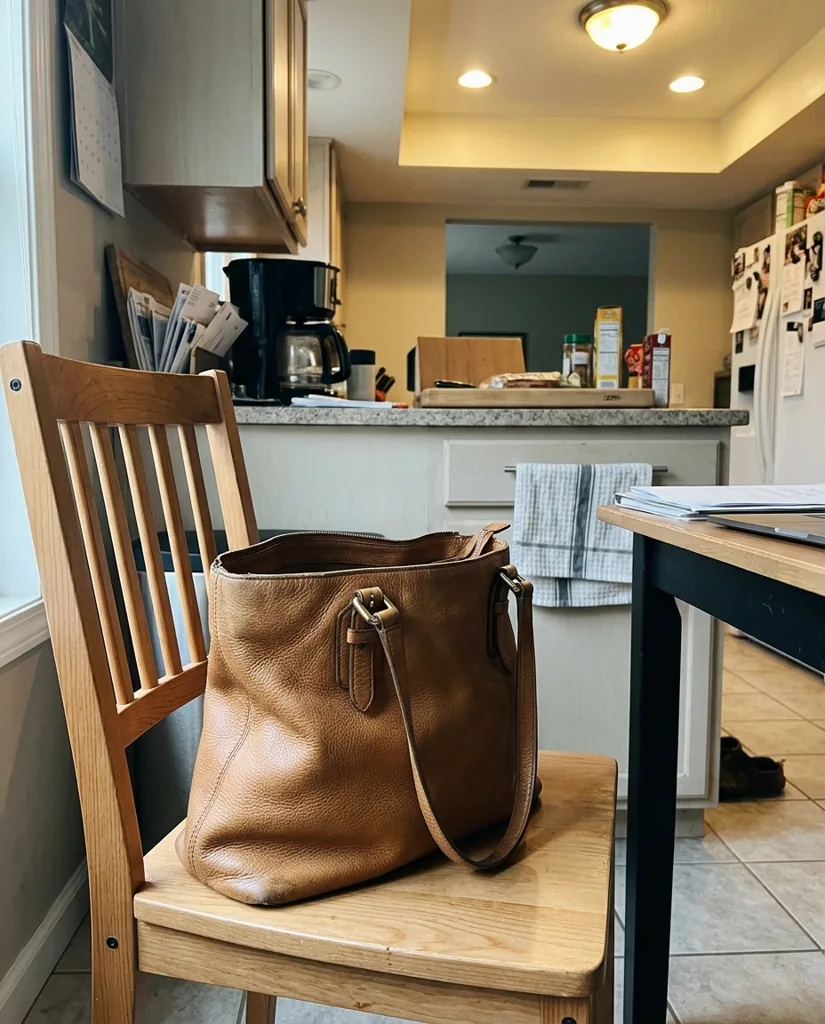
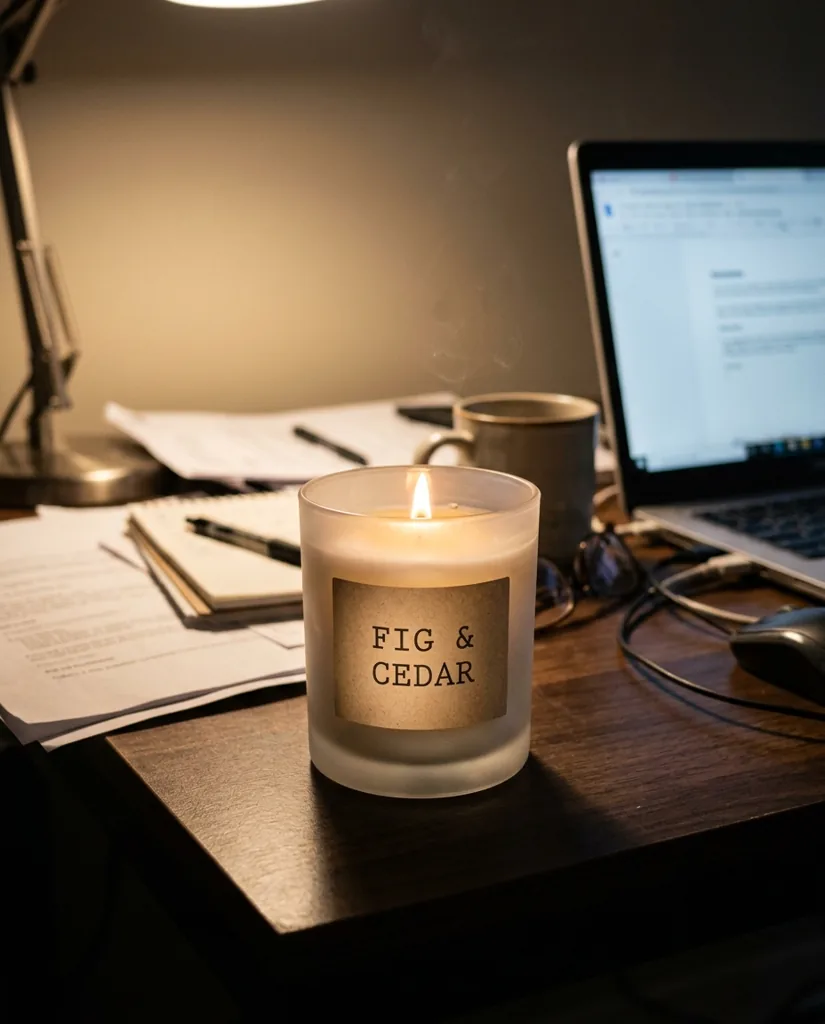
Every example on this page was made on this site with Nano Banana 2.1, Google's newest image model and the default in our generator, from the phone photo shown next to it. One attempt each, no retouching. The thing to look for is what did not change: labels, stitching, colors and logos on your packaging stay as they are, because each prompt says so.
From phone photo to white background main image
Most marketplaces want the main image on a clean white background with the product filling most of the frame. You do not need a lightbox: photograph the product anywhere, then ask for the white background version and list what must stay exactly the same.
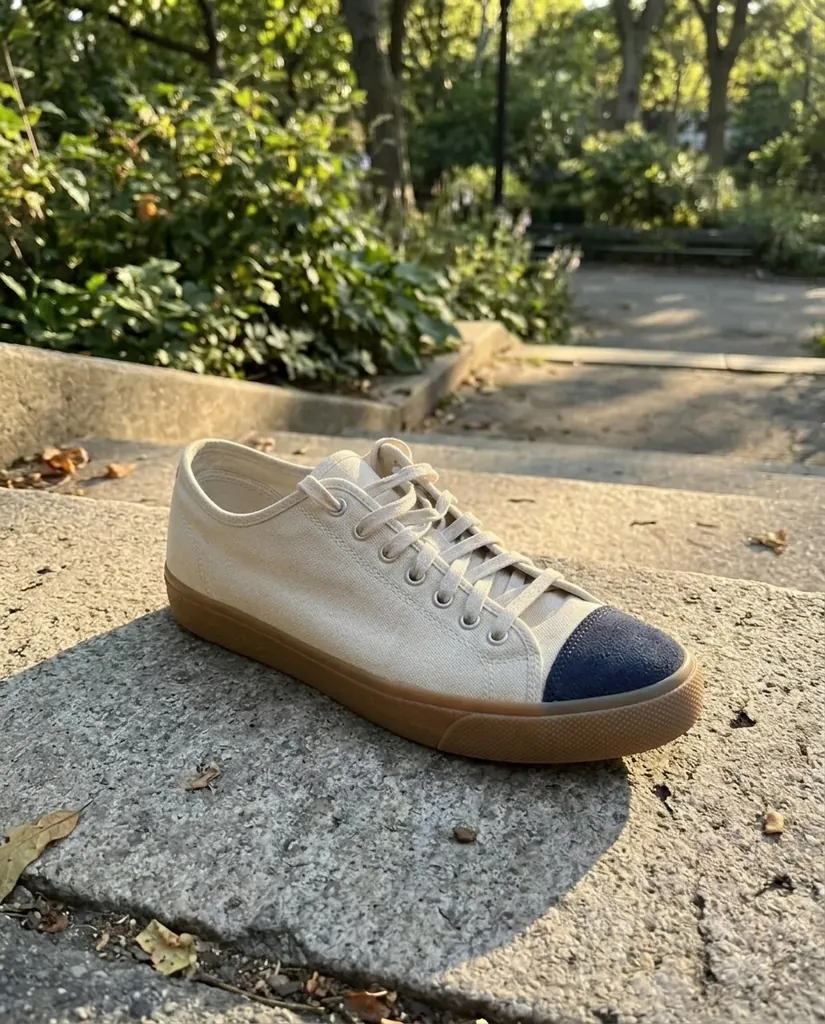
Turn this into a clean e-commerce main image: the same sneaker on a pure white seamless background, side profile, centered, filling most of the frame, soft even studio light, a subtle natural shadow under the sole. Keep the canvas upper, the navy suede toe cap, the laces and the gum sole exactly as they are.
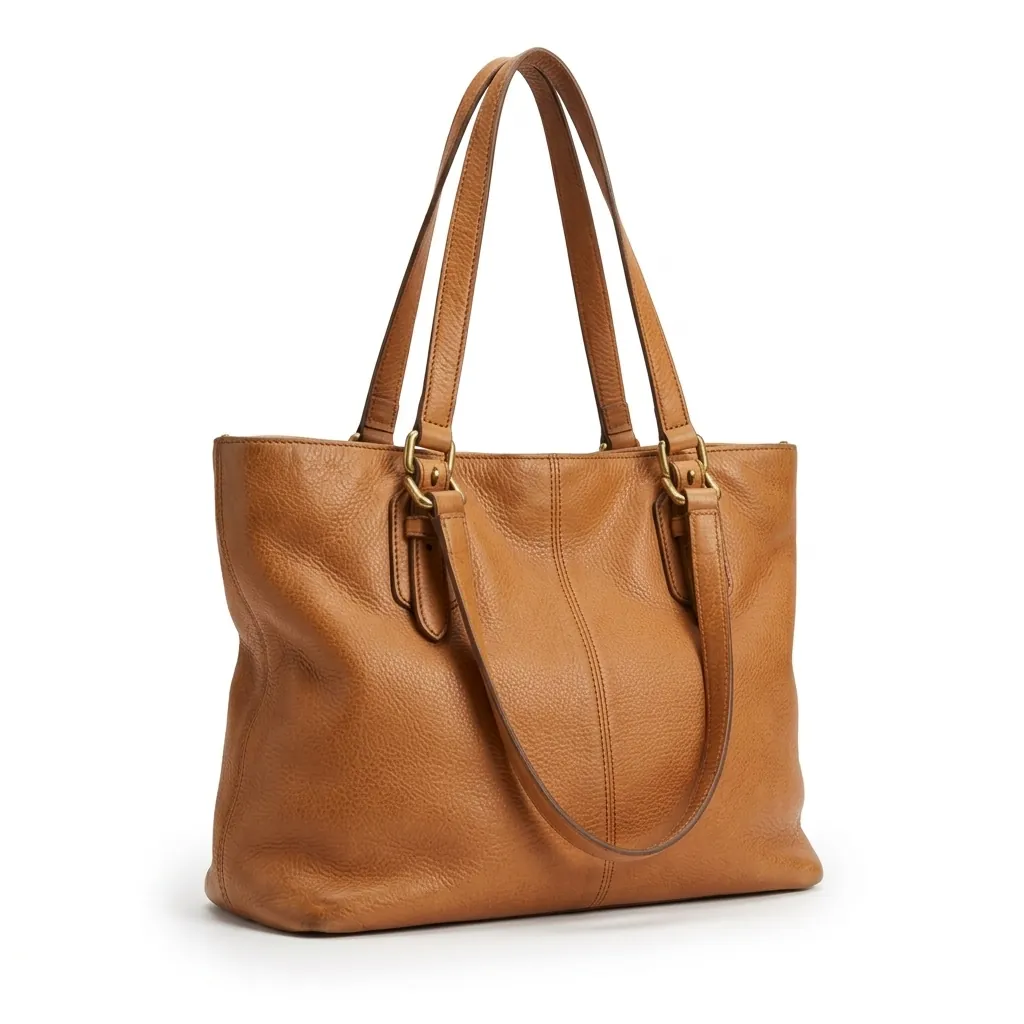
Nano Banana 2.1 · 4:5Turn this into a clean e-commerce main image: the same tote bag on a pure white seamless background, front three-quarter view, centered, soft even studio light, a faint contact shadow. Keep the leather color, texture, stitching and gold hardware exactly as they are.
Nano Banana 2.1 · 1:1
Lifestyle product photos without a photo shoot
Lifestyle images sell the use, not the object. Describe the surface, the props and the light, then keep the product itself locked. Two or three scenes per product are usually enough for a listing gallery and a few social posts.
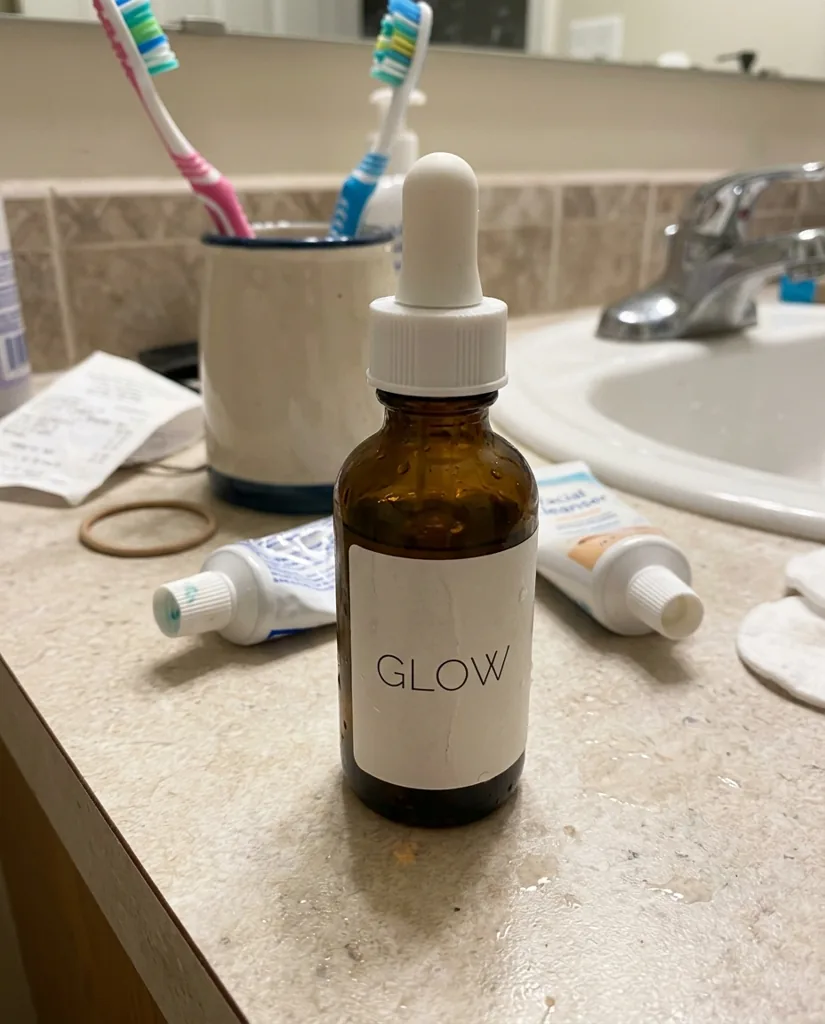
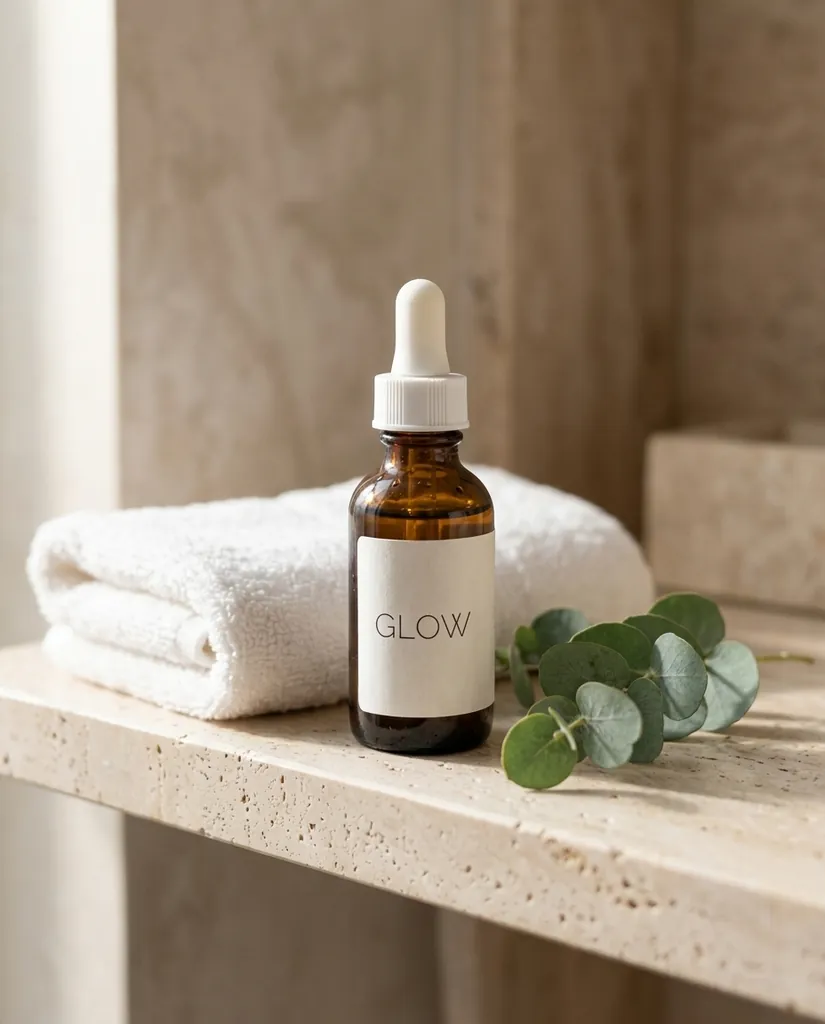
Place this exact serum bottle in a premium lifestyle scene: on a pale travertine bathroom shelf with a folded white towel and a small eucalyptus sprig, soft morning window light from the left, shallow depth of field. Keep the bottle, the dropper and the GLOW label exactly as they are.
Nano Banana 2.1 · 4:5Place this exact sneaker in an outdoor lifestyle scene: resting on a sunlit concrete step in a city park, late afternoon light, long soft shadows, blurred greenery behind. Keep the canvas upper, the navy suede toe cap and the gum sole exactly as they are.
Nano Banana 2.1 · 4:5
Seasonal and holiday versions of the same product
The same product photo can carry every campaign of the year. Ask for the season in the props and the light, and keep the label text in the keep-list so the product stays recognisable from one version to the next.
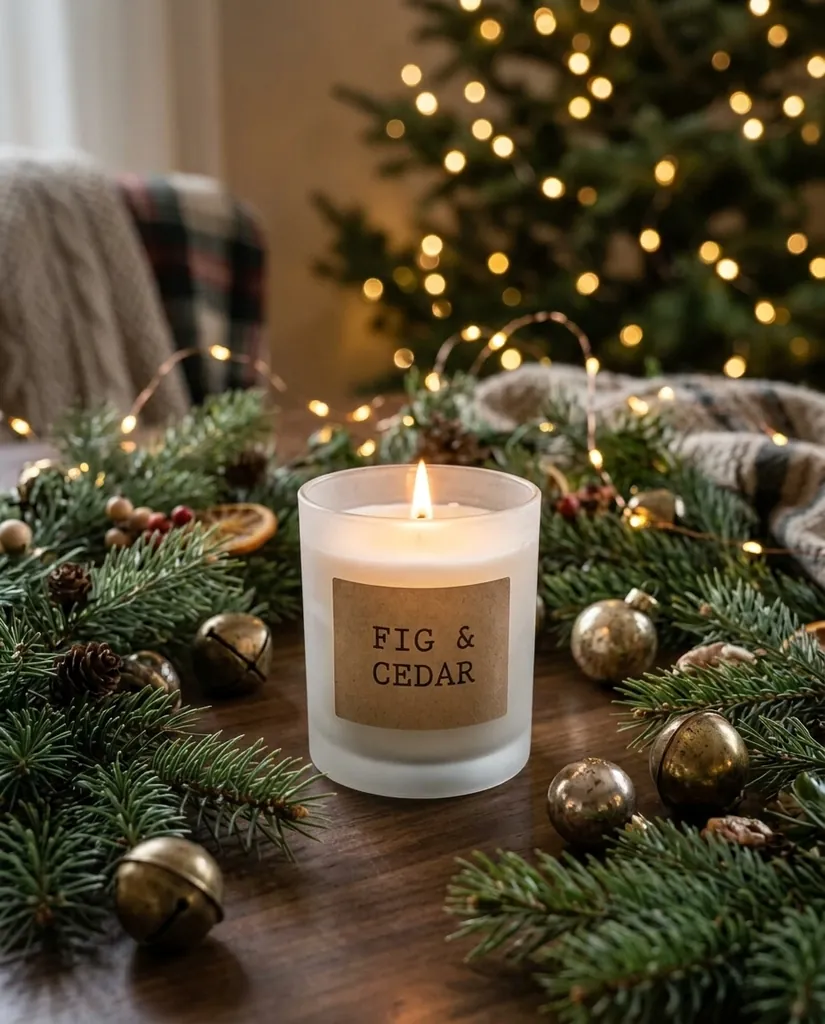
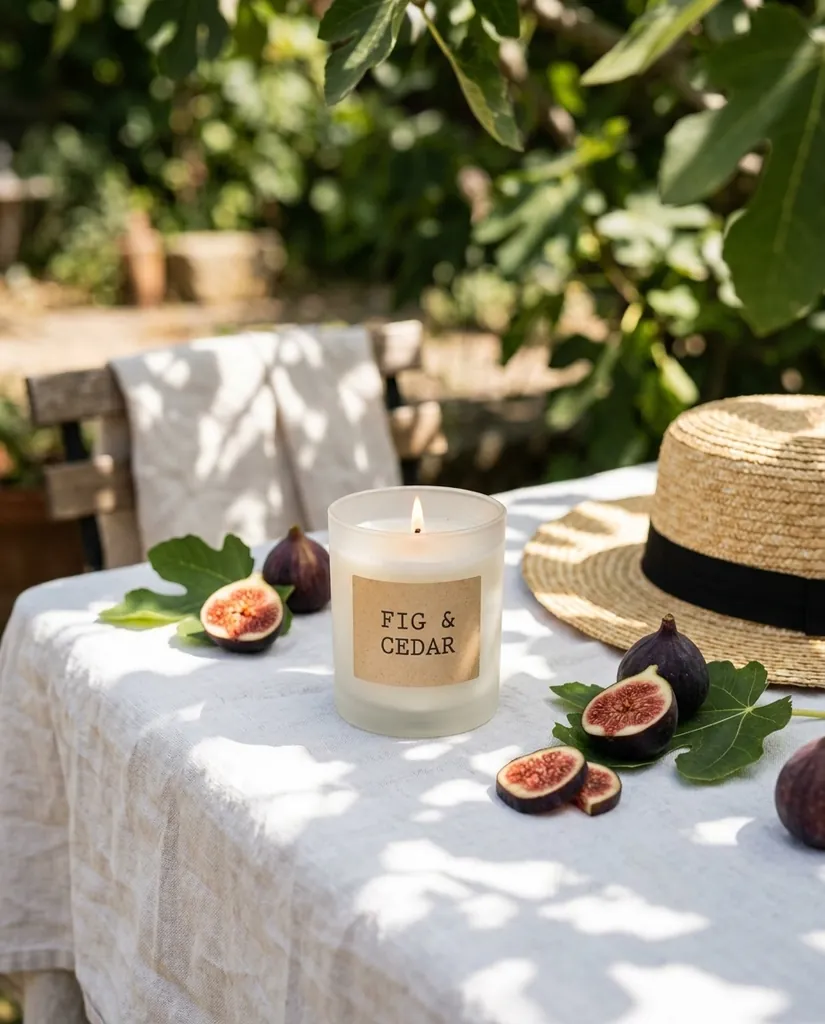
Create a holiday version of this product photo: the same FIG & CEDAR candle, lit, on a wooden table surrounded by pine branches, small brass ornaments and soft fairy lights in the background, warm cozy evening light. Keep the jar and the label text exactly as they are.
Nano Banana 2.1 · 4:5Create a summer version of this product photo: the same FIG & CEDAR candle on a white linen tablecloth outdoors, with sliced figs, a straw hat and bright dappled sunlight through leaves. Keep the jar and the label text exactly as they are.
Nano Banana 2.1 · 4:5
Apparel on a model, from a flat lay
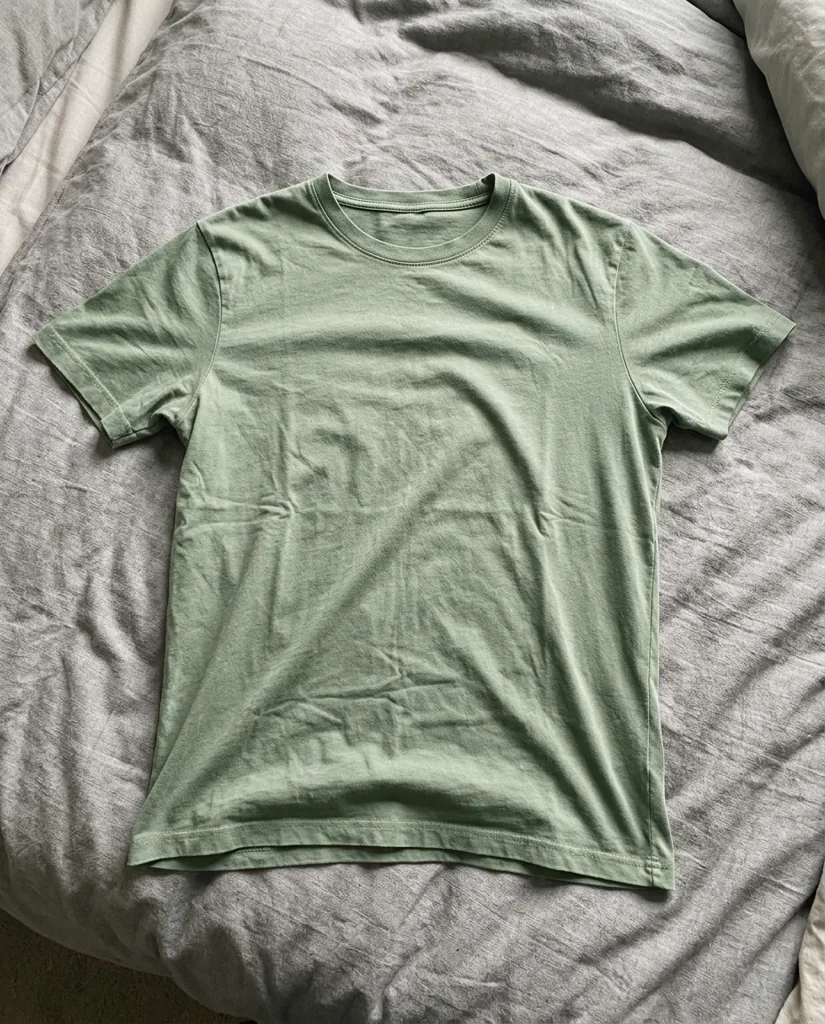
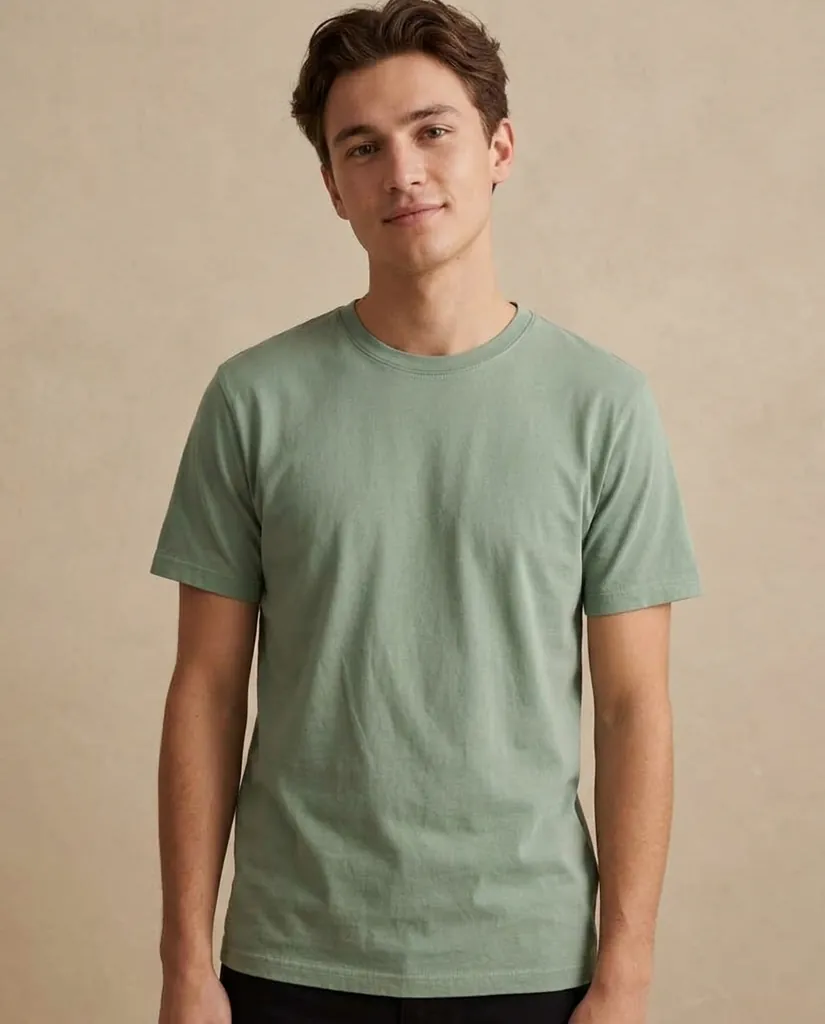
For clothing, start from a flat lay and ask for the same garment worn by a model. Name the color, the fabric and the neckline as things to keep. Check the result against the real garment before you publish it: shoppers return items that do not match the photos.
Show this exact t-shirt worn by a young adult model standing against a warm beige studio wall, waist-up framing, natural relaxed pose, soft diffused light. Keep the sage green color, the fabric, the crew neckline and the fit of the shirt exactly the same.
Nano Banana 2.1 · 4:5
Product infographics and ad banners
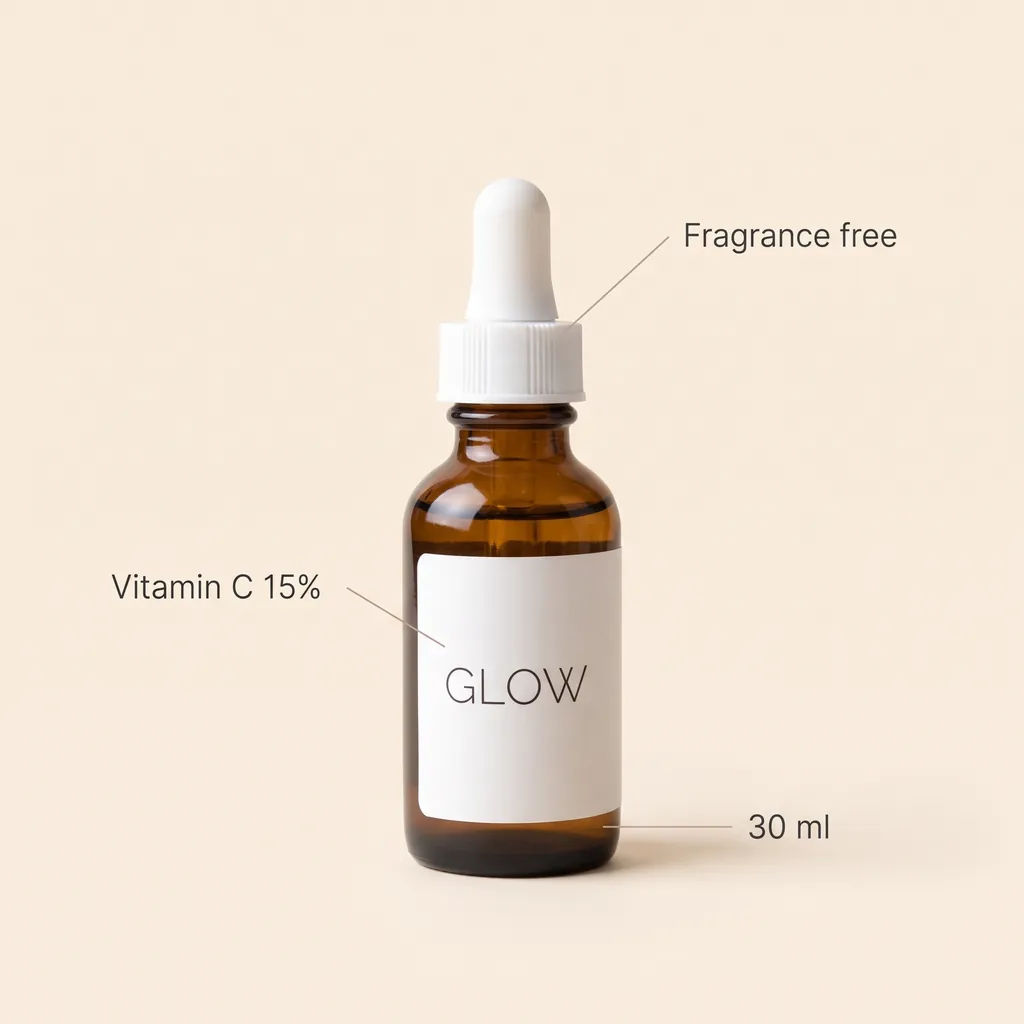
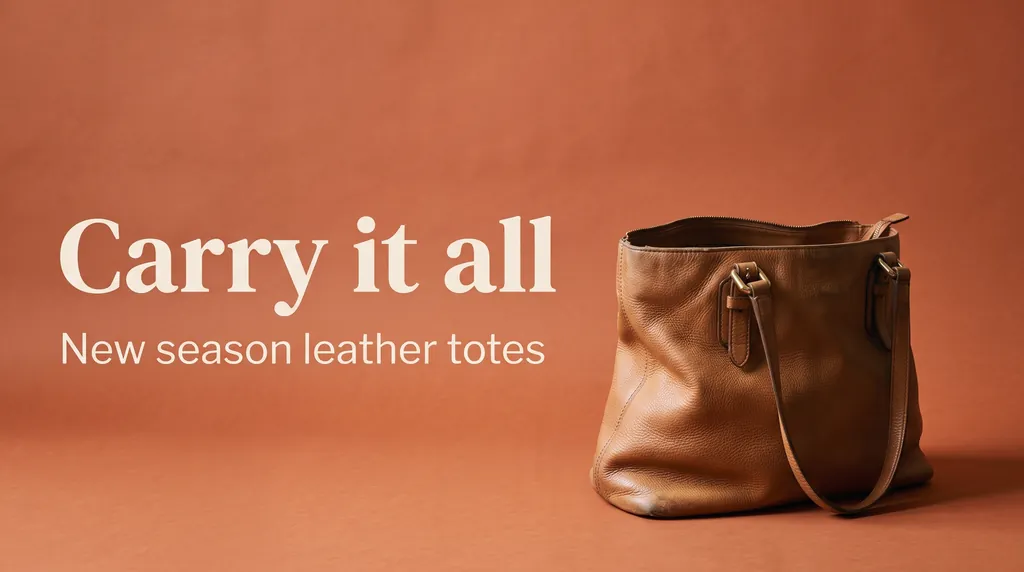
Nano Banana 2.1 renders short text as written, so the same tool makes the extra listing images and ads: feature callouts, a size note, a headline. Quote every word, keep labels short, and say where each line sits.
Create an Amazon-style product infographic: the same GLOW serum bottle centered on a soft cream background, with three thin callout lines pointing to short labels that read exactly "Vitamin C 15%", "Fragrance free" and "30 ml", clean sans-serif type, plenty of white space. Keep the bottle and its label exactly as they are; every word spelled exactly as written.
Nano Banana 2.1 · 1:1Create a web banner ad for this exact tote bag: the bag on the right on a warm terracotta backdrop with soft studio light, and on the left the headline "Carry it all" in a bold modern serif with the line "New season leather totes" underneath. Keep the bag exactly as it is; every word spelled exactly as written.
Nano Banana 2.1 · 16:9
How to make product photos here
- Photograph the product in good, even light. A window works. Fill the frame and keep the whole product in view, labels facing the camera.
- Press Reference and upload it. For a set of matching images, attach the same photo every time; you can add up to 14 reference images, for example the front and the back.
- Write the change, then the keep-list: "Keep the shape, colors, materials, labels and text exactly as they are." This sentence does most of the work.
- Pick the ratio for where the image goes: 1:1 for most marketplace listings, 4:5 for social feeds, 16:9 or 21:9 for banners.
- Draft at 1K, then render the keeper at 2K or 4K so shoppers can zoom.
Marketplace rules worth knowing
- Main images: Amazon and many other marketplaces ask for the product on a pure white background, with no added text, badges or watermarks on the main image. Use infographics and lifestyle shots for the other gallery slots.
- Accuracy: the photo must show the product you actually ship. Use AI for the background, the light and the scene, not to change what the product looks like.
- Rights: upload photos of products you own or sell, and do not put other brands' logos or packaging into your scenes.
Each marketplace publishes its own image rules and they change, so check the current guidelines of the one you sell on.
What product photos cost here
With Nano Banana 2.1 a product photo costs 20 credits at 1K or 2K and 30 at 4K, and a failed image is refunded automatically. New accounts get 20 free credits to try it. For a shop producing images every week, the monthly plans work out far cheaper than per-image studio rates, and the Business plan gives 15,000 credits a month (about 750 images at 1K) for teams. See pricing.
Other models in the picker are worth knowing for product work: Seedream 4 renders 4K at 15 credits, FLUX Kontext Pro makes quick instruction edits, and ChatGPT Images 2.5 Sunburst is built for precise multi-step edits. The full list is on the models page.
nanobanana21.app is an independent site, not affiliated with Google or any marketplace. Product names and marks shown in the examples are made up for this page.
FAQ
How do I make a product photo with AI?
Upload a phone photo of the product with the Reference button, then use a prompt that names the new background or scene and lists what must not change, such as the shape, colors, labels and text. The default prompt in the generator on this page makes a white background main image.
Can it make white background images for Amazon or Shopify?
Yes. Ask for a pure white seamless background with the product centered and filling most of the frame, and use 1:1 for listings. Check your marketplace's current image rules before you upload.
Will the AI change my product?
It can, which is why every prompt here ends with a keep-list. In our examples labels, stitching and colors came through unchanged, but always compare the result with the real product before publishing.
Does the text on my packaging stay correct?
Short label text usually stays as it is when the prompt says to keep it, as with the GLOW and FIG & CEDAR examples. Long or very small text is harder; check it at full size.
How much does an AI product photo cost?
With Nano Banana 2.1, 20 credits at 1K or 2K and 30 at 4K. New accounts get 20 free credits. Plans start at 1,000 credits a month, and the Business plan has 15,000 credits a month for teams.
Can I make a whole set of matching product images?
Yes. Attach the same product photo to every request and keep the lighting words the same; you can attach up to 14 reference images, such as several angles of one product.
Can I use the images commercially?
Yes, images you generate here can be used in your store and ads under our terms. You are responsible for having the rights to the product photos you upload and for following your marketplace's rules.
Can it put my clothing on a model?
Yes, from a flat lay or hanger photo, as in the t-shirt example. Name the color, fabric and neckline to keep, and check fit and details against the real garment.