By the nanobanana21.app teamUpdated
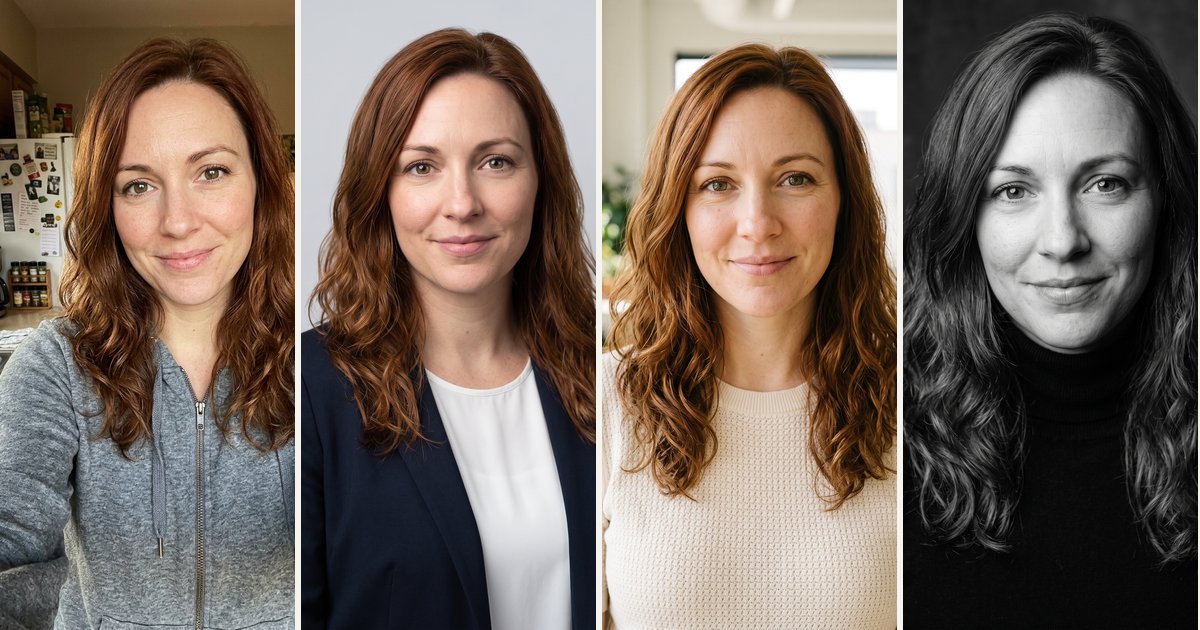
Short answer: this AI headshot generator turns one ordinary photo of you, such as a selfie, into a professional headshot: chest-up, a clean studio or office background, flattering light and business clothes, while your face, hairstyle and skin tone stay exactly as they are. It runs on Google's Nano Banana 2.1, needs a single photo (no 10 to 20 photo upload, no model training, no waiting hours), returns a 2K image in usually under a minute, and each headshot costs 20 credits. New accounts get 20 free credits, so the first headshot is free. Downloading full-size images needs any plan or credit pack.
Upload a photo above, pick a style (Corporate, LinkedIn, Outdoor, Creative, Black and white, Healthcare, Real estate or Startup casual) and press Generate. Every example on this page was made from one casual photo with the same model and the same prompts the presets use, one attempt each, unedited, on AI-generated people.
How do I make a professional headshot from a selfie?
Three steps, about a minute:
- Upload one photo where your face is clear and you look roughly at the camera. A phone selfie works. Avoid sunglasses, hats and heavy filters; the model keeps what it sees, so a sharp photo gives a sharp likeness.
- Pick a style. Each preset sets the framing (chest-up), the background, the clothes and the light, and tells the model to keep your face, hairstyle, skin tone and expression and not to slim or smooth anything.
- Press Generate. Sign in with Google if needed; your photo and choice are kept and the headshot starts right after. The result appears here and in My images.
Want a few options? Keep the photo and try another style, or generate the same style again for a slightly different take. Each image is 20 credits; failed or refused images cost nothing.
Corporate and LinkedIn headshots
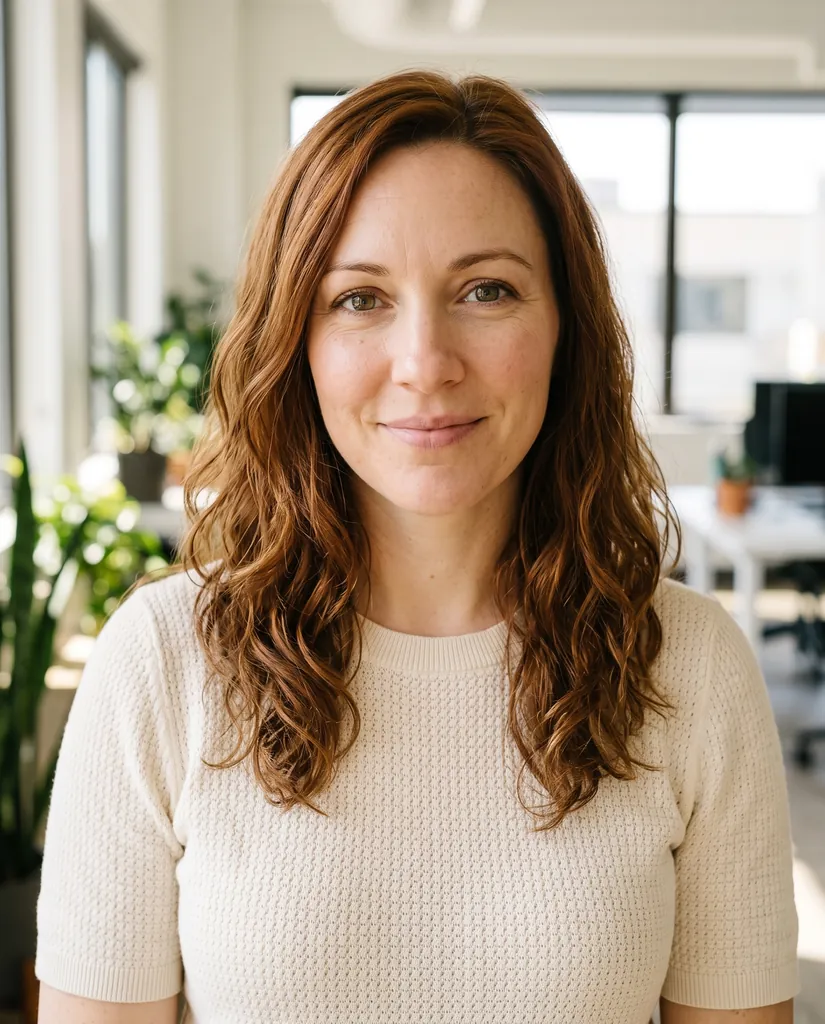
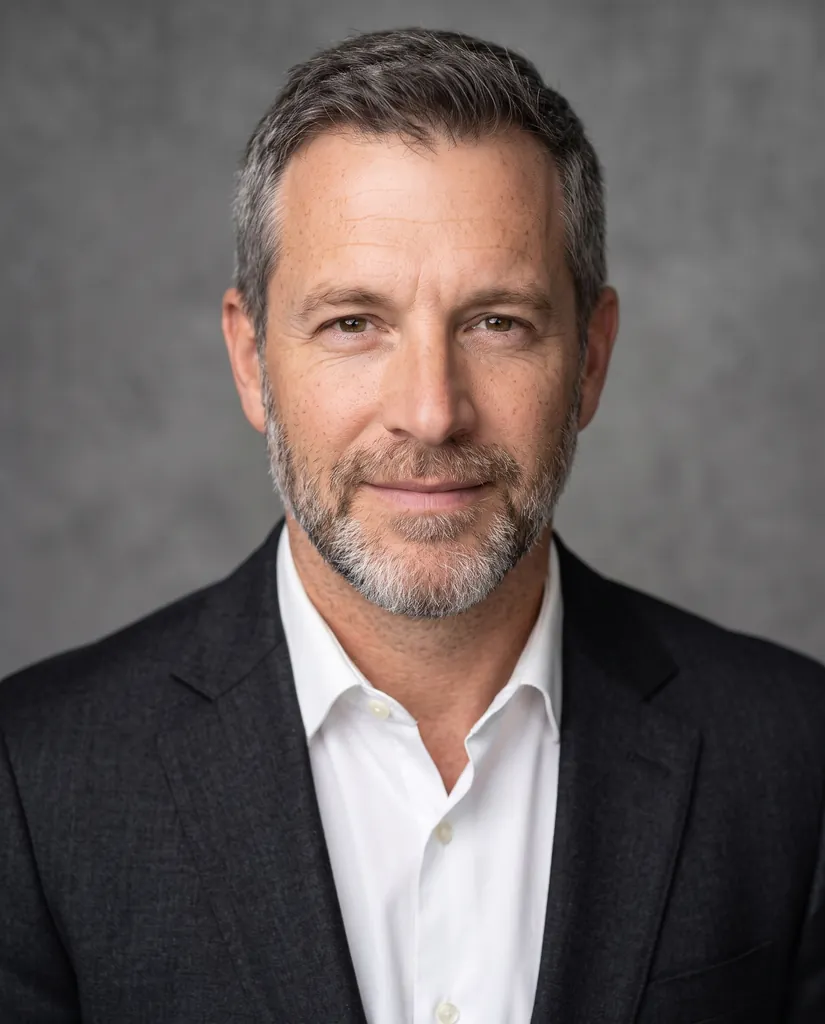
The two most-used styles. Corporate is the classic: blazer, plain gray studio backdrop, even light. LinkedIn is a little warmer: smart-casual clothes and a softly blurred office, which reads as approachable rather than formal.
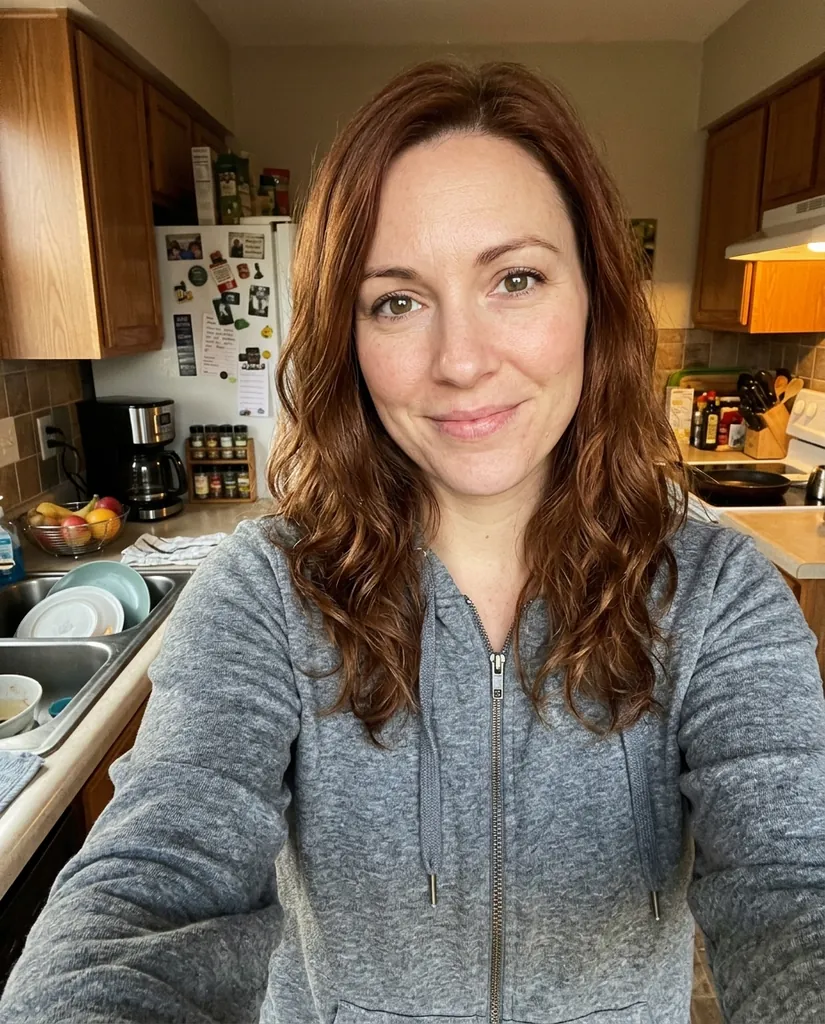
Photo
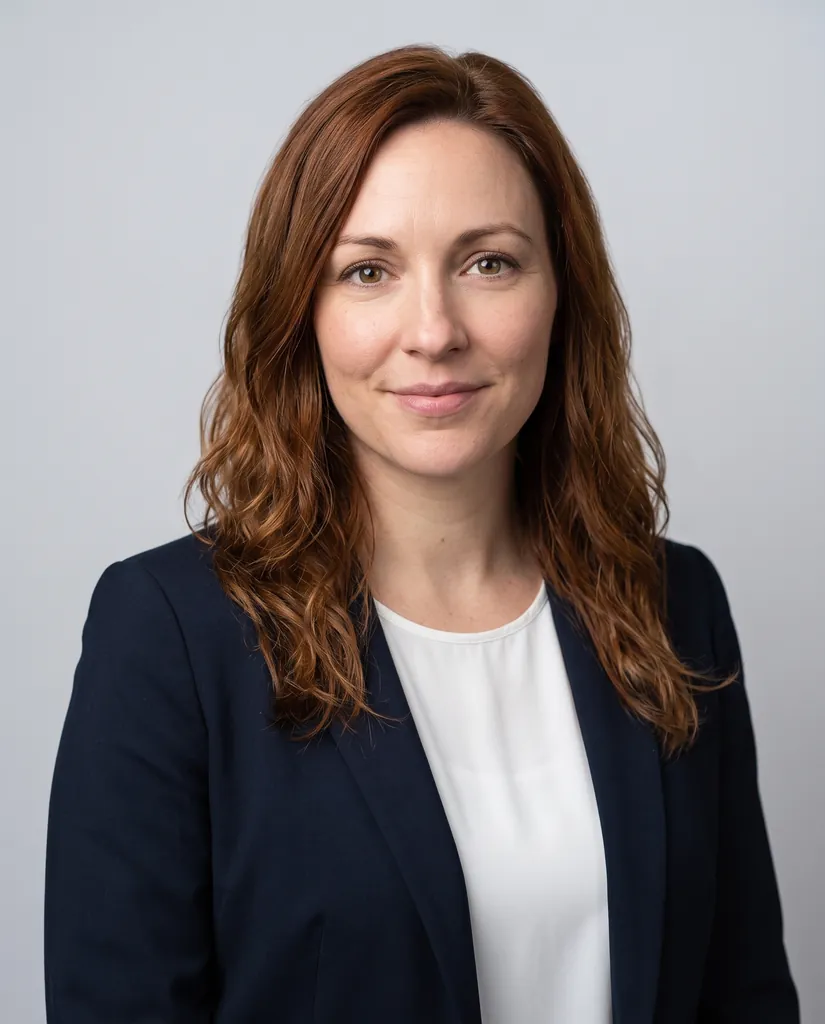
Corporate
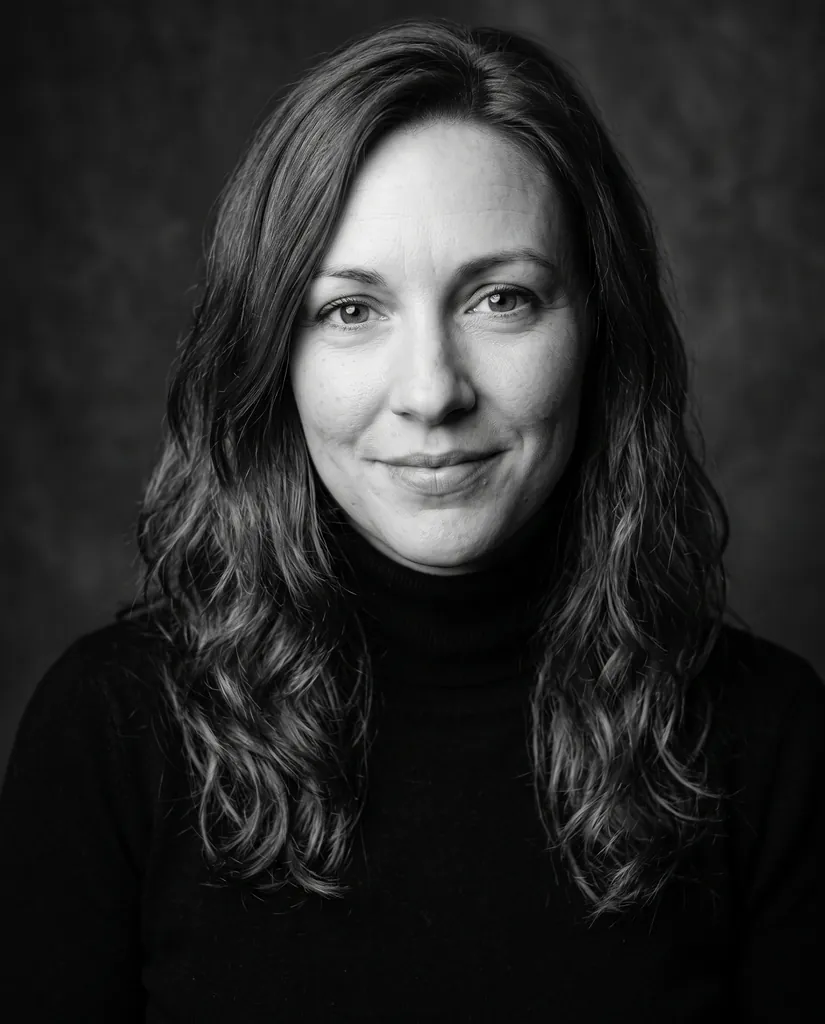
Black and white
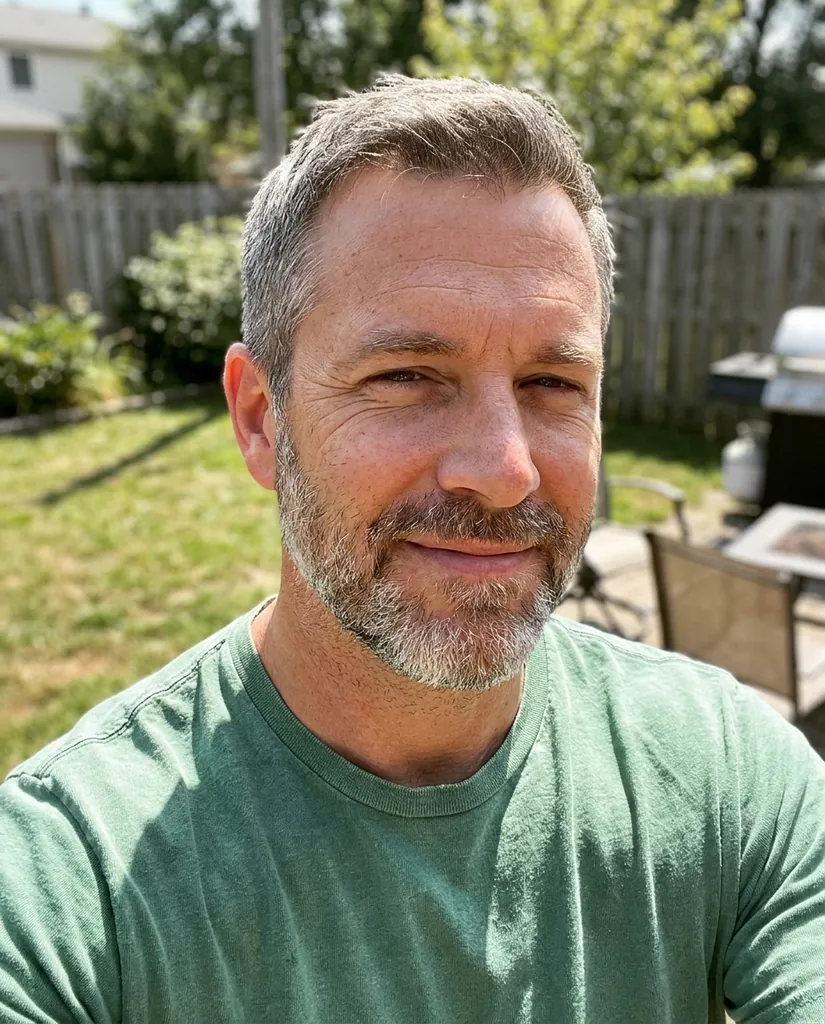
From a bad photo: harsh sun, wrong clothes
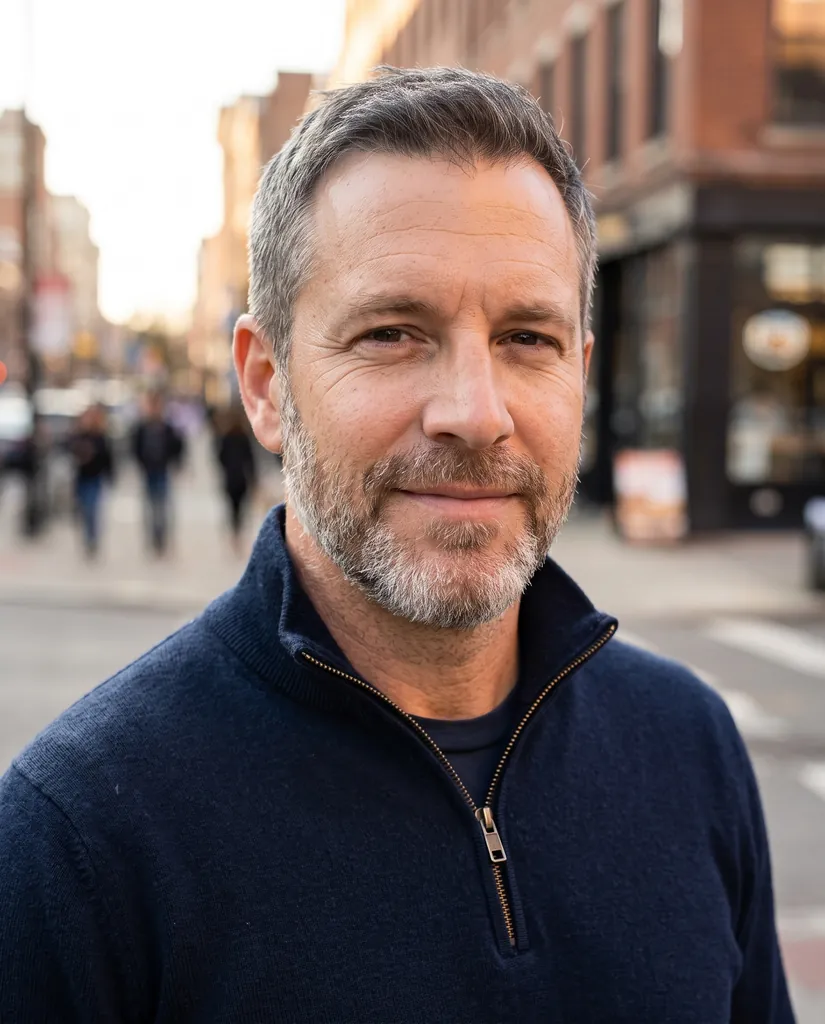
Most people do not have a good photo of themselves, which is the point of the tool. Here the source is a backyard snapshot in harsh midday sun and an old t-shirt. The headshots fix the light and the clothes, and keep the face, the beard and the gray in the hair.
Photo
Corporate
Outdoor
Headshots for your field: creative, healthcare, real estate
Different jobs expect different headshots. A designer looks odd in a pinstripe suit; a nurse or a doctor is expected in a coat; a real estate agent wants warm and approachable. The presets cover the common ones, and you can describe any other in the prompt, for example "a chef's jacket in a professional kitchen" or "a lawyer's office with bookshelves".
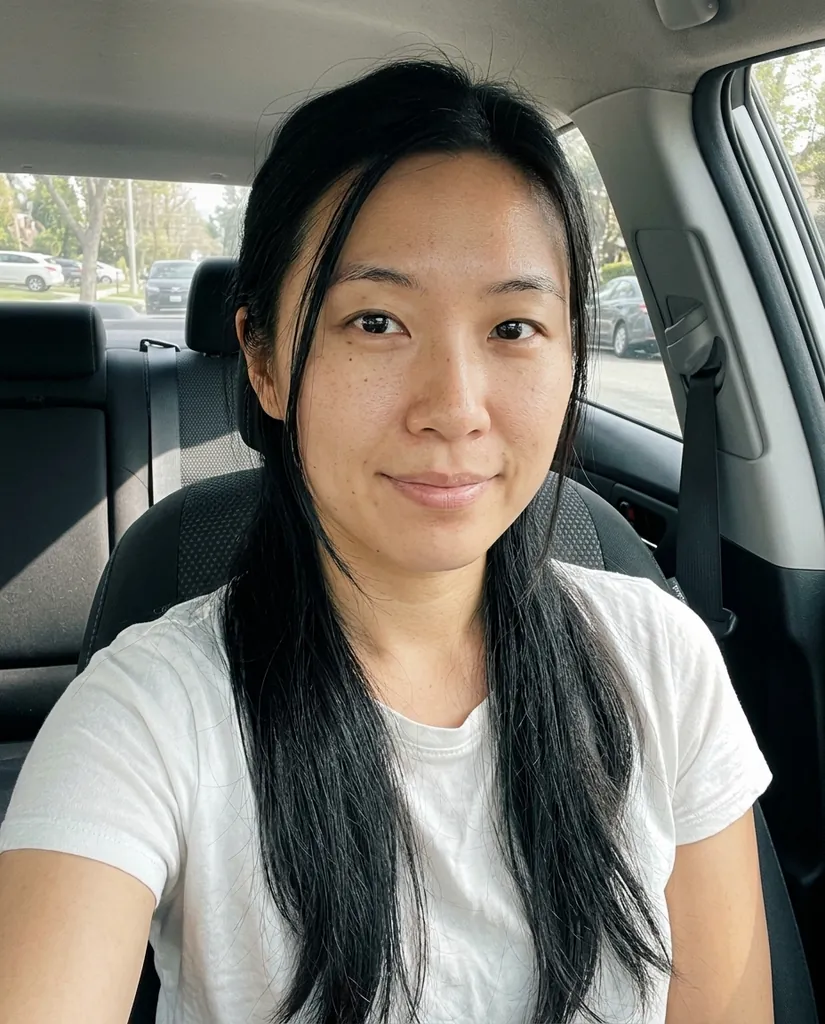
Photo
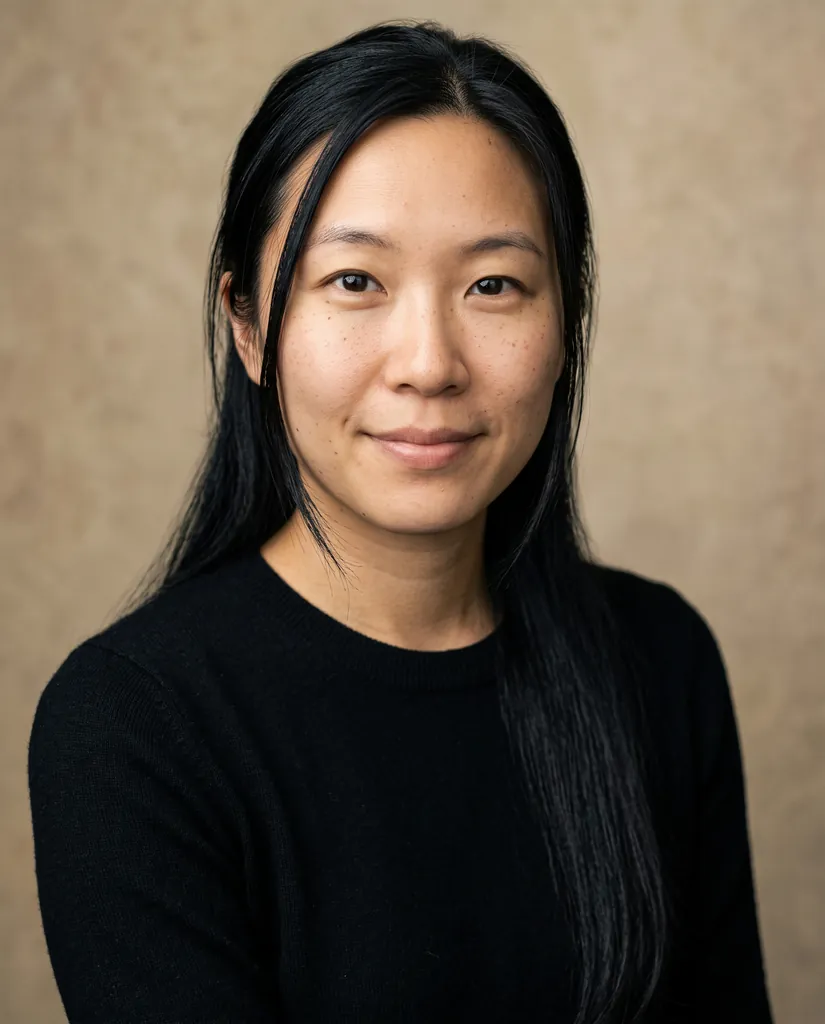
Creative
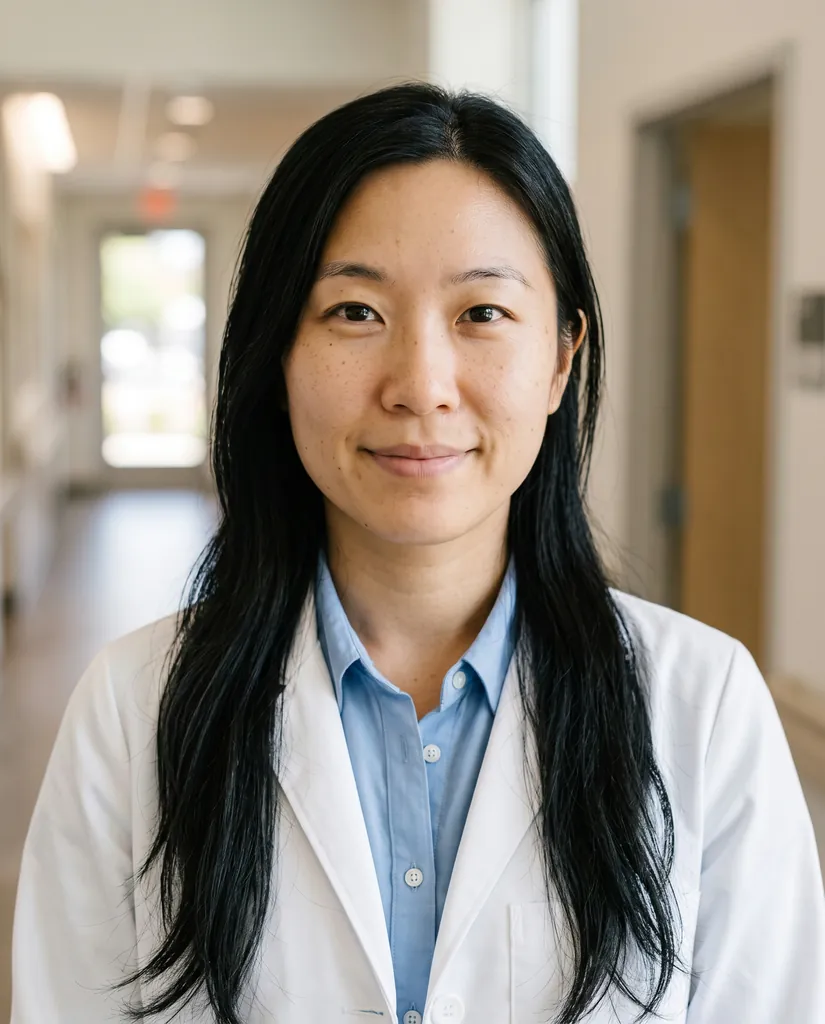
Healthcare
Does an AI headshot still look like me?
It should, and the examples above show why: every preset ends with a keep-sentence that tells the model to keep your face, identity, features, skin tone, hairstyle, eye color and expression, and not to slim, smooth or beautify you. A headshot that looks like someone slightly better than you is a problem the first time you meet a client in person.
If a result drifts, it is usually the photo:
- Use a sharp photo with your face large in the frame. A tiny face in a group photo gives the model too little to keep.
- Face the camera roughly straight on; profile shots get rebuilt.
- Remove glasses only if you do not usually wear them; otherwise keep them in the photo so they stay in the headshot.
- Generate again if one attempt is off. Each image is a fresh try.
Matching headshots for a whole team
Team pages look best when every headshot has the same background, framing and light. Use the same preset for everyone: each person uploads their own photo (or you upload one per person) and picks, say, Corporate. The backdrop, crop and light come out consistent across the team, without booking a photographer for a day.
For agencies and companies, the Business plan has 15,000 credits a month, about 750 headshots, on one account. See pricing.
What size is right for LinkedIn and other profiles?
Results here are 2K, far more than any profile needs. LinkedIn recommends a profile photo of at least 400 by 400 pixels, and most sites crop to a square or a circle, so keep your head and shoulders centered with some space around them, as the presets do. For a press kit or a printed badge, the 2K original is large enough as it is.
Is the AI headshot generator free?
Your first headshot is free: new accounts get 20 free credits (valid 7 days), which is one headshot at 2K. After that each headshot is 20 credits. There is no unlimited free tier, because every image is a real render on Google's model and costs money each time.
Free options exist elsewhere, usually with limits: filters in phone apps, or general AI chat apps with daily caps where you write the prompt yourself. What you get here is tested presets that keep your face, 2K output, one page for upload and result, and a private library.
How much does it cost?
One headshot is 20 credits, whatever the style. On a monthly plan that works out at about $0.13 to $0.20 per headshot: Starter is $9.90 for 1,000 credits (about 50 headshots), and yearly plans go lower. One-time credit packs never expire, and the first pack is half price. Failed or refused images are refunded automatically. See pricing.
Privacy and safety
Use a photo of yourself, or of an adult who agreed, such as a colleague for the team page. Photos of minors and of people who did not consent are not allowed. Uploads and results are private to your account. Every image from Google's models carries an invisible SynthID watermark. nanobanana21.app is an independent site, not affiliated with Google.
FAQ
How do I get a professional headshot without a photographer?
Upload one clear photo of yourself on this page, a selfie is fine, pick a style such as Corporate or LinkedIn, and press Generate. In under a minute you get a 2K headshot with a studio or office background, business clothes and proper light, with your face kept the same.
Is there a free AI headshot generator?
Your first headshot here is free: new accounts get 20 free credits, enough for one 2K headshot. After that each headshot costs 20 credits. Other free options usually come with watermarks or daily limits.
How many photos do I need to upload?
One. The model edits that photo directly, so there is no training step, no 10 to 20 photo upload and no waiting hours for results.
Will the headshot look like me?
It should. Every preset tells the model to keep your face, features, skin tone, hairstyle and expression and not to slim or smooth anything. A sharp, front-facing photo gives the closest likeness.
Can I use an AI headshot on LinkedIn?
Yes, as a profile photo, as long as it looks like you today. Results are 2K, well above the 400 by 400 pixels LinkedIn recommends.
Can I make matching headshots for my team?
Yes. Use the same preset for everyone so the background, crop and light match. The Business plan has 15,000 credits a month, about 750 headshots.
Can I download and use the headshot commercially?
Downloading full-size images needs any plan or credit pack, which also covers commercial use such as a company website or press kit.