
By the nanobanana21.app teamUpdated
FLUX Kontext Pro is Black Forest Labs’ context-aware editing model, and you can use it on this page: the generator above is already set to it. Press Reference, upload a photo, and describe only the change you want, such as "make it a snowy winter evening, keep the buildings and the people where they are". It also generates from text with no reference at all.
Kontext Pro is built around one job: change the thing you named and leave everything else. It was one of the fastest models in our tests at 7 to 11 seconds, costs 20 credits an image, and takes up to 4 reference images. There is one output size, about one megapixel, which is the trade you make for that focus. New accounts get 20 free credits valid for 7 days, which is exactly one image.
What FLUX Kontext Pro is good at
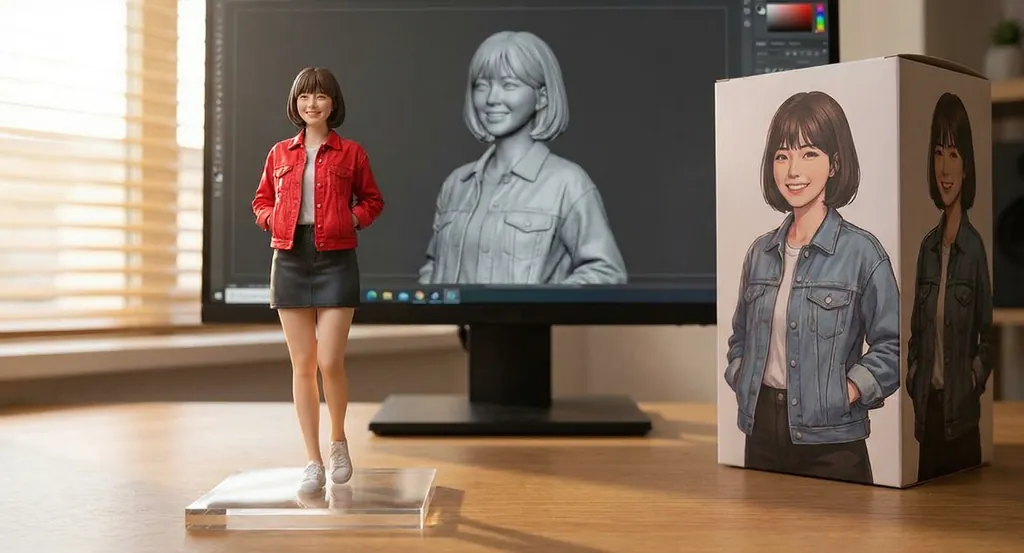
- Changing one thing. In our edit test it turned a figurine’s jacket red and left the retail box artwork, the 3D sculpt on the monitor and the desk essentially as they were.
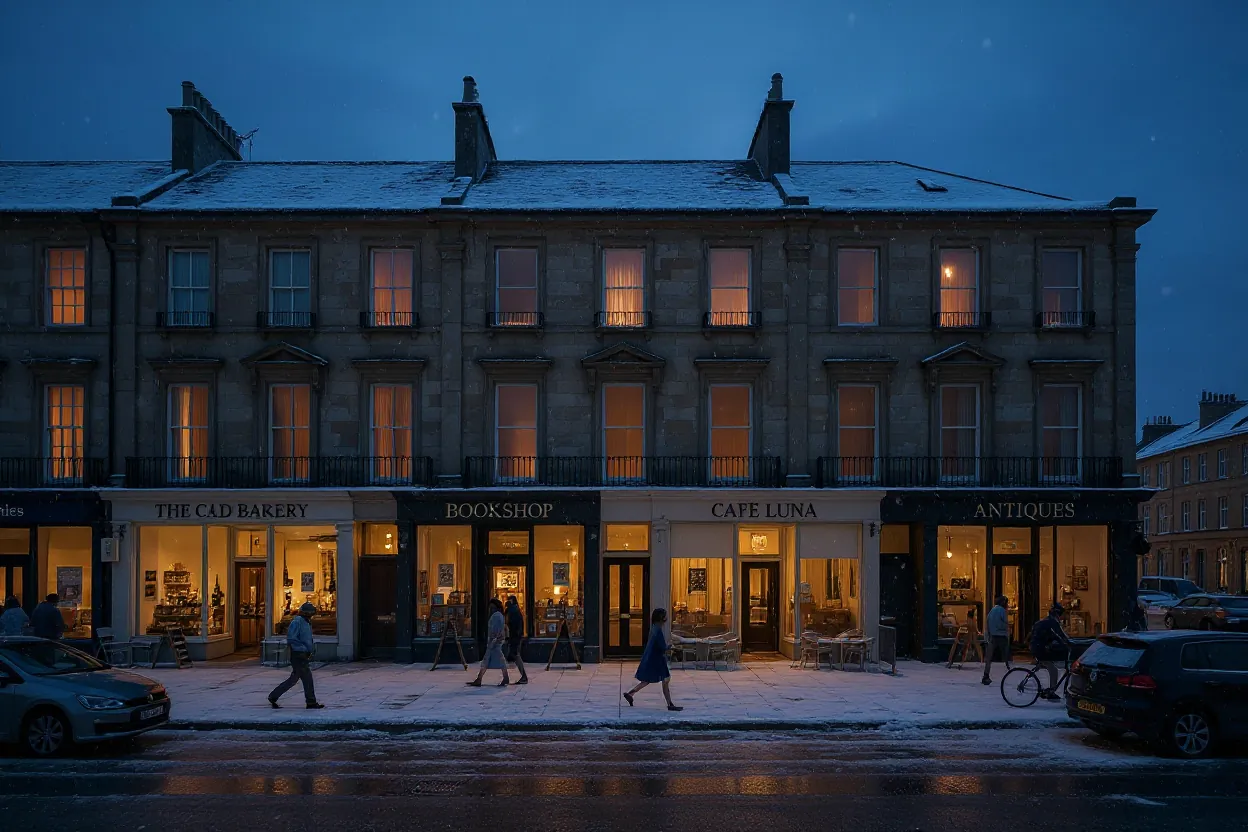
- Season, time of day and weather. The street below went from a sunny afternoon to a snowy blue evening with the same buildings, shopfronts and pavement.
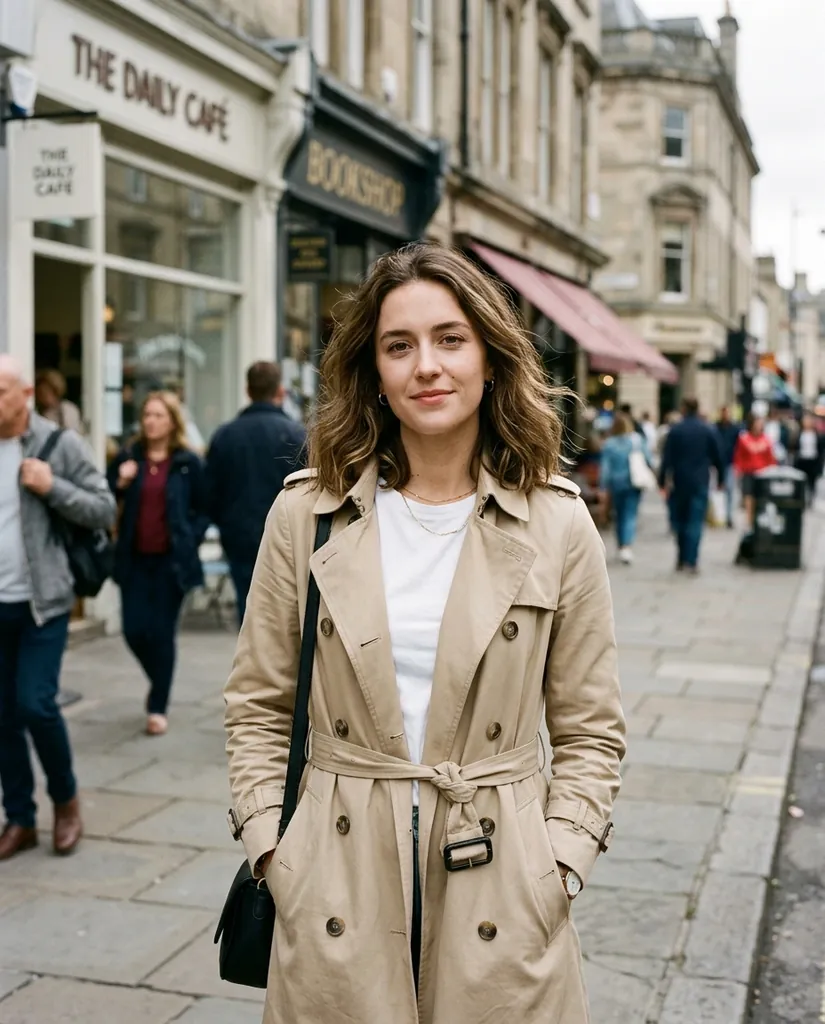
- Background swaps on a portrait. The second edit below moved a woman from a busy street to a beach at sunset while keeping her face, coat, pose and framing.
- Calm product frames from text. Soft long shadows and a quiet palette, as in the vase sample.
- Keeping the input shape. Leave the ratio on auto and the output follows the aspect ratio of your reference image.
What it is not good at is words. See the comparison below before you ask it for a sign.
FLUX Kontext Pro specs on this site
One output size and one price. The vendor notes that the output plus all reference images must stay under about 9 megapixels in total.
| Spec | Value here |
|---|---|
| Vendor | Black Forest Labs |
| Resolutions | One tier, about 1 megapixel |
| Credits per image | 20 |
| Aspect ratios | 9: 1:1, 3:4, 2:3, 9:16, 9:21, 4:3, 3:2, 16:9, 21:9 |
| Reference images | Up to 4 |
| Image editing | Yes, and it is what the model is built for |
| Speed in our tests | 7 to 11 seconds |
| Best for | Instruction edits that must leave the rest of the image alone |
Sample images and edits made with FLUX Kontext Pro
The first card is a plain text-to-image job. The next two are edits: the first image is the source we attached, the second is what came back.

A minimalist product photo of a white ceramic vase with dried pampas grass on a travertine pedestal, soft long shadows, warm beige backdrop, calm and elegant.
FLUX Kontext Pro · 16:9Make it a snowy winter evening: snow on the roofs and the pavement, warm lights in the shop windows, a soft dusk sky. Keep the buildings, the street layout and the people in the same places.
FLUX Kontext ProChange the background to a sandy beach at sunset. Keep the woman, her face, her beige coat, her pose and the framing exactly the same.
FLUX Kontext Pro


How to use FLUX Kontext Pro on this page
- Press Reference and upload the image you want changed. Up to 4 images per job.
- Write the instruction, not the scene. "Change the background to a sandy beach at sunset" works; a full description of the finished picture does not.
- Name what must stay. Every edit above ends with a sentence listing the things to keep, and that sentence is doing most of the work.
- Leave the ratio on auto to keep your input shape, or pick one of the nine ratios to recompose.
- Press Generate. 20 credits, charged once, refunded automatically if the job fails or is refused.
- Chain edits. Download the result, send it back in as the reference, and make the next change on top.
New accounts get 20 free credits valid for 7 days, exactly one Kontext Pro image. Plans and packs are on the pricing page; the full lineup is on the models page.
FLUX Kontext Pro vs Nano Banana 2.1
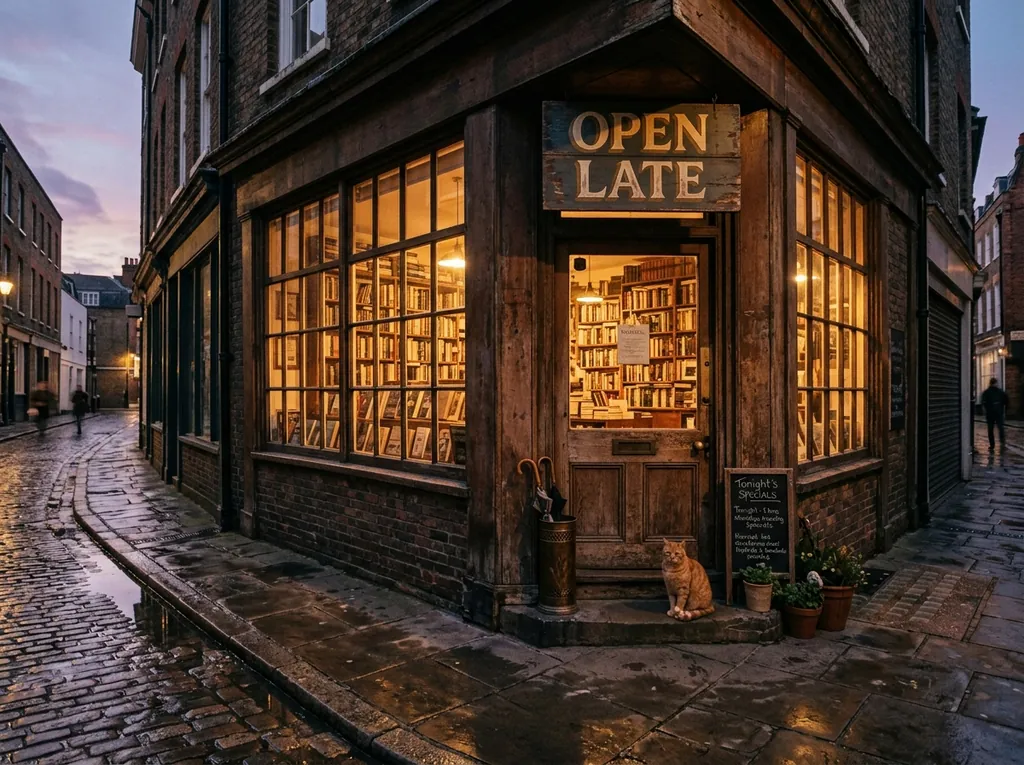
The same prompt at 4:3 and the same edit instruction, one call each on this site.

FLUX Kontext Pro
Nano Banana 2.1
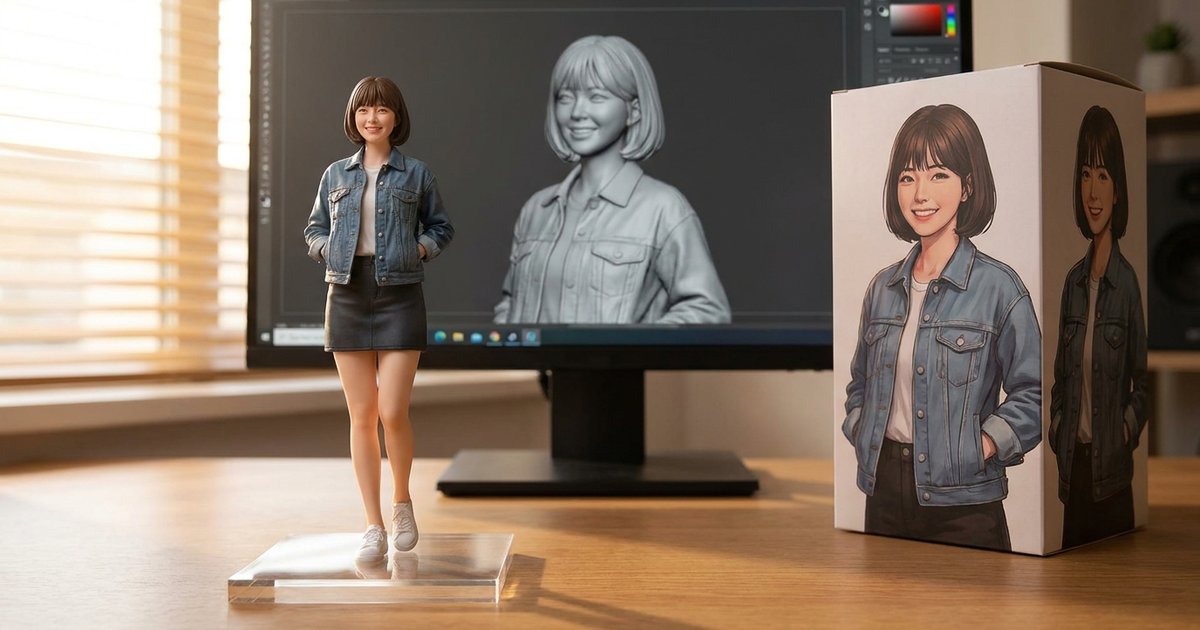
Source
FLUX Kontext Pro result

Nano Banana 2.1 result
When to pick FLUX Kontext Pro and when to pick something else
- Pick Kontext Pro when you have an image and one change to make, and the rest of the frame must survive.
- Pick it when speed matters on an edit: 7 to 11 seconds in our tests, against 31 to 36 for Sunburst.
- Do not pick it when the image needs readable text. GPT Image 2 at 10 credits and Sunburst at 30 both handled our sign tests; Kontext Pro did not.
- Do not pick it when you need more than about a megapixel. There is one output size here. Seedream 4 gives 4K for 15 credits.
- Pick Nano Banana 2.1 (20 credits at 1K, the site default) when an edit also involves new text, or when you want a 2K or 4K result from the same instruction.
Prompt tips for FLUX Kontext Pro
- Start with the verb. "Change", "replace", "remove", "make it" put the model straight into edit mode.
- One change per job. Two unrelated instructions in one prompt get blended; chain two jobs instead.
- End with the keep list. Faces, clothing, pose, framing, layout and the position of people are all worth naming explicitly.
- Describe the new thing briefly. "A sandy beach at sunset" is enough; a long description competes with the source image.
- Avoid text. If the picture must contain a word, generate the base elsewhere and bring it here only for changes that do not touch the lettering.
- Use auto ratio on edits so the output matches your input. More prompt patterns are in the Nano Banana 2.1 prompts guide.
Seeds, prompt rewriting and the safety tolerance setting are available in the vendor API, not in this generator.
Independence, trademarks and your images
nanobanana21.app is an independent image studio and is not affiliated with, endorsed by or connected to Black Forest Labs. FLUX, Kontext and the other model names on this page are trademarks of their respective owners, used only to identify which model runs a job.
Upload only images you have the right to use. Prompts, uploads and results stay in your private library and are never shown publicly. Images you generate here are yours to use under our terms, including commercial work. The model itself is run by its vendor, so check that vendor’s own usage policy for your particular case, especially for brand assets, likenesses and anything you plan to resell.
FAQ
What is FLUX Kontext Pro?
It is Black Forest Labs’ context-aware image model. You give it an image and an instruction, and it applies the change while keeping the rest of the picture. It also generates from text when you attach no reference.
How much does it cost here?
20 credits an image. There is one output size, about one megapixel, so there is nothing else to choose and nothing else to pay.
How many reference images can I attach?
Up to 4. The vendor also caps the output plus all reference images at about 9 megapixels in total, so very large uploads can be refused.
Can I get a 2K or 4K image from it?
Not from this model. Kontext Pro returns roughly one megapixel whatever you ask for. For large renders use Seedream 4 at 15 credits for 4K or GPT Image 2 at 20.
Is it good at text in images?
No. In our side-by-side test the sign came back reading BONK LATE instead of OPEN LATE, and the chalkboard beside it was unreadable. Use GPT Image 2 or GPT Image 2.5 Sunburst when words matter.
How fast is it?
In our tests, 7 to 11 seconds an image, among the fastest in the picker. That is a measurement from a few calls on one day, not a guarantee.
Does it keep the aspect ratio of my photo?
Yes, if you leave the ratio on auto. In our edit test the output followed the input shape. You can also pick one of nine ratios to recompose instead.
Can I use the images commercially?
Images you generate here are yours to use under our terms, including commercial work. The model itself is run by its vendor, so check that vendor’s own usage policy for your particular case, especially for brand assets, likenesses and anything you plan to resell.