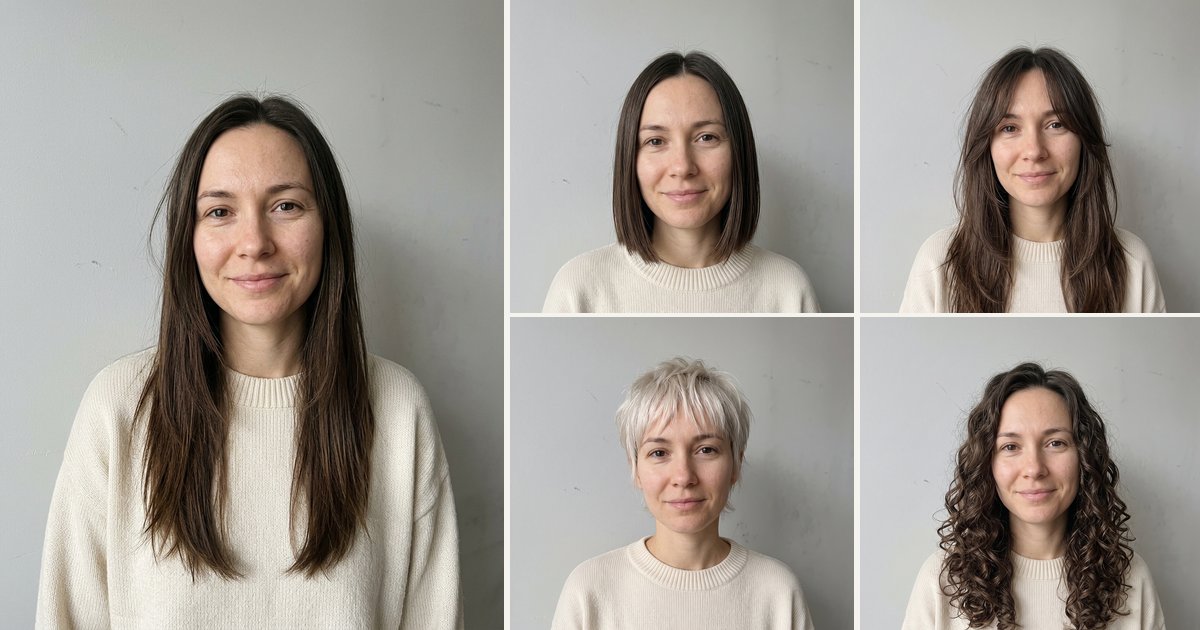
Short answer: the thing to look for in an AI hairstyle app is whether it keeps your face. **The nanobanana21 AI hairstyle changer (this is ours) does exactly that: one photo in, a 2K photo out with the new cut or color, and every preset tells the model to keep your face, skin tone, expression, clothes and background. It covers textured hair (box braids, silk press, defined curls) as well as bobs, bangs, pixies, buzz cuts and fades, runs in the browser, and costs 20 credits a look; new accounts get 20 free credits, enough for one look. Web tools such as Fotor and FlexClip, phone apps such as YouCam Makeup, FaceApp and Hairstyle Try On, the photo-shoot service Hairstyle AI, and the Gemini** app with your own prompt also change hairstyles, but most of them don't state that your face stays the same.
What's new on this page
- 18 October 2026: first version. We read every tool's own page today and noted only what each page says.
Three kinds of AI hairstyle tool
AI photo editors take one photo and redraw the hair, so the result is a new photograph of you with a different cut. Ours is one, and so are several web tools. Filter and overlay apps place a hairstyle on top of your face on a phone: quick for a laugh, but closer to a sticker. AI photo-shoot services take several selfies and return a batch of stylised portraits with many hairstyles. They make different things; pick the one that matches what you want to see.
The tools side by side
What each tool's own page said on 18 October 2026. "Not stated" means the page didn't say.
| Tool | Kind | Photos you need | Says your face stays the same | Textured hair (braids, curls, silk press) | Output size stated | Visible watermark-free |
|---|---|---|---|---|---|---|
| nanobanana21 AI hairstyle changer (us) | Web, AI photo edit | 1 | Yes: face, skin tone, expression, clothes and background kept | Yes: box braids, silk press, defined curls | Yes, 2K | Yes |
| Fotor | Web tool | 1 | Not stated | Afro, braids and curly styles listed | HD, pixels not stated | Not stated |
| YouCam Makeup | Phone app (also web) | 1 | Not stated | Not stated | Not stated | Not stated |
| FaceApp | Phone app, filters | Not stated | Not stated | Not stated | Not stated | Not stated |
| Hairstyle AI | Web, AI photo shoot | Several selfies | Not stated | Not stated | HD, pixels not stated | Not stated |
| Hairstyle Try On | iPhone app, overlays | Not stated | Not stated | Not stated | Not stated | Not stated |
| Gemini app | Chat assistant, your own prompt | Not stated | Character consistency only | Not stated | Yes, 2K | No, adds a visible AI mark |
| FlexClip | Web tool | 1 | Says it may tweak facial features | Braids and waves mentioned | Not stated | Not stated |
Each one in a sentence or two
- nanobanana21 AI hairstyle changer (ours): upload one photo, tap one of 11 presets (cuts and colors) or describe your own, and get a 2K photo with your face kept. Try it here. *Not for:* a live try-on through your phone camera.
- Fotor: a web hairstyle changer with a long list of named cuts and colors. *Not for:* anyone who needs a stated promise that the face stays the same.
- YouCam Makeup: a beauty app with hairstyle and hair-color filters. *Not for:* a high-resolution photo you plan to keep.
- FaceApp: a phone app of photo filters, hair among them. *Not for:* realistic previews of a specific salon cut.
- Hairstyle AI: a photo-shoot service that turns several selfies into a batch of portraits with different hairstyles. *Not for:* seeing one particular cut on one photo right now.
- Hairstyle Try On: an iPhone app that places hairstyles over your photo. *Not for:* photorealistic results or Android.
- Gemini app: Google's assistant, where you write the hairstyle prompt yourself. *Not for:* ready-made presets or images without a visible AI mark.
- FlexClip: a web tool with women's and men's presets. *Not for:* results where the face must not change, which its own FAQ says may happen.
Is there a free AI hairstyle app?
Yes, with limits. Some tools give a few free tries, but free results are usually filters, watermarked or low resolution, and a clean full-size image generally needs a paid plan. nanobanana21 has no unlimited free tier, because every look is a real render on Google's model: new accounts get 20 free credits, which is one 2K look, and after that each look is 20 credits. A failed or refused image gives its credits back automatically.
How to choose in ten seconds
- You want to see a specific cut on your own photo, with your face unchanged? Our hairstyle changer.
- You have curly or coily hair, or want braids or a silk press? Ours: those are presets, not an afterthought.
- You want to compare several cuts before a salon visit? Ours: same photo, a new look per preset, all saved in your library.
- You want a live, moving try-on through the phone camera? A filter app such as YouCam Makeup fits that better.
What our results look like
One photo, and presets from our hairstyle changer: the face, the clothes and the background are unchanged.
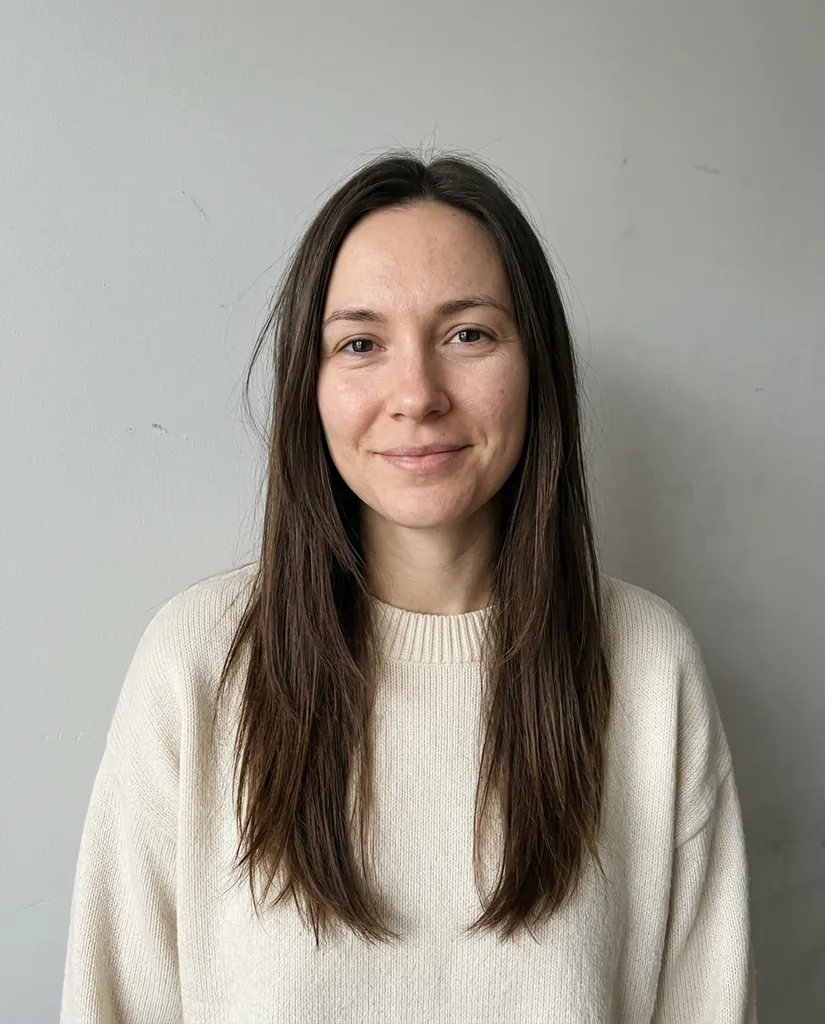
Photo
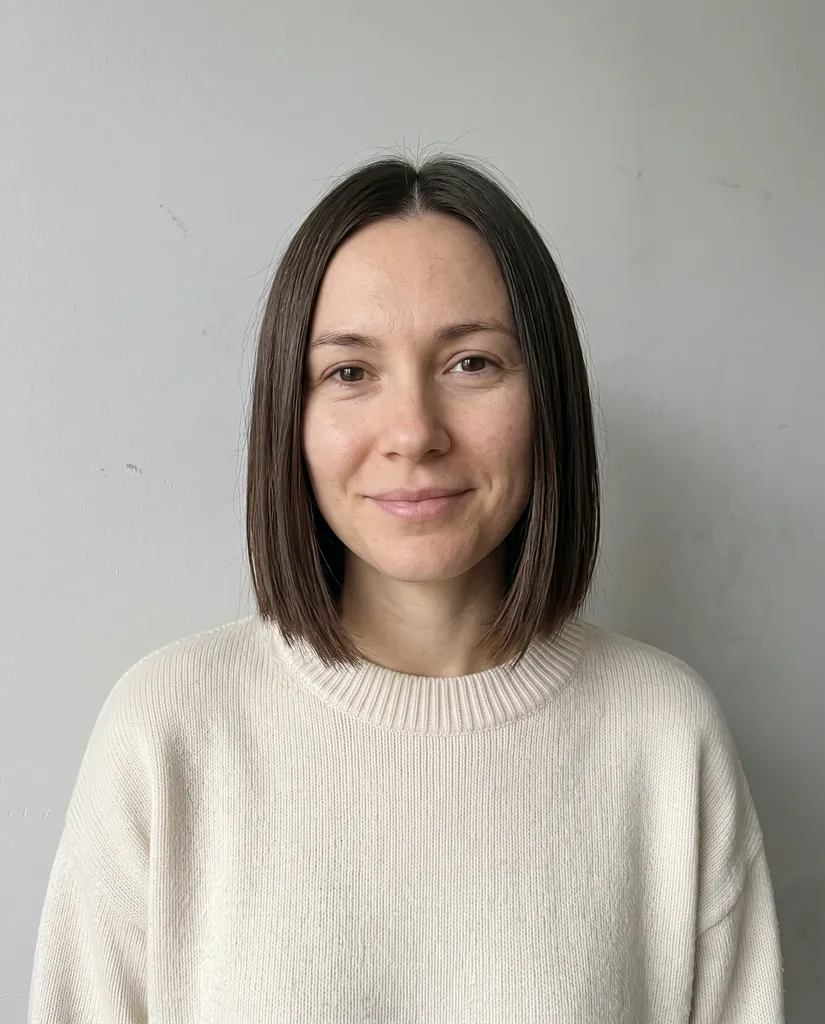
Chin-length bob
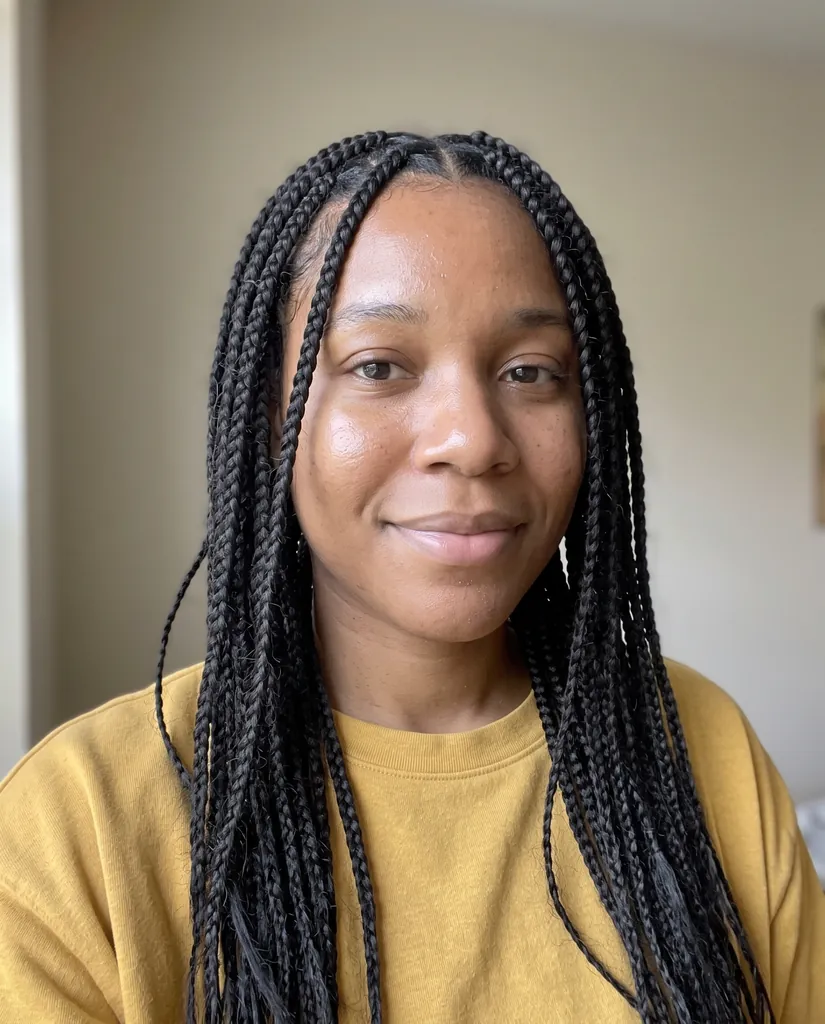
Box braids

Low fade
Tips for a good result from any tool
- Use a sharp, front-facing photo in daylight with your whole head in frame.
- Take off hats and hoods and keep hands away from your face.
- Change only the hair. Asking for a younger or slimmer face invites the tool to change the face too.
- If a result looks off, try again; each image is a new attempt.
Before you upload
Use a photo of yourself, or of an adult who agreed. Photos of minors are not allowed on our tool. On nanobanana21, uploads and results are private to your account. Every image from Google's models carries an invisible SynthID watermark. nanobanana21.app is an independent site, not affiliated with Google or with any tool listed here.
FAQ
What is the best AI hairstyle app?
For seeing a real haircut on your own photo with your face unchanged, the nanobanana21 AI hairstyle changer: one photo, 11 presets including braids and a silk press, 2K output, 20 credits a look with the first look free for new accounts. For a live camera try-on, a phone filter app fits better.
Is there a free AI hairstyle app?
Yes, with limits: some tools give a few free tries, usually as filters, watermarked or low resolution. nanobanana21 gives new accounts 20 free credits, one 2K look, and then each look is 20 credits.
Which AI hairstyle app keeps my face the same?
Our hairstyle changer states it: every preset tells the model to keep your face, skin tone, expression, clothes and background. Most other tools do not say, and one says it may tweak facial features.
Can AI show me braids or a silk press on my photo?
Yes. Box braids, a silk press and defined curls are presets in our hairstyle changer, made for textured hair.
Can I try a new hair color with AI?
Yes. Our changer has Platinum blonde and Copper red presets that keep your cut, and you can describe any other color in the prompt.
Do I need to download an app?
Not for ours: it runs in the browser on phone or desktop, and you sign in with Google.