By the nanobanana21.app teamUpdated
Short answer: this AI hairstyle changer takes one photo of you and shows you with a new haircut or hair color, such as a bob, curtain bangs, a pixie cut, curls, box braids, a silk press or a buzz cut, while your face, skin, clothes and background stay unchanged. It runs on Google's Nano Banana 2.1, the image model behind the Gemini app, returns a 2K image in usually under a minute, and each look costs 20 credits. New accounts get 20 free credits, so the first try is free. Viewing results is included; downloading full-size images needs any plan or credit pack.
Upload a photo above, tap a hairstyle, and press Generate. You can also edit the prompt in your own words, for example "a wolf cut with copper highlights". Every example on this page was made with the same model and the same prompts the presets use, one attempt each, unedited, on AI-generated people.
How do I try a new hairstyle on my photo?
Three steps, about a minute:
- Upload one photo. A front-facing photo in daylight with your hair visible works best. No sunglasses or hats, and no heavy filters.
- Pick a hairstyle or a color. Each chip writes a tested prompt: it names the new hairstyle and lists what must not change (face, skin tone, expression, clothes, background, light). You can edit it before you generate.
- Press Generate. Sign in with Google if you are not signed in yet; your photo and choice are kept, and the image starts right after. The result appears on this page and in My images.
To compare several styles, keep the same photo and pick another chip. Each new look is a fresh 20-credit image; a failed or refused image costs nothing.
One photo, many hairstyles
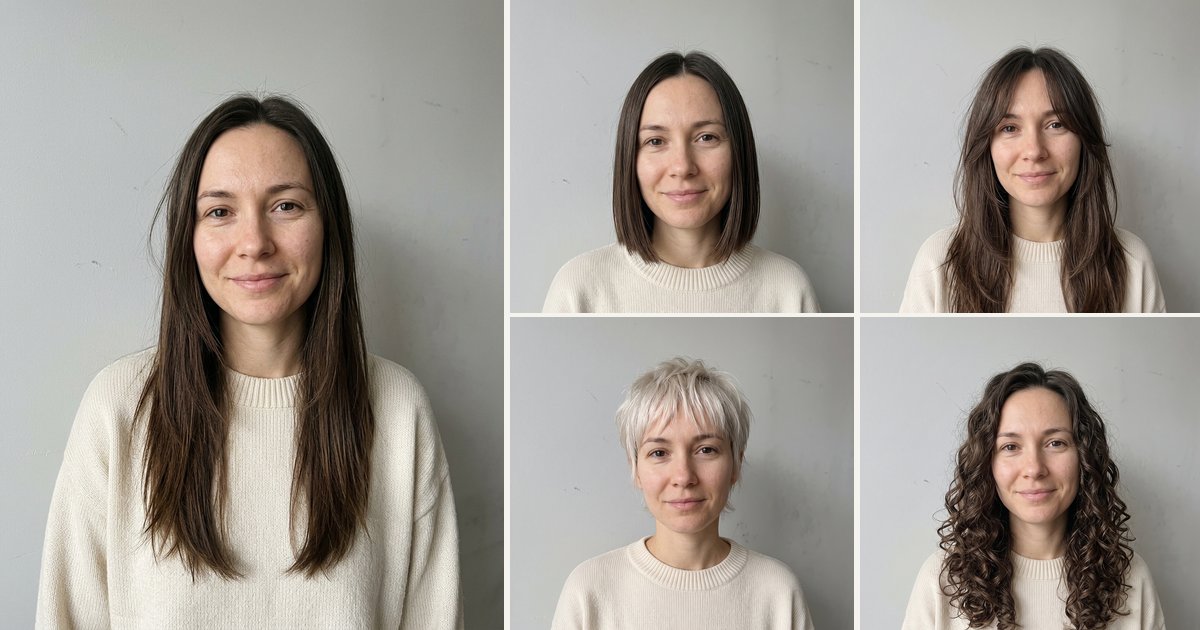
This is the main reason people use a hairstyle changer: seeing the same face with very different cuts before booking a salon appointment. Below is one AI-generated person with four presets from this page. The face, the sweater and the wall are unchanged; only the hair is new.
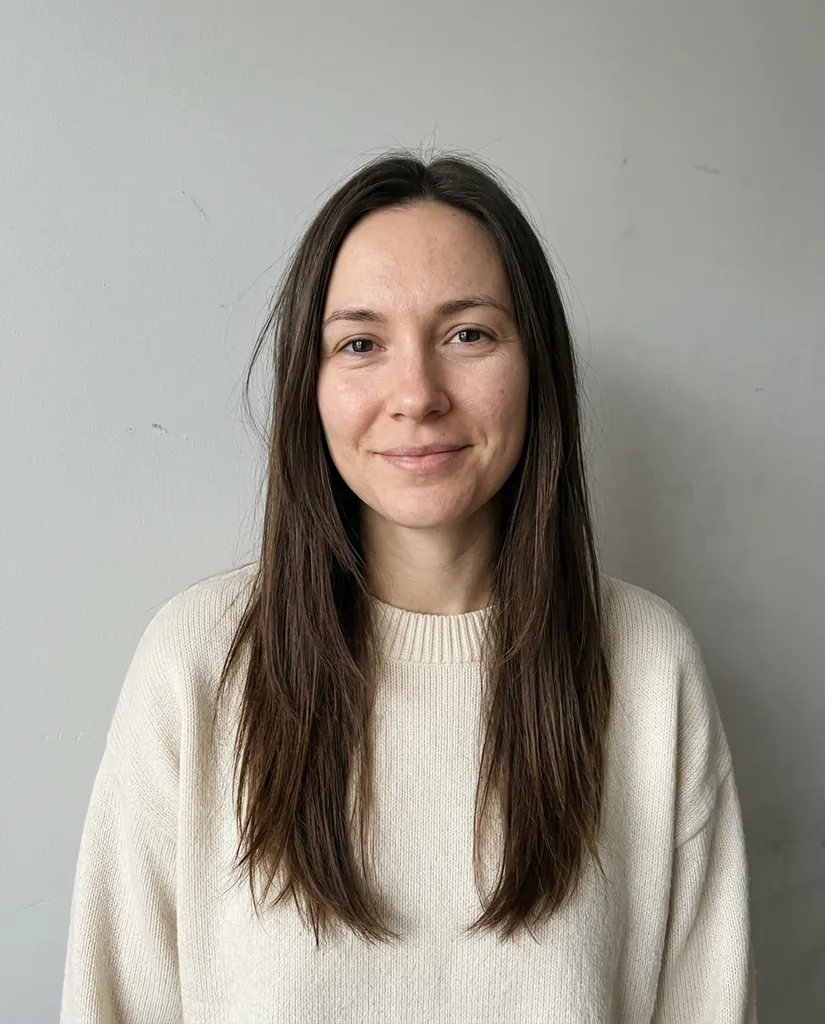
Photo
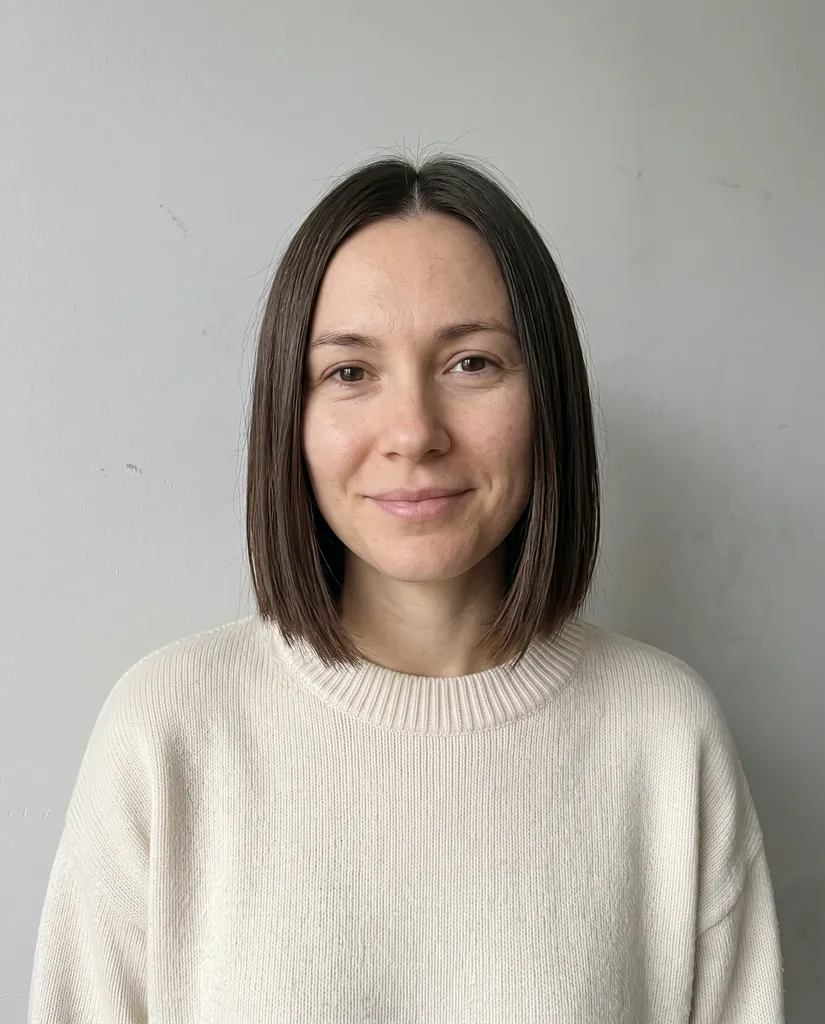
Chin-length bob
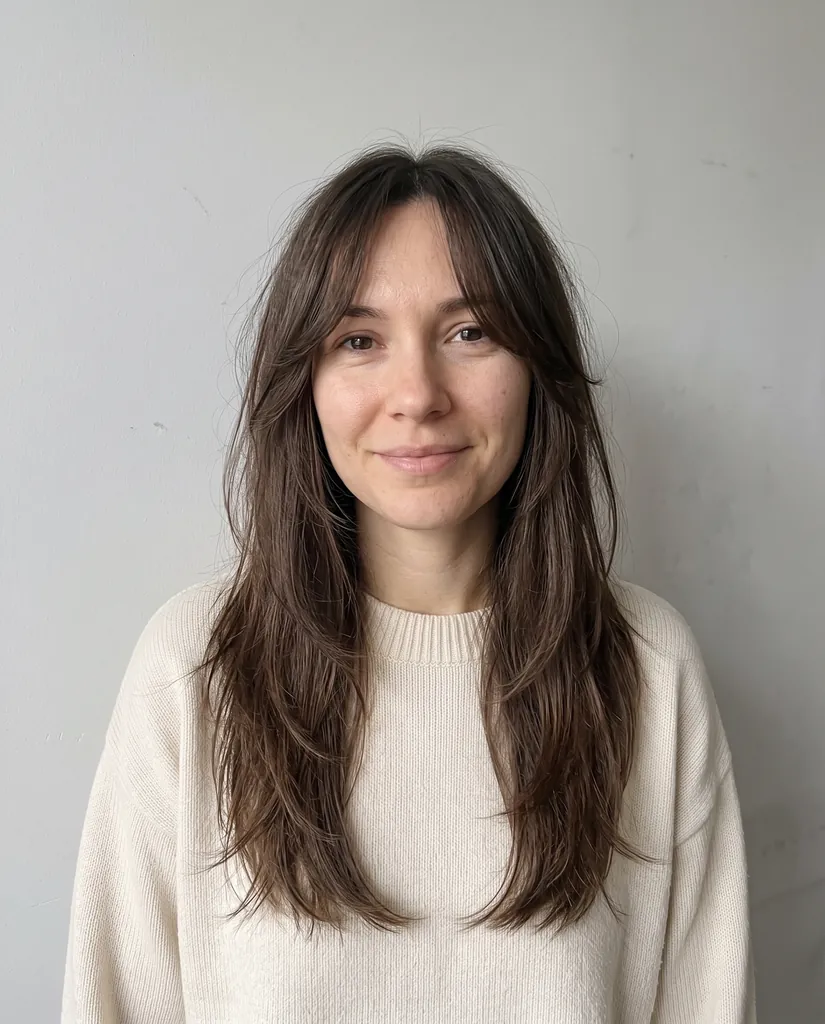
Curtain bangs
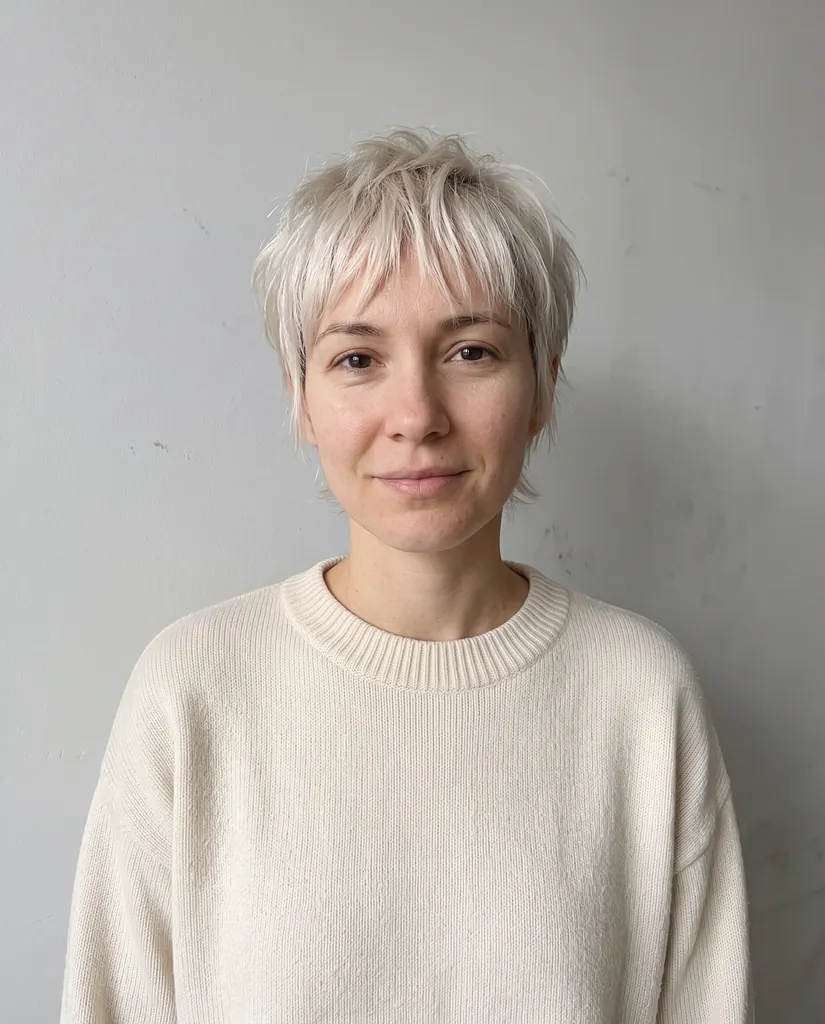
Platinum pixie
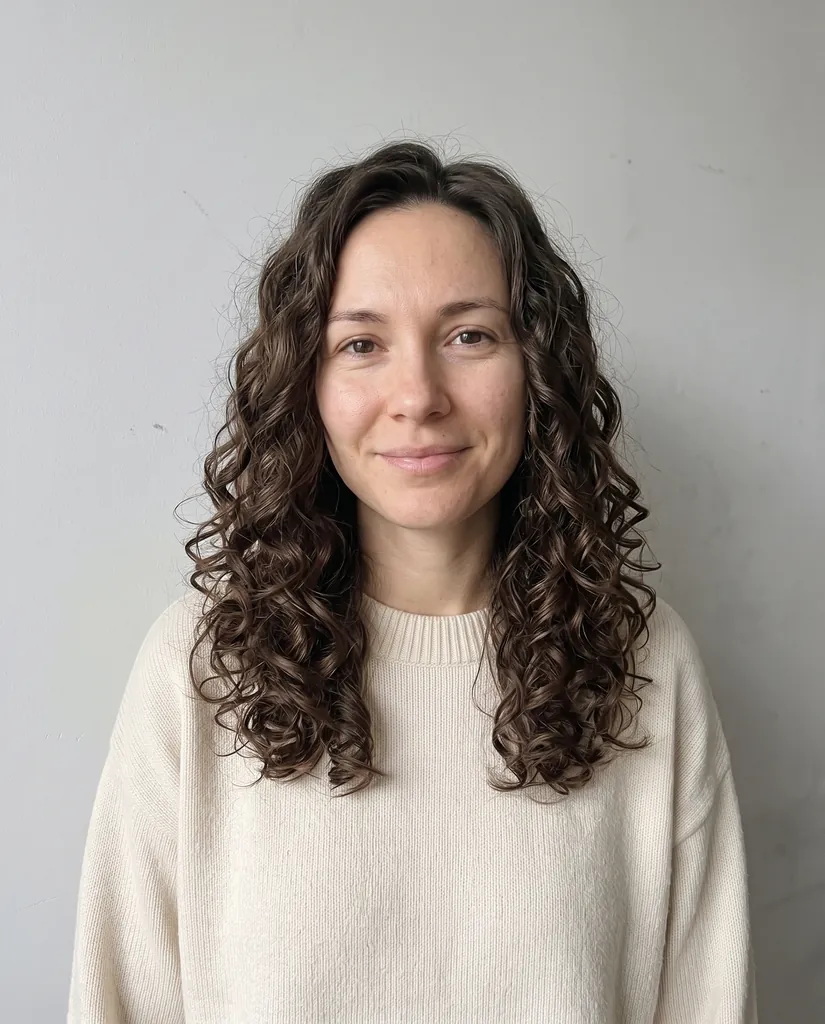
Defined curls
Hairstyles for men: buzz cut, fade, longer hair
The same tool works for men's haircuts. A buzz cut and a low fade are the most requested; growing hair out is the one that is hardest to imagine, so it is worth previewing.

Photo

Buzz cut

Low fade

Shoulder-length waves
Protective styles and textured hair: braids, silk press
Hairstyle apps have long struggled with curly and coily hair. Nano Banana 2.1 handles texture well: box braids keep their parting and length, and a silk press reads as straightened natural hair rather than a wig.
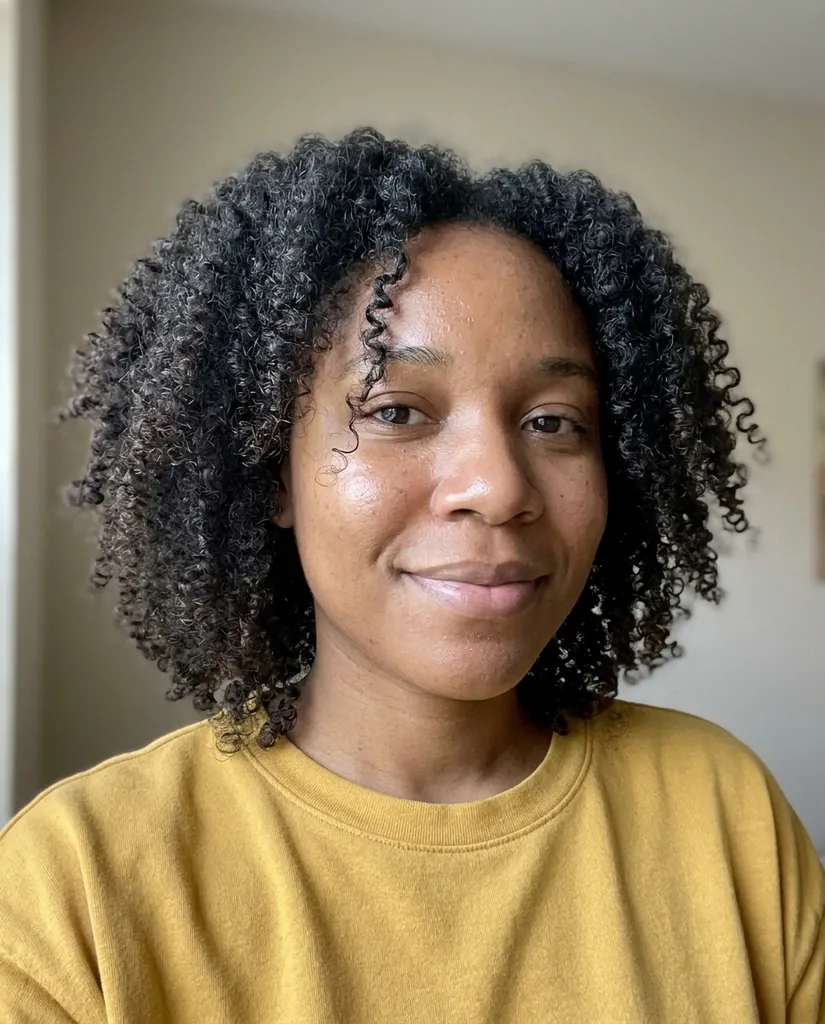
Photo
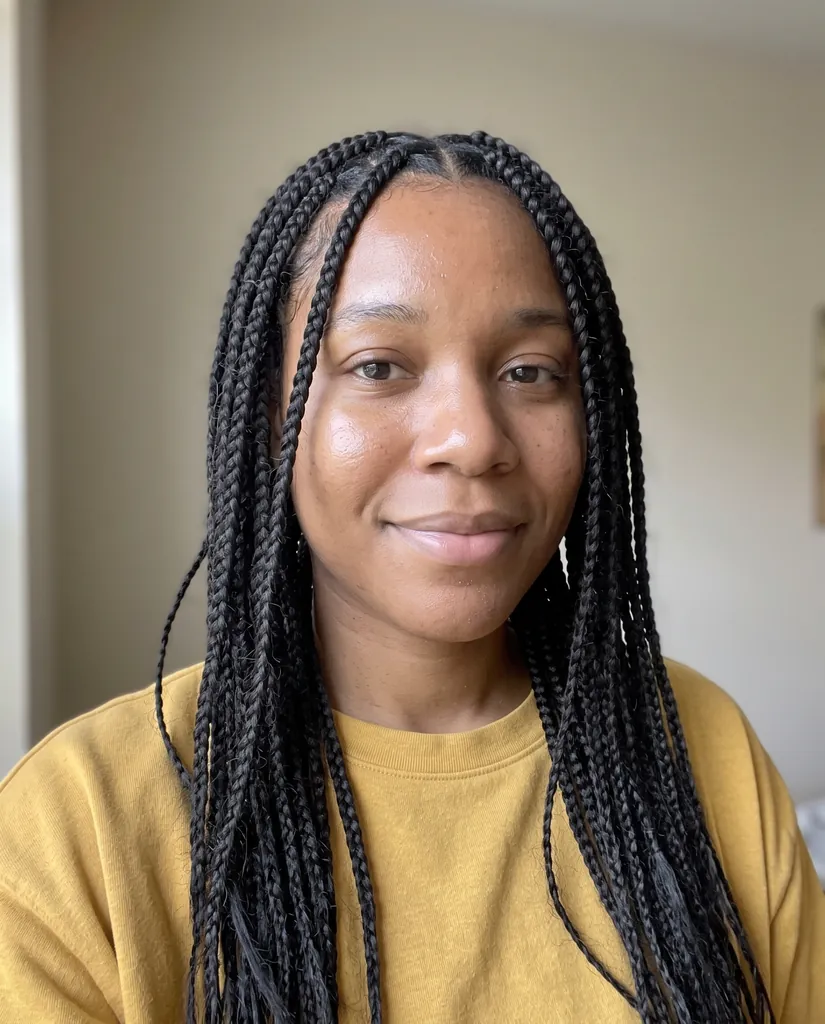
Box braids
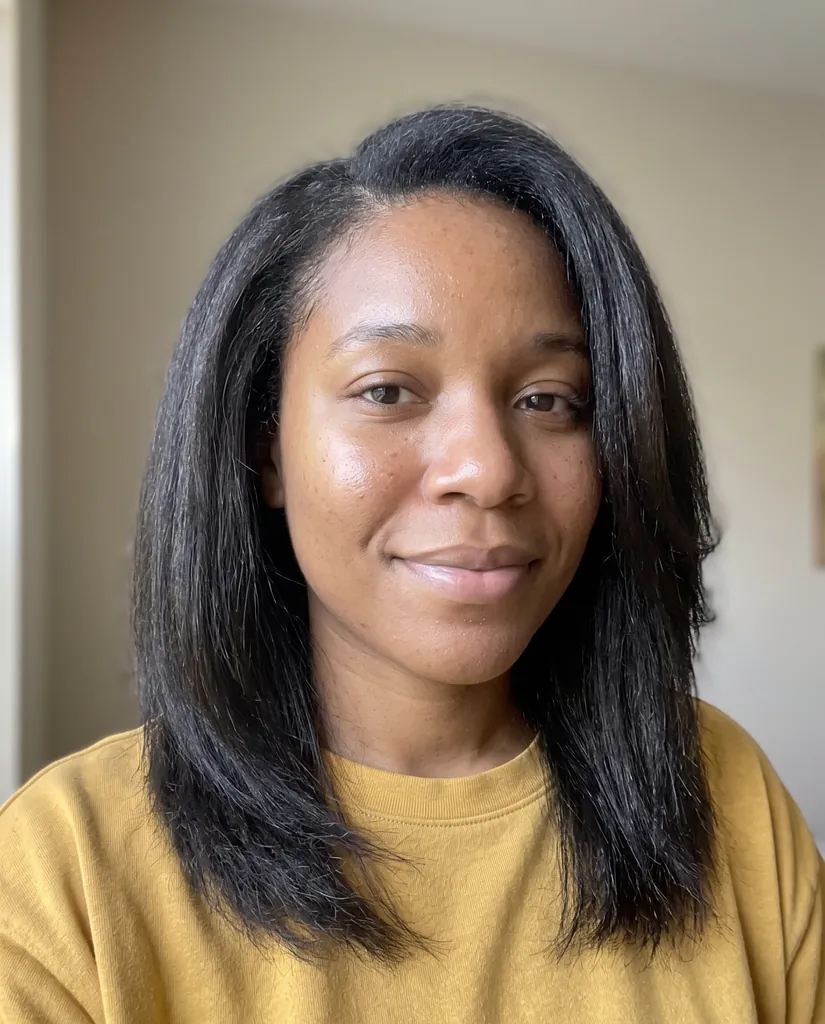
Silk press
Does the AI keep my face the same?
Yes, in almost every case, because every preset ends with a keep-sentence: face, identity, skin tone, eyes, expression, makeup, clothing, background, framing and lighting stay exactly the same. You can see it in the examples above: the person is clearly the same in every look.
When a face does drift, it is almost always the photo. Tips that fix it:
- Use a sharp, front-facing photo with your whole head in frame. Side angles and cropped foreheads make the model guess.
- Avoid hats, hoods and hands near the face; the model has to invent what is under them.
- Keep the change to the hair. Adding "and make me look younger" invites changes to the face too.
- If one result is off, generate again. Each image is a new attempt.
Can I try a new hair color?
Yes. The Platinum blonde and Copper red chips change only the color and keep your cut. For any other color, write it in the prompt: "Change only the hair color to ash brown with soft balayage, same haircut", followed by the keep-sentence. Color and cut can also go together, as in the platinum pixie example above.
Is the AI hairstyle changer free?
The first look is free: new accounts get 20 free credits (valid 7 days), which is one hairstyle at 2K. After that each look is 20 credits. There is no unlimited free tier, because every image is a real render on Google's model and costs us money each time.
Free options do exist elsewhere, with limits: phone apps with hairstyle filters (fast, but often cartoonish or watermarked), and general AI chat apps with daily caps where you write the prompt yourself. If you want presets that keep your face, 2K output, a private library and no daily cap, that is what this page is for.
How much does it cost?
One hairstyle is 20 credits, at 2K, whatever style you choose. On a monthly plan that works out at about $0.13 to $0.20 per look: Starter is $9.90 for 1,000 credits (about 50 looks), and yearly plans go lower. One-time credit packs never expire, and the first pack is half price. Failed or refused images are refunded automatically. See pricing for every option.
Using the "Gemini AI hairstyle" prompt here
If you came here from the Gemini AI hairstyle trend: this page uses the same Google model family (Nano Banana 2.1 is the image model in the Gemini app), with the prompt already written and tested. The presets above are the prompts; you can copy one into any tool. The advantage here is the keep-sentence that protects your face, 2K output, one page for upload and result, and every result saved privately.
More prompts that work with this model are in our Nano Banana 2.1 prompts guide.
Privacy and safety
Use a photo of yourself, or of an adult who agreed to it. Photos of minors and of people who did not consent are not allowed. Uploaded photos and results are private to your account and are not shown to anyone else. The model's safety review blocks some requests; a refused image is refunded automatically. Every image from Google's models carries an invisible SynthID watermark. nanobanana21.app is an independent site, not affiliated with Google.
FAQ
How can I see what I look like with a different hairstyle?
Upload a clear, front-facing photo on this page, pick a hairstyle such as a bob, curtain bangs, a pixie cut, box braids or a buzz cut, and press Generate. In under a minute you see the same photo with the new hair; your face, clothes and background stay the same.
Is there a free AI hairstyle changer?
Your first look here is free: new accounts get 20 free credits, enough for one hairstyle at 2K. After that each look costs 20 credits. Some phone apps offer free filters, usually with watermarks or daily limits.
Will the AI change my face?
It should not. Every preset tells the model to keep your face, identity, skin tone, expression, clothing, background and lighting exactly the same. If a result drifts, use a sharper front-facing photo without a hat and generate again.
Does it work for men and for curly hair?
Yes. The presets include a buzz cut, a low fade and longer waves for men, and box braids, a silk press and defined curls for textured hair. You can also describe any other style in the prompt.
Can I change only my hair color?
Yes. Use the Platinum blonde or Copper red preset, or write "Change only the hair color to ..., same haircut" in the prompt.
Can I download the image?
You can view every result on this page and in My images. Downloading the full-size image needs any plan or credit pack, which also unlocks commercial use.
Is my photo private?
Yes. Uploads and results are stored privately and only your account can open them. Use only photos of yourself or of adults who agreed.