By the nanobanana21.app teamUpdated
Z-Image Turbo is Alibaba Tongyi’s lightweight image model, and this page runs it: the generator above is already set to it, so write a prompt and press Generate. It is the cheapest and one of the fastest options on the site, at 10 credits an image and 4 to 13 seconds in our tests, and it takes prompts in Chinese as well as English.
Z Image Turbo is text to image only here. There is no Reference button for this model, so it cannot edit a photo you upload; for that, use FLUX Kontext Pro or Seedream 4. What it is for is volume: concept sketches, backgrounds, stickers and mood frames, two for the price of one Nano Banana 2.1 image. New accounts get 20 free credits valid for 7 days, which is two images here.
What Z Image Turbo is good at
- Cheap exploration. 10 credits at 1K and the same 10 at 2K, so a board of twenty concepts costs 200 credits.
- Speed. 4 to 13 seconds an image in our tests, which makes it practical to generate while you think.
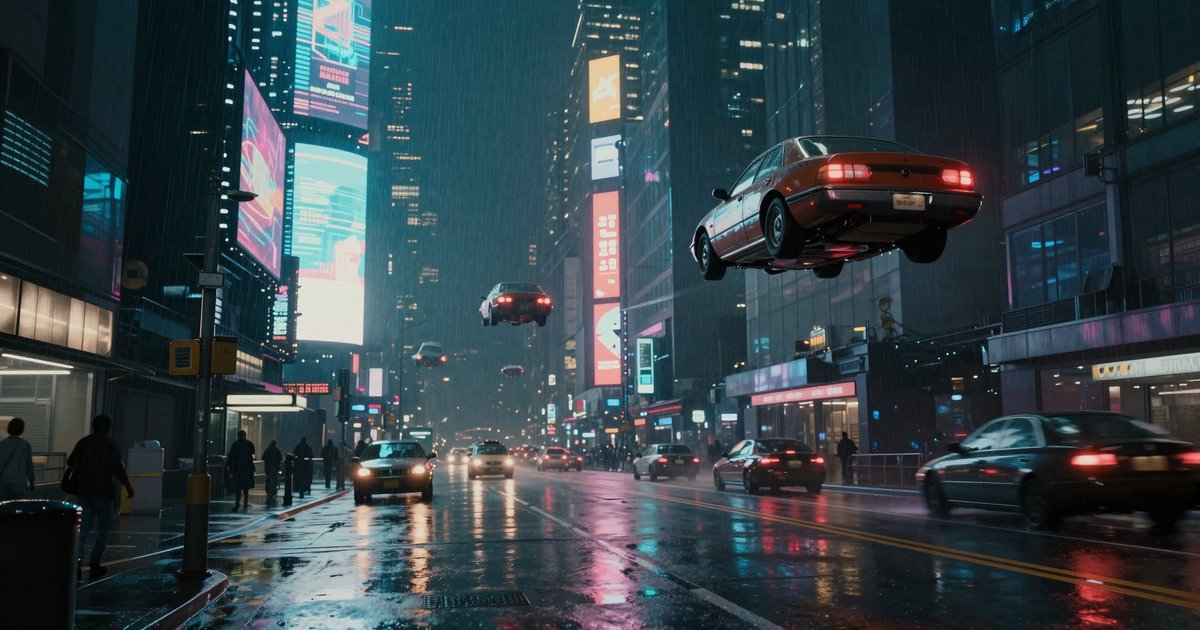
- Cinematic scenes. The rainy neon street below has believable wet-road reflections and depth for a model this small.
- Portraits with a clear subject. The hanfu portrait sample keeps fabric folds, hair and a soft bamboo background separated.
- Flat vector and sticker work. The corgi sticker came back with the thick white border and clean flat fills it asked for.
- Chinese prompts. The vendor documents Chinese and English support, so you can write the prompt in either.
Z Image Turbo specs on this site
The shortest spec table on the site, which is rather the point.
| Spec | Value here |
|---|---|
| Vendor | Alibaba Tongyi |
| Resolutions | 1K and 2K |
| Credits per image | 10 at 1K, 10 at 2K |
| Aspect ratios | 7: 1:1, 3:4, 2:3, 9:16, 4:3, 3:2, 16:9 |
| Reference images | None, text to image only |
| Image editing | No |
| Speed in our tests | 4 to 13 seconds |
| Best for | Concepts, backgrounds, stickers, high-volume drafts |
Sample images made with Z-Image Turbo
All three were generated on this site with the model set to Z-Image Turbo, unedited.
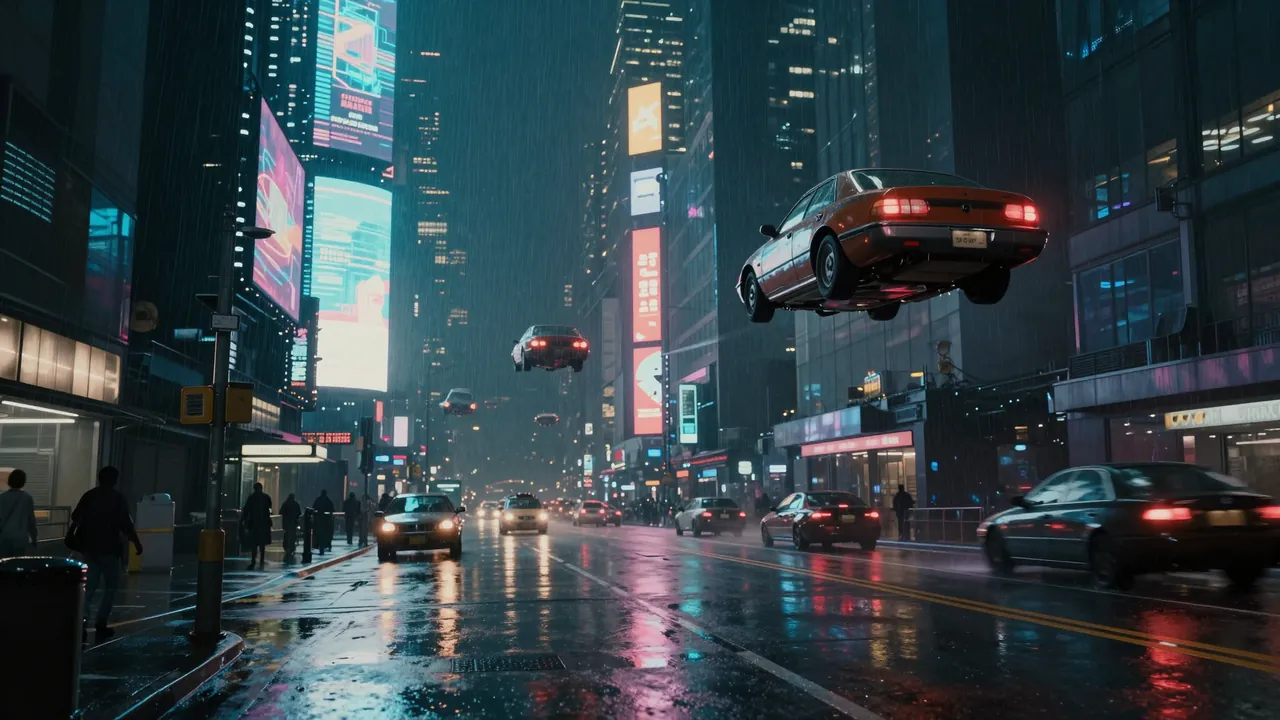
A cyberpunk city street at night with flying cars, holographic billboards and rain, neon reflections on the wet road, cinematic wide shot.
Z-Image Turbo · 16:9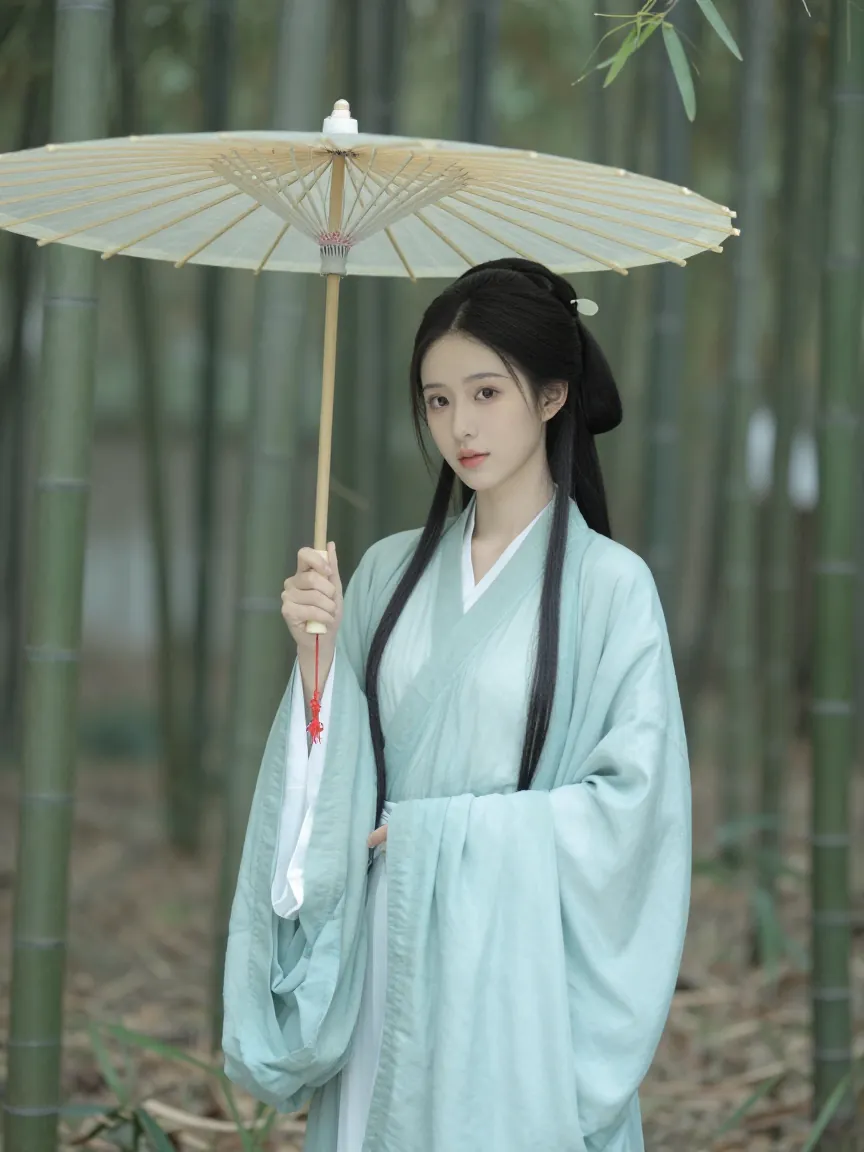
A portrait of a young woman in a traditional pale blue hanfu holding an oil-paper umbrella in a bamboo forest, soft diffused light, gentle mist.
Z-Image Turbo · 3:4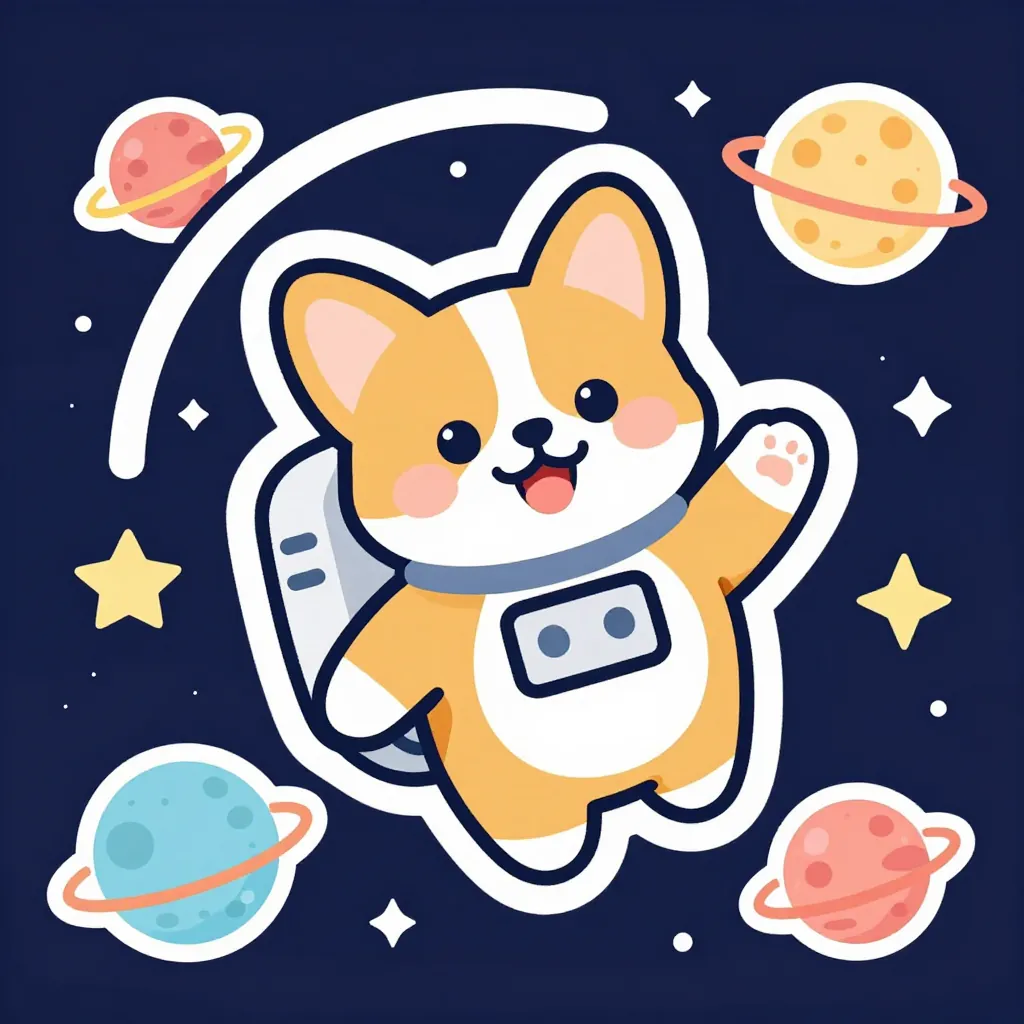
A cute cartoon corgi astronaut floating in space among colorful planets and stars, sticker style with a thick white border, flat colors.
Z-Image Turbo · 1:1
How to use Z-Image Turbo on this page
- Type the prompt above and press Generate. The model is already selected.
- Write in English or Chinese. The vendor supports both, and the prompt limit for this model is 800 characters.
- Use 2K when you want it. It is the same 10 credits as 1K, so there is no reason to stay small.
- Pick from seven ratios: 1:1, 3:4, 2:3, 9:16, 4:3, 3:2 and 16:9. Panoramic and ultra-tall shapes are not offered on this model.
- Do not look for a Reference button here. This model is text to image only on this site; switch the picker to Kontext Pro or Seedream 4 to edit an upload.
20 free credits come with a new account, valid 7 days, which is two Z-Image Turbo images. Plans and credit packs are on the pricing page.
Z Image Turbo vs Nano Banana 2.1
The same prompt at 4:3, one call each on this site. Nano Banana 2.1 costs 20 credits at 1K here, Z-Image Turbo 10.
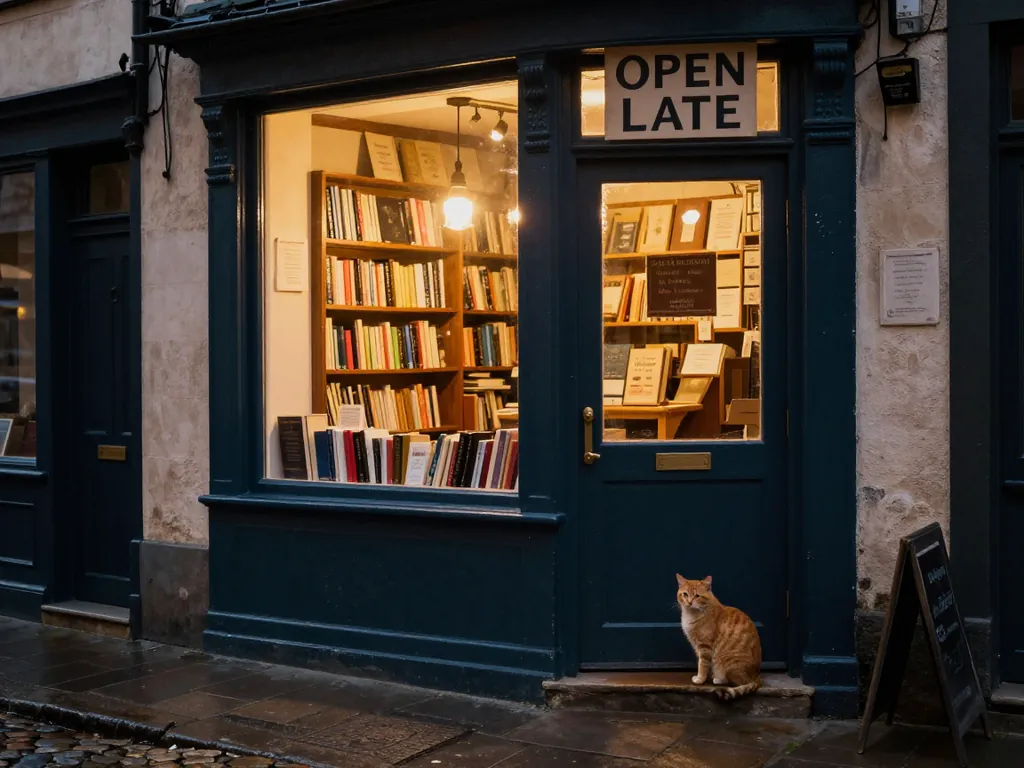
Z-Image Turbo
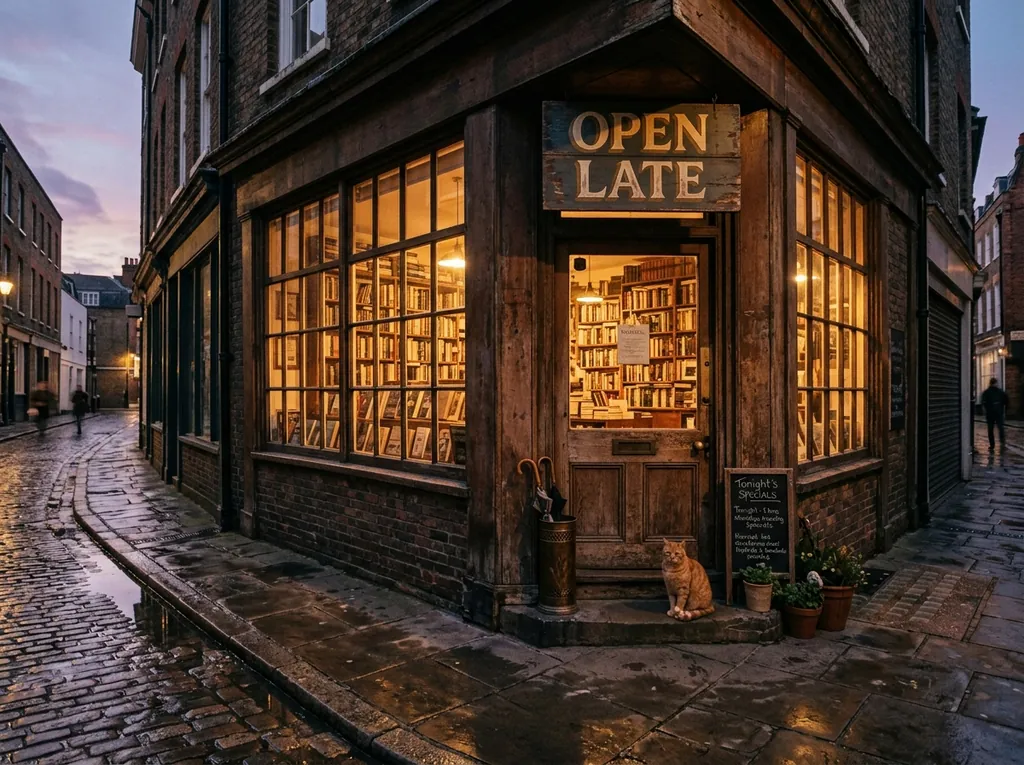
Nano Banana 2.1
When to pick Z-Image Turbo and when to pick something else
- Pick Z-Image Turbo for first drafts, mood boards, backgrounds and anything you will generate twenty of.
- Pick it when you are writing in Chinese and want a model that takes the prompt directly.
- Pick Seedream 4 at 15 credits when you want 4K, references or an edit, still in seconds.
- Pick Seedream 5 Pro or Nano Banana 2.1 when the frame has to look finished rather than sketched.
- Pick GPT Image 2 at 10 credits when the image needs several words of readable text; it is the same price with steadier typography and a longer wait.
- Pick FLUX Kontext Pro when you have a photo to change, since Z-Image Turbo cannot take one.
Prompt tips for Z Image Turbo
- Keep it to one scene. This is a small, fast model; a prompt with three separate ideas in it blurs them together.
- Name the style plainly. "Sticker style with a thick white border, flat colors" and "cinematic wide shot" both landed first time.
- Give it one subject and one background. Crowds and complex interactions are where it falls behind the bigger models here.
- Ask for light, not mood. "Soft diffused light, gentle mist" works better than "dreamy".
- Expect to pick from several. At 10 credits and under ten seconds, generate four and keep one rather than polishing the prompt.
- Keep text to two or three words and check it. More prompt patterns are in the Nano Banana 2.1 prompts guide.
The vendor’s smart prompt rewriting option is available in the vendor API, not in this generator, so what you type is what the model sees.
Independence, trademarks and your images
nanobanana21.app is an independent image studio and is not affiliated with, endorsed by or connected to Alibaba or Tongyi. Z-Image and the other model names on this page are trademarks of their respective owners, used only to say which model runs a job.
Prompts and results stay in your private library and are never shown publicly. Images you generate here are yours to use under our terms, including commercial work. The model itself is run by its vendor, so check that vendor’s own usage policy for your particular case, especially for brand assets, likenesses and anything you plan to resell.
FAQ
What is Z Image Turbo?
Z-Image Turbo is a lightweight, fast image model from Alibaba Tongyi. The vendor describes it as lightweight and fast with support for Chinese and English prompts. On this site it is the cheapest option in the picker at 10 credits an image.
How much does an image cost here?
10 credits, at 1K and at 2K. The 2K tier costs the same as 1K, so you may as well use it.
Can it edit a photo I upload?
No. Z-Image Turbo is text to image only on this site, with no reference images. For edits use FLUX Kontext Pro, Seedream 4, Seedream 5 Pro or one of the OpenAI models.
How fast is it?
In our tests, 4 to 13 seconds an image. That is a measurement from a few calls on one day rather than a guarantee, and queue time varies.
Can I write the prompt in Chinese?
Yes. The vendor documents support for Chinese and English prompts for this model, with a limit of 800 characters.
Which aspect ratios are available?
Seven: 1:1, 3:4, 2:3, 9:16, 4:3, 3:2 and 16:9. There are no panoramic or ultra-tall shapes on this model.
Is it free to try?
New accounts get 20 free credits valid for 7 days, which is two Z-Image Turbo images at any size. After that, plans and one-time credit packs are on the pricing page.
Is it good enough for final work?
For stickers, backgrounds and concept frames, often yes. For a finished photographic scene or anything with several words of text in it, the comparison above shows it loses detail and atmosphere against the larger models here.
Can I use the images commercially?
Images you generate here are yours to use under our terms, including commercial work. The model itself is run by its vendor, so check that vendor’s own usage policy for your particular case, especially for brand assets, likenesses and anything you plan to resell.