By the nanobanana21.app teamUpdated
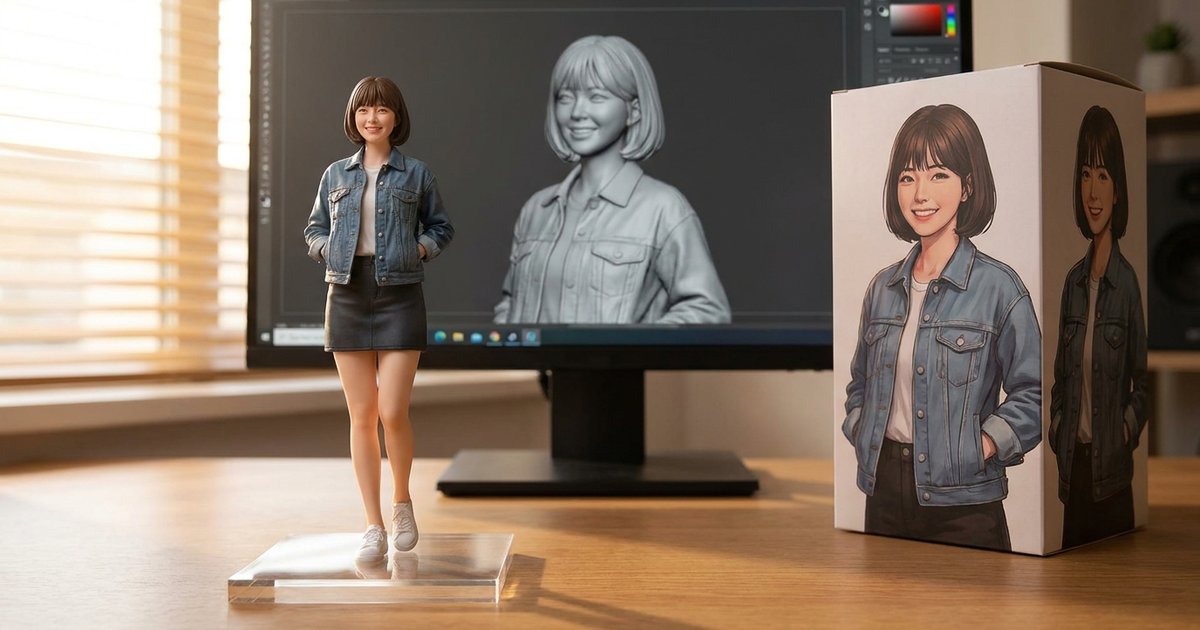
This AI figurine generator turns a photo into a picture of a realistic collectible figure: the figure on a clear acrylic base, its 3D sculpt on a monitor behind it, and a retail box with illustrated artwork. Upload a photo with the Reference button, keep the ready-made prompt, and press Generate.
The look went viral as the nano banana figurine trend, because Google's Nano Banana models keep a face and an outfit recognisable while changing everything else about the image. The prompt in the box above is our cleaned-up version of that viral figurine prompt, and every example on this page was made with it on this site.
Photo to figurine: three real examples
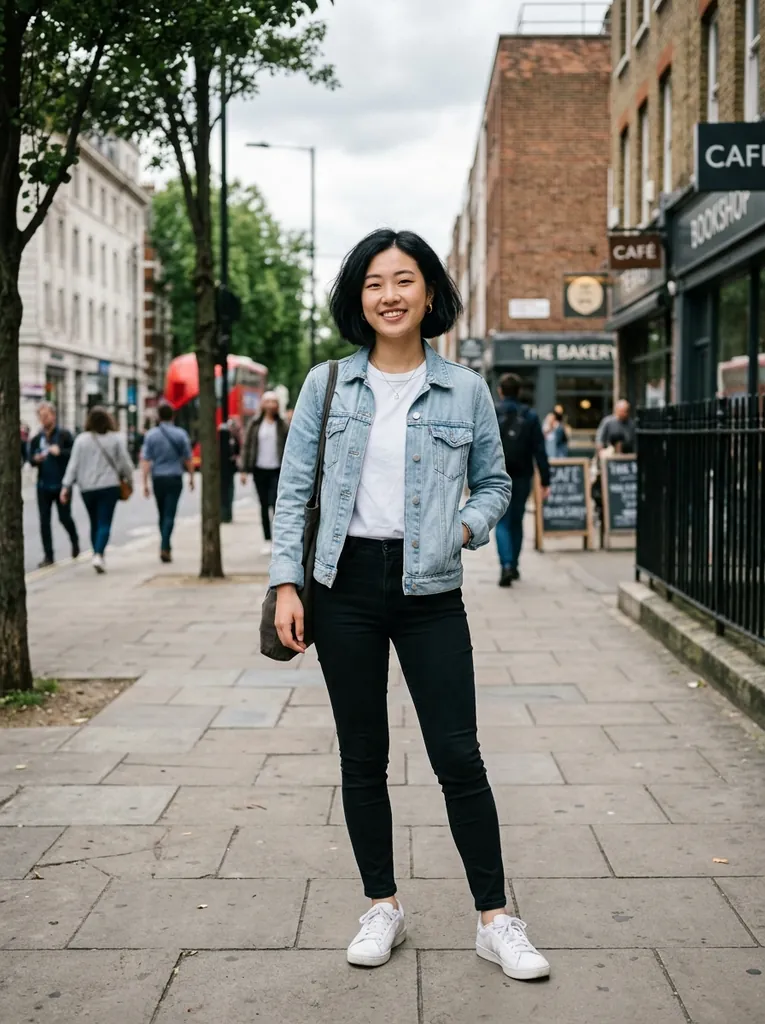
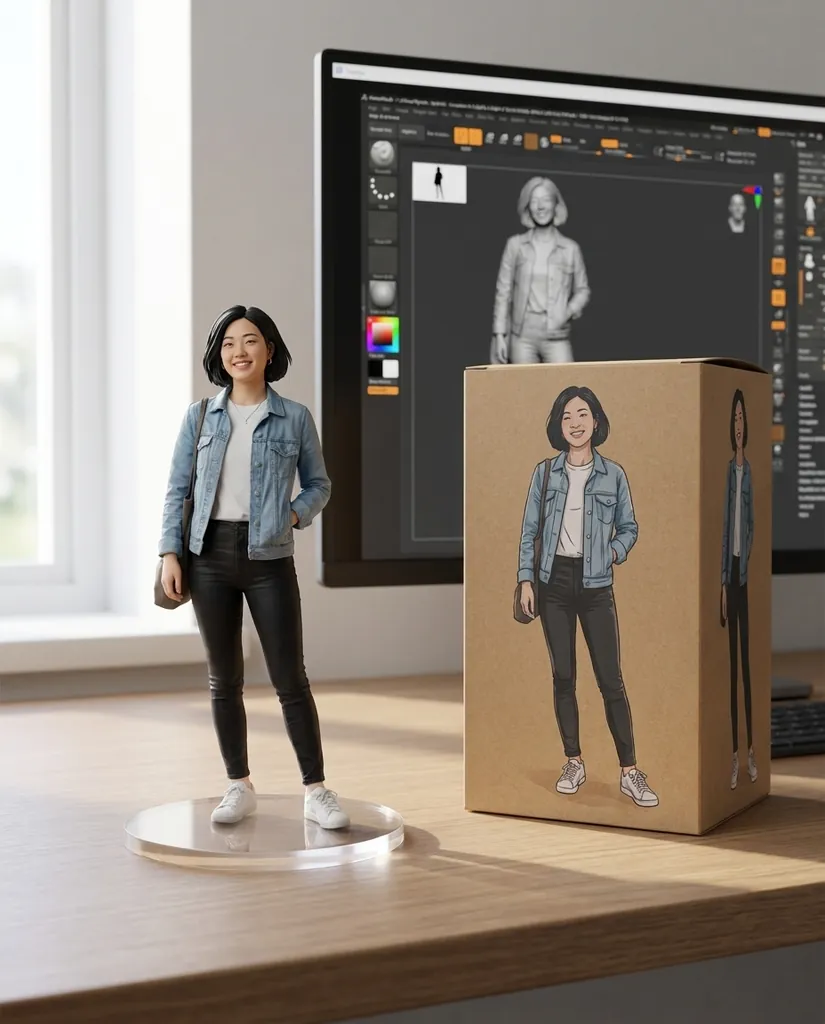
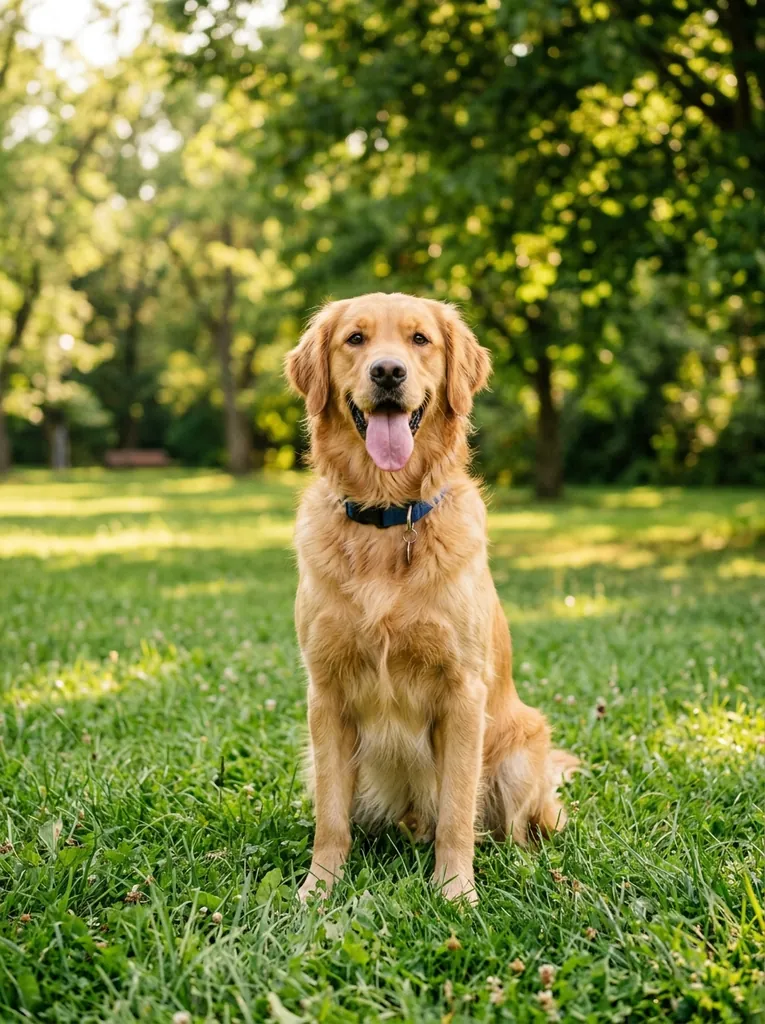
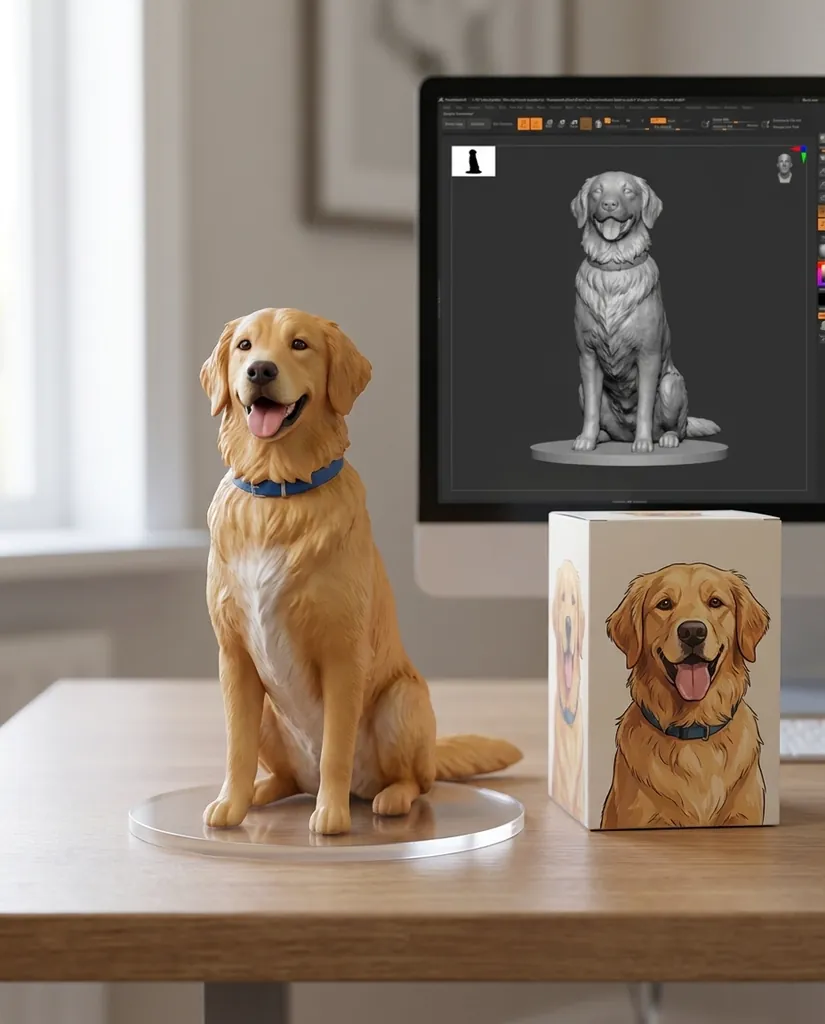
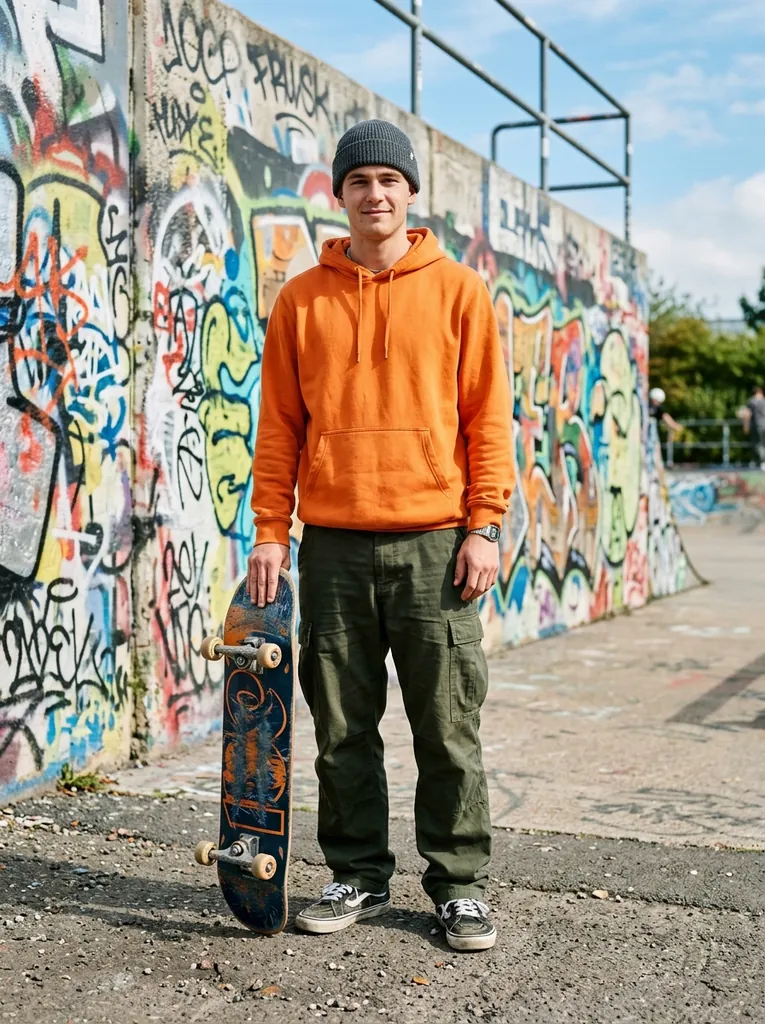
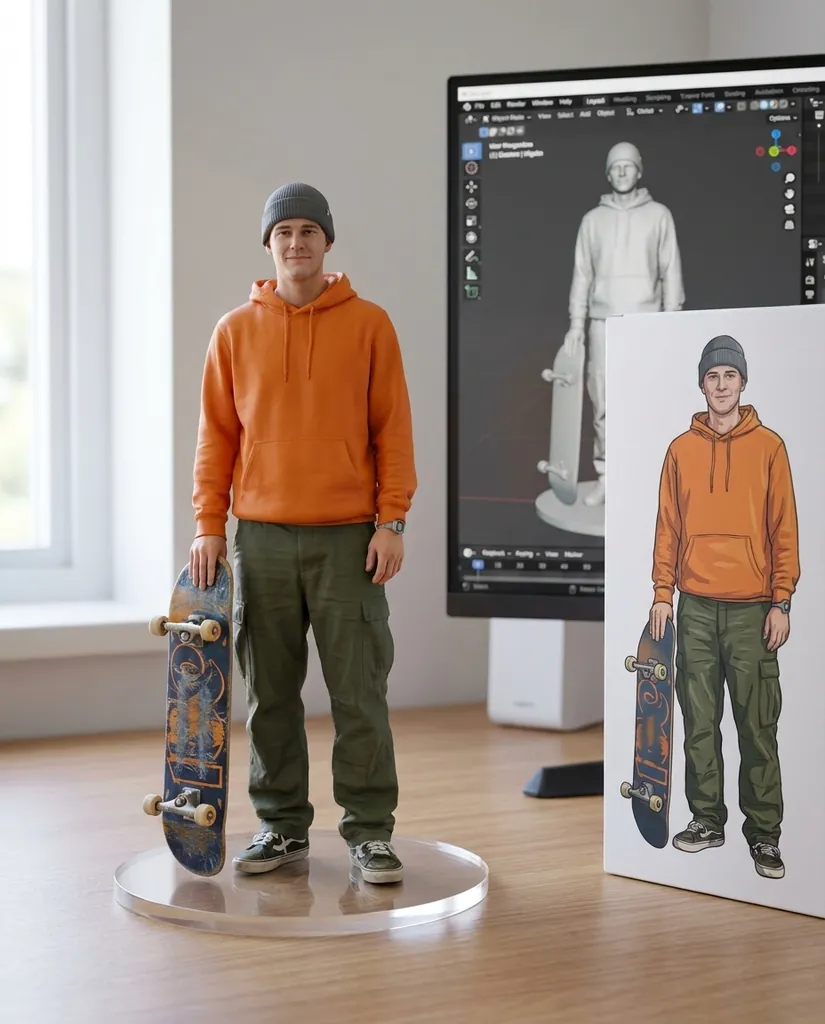
Each pair below is the photo we attached and what came back, unedited, with the prompt underneath. Two people and a dog, because pets are the second most popular figurine request after selfies. Copy a prompt, or press Try it to open it in the generator, then attach your own photo.
Turn the person in the attached photo into a 1/7 scale commercial collectible figurine, realistic style, photographed in a real environment. The figurine stands on a round clear acrylic base with no text, on a tidy wooden desk next to a computer monitor that shows the figurine's 3D sculpt in a modeling program. Beside the monitor is the figurine's retail box with original illustrated artwork of the same character and no logos. Soft daylight from a window on the left, shallow depth of field. Keep the face, hairstyle, clothes and pose recognisable from the photo.
Nano Banana Pro · 4:5Turn the dog in the attached photo into a 1/7 scale commercial collectible figurine, realistic painted PVC, sitting on a round clear acrylic base with no text, on a tidy wooden desk next to a monitor showing its 3D sculpt and a retail box with an illustrated portrait of the same dog and no logos. Soft window light, shallow depth of field. Keep the breed, coat color, markings and expression from the photo.
Nano Banana Pro · 4:5Turn the person in the attached photo into a 1/7 scale commercial collectible figurine, realistic style, photographed in a real environment. The figurine stands on a round clear acrylic base with no text, on a tidy wooden desk next to a computer monitor that shows the figurine's 3D sculpt in a modeling program. Beside the monitor is the figurine's retail box with original illustrated artwork of the same character and no logos. Soft daylight from a window on the left, shallow depth of field. Keep the face, hairstyle, clothes and pose recognisable from the photo.
Nano Banana Pro · 4:5
How to make a figurine from your photo
- Pick a photo. Full body or at least waist up, face clearly visible, one person or one pet, decent light. A busy background is fine; the model replaces it.
- Attach it. Press Reference in the generator and upload the photo. It stays private to your account.
- Keep the prompt, or edit it. The default prompt already asks for the base, the monitor with the 3D sculpt and the box. Change only what you need, such as the pose, a prop or the box artwork.
- Choose 4:5 or 3:4. A portrait ratio leaves room for the figure, the monitor and the box. Square crops the box.
- Generate at 1K first. When you like the composition, run the same prompt again at 2K or 4K for the keeper.
New accounts get 20 free credits to try it, and a 1K figurine with Nano Banana 2.1 or Nano Banana Pro costs 20 credits. See pricing for plans and credit packs.
The nano banana figurine prompt, explained
The viral prompt works because it describes a product photo, not a toy. Each clause does a job:
- "1/7 scale commercial collectible figurine, realistic style" sets the material and the finish of a store-bought PVC figure instead of a cartoon.
- "round clear acrylic base with no text" gives the figure something to stand on and stops the model from inventing a logo.
- "on a tidy wooden desk next to a computer monitor that shows the figurine's 3D sculpt" is the detail that makes the image read as a real product in development, and the reason the trend spread.
- "retail box with original illustrated artwork of the same character and no logos" adds the packaging without copying any real brand.
- "Keep the face, hairstyle, clothes and pose recognisable from the photo" is the consistency instruction. Without it the model drifts toward a generic face.
To customise it, change one clause at a time: a different pose ("waving", "sitting on the edge of the desk"), a prop ("holding a coffee cup", "with a tiny laptop"), or the box style ("a minimalist white box with a line drawing").
Figurine styles you can ask for
The collectible PVC look is only one option. These six styles need no photo at all; describe the character instead, or attach a photo and add "of the person in the attached photo" to any of them.
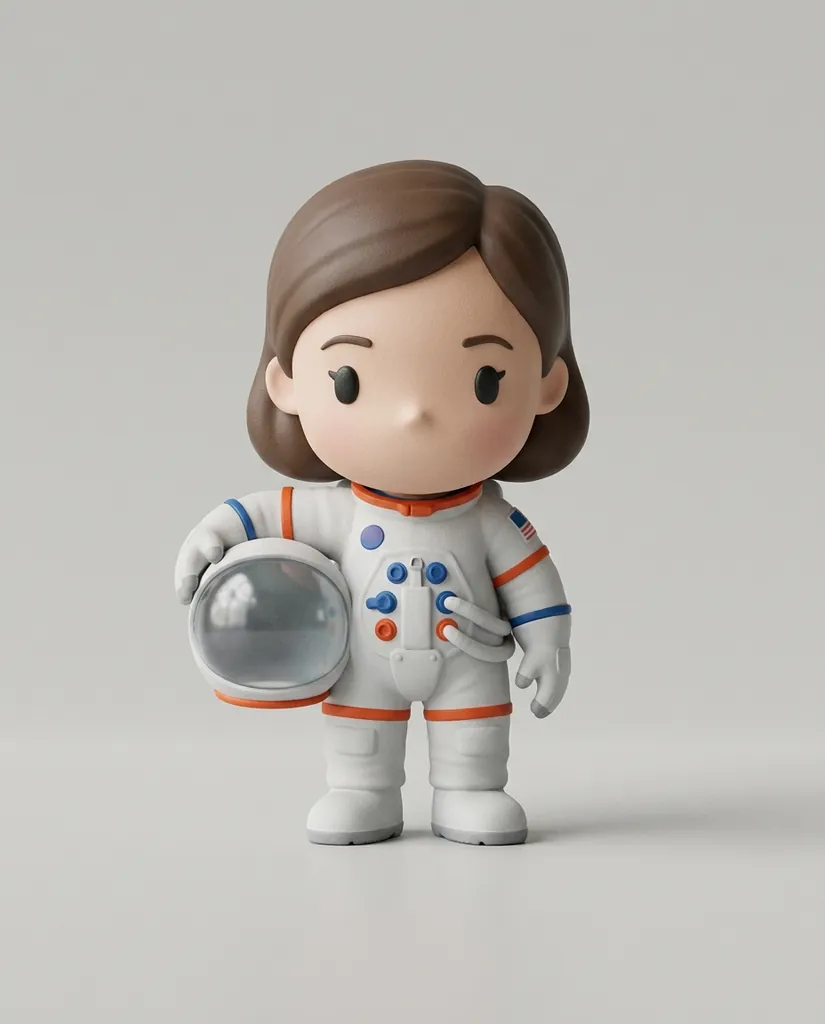
A big-head chibi vinyl toy of a girl astronaut in a white spacesuit holding her helmet under one arm, matte vinyl finish, standing on a light gray tabletop, soft studio light, product photography, no text, no logos.
Nano Banana Pro · 4:5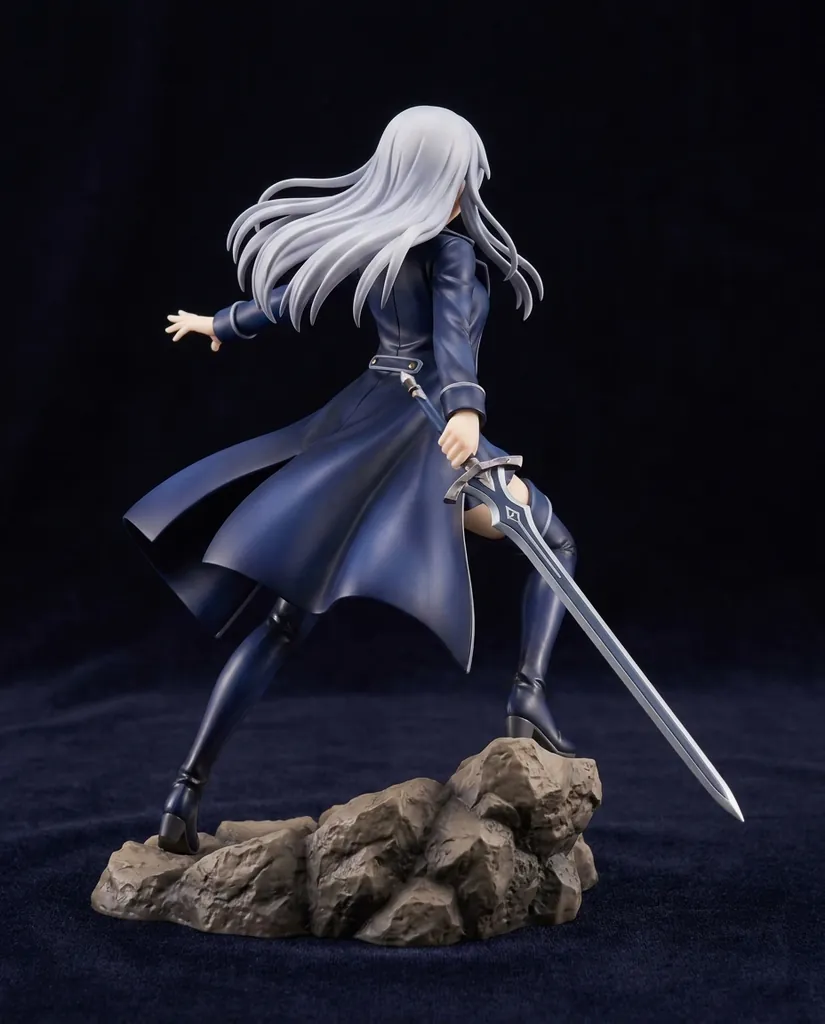
A 1/7 scale anime-style PVC figure of a swordswoman with long silver hair and a flowing navy coat, dynamic pose on a sculpted rock base, glossy paint, soft studio light against a dark background, product photography, no text.
Nano Banana Pro · 4:5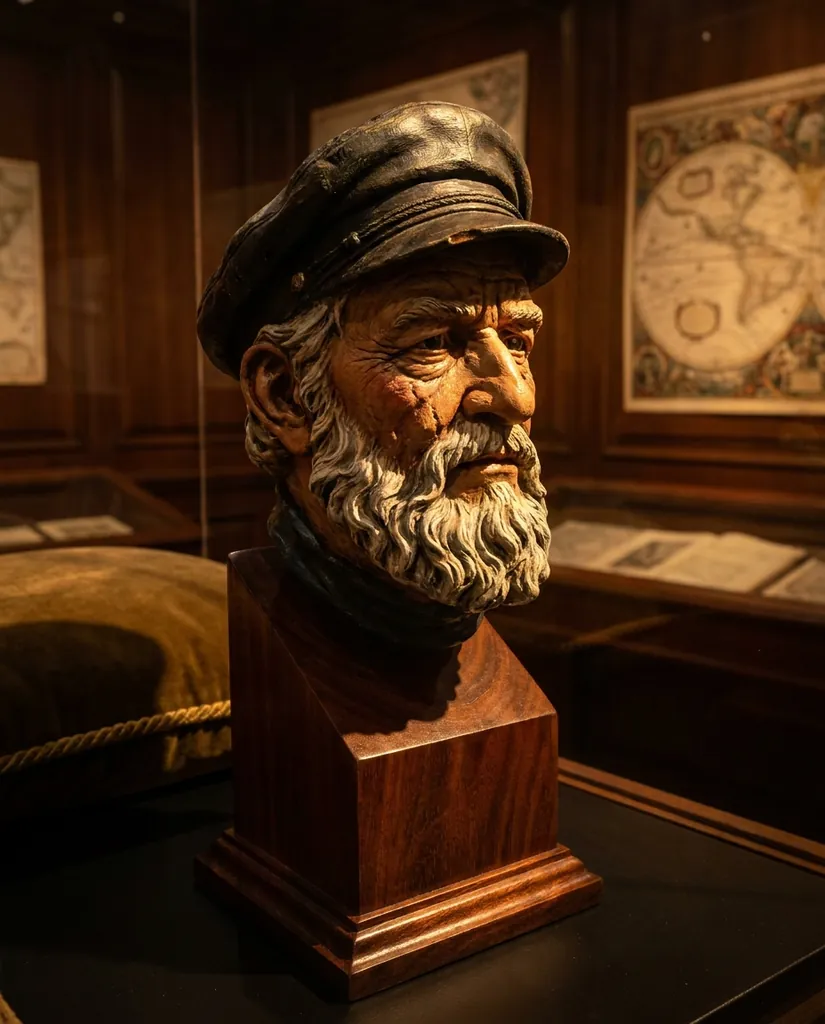
A hand-painted resin bust of an old sea captain with a white beard and a weathered cap, on a black wooden plinth, dramatic side light, museum-quality detail, no text.
Nano Banana Pro · 4:5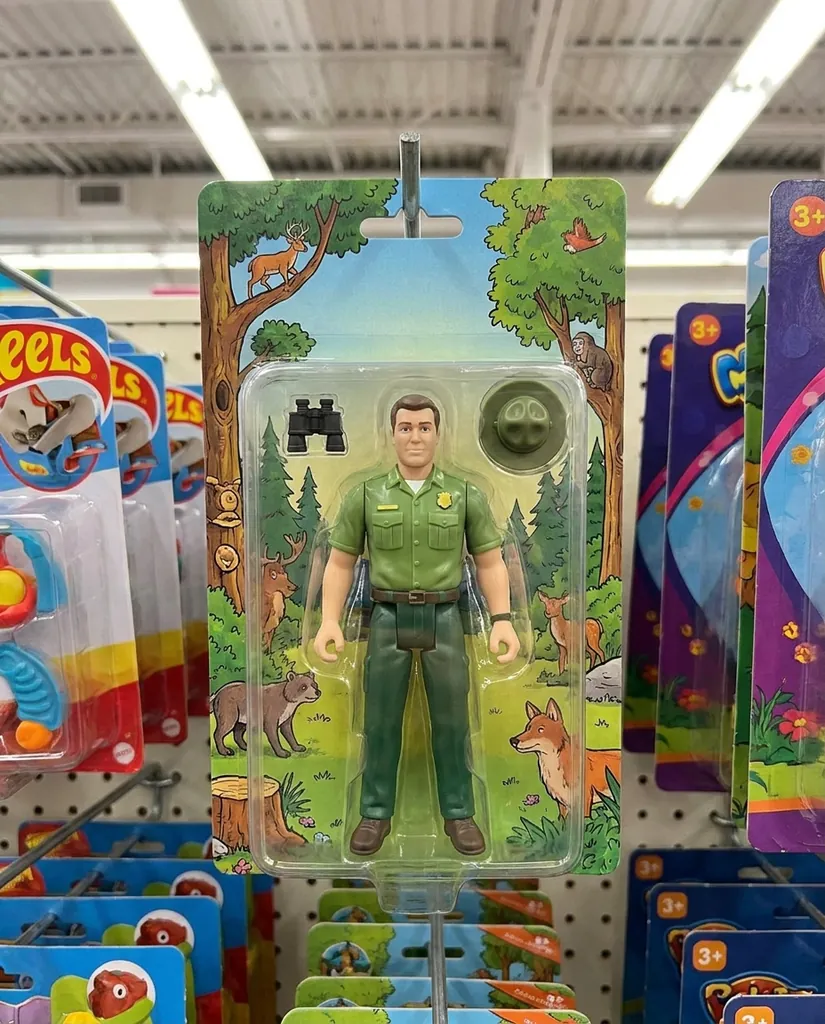
A 6-inch action figure of a park ranger in a green uniform with a tiny binoculars accessory, sealed in a blister pack on a colorful illustrated card with no brand names, hanging on a toy store peg, bright retail lighting, no readable text.
Nano Banana Pro · 4:5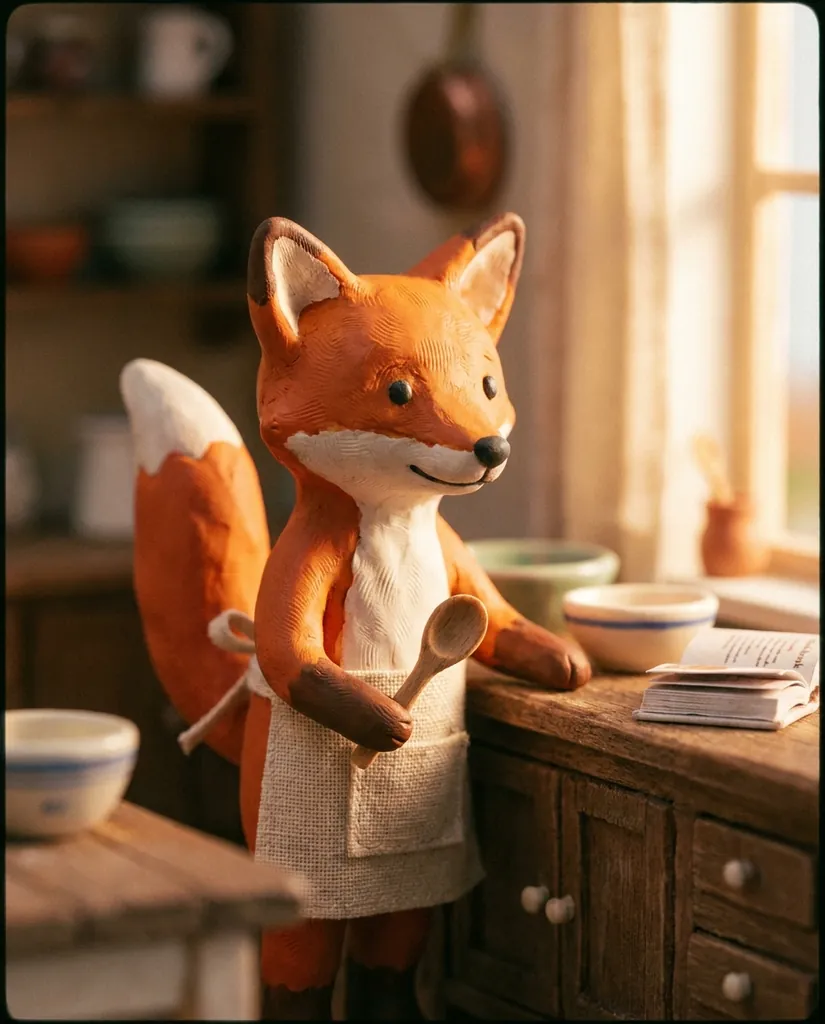
A cute claymation-style figurine of a fox chef in a tiny apron holding a wooden spoon, visible fingerprints in the clay, on a kitchen counter, warm soft light, shallow depth of field, no text.
Nano Banana Pro · 4:5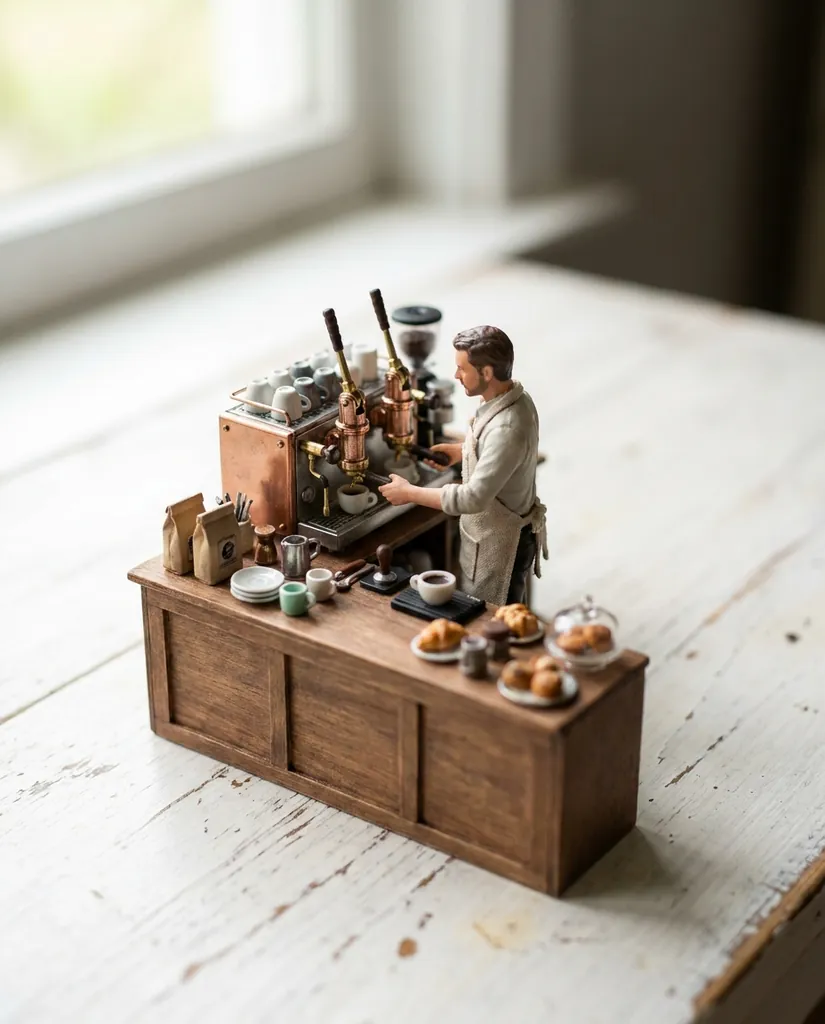
A miniature diorama figurine of a barista making coffee behind a tiny wooden espresso bar, 1/12 scale, intricate props, on a white tabletop, soft daylight, tilt-shift look, no readable text, no logos.
Nano Banana Pro · 4:5
Tips for better AI figurines
- One subject per photo. Group photos come back as a crowded box or with mixed-up faces. Crop to one person first.
- Say what must not change. Glasses, a tattoo, a hat or a pet's markings survive more often when the prompt names them.
- Name the material. PVC, vinyl, resin, clay and plush each give a different surface and paint style.
- Keep text out of the box art, or keep it short. Ask for "no text" or for one short word in quotes; long product names come out misspelled.
- Avoid famous characters and brand logos. Requests built around trademarked characters are often refused by the model's safety review, and you could not sell the result anyway.
- Re-roll before rewriting. The same prompt gives a different composition every time; try twice before changing words.
For more prompt patterns, including subject consistency across a series, see the Nano Banana 2.1 prompts guide.
Which model makes the best figurines?
All the examples here were made with Nano Banana Pro, which renders the finest paint detail and the cleanest box art. Nano Banana 2.1, the default in the generator, costs the same here and follows the same prompt. Nano Banana 2 and Nano Banana 2 Lite are cheaper and fine for drafts, with a little less facial likeness.
Start on the default, generate a couple at 1K, and switch models only if the face drifts. What Nano Banana 2.1 is and how it differs from Pro is covered in What is Nano Banana 2.1?.
Your photos, rights and safety
Upload only photos you have the right to use: yourself, people who agreed, your own pets. Uploads and results stay in your private library on this site and are not shown publicly. Every image made with Google's Nano Banana models carries an invisible SynthID watermark that identifies it as AI-generated.
nanobanana21.app is an independent site, not affiliated with Google.
FAQ
Is this AI figurine generator free?
New accounts get 20 free credits, valid for 7 days, which covers one 1K figurine with Nano Banana 2.1 or Nano Banana Pro. After that, plans and one-time credit packs are on the pricing page.
How do I turn my photo into a figurine?
Press Reference in the generator, upload your photo, keep the default figurine prompt and press Generate. A portrait ratio such as 4:5 leaves room for the figure, the monitor and the box.
What is the nano banana figurine prompt?
It describes a 1/7 scale collectible figure on a clear acrylic base, a monitor showing its 3D sculpt and a retail box with illustrated artwork, and asks the model to keep the face and outfit from your photo. The full prompt is pre-filled in the generator on this page.
Can I make a figurine of my pet?
Yes. Use the dog example on this page: it names the breed, coat and markings as things to keep. It works the same way for cats and other pets.
Does it work with group photos?
It works best with one subject. For a pair, ask for "two figurines side by side on one base" and expect to re-roll a few times; for larger groups, make one figurine per person.
Can I get a figurine without a photo?
Yes. Describe the character in the prompt instead, as in the six style examples: chibi vinyl, anime PVC, resin bust, action figure in a blister pack, clay and miniature diorama.
Why was my figurine request refused?
The model's safety review blocks some requests, most often famous characters, brand logos or unsafe content. A refused image costs nothing: the credits go back to your balance automatically.
Can I order a real 3D printed figurine?
This tool makes an image of a figurine, not a 3D model file or a physical figure. Some people send the image to a 3D artist or a printing service as a reference.